AudiPlayerX Extension

An advanced, feature-rich audio player extension for MIT App Inventor 2 with stunning modern themes, built-in visualizers, lock screen controls, and background playback support.
- Package:
com.audiplayerx - Size: 120.38 KB
- Version: 1.0
- Minimum API Level: 14 (Android 4.0+)
- Updated On: October 31, 2026
- Built & documented using: FAST
v7.7.0
 Key Features
- Stunning Themes: Switch between Neon and Vinyl styles to give your app a unique aesthetic.
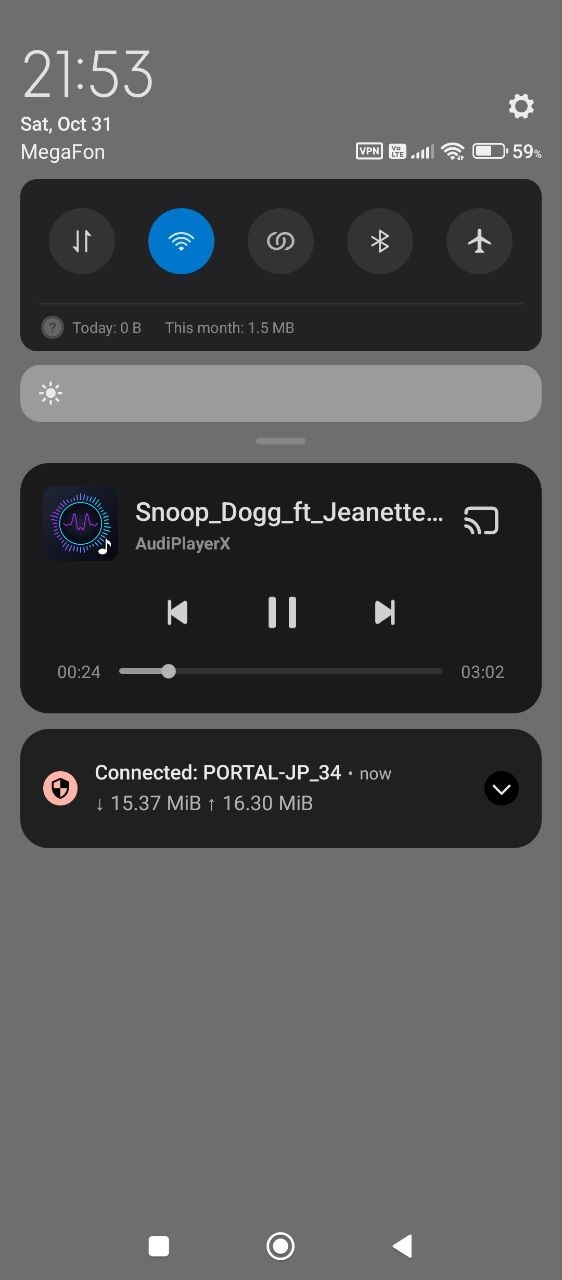
- Lock Screen & Notifications: Displays a rich media notification with playback controls and progress on the lock screen.
- Audio Visualizer: Built-in dynamic visualizer blocks (spectrum bars, waves, and beat detection).
- Background Playback: Keeps music playing seamlessly even when the app is minimized or the screen is locked.
- Local Music Integration: Easily scan and load tracks straight from the device’s Music folder.
- Localized UI: Automatically adapts text elements to the phone’s system language.
 Usage Examples & Block Implementation
Here is how you can set up and use AudiPlayerX in your App Inventor blocks.
1. Initializing and Attaching the Player
To display the player inside your app layout, attach it to a VerticalArrangement when the screen initializes and request the necessary permissions.
Blocks Example (
Screen.Initialize):
- When
Screen1.Initializedo:
- Call
AudiPlayerX1.Attach( arrangement:VerticalArrangement1)- Call
AudiPlayerX1.RequestPermissions
2. Loading Music and Playing
You can either let users pick audio files manually or load the entire music directory automatically.
Blocks Example (Button Click to Load Folder):
- When
BtnLoadMusic.Clickdo:
- Call
AudiPlayerX1.LoadMusicFolder- Call
AudiPlayerX1.Play
3. Handling Events (Track Changes & Beats)
React to changes in playback state, track switching, or even bass drops using built-in events.
Blocks Example (
TrackChanged&BeatDetected):
- When
AudiPlayerX1.TrackChanged (trackIndex, title, artist, path)do:
- Set
LblSongTitle.Texttotitle- Set
LblArtist.Texttoartist- When
AudiPlayerX1.BeatDetected (level)do:
- // Create pulse animations or visual effects based on the bass level (0–100)
- Set
CircleVisualizer.Radiusto(level / 2) + 20
 Reference Guide
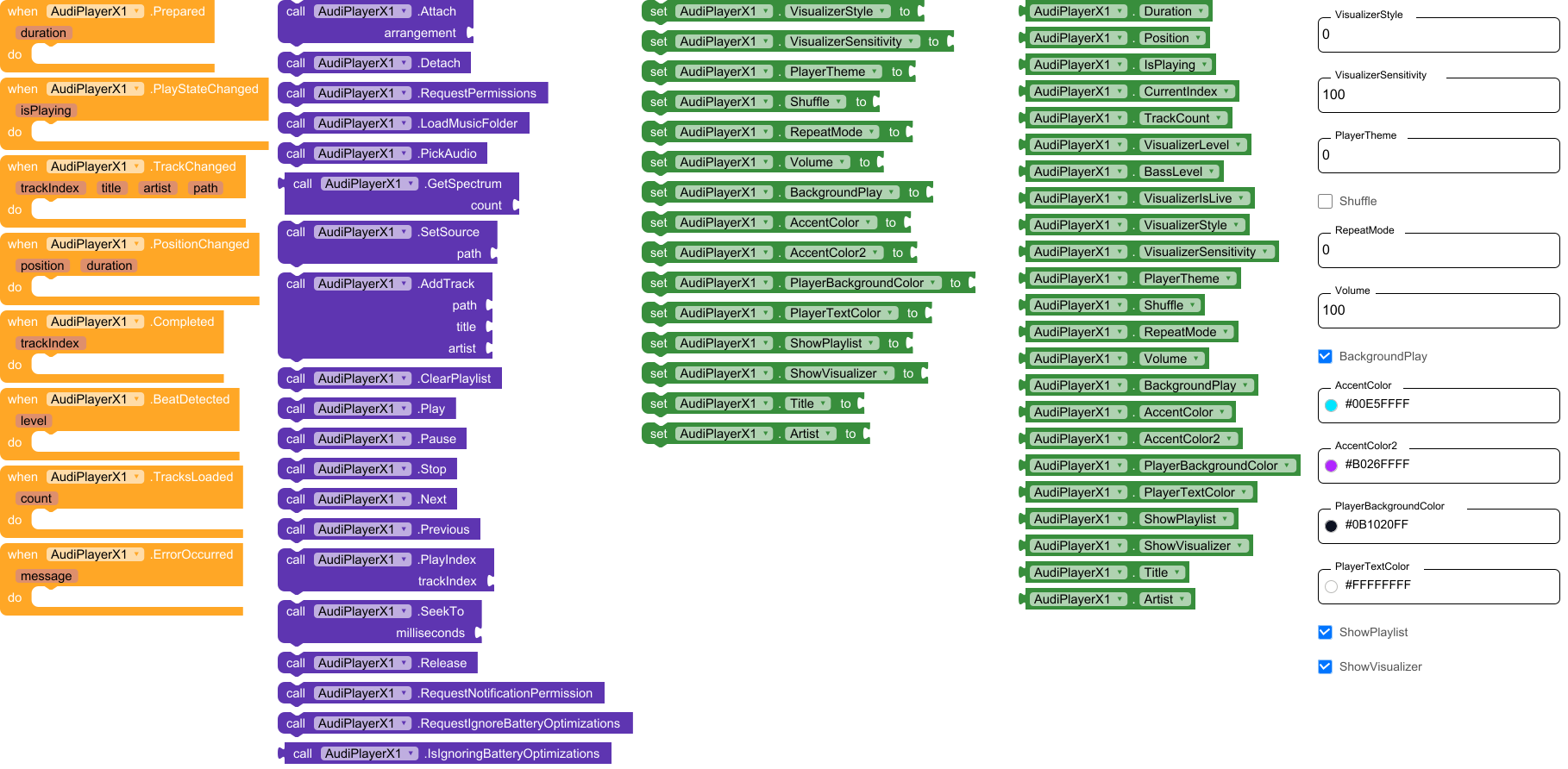
 Designer Properties
| Property | Type | Default | Description |
|---|---|---|---|
| VisualizerStyle | Integer | 0 |
0 = Auto (by theme), 1 = Spectrum bars, 2 = Wave. |
| VisualizerSensitivity | Integer | 100 |
Visualizer responsiveness (20–300). |
| PlayerTheme | Integer | 0 |
0 = Neon, 1 = Vinyl. |
| Shuffle | Boolean | False |
Enable or disable random playback order. |
| RepeatMode | Integer | 0 |
0 = Off, 1 = Repeat all, 2 = Repeat one track. |
| Volume | Integer | 100 |
Playback volume (0–100). |
| BackgroundPlay | Boolean | True |
Allow playback in the background / lock screen. |
| AccentColor | Color | #00E5FF |
Primary accent color. |
| AccentColor2 | Color | #B026FF |
Secondary accent color. |
| PlayerBackgroundColor | Color | #0B1020 |
Main player background color. |
| PlayerTextColor | Color | #FFFFFF |
Text color. |
| ShowPlaylist | Boolean | True |
Show/hide the track list UI. |
| ShowVisualizer | Boolean | True |
Show/hide the built-in sound animation. |
 Events
Prepared(duration): Triggered when a track is loaded and ready. (durationin ms)PlayStateChanged(isPlaying): Fired when playback starts or pauses.TrackChanged(trackIndex, title, artist, path): Fired when the active track changes.PositionChanged(position, duration): Triggered once per second with current progress.Completed(trackIndex): Triggered when the current track finishes playing.BeatDetected(level): Triggers on bass hits (max once every 280ms, level0–100). Requires audio recording permission.TracksLoaded(count): Fired when tracks are successfully added to the playlist.ErrorOccurred(message): Fired if an error occurs during playback.
 Methods
Attach(arrangement): Displays the player inside a specified layout container.Detach(): Removes the player from the layout (music keeps playing).RequestPermissions(): Requests audio reading, recording (for visualizer), and notification permissions.LoadMusicFolder(): Loads all audio files from the device’sMusicfolder into the playlist.PickAudio(): Opens a file picker to select and add multiple audio files.GetSpectrum(count): Returns alistof frequency amplitudes (0–100) from low to high (count:1to64).SetSource(path): Clears the playlist and sets a single track (supportshttp(s),/storage/...,content://, orassets).AddTrack(path, title, artist): Appends a track to the playlist.ClearPlaylist(): Clears the queue, stops playback, and hides the notification.Play()/Pause()/Stop(): Control playback state.Next()/Previous(): Skip tracks.PlayIndex(trackIndex): Jump to a specific track by index (starting from0).SeekTo(milliseconds): Seek to a specific timestamp in the track.Release(): Frees player resources and dismisses notifications.RequestNotificationPermission(): Requests notification permissions (Android 13+).RequestIgnoreBatteryOptimizations(): Prompts user to exclude the app from battery saving restrictions to prevent background pauses.IsIgnoringBatteryOptimizations(): Returnstrueif battery optimizations are disabled for the app.
com.audiplayerx.aix (120.4 KB)