Im continuing my Character tracker, and the current mission is the map.
My requirements is markers, scroll and zoom.
I have a file, that i want to use as a map. But what i can find the map component is unable to use a custom file as a map.
I was looking into the Canvas component, and that might fit, but the file wont show. I have added the file (tried as .pdf, .png and .jpeg) to the aset manager and picked it in the properties, but it wont show. Neither in the “preview” or if i run the app through the companion.
Does anyone have a good solution? Either to the canvas issue or another alternative for custom map?
I think the Canvas is perfect for your purpose.
PDFs aren’t compatible, but PNGs and JPGs are.
To set the image, what did you do? You used the BackgroundImage property, right?
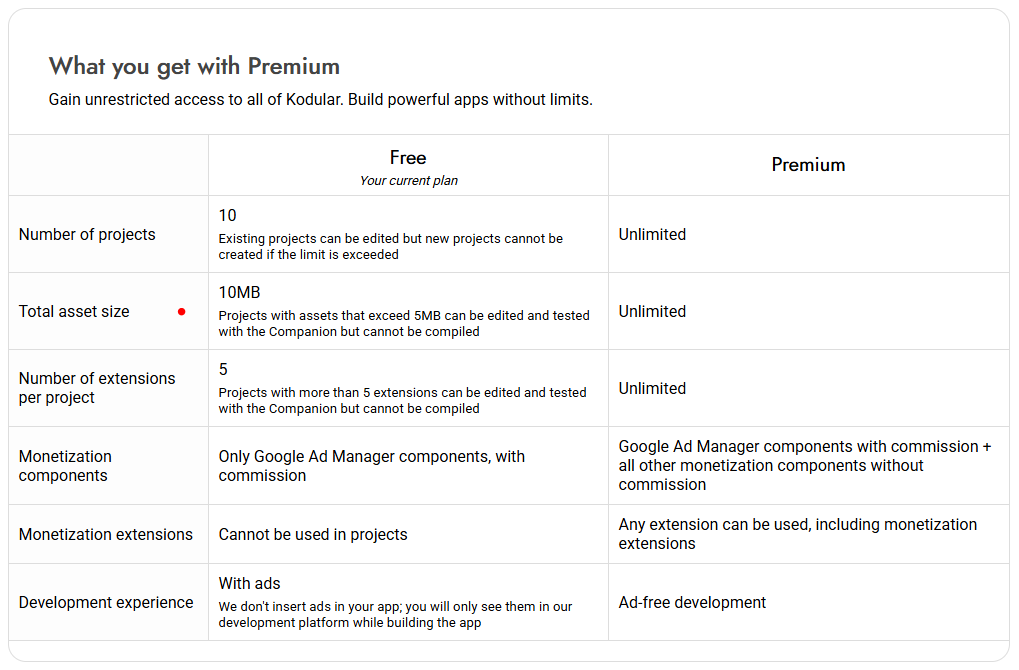
Yes that is correct, also when i have the file selected, and run the companion, i get an error failed to download. Even the Preview in the creator does not show it. Is there a Size limit perhaps?
As a premium user there are no limits and you shouldn’t be having this kind of problem.
If it’s not a private file, could you post the problematic image here?
I have done some testing. it seem to be a 5mb limit for preview as desclosed in the “Free” Tier. I think that the “Unlimited” wording is for the premium tier is for the storage.
I did some tests and it’s possible to load images even of 38 MB or more into an Image component.
Could you check in the app’s assets folder if the image you’re trying to load is present?
In my tests, I had to bypass loading from the web on Kodular because I was getting errors, but I solved it by uploading the image to Google Drive and downloading it into the assets folder.
After that, loading it into both an Image component and a Canvas worked without any problems.
Please show the block where you load the image into the component
I havent tested the drive import yet, but will it download to the project or the app?
If not, how can i Create an overlay for the image? i want it have a snapping for a sprite, with Hex pattern (That is already on the map..)
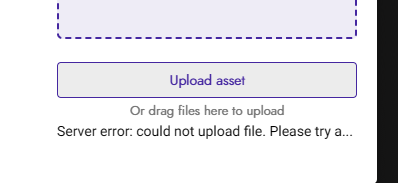
I tried to add the map again, now rescaled to be 7.61, but the thing is after I add it to the aset manager, it looks like its there, and i can pick is on both canvas and screen as background. but it does not show up, the preview is blank. Now, the intresting thing if i reload the page its gone..