@Ibrahim_Jamar my app is game mod for that reason I want the Android/data permission
I can’t be able to compile the @Taifun cod into the Extension so how I try it.
@Ibrahim_Jamar my app is game mod for that reason I want the Android/data permission
I can’t be able to compile the @Taifun cod into the Extension so how I try it.
For what exactly?
If it’s a game then why are you opening folder inside Android/data permission?
Are you coping something from these folders?
I copy form “Download” Folder to Android/data to Execute the Mode file.
Wait a minute 
If it’s a game app what about copying it manually using file manager, is the game app copy these file itself? But how? I ever see kind of game doing file manager work inside the app
Can I see your app please, if it’s possible PM me
Users Never Want to Do Extra Things Like Download Other app then setup then copy manually then why they use my apk they copy and gone.
You need to get some knowledge about A Game apk and a File Manger both are different work culture and Rules.
@Ibrahim_Jamar FYI: the app, @thekarmakumar is trying to create is to help people cheating while playing a game, so the idea is to modify files in the ASD of that game app to get more lifes, to get more coins etc.
I think because of people trying things like this it was a good idea from Google to introduce scoped storage and stop these attempts…
Taifun
@Taifun Thanks for explaining, but honestly I’m a bit confused here. I don’t really see how something like that can be made with Kodular. From what I understand, Android’s scoped storage blocks apps from touching another app’s private files (ASD), and Kodular doesn’t really give a way to bypass that. Maybe I’m missing something, but I thought Kodular only lets us work with our own app files or shared media (like images, audio, docs), not go inside other apps’ storage. That’s why I don’t get how it would be possible to do what @thekarmakumar describing.
In short, my question is that, it’s possible in Kodular creating a such app as of now? Because @thekarmakumar need the truth, as you can see he even dropped the price of the extension but none of us here respond to do it
Hello everyone,
I made an extension based on @taifun 's code.
package com.me.saf2;

import android.app.Activity;
import android.content.Intent;
import android.content.SharedPreferences;
import android.net.Uri;
import android.provider.DocumentsContract;
import android.widget.Toast;

import androidx.documentfile.provider.DocumentFile;

import com.google.appinventor.components.annotations.*;
import com.google.appinventor.components.common.ComponentCategory;
import com.google.appinventor.components.runtime.*;

import java.io.BufferedReader;
import java.io.IOException;
import java.io.InputStream;
import java.io.InputStreamReader;
import java.io.OutputStream;

@DesignerComponent(
        version = 3,
        description = "SAF Extension to access Android/data folders (with Toast instead of Log).",
        category = ComponentCategory.EXTENSION,
        nonVisible = true,
        iconName = "icon.png")
public class SAF2 extends AndroidNonvisibleComponent implements ActivityResultListener, Component {

    private final Activity activity;
    private final SharedPreferences prefs;
    private final String PREF_NAME = "saf_prefs";
    private final String PREF_URI_KEY = "android_data_uri";
    private Uri grantedUri;
    private int requestCode = 1234;

    // Change this to your target app package name
    private final String TARGET_PACKAGE = "com.android.chrome";

    public SAF2(ComponentContainer container) {
        super(container.$form());
        this.activity = container.$context();
        this.prefs = activity.getSharedPreferences(PREF_NAME, Activity.MODE_PRIVATE);

        loadSavedUri();
    }

    @SimpleFunction(description = "Request access to Android/data directory")
    public void RequestAccess() {
        Intent intent = new Intent(Intent.ACTION_OPEN_DOCUMENT_TREE);
        try {
            Uri androidDataUri = Uri.parse("content://com.android.externalstorage.documents/tree/primary%3AAndroid%2Fdata");
            intent.putExtra(DocumentsContract.EXTRA_INITIAL_URI, androidDataUri);
        } catch (Exception e) {
            Toast.makeText(activity, "Could not set initial URI", Toast.LENGTH_SHORT).show();
        }

        intent.addFlags(Intent.FLAG_GRANT_READ_URI_PERMISSION |
                Intent.FLAG_GRANT_WRITE_URI_PERMISSION |
                Intent.FLAG_GRANT_PERSISTABLE_URI_PERMISSION |
                Intent.FLAG_GRANT_PREFIX_URI_PERMISSION);

        activity.startActivityForResult(intent, requestCode);
        form.registerForActivityResult(this);
    }

    @Override
    public void resultReturned(int requestCode, int resultCode, Intent data) {
        if (this.requestCode == requestCode && resultCode == Activity.RESULT_OK && data != null) {
            Uri uri = data.getData();
            if (uri != null) {
                handleDirectorySelection(uri);
                FolderPicked(uri.toString());
            }
        }
    }

    private void handleDirectorySelection(Uri uri) {
        try {
            activity.getContentResolver().takePersistableUriPermission(uri,
                    Intent.FLAG_GRANT_READ_URI_PERMISSION | Intent.FLAG_GRANT_WRITE_URI_PERMISSION);

            prefs.edit().putString(PREF_URI_KEY, uri.toString()).apply();
            grantedUri = uri;

            DocumentFile docFile = DocumentFile.fromTreeUri(activity, uri);
            if (docFile != null && docFile.getName() != null) {
                Toast.makeText(activity, "Access granted to: " + docFile.getName(), Toast.LENGTH_SHORT).show();
                checkTargetAppDirectory();
            }

        } catch (SecurityException e) {
            Toast.makeText(activity, "Failed to grant persistent access", Toast.LENGTH_SHORT).show();
        }
    }

    private void loadSavedUri() {
        String uriString = prefs.getString(PREF_URI_KEY, null);
        if (uriString != null) {
            grantedUri = Uri.parse(uriString);
            Toast.makeText(activity, "Loaded saved URI", Toast.LENGTH_SHORT).show();
        }
    }

    private void checkTargetAppDirectory() {
        if (grantedUri == null) {
            Toast.makeText(activity, "No access granted", Toast.LENGTH_SHORT).show();
            return;
        }

        DocumentFile androidDataDir = DocumentFile.fromTreeUri(activity, grantedUri);
        if (androidDataDir != null) {
            DocumentFile targetAppDir = androidDataDir.findFile(TARGET_PACKAGE);
            if (targetAppDir != null && targetAppDir.isDirectory()) {
                Toast.makeText(activity, "Target app directory found!", Toast.LENGTH_SHORT).show();
            } else {
                Toast.makeText(activity, "Target app directory not found", Toast.LENGTH_SHORT).show();
            }
        }
    }

    @SimpleFunction(description = "List files in the target app directory")
    public void ListFiles() {
        if (grantedUri == null) {
            Toast.makeText(activity, "Please grant access first", Toast.LENGTH_SHORT).show();
            return;
        }

        try {
            DocumentFile androidDataDir = DocumentFile.fromTreeUri(activity, grantedUri);
            if (androidDataDir == null) return;

            DocumentFile targetAppDir = androidDataDir.findFile(TARGET_PACKAGE);
            if (targetAppDir == null || !targetAppDir.isDirectory()) {
                Toast.makeText(activity, "Target app directory not found", Toast.LENGTH_SHORT).show();
                return;
            }

            for (DocumentFile file : targetAppDir.listFiles()) {
                Toast.makeText(activity, (file.isDirectory() ? "[DIR] " : "[FILE] ") + file.getName(), Toast.LENGTH_SHORT).show();
            }

        } catch (Exception e) {
            Toast.makeText(activity, "Error listing files: " + e.getMessage(), Toast.LENGTH_SHORT).show();
        }
    }

    @SimpleFunction(description = "Read a sample file")
    public void ReadFile() {
        if (grantedUri == null) {
            Toast.makeText(activity, "Please grant access first", Toast.LENGTH_SHORT).show();
            return;
        }

        try {
            DocumentFile androidDataDir = DocumentFile.fromTreeUri(activity, grantedUri);
            if (androidDataDir == null) return;

            DocumentFile targetAppDir = androidDataDir.findFile(TARGET_PACKAGE);
            if (targetAppDir == null) {
                Toast.makeText(activity, "Target app directory not found", Toast.LENGTH_SHORT).show();
                return;
            }

            DocumentFile filesDir = targetAppDir.findFile("files");
            if (filesDir != null && filesDir.isDirectory()) {
                for (DocumentFile file : filesDir.listFiles()) {
                    if (file.isFile() && file.canRead()) {
                        readFileContent(file);
                        break;
                    }
                }
            }

        } catch (Exception e) {
            Toast.makeText(activity, "Error reading file: " + e.getMessage(), Toast.LENGTH_SHORT).show();
        }
    }

    private void readFileContent(DocumentFile file) {
        try (InputStream inputStream = activity.getContentResolver().openInputStream(file.getUri());
             BufferedReader reader = new BufferedReader(new InputStreamReader(inputStream))) {

            StringBuilder content = new StringBuilder();
            String line;
            int lineCount = 0;

            while ((line = reader.readLine()) != null && lineCount < 10) {
                content.append(line).append("\n");
                lineCount++;
            }

            Toast.makeText(activity, "Read " + lineCount + " lines from " + file.getName(), Toast.LENGTH_SHORT).show();

        } catch (IOException e) {
            Toast.makeText(activity, "Error reading file", Toast.LENGTH_SHORT).show();
        }
    }

    @SimpleFunction(description = "Write a sample file")
    public void WriteFile() {
        if (grantedUri == null) {
            Toast.makeText(activity, "Please grant access first", Toast.LENGTH_SHORT).show();
            return;
        }

        try {
            DocumentFile androidDataDir = DocumentFile.fromTreeUri(activity, grantedUri);
            if (androidDataDir == null) return;

            DocumentFile targetAppDir = androidDataDir.findFile(TARGET_PACKAGE);
            if (targetAppDir == null) {
                Toast.makeText(activity, "Target app directory not found", Toast.LENGTH_SHORT).show();
                return;
            }

            DocumentFile filesDir = targetAppDir.findFile("files");
            if (filesDir == null) {
                filesDir = targetAppDir.createDirectory("files");
            }

            if (filesDir != null && filesDir.canWrite()) {
                DocumentFile newFile = filesDir.createFile("text/plain", "saf_test.txt");
                if (newFile != null) {
                    writeToFile(newFile, "Hello from SAF!\nTimestamp: " + System.currentTimeMillis());
                }
            }

        } catch (Exception e) {
            Toast.makeText(activity, "Error writing file: " + e.getMessage(), Toast.LENGTH_SHORT).show();
        }
    }

    private void writeToFile(DocumentFile file, String content) {
        try (OutputStream outputStream = activity.getContentResolver().openOutputStream(file.getUri())) {
            if (outputStream != null) {
                outputStream.write(content.getBytes());
                Toast.makeText(activity, "File written: " + file.getName(), Toast.LENGTH_SHORT).show();
            }
        } catch (IOException e) {
            Toast.makeText(activity, "Error writing to file", Toast.LENGTH_SHORT).show();
        }
    }

    @SimpleEvent(description = "Event raised when folder is picked")
    public void FolderPicked(String uri) {
        EventDispatcher.dispatchEvent(this, "FolderPicked", uri);
    }
}
And request @thekarmakumar to test this APK (5.9 MB)
based on this extension and
Give feedback 
Your code won’t work on Android 12 and above. There is a workaround for Android 12 but it was patched in Android 13.
Code is not Working in Android Versions 14,15
What about to corporate?
I wrote a code that works on versions 11 to 14. I just want to see if the Taifun code works or not, but my code works perfectly in 11 to 14, but twist is not in 15.
APK (5.9 MB)
If the picker doesn’t work the first time it’s opened, click on the “PICK SRC” button.
WAITING FOR FEEDBACK
Testing on Android 15
Ok move on next update. Coming soon
Aaahh  It is so difficult. However, move next Step
  .
.
HeY everyone
I am here with new UPDATE 2025-09-16T18:00:00Z
test1.apk (4.5 MB)
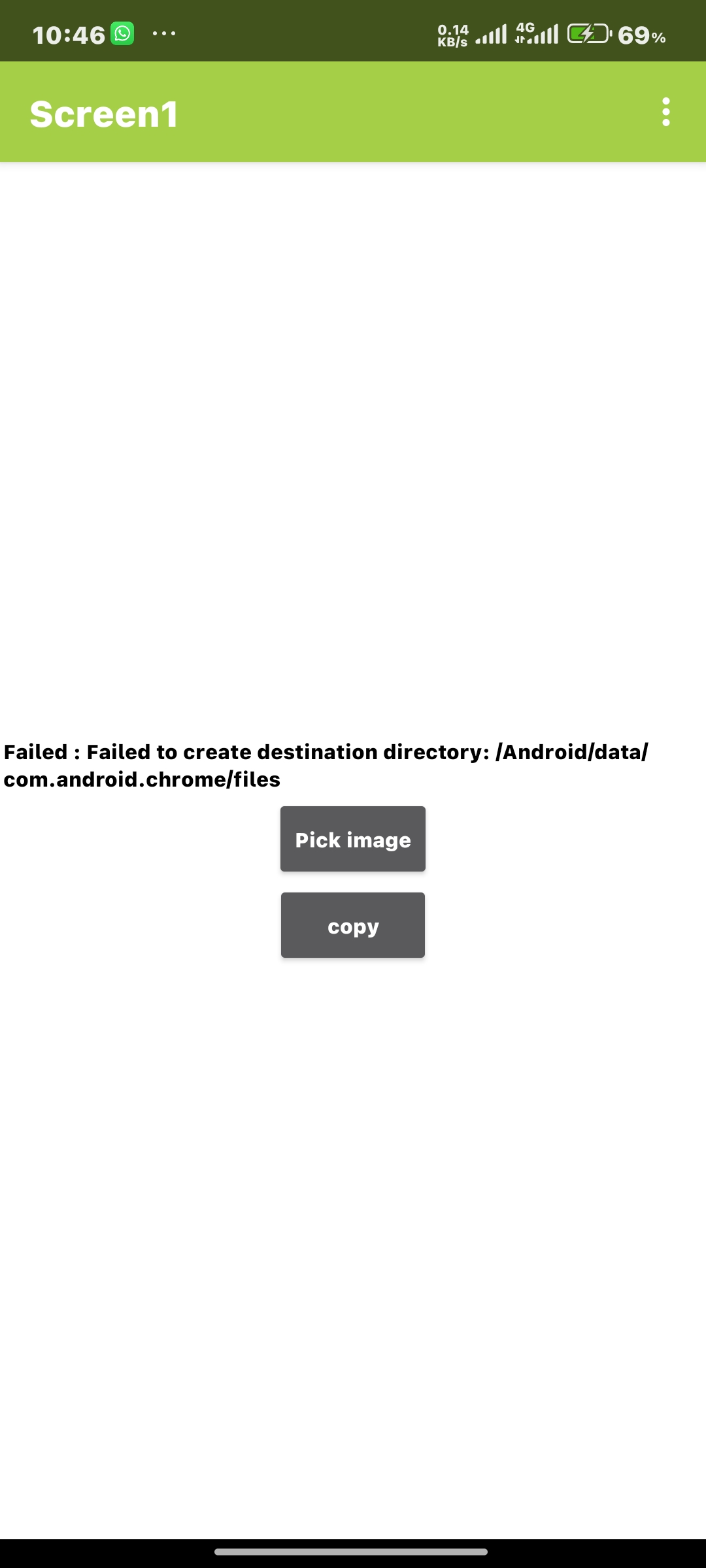
Result of your apk bro @Glich !!
 update