how can i store all separated data in one g.var then get value which i want by different tag while iam using dynamic component
iam using dynamic component to create quiz app
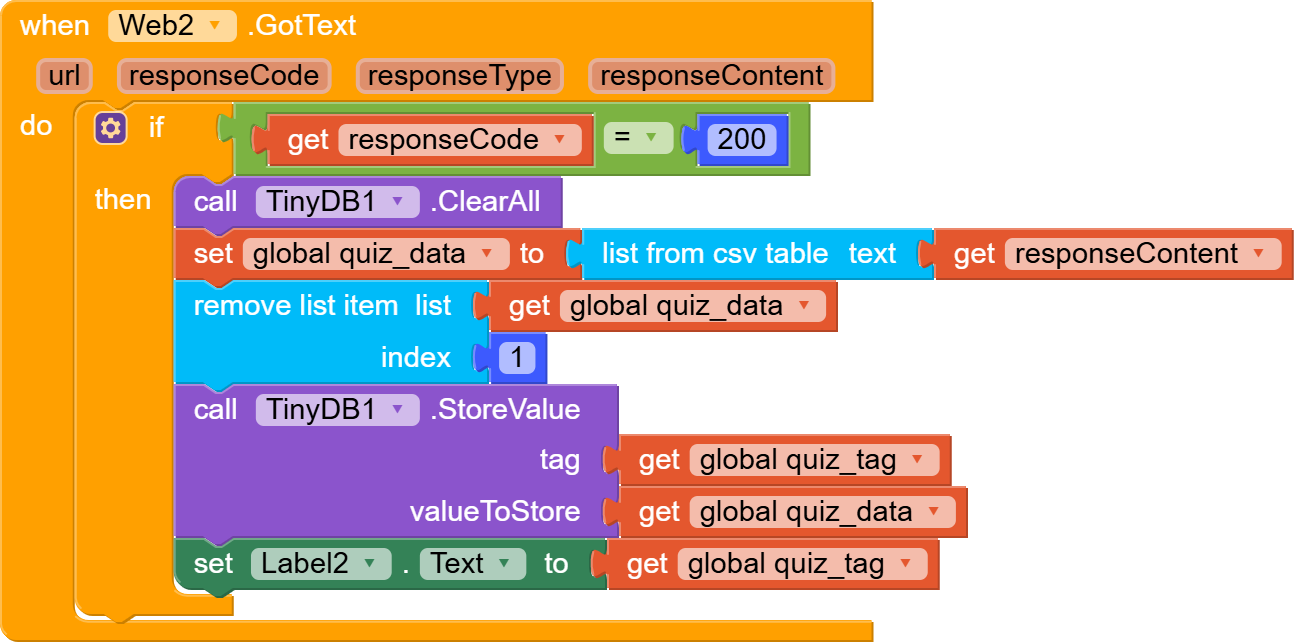
my app can load quizzes and store the data in tiny dB .. but this can be done only after click on a specific quiz i want then open the quiz and save it for next time without internet
i want to save all available quizzes the come from g.sheet in one or more variable at the same time .
i don’t want user to click and open quiz then save in tiny dB
is there any solution to make this event easy ??
in g sheet i have mainly quizzes available: this sheet contain name of available quizzes and contain tag for a new quiz .. because if i set the tag without any different then all quizzes will save the last quiz only .. so i am using different tag getting from g.sheet
the quizzes data( i mean questions and answer) get from another sheet
that mean
when I want to open a specific quiz
user click on a quiz in main quizzes available screen .. then open another page screen with Start value .(value = tag for quiz, and this value will be in the structure of the link of web component)
i want to save all quizzes at the same time with one click only !
I think you have to download the data once, then store it in TinyDB before using it, then add network component to check whether user is online or offline, then execute with conditions.
So if user is offline then use TinyDB to load the stored data
but you know each quiz has different link
in g.sheet
if I made this the dynamic component doesn’t allow me to re use ids
could you please check my block if you can or at least see what I can do
i have 2 screen for quiz:
first screen(available quizzes)
data for this screen come from g.sheet
this sheet contains 3 column
-name of the subject
explain(not important)
tag (hidden not visible for user..) this hidden tag .. after user click a specific card .. open another screen start value (select list item list = the name of subject index 1 ..
then select list item list hidden tag index 3)
after open the new screen (screen for question ..options .
and answers)
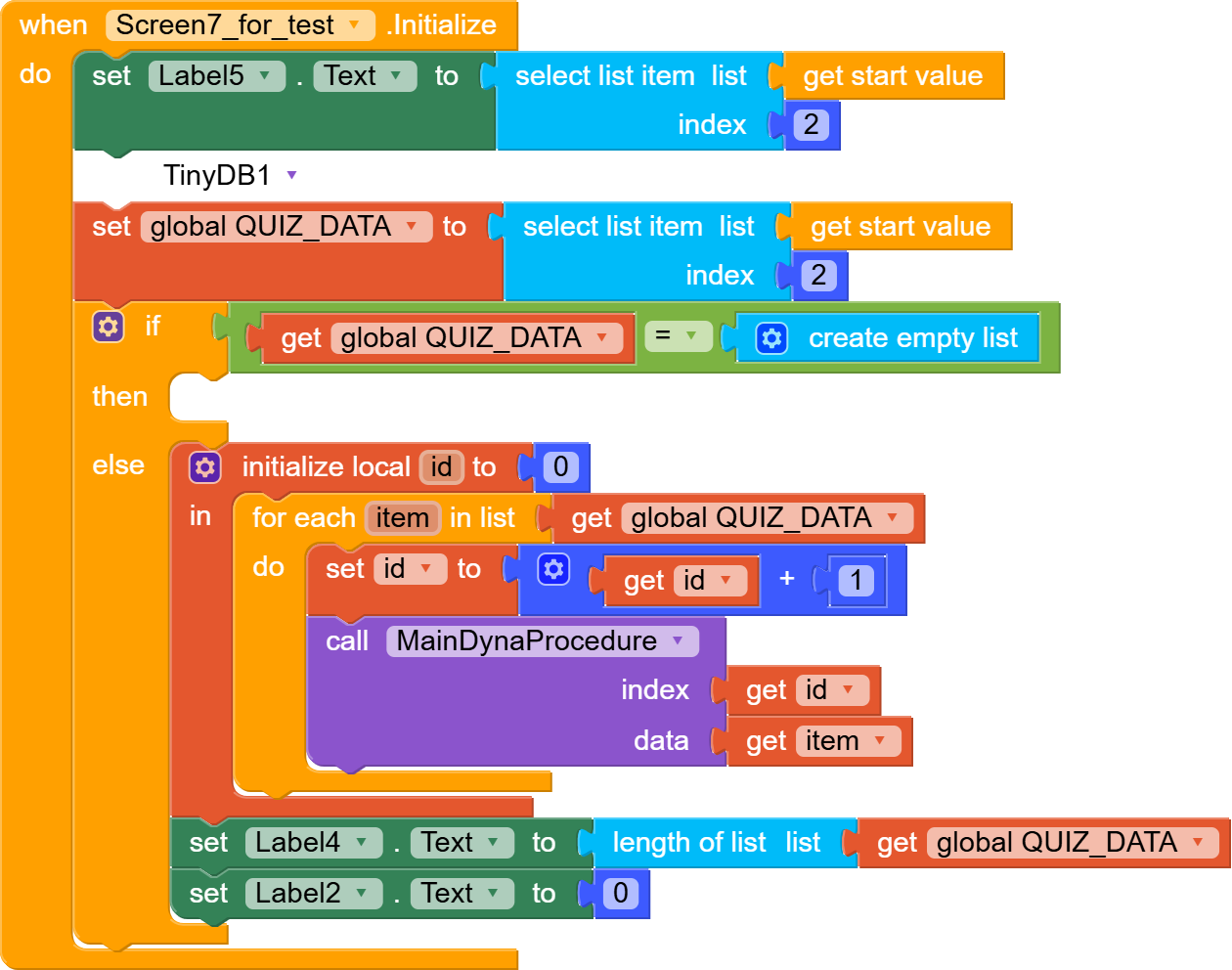
when screen initialize:
initialize local offline data to get (if tiny dB get value ..tag (select list item list get start value ..index 2 because I want the value from previous screen to be a tag ..)
here the problem
web url= join url (+select list list get start value index 2) + the last of gsheet url)
all data in this screen stored in one global variable
but this variable contain only the data of specific quiz
not quizzes of all sheets
You don’t even need 2 different sheets for this, just add some columns for answers eg, if question have with 5 columns, then add another columns for answers, in screen2 you will just compare the values, then indicate if user score or fail
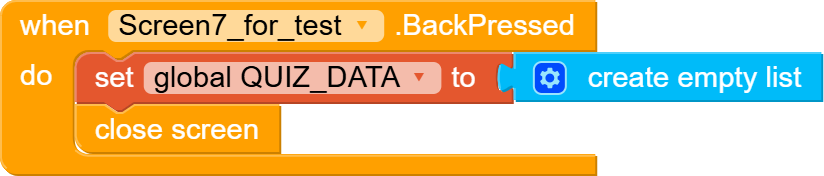
this is my block:
i recommended to add clock after enter the quiz to ensure all data saved to tiny db
Thanks to everyone who helped me or offered advice.
@RaYzZz
He advised me to put all the data in one sheet and I think this is the best solution but because I have been working on the project for a while I preferred to keep my blocks but his method is better and faster
My blocks that I sent yesterday are not working.
Thanks @RaYzZz@Still-learning
have suggested excellent ideas, and I thank them for their constant patience and help.
They have ideas that I hadn’t thought of to make the work easier.
But for now, for the sake of speed, I’ve decided to keep the user’s choice for each test they want to download.
I’ve also included a specific ID in the test list that the user will save the first time. If I change this ID (ID number), if it increases or changes, it will change for the user for a specific quiz. Therefore, the user must update that specific quiz.