nice work, thanks, for the hard work
1 Like
Thank you @vknow360 for this amazing extension!
2 Likes
@vknow360 Thank you for your contribution. Great extension 
2 Likes
Thank you so much for giving this amazing extension.
Love from Pakistan 
Please make apk for preview how it’s work…
For they don’t have any knowledge of coding.
1 Like
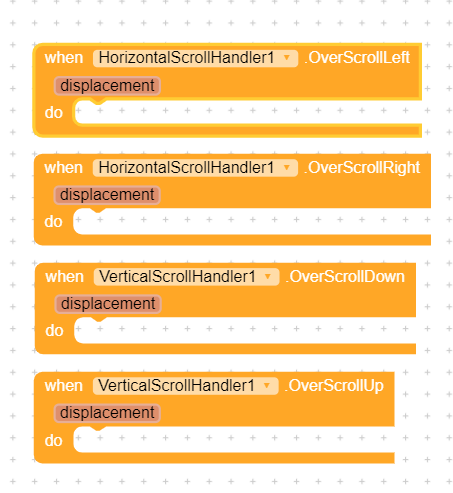
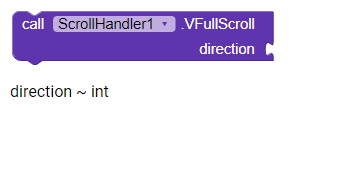
suggestion :
You can add blocks for page scroll top and bottom and page scroll left and right blocks
Wonderful extension btw!
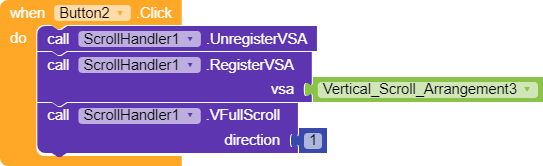
direction ~ int
Left = 17
Right = 66
Top = 33
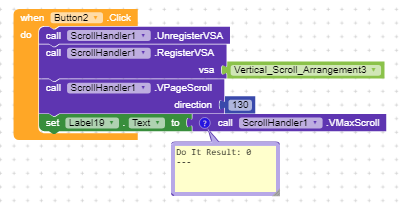
Bottom = 130
Read the documentation  http://sunnythedeveloper.epizy.com/2020/08/14/scrollhandler-handle-the-scroll-of-scroll-views/
3 Likes
Thank you @vknow360 for this amazing extension 
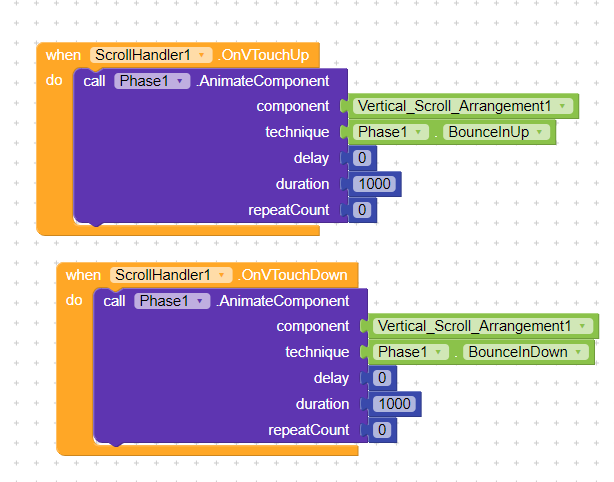
Touch Up - it’s when you touch the component
Touch Down - it’s when you remove the touch from the component
Touch Up and Touch Down events are very sensitive, even small unnoticeable movement triggers them.
Thank you everyone for appreciation. 
I shall check that.
See here:
The scroll view is probably empty.
Both events are highly sensitive and connected to each other.
@ADDYLIN is correct.
2 Likes
how to check if user has reached bottom in a VSA
On Scroll Change check if position is equal to MaxScrollPosition or not.
Similarly, if it it greater then it tells that view has been over scrolled.
I have tried to keep it simple as it can be so I tried to avoid to add un-necessary blocks.
1 Like
how to scroll to a specific position for vertical scroll. Please help me…
You can use scroll by or scroll to block to scroll to a specific position
hello friends … anyone know how to use this extension to make a tablayout? obviously without using the tablayout kodular plugin.