 SettingText Extension: The Magic of Text Animations!
Want to bring your app’s UI to life? SettingText is a powerful and highly optimized extension for App Inventor, Kodular, and Niotron that turns plain text into a stunning visual show! Say goodbye to complex timers and clunky code — everything works with just a few blocks. 
 Key Features: Buttery smooth performance, automatic cleanup of previous animations (no overlap glitches!), and multiline text support.
 Blocks & Functions Breakdown
 1.
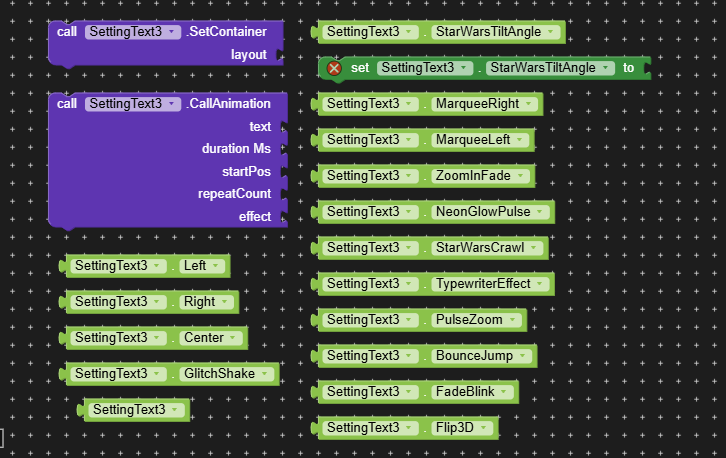
SetContainer Block (Initialization)
- What it’s for: This is the foundation. It tells the extension exactly where on the screen the animated text should appear.
- How it works: It takes any layout component (e.g.,
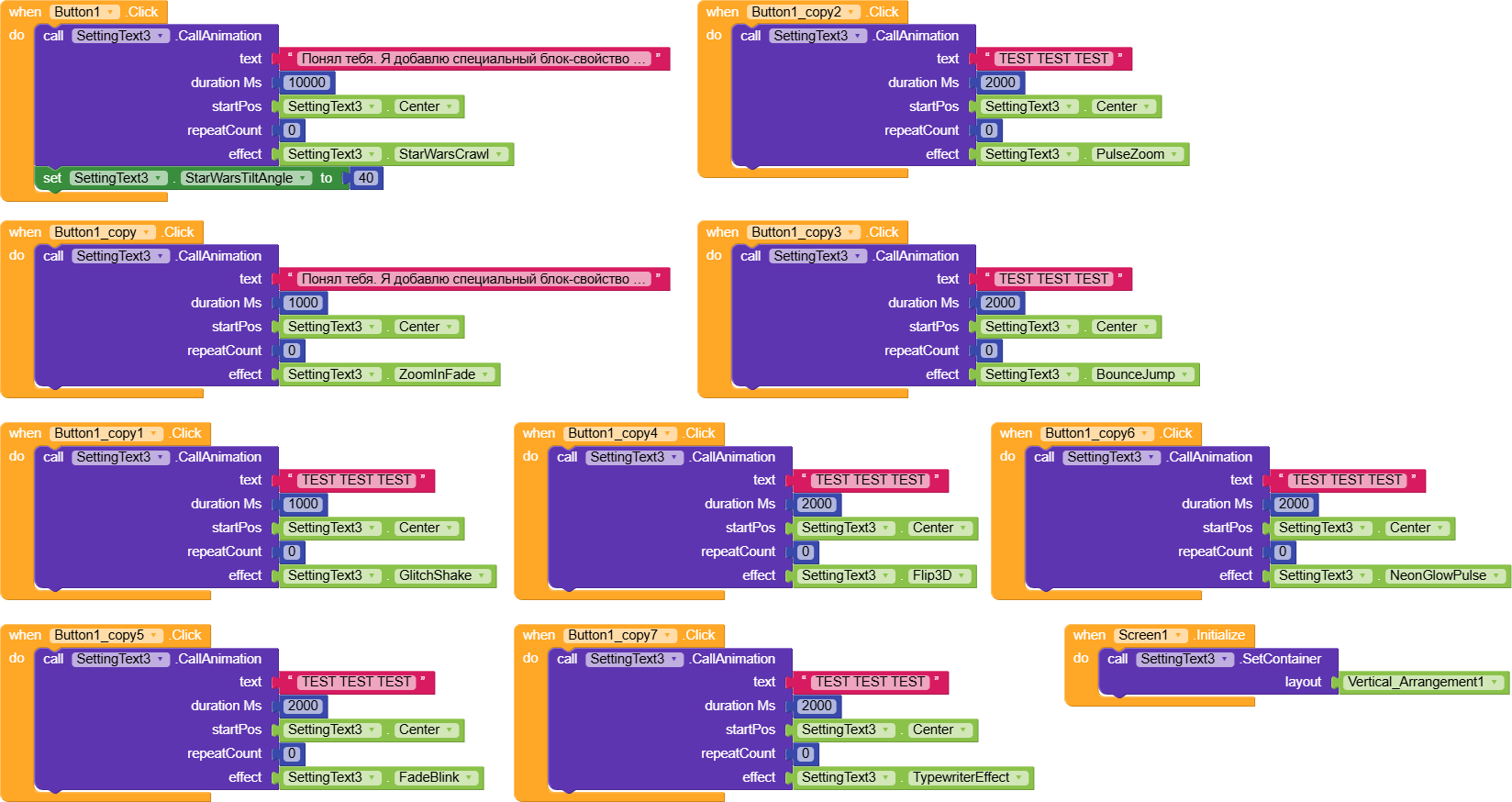
VerticalArrangement). It clears the layout and sets up an invisible canvas for your effects. Call this block during screen startup (Screen.Initialize).
 2.
Call Animation Block (Trigger Effect)
- What it’s for: The main block that makes the magic happen.
- Parameters:
 text: The text string you want to display.
 durationMs: The speed of the animation in milliseconds (e.g., 2000 = 2 seconds).
 startPos: Text alignment (use the
Left,Right, orCenterproperty blocks). repeatCount: How many times to loop (0 = once, -1 = infinite loop).
- effect: The animation style (plug in one of the green effect property blocks).
 3.
StarWarsTiltAngle Property (3D Tilt Setup)
- What it’s for: Allows you to set the exact tilt angle (in degrees) for the
StarWarsCrawleffect. The default is 60 degrees. You can read or dynamically change this value!
 Available Effects (Property Blocks)
 MarqueeRight: Scrolling text from left to right (forced single-line).
 MarqueeLeft: Scrolling text from right to left (classic news ticker).
 ZoomInFade: Smooth appearance from nothing, scaling up with opacity.
 NeonGlowPulse: Cyberpunk vibe! The text gets a cyan neon shadow and softly pulses.
 StarWarsCrawl: Epic 3D credits crawling into the distance, just like in Star Wars.
 TypewriterEffect: Simulates human typing, complete with a blinking “█” cursor.
 PulseZoom: Heartbeat effect (cyclical zooming in and out).
 BounceJump: Playful text bouncing vertically against an invisible floor.
 FadeBlink: Smoothly fading in and out (perfect for “Tap Here” alerts).
 Flip3D: A spectacular 360-degree 3D flip on the vertical axis.
 GlitchShake: A sharp cyber-shake, imitating a system error or glitch.
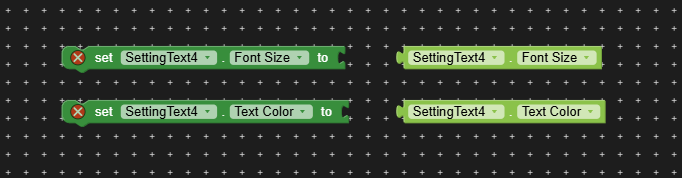
New blocks added
com.settingtext.aix (14.5 KB)
The extension was created with the help of: FAST