Hi both,
And welcome to the Kodular community, Dexter
Thank you very much Ibrahim for mentioning my guide 
However, I understand that it’s important to start learning how the new Supabase component works.
I checked the documentation and, as we can see
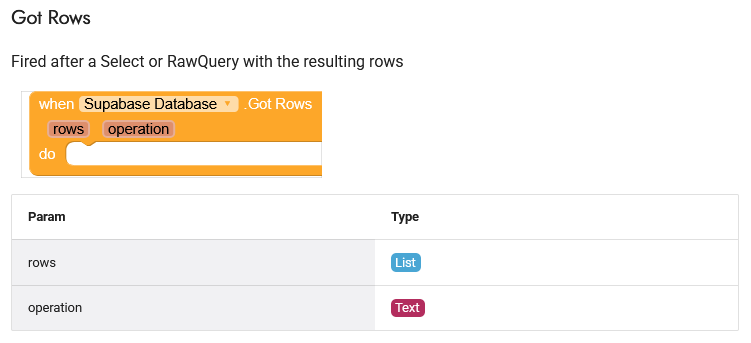
the output is a list.
From my testing, you do receive a list, but it contains a JSON string.
So, you’ll need to use the Web component to decode that string.
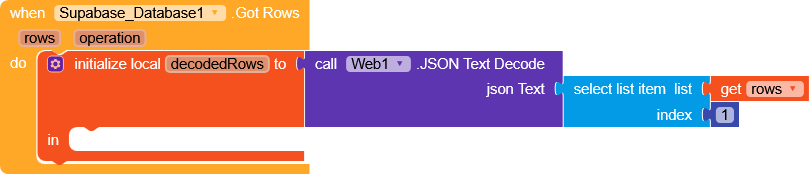
Once decoded, you’ll get a
list of dictionaries
List of pairs to dictionary doesn’t work correctly
So technically it’s a list of lists


, where each dictionary contains the column names as keys and the corresponding values for each row (index) of your Supabase table.
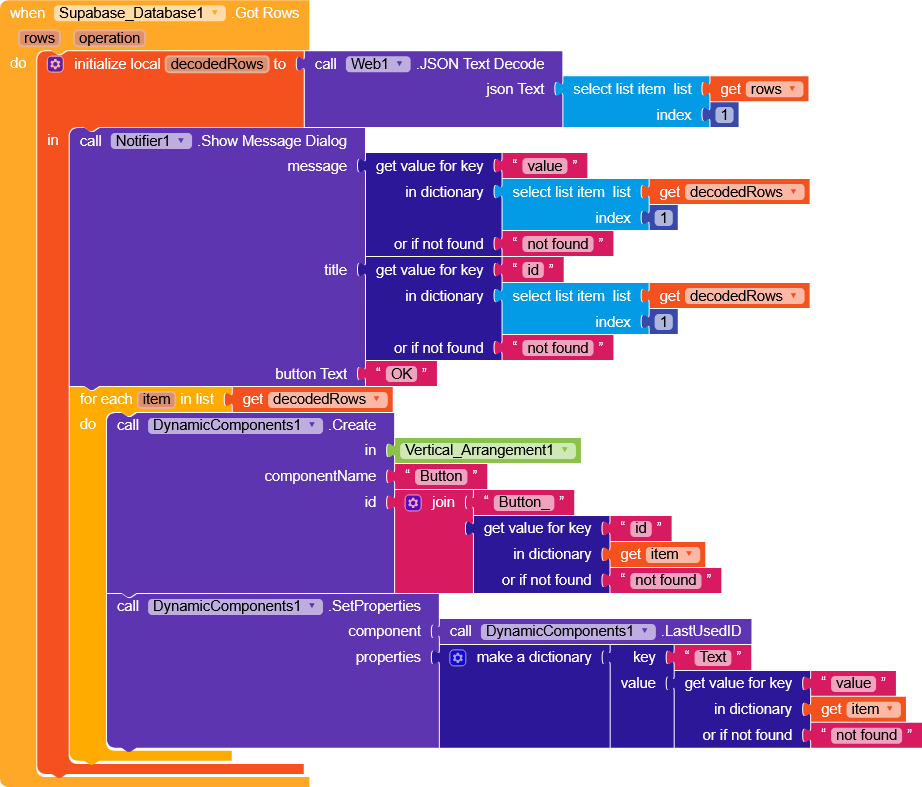
So you can select rows from the table using selectListItem, and then use getValueForKey (with the column name you want) to retrieve the value.
Alternatively, you can loop through all the items in the list using a for each item in list and for example, create dynamic components by selecting values dynamically from the list.