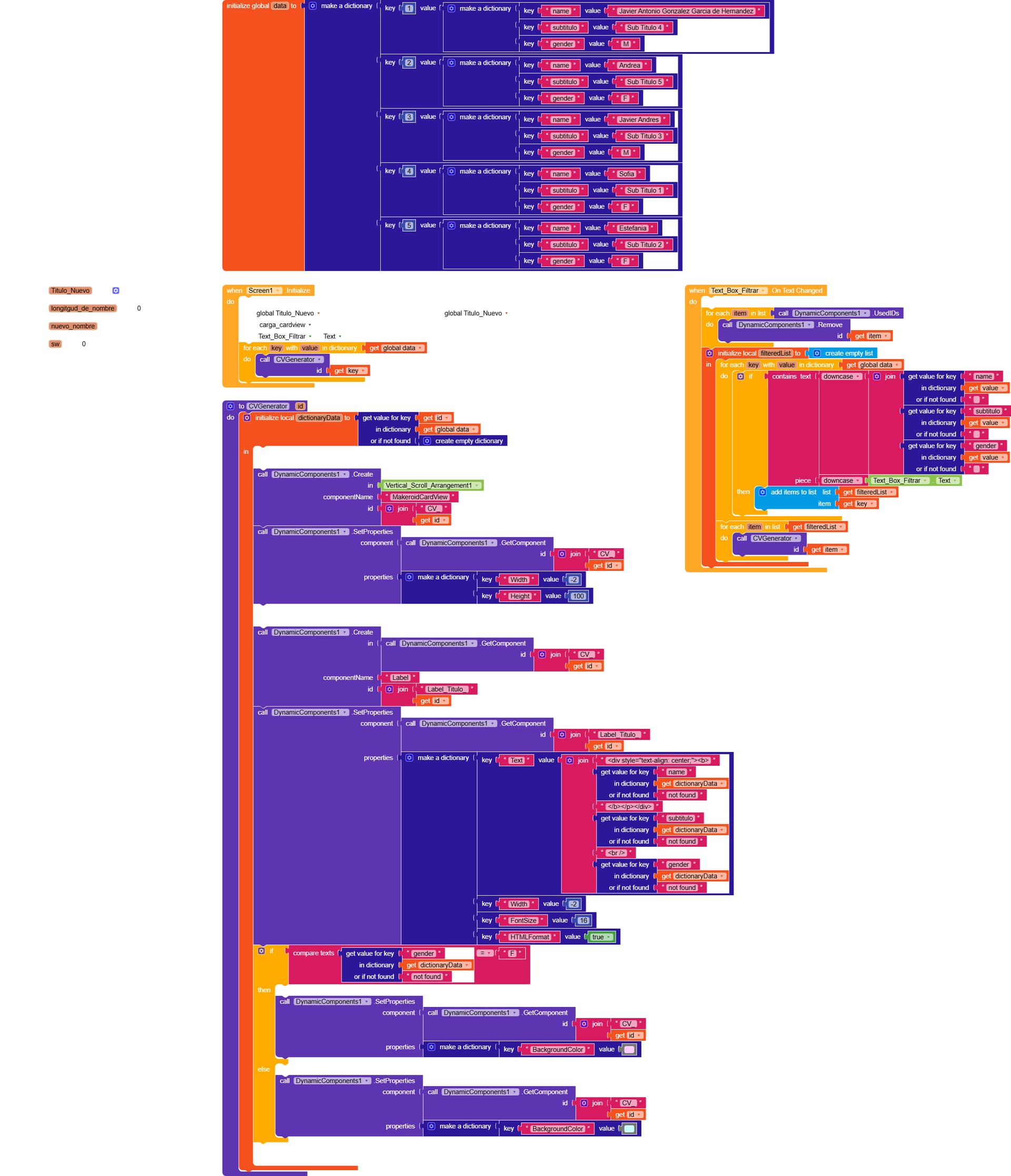
I would like to know if someone from the community can help me figure out why my program doesn’t work. I want to integrate this application into another one, and I’m currently using it as a test.
The application is very simple: I want to filter information from some tables that I load into dynamic card views. I have a text box that I want to use to enter a string of text and search in each element of the table. If it finds a match, it should display it again; otherwise, it should skip it.
It seems to me that the “on text change” event of the text box is not working, because when I type a string of text, nothing happens.
If someone would be kind enough to help me, I would greatly appreciate it.
Thank you and best regards,
Javier Antonio González G.
Thanks for replying.
Here are the blocks. I also included two screenshots that explain why I have a switch in the text_box.on_text_changed block. If I remove the switch, it runs on initialization for no reason, and that’s how I control it, as shown in those screenshots.
When I modify the text_box, nothing happens.
That’s why I’m asking.
Thanks again.
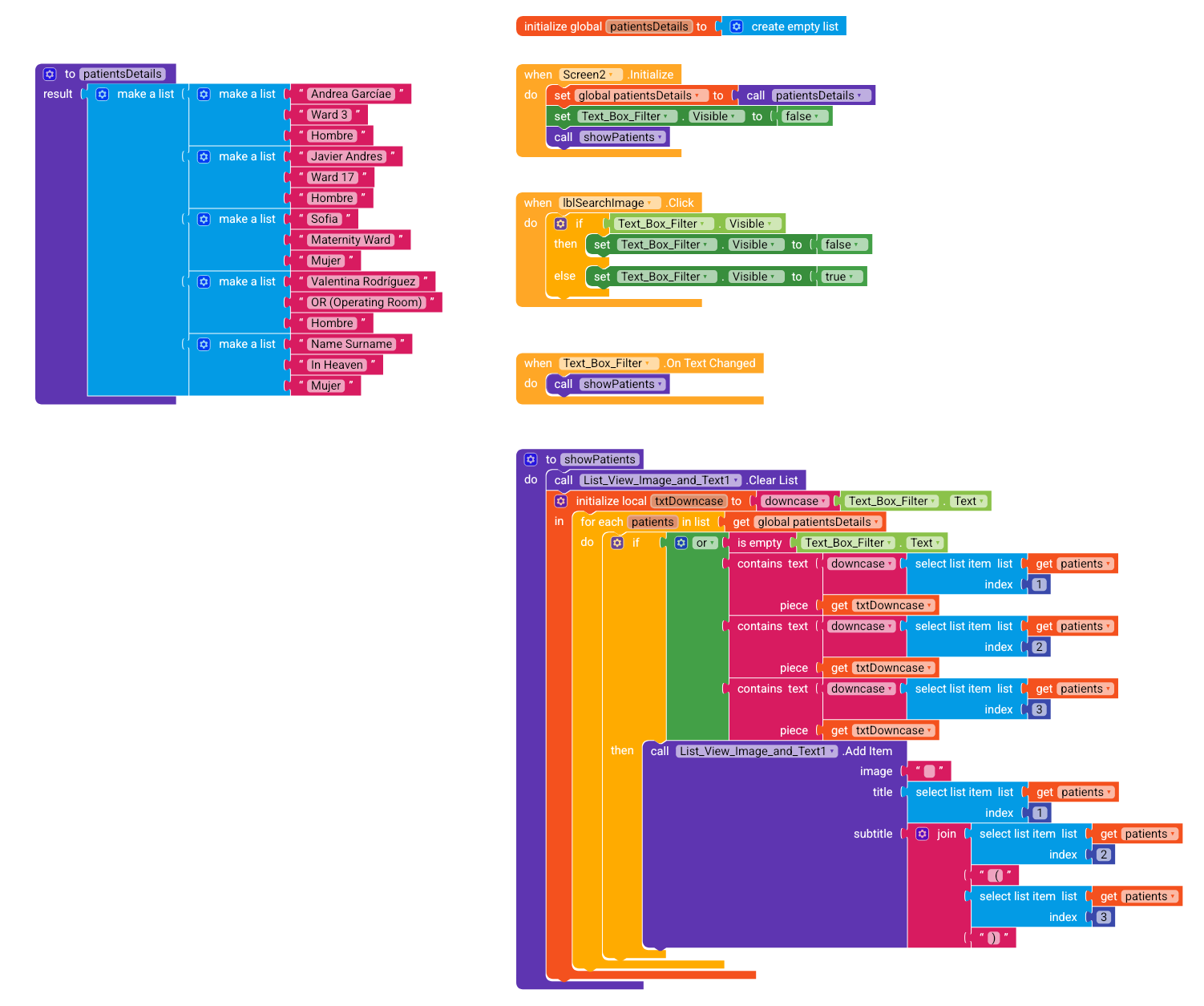
I’m not sure if this is the same way our dear Vega_Star solved it, but I also took the liberty of modifying the project.
For convenience, I added the DynamicComponents extension and managed the data using a dictionary, which I believe is the best solution, especially if you plan to connect to a database in the future.
Another suggestion would be to switch to the RecyclerList extension, as it is much more efficient for displaying lists.
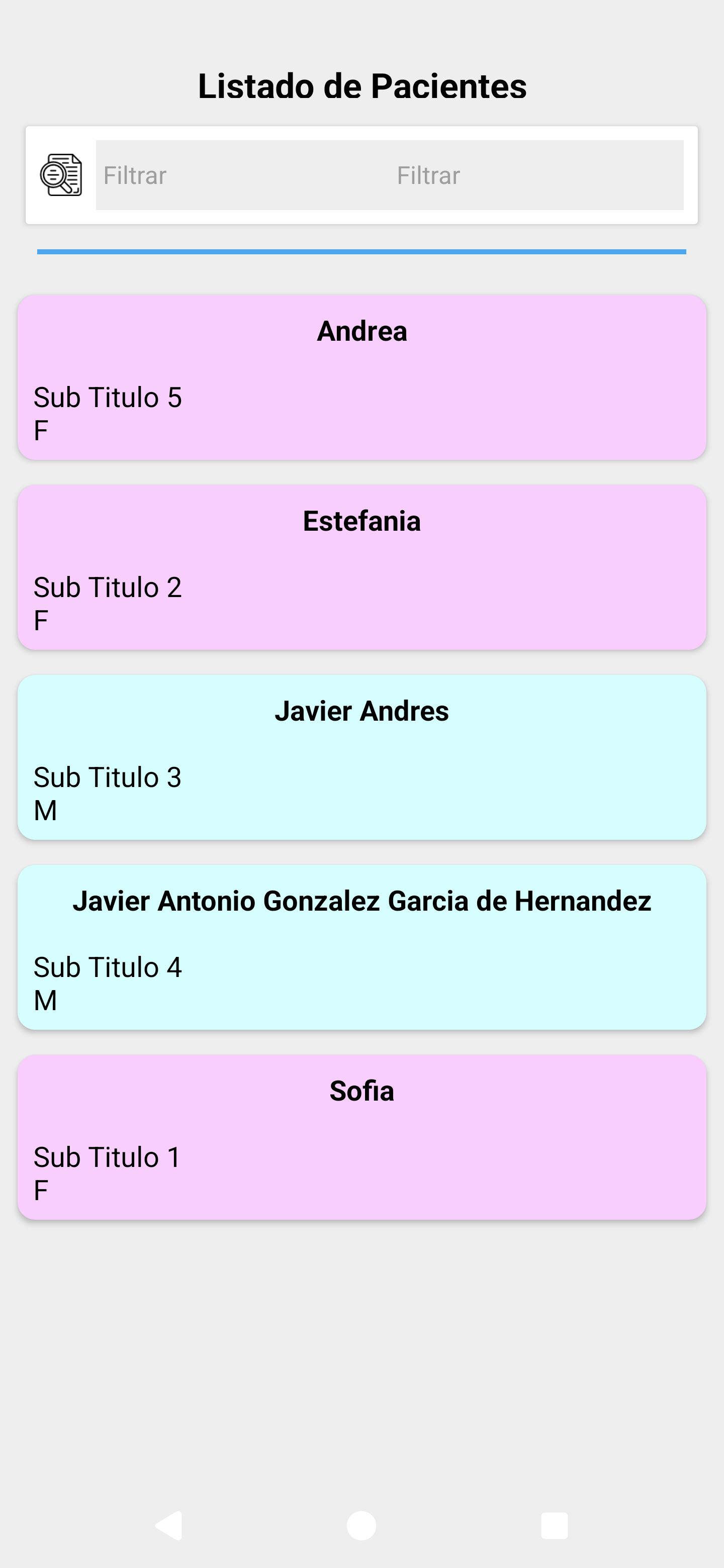
Thanks for your solution, it’s exactly what I was looking for. It restored my faith in Kodular, even though I’m not an expert, but I spent quite a while trying to figure it out.
I really appreciate your help.
Regards
 and provide something


 Vega_Star