Hi dear,
Welcome to the Kodular community!
I’ll try to give you some direction because I created something similar,
For offline usage you can simply use TinyDB, SQLite, or even File.
For synchronization you just need to choose a database, but the list is quite long.
The most common options are
- Firebase
- Supabase
- Google Sheets
The native components you should use in order are Camera, Textbox, and Canvas.
For centralized cloud access, it largely depends on the database you decide to use.
There are many software options and ways to create your own cloud, but you should provide more details, such as which devices will need to access it (for example, if they are computers you could simply create a server with a shared folder, but there are really many other possible methods).
The UI is very personal and comes down to the developer’s experience, if you’re not sure where to start, I suggest taking inspiration from more popular apps and then adding your own touch.
Below I’ll show you an app I created for my work that my colleagues use to collect data, and it was created specifically to eliminate all the paperwork that was previously used.


NOTE: keep in mind that I had to make everything as simple and intuitive as possible since many colleagues are not very familiar with technology

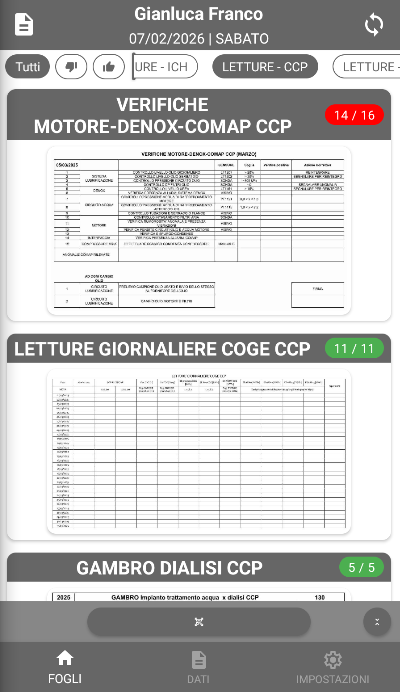
This is the main screen, where you can filter the data to be filled in and see whether there are values to be recorded today.
Each card you see represents a “sheet,” and the badges on each card show how many values are missing / how many have already been recorded (so they appear in red when data is missing).
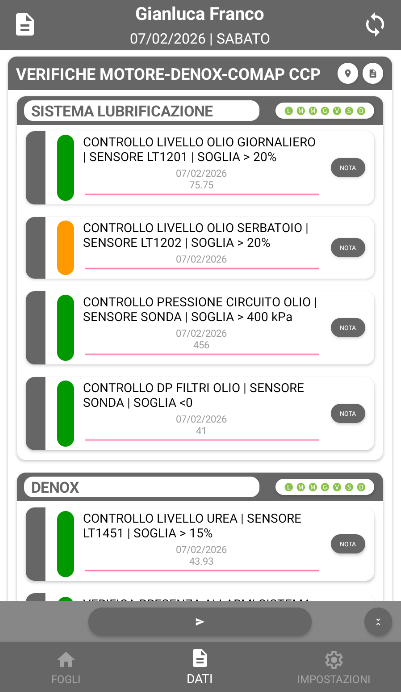
Each sheet contains the values to be collected, including the schedule

Every day

Only Friday
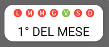
Friday and 1st of the month
they are filled in and then submitted using the dedicated button.

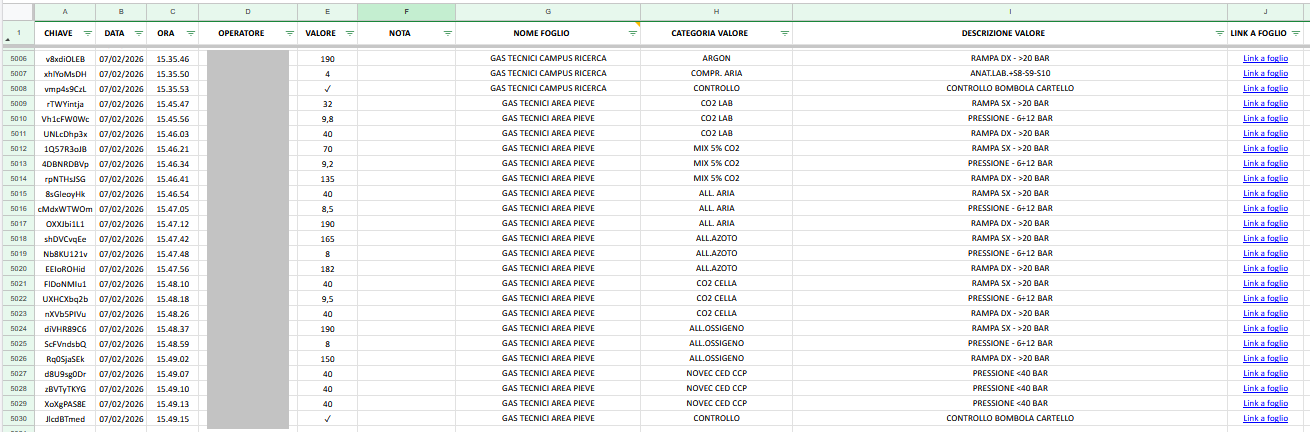
The data is written to Google Sheets (even though I’m migrating everything to move to Supabase and take advantage of its relational database)
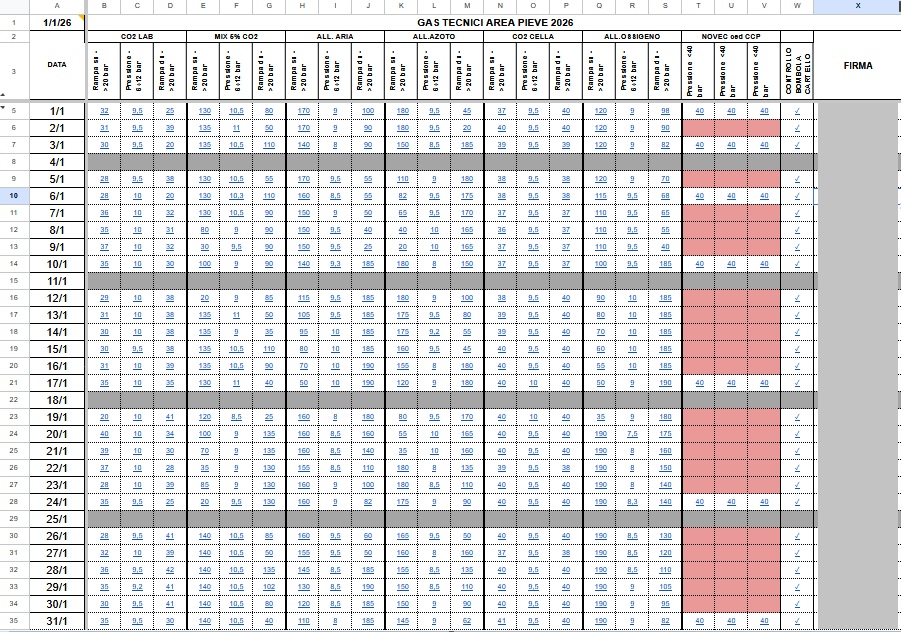
and then redirected to Google Sheets tables that mirror the old paper forms.
This app uses all the principles I suggested above:
- Offline = TinyDB
- When the connection is lost, data can still be submitted, it remains queued and is sent automatically once the connection is restored.
- Notes can be added for each value (there is no canvas feature because it wasn’t necessary, but it could have been implemented by connecting it to a database).
- Access is mainly handled by supervisors who review the sheets on Google Sheets.
- The UI, as you can see, is very simplified for the reasons explained earlier and is managed through RecyclerList and Schemas.
If you don’t have any experience with Kodular or similar platforms, I strongly recommend following this message from Taifun, as it can give you a solid starting point.