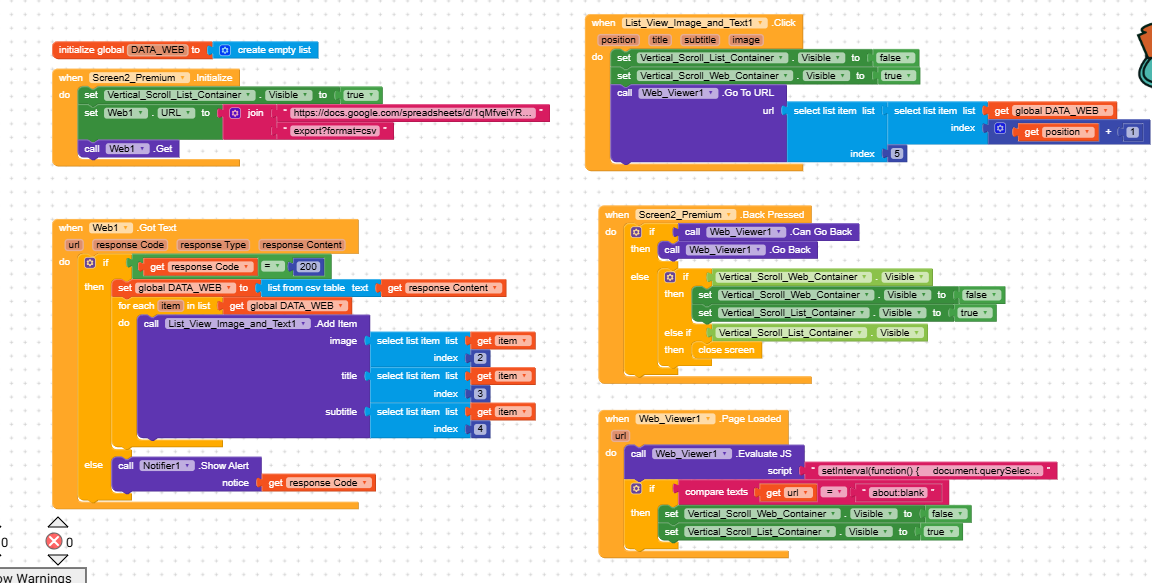
This is my app block structure. When list view is clicked web pages or pdf links will open. But when internet is not there, this web viewer shows my link also with “web page not available” “ERR_INTERNET_DISCONNECTED”. How to hide it. These links must not be visible.
I searched it in the community. I didn’t find suitable answer. Please help..
Hi dear,
Two options come to mind:
- With the Network component, you can use the
.isConnectedblock to check for network availability before loading a page, but if the connection drops during loading, it won’t work.
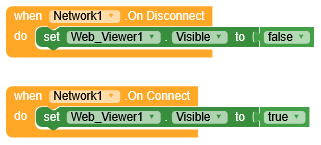
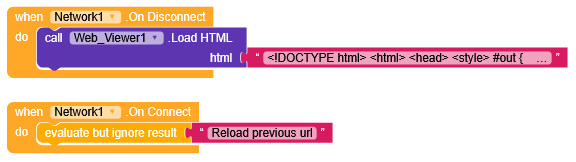
Alternatively, you could use the.OnDisconnectblock to hide the WebViewer or load something locally. - With a WebViewer extension like CustomWebViewer or ExtendedWebViewer, you can take advantage of specific blocks designed to handle WebViewer errors.
Could you please show me blocks for 1st method. It will be really helpful.
Also block called Screen1/via name error occured can also be used in a such situations, whereby you can catch errors, eg -6, -8 etc for network, and that where you can disable the WebView visibility 
Just follow what RayzZz said
I am beginner. Please show me working blocks for my block structure.