

An extension for MIT App Inventor 2.
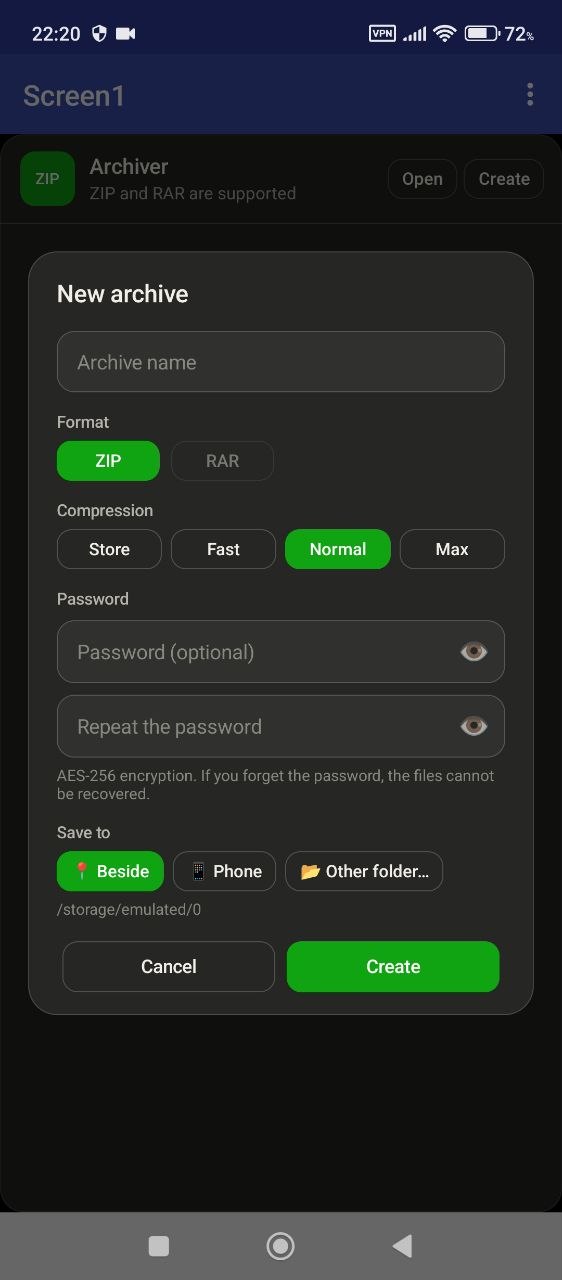
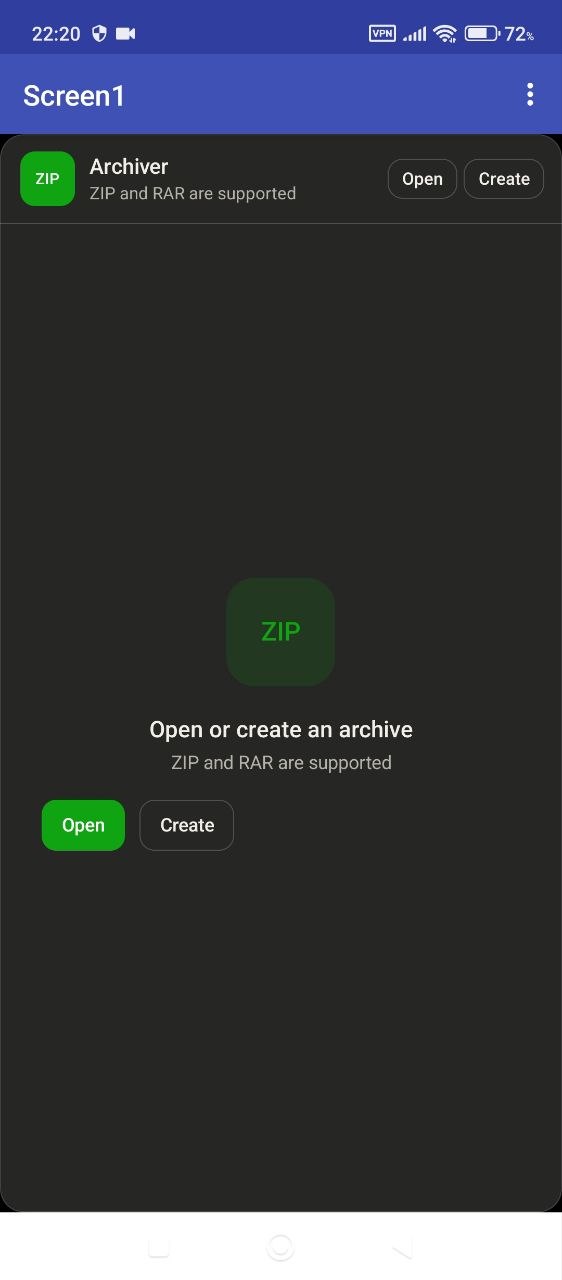
ZIP/RAR archiver with a built-in visual theme.
 Specifications
 Package:
com.ziprar Size: 153.16 KB
 Minimum API Level: 14
 Updated On: October 28, 2026
 Designer Properties
| Property | Type | Default Value | Description |
|---|---|---|---|
| Theme | string | auto |
Visual theme of the UI: auto (system default), light, or dark. |
| AccentColor | color | 378ADD |
Primary accent color of the user interface. |
| Language | string | auto |
UI language: auto, ru, en, ar, tr. |
| CompressionLevel | integer | 6 |
ZIP compression level from 0 (store only) to 9 (maximum). |
 Methods & Usage Examples
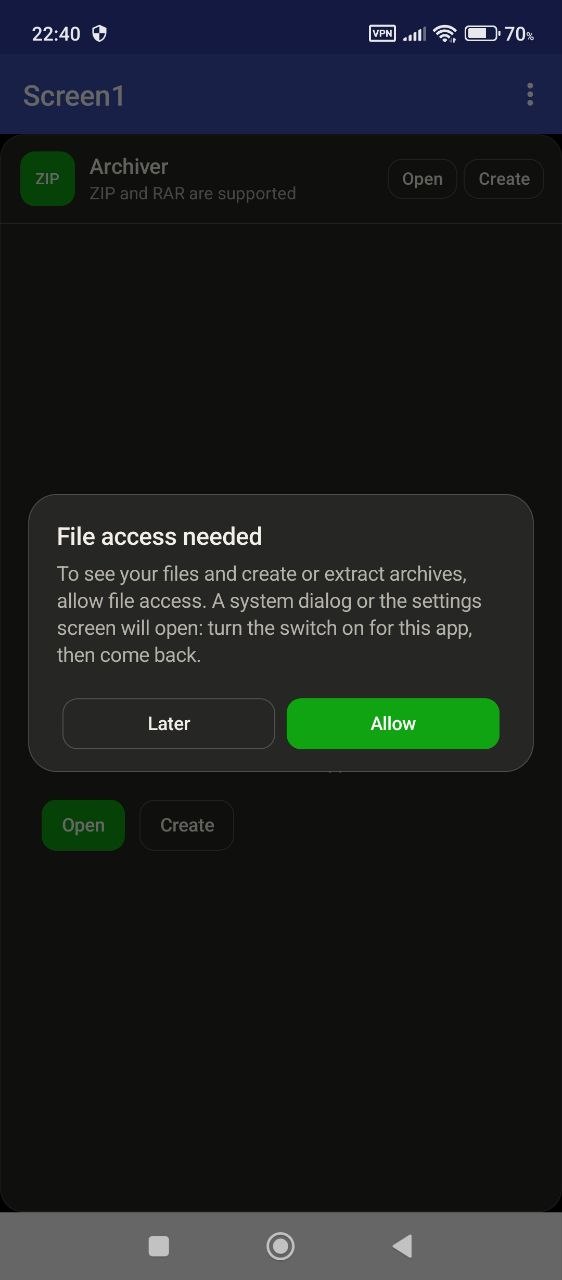
1. RequestStorageAccess
- Block Example:
Plaintext[When Screen1.Initialize do] └── [Call ZipRar1.RequestStorageAccess] - Description: Requests necessary file storage permissions. Displays a permission dialog on Android 6–10 or redirects to the “All files access” settings screen on Android 11+. Call this before
ShowUIifHasStorageAccessis false.
2. ShowUI
- Block Example:
Plaintext[When Button1.Click do] └── [Call ZipRar1.ShowUI(arrangement: VerticalArrangement1)] - Description: Renders the built-in archiver interface inside the specified container component.
3. HideUI
- Block Example:
Plaintext[When Button2.Click do] └── [Call ZipRar1.HideUI] - Description: Removes the archiver interface from the layout.
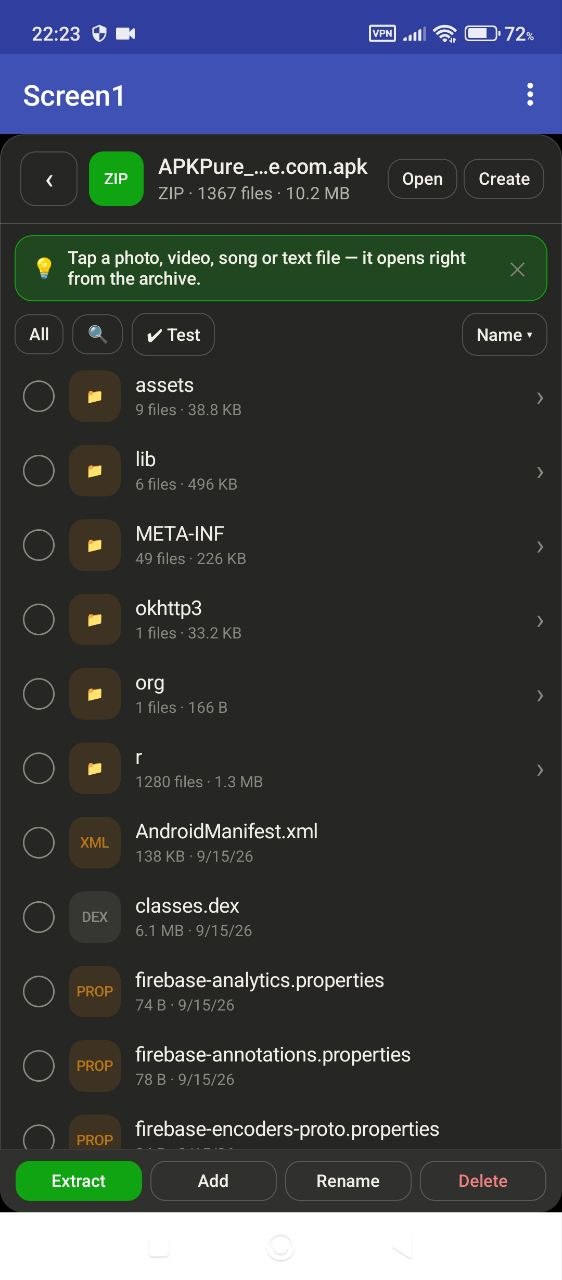
4. OpenArchive
- Block Example:
Plaintext[When ListView1.AfterPicking do] └── [Call ZipRar1.OpenArchive(archivePath: get selection)] - Description: Opens a ZIP or RAR archive and displays its contents in the UI.
5. CreateArchive
- Block Example:
Plaintext[When BtnCreate.Click do] └── [Call ZipRar1.CreateArchive(files: get fileList, archivePath: "file:///sdcard/Download/archive.zip")] - Description: Creates a new ZIP archive from a specified list of files and folders.
6. ExtractAll
- Block Example:
Plaintext[When BtnExtract.Click do] └── [Call ZipRar1.ExtractAll(archivePath: "...", destFolder: "file:///sdcard/Download/Extracted/")] - Description: Extracts the entire contents of the archive into the specified destination folder.
7. ExtractEntries
- Block Example:
Plaintext[Call ZipRar1.ExtractEntries(archivePath: "...", names: get selectedItemsList, destFolder: "...")] - Description: Extracts only the selected entries. (Passing a name ending with
/extracts a whole folder).
8. AddFiles
- Block Example:
Plaintext[Call ZipRar1.AddFiles(archivePath: "...", files: get newFilesList)] - Description: Adds new files or folders to an existing ZIP archive.
9. DeleteEntries
- Block Example:
Plaintext[Call ZipRar1.DeleteEntries(archivePath: "...", names: get itemsToDeleteList)] - Description: Deletes specified entries or folders from a ZIP archive.
10. RenameEntry
- Block Example:
Plaintext[Call ZipRar1.RenameEntry(archivePath: "...", oldName: "document.txt", newName: "new_document.txt")] - Description: Renames an internal entry inside a ZIP archive.
11. ListEntries
- Block Example:
Plaintext[set ListView1.Elements to get ZipRar1.ListEntries(archivePath: "...")] - Description: Returns a list of all entry names contained within the archive.
- Return Type:
list
12. ReadText
- Block Example:
Plaintext[set LabelText.Text to get ZipRar1.ReadText(archivePath: "...", entryName: "readme.txt")] - Description: Reads a text file directly from the archive (supports the first 512 KB).
- Return Type:
text
13. TestArchive
- Block Example:
Plaintext[Call ZipRar1.TestArchive(archivePath: "...")] - Description: Checks the integrity of the archive. The result is returned via the
FinishedorErrorOccurredevents.
14. Cancel
- Block Example:
Plaintext[When CancelBtn.Click do] └── [Call ZipRar1.Cancel] - Description: Cancels the currently running background operation.
 Events
- ArchiveOpened
- Description: Triggered when an archive is successfully opened or modified.
- Parameters:
path(text),entryCount(number)
- Progress
- Description: Reports the real-time progress of a running operation.
- Parameters:
percent(number),name(text)
- Finished
- Description: Triggered when an operation (open, create, extract, add, delete, rename, test) completes successfully.
- Parameters:
operation(text),resultPath(text)
- ErrorOccurred
- Description: Triggered if an error is encountered during an operation.
- Parameters:
operation(text),message(text)
 Getters & Setters Summary
| Property Name | Type | Description |
|---|---|---|
| Theme | text | Gets or sets the UI theme (auto, light, dark). |
| AccentColor | number | Gets or sets the primary accent color of the interface. |
| Language | text | Gets or sets the UI language (auto, ru, en, ar, tr). |
| CompressionLevel | number | Gets or sets the ZIP compression level (0 to 9). |
| IsBusy | boolean (Getter only) | Returns true if an operation is currently running. |
| CurrentArchive | text (Getter only) | Returns the file path of the currently opened archive. |
| HasStorageAccess | boolean (Getter only) | Returns true if the app has permission to view files in shared storage. |
com.ziprar.aix (220.8 KB)
Расширение было создано с помощью:  FAST