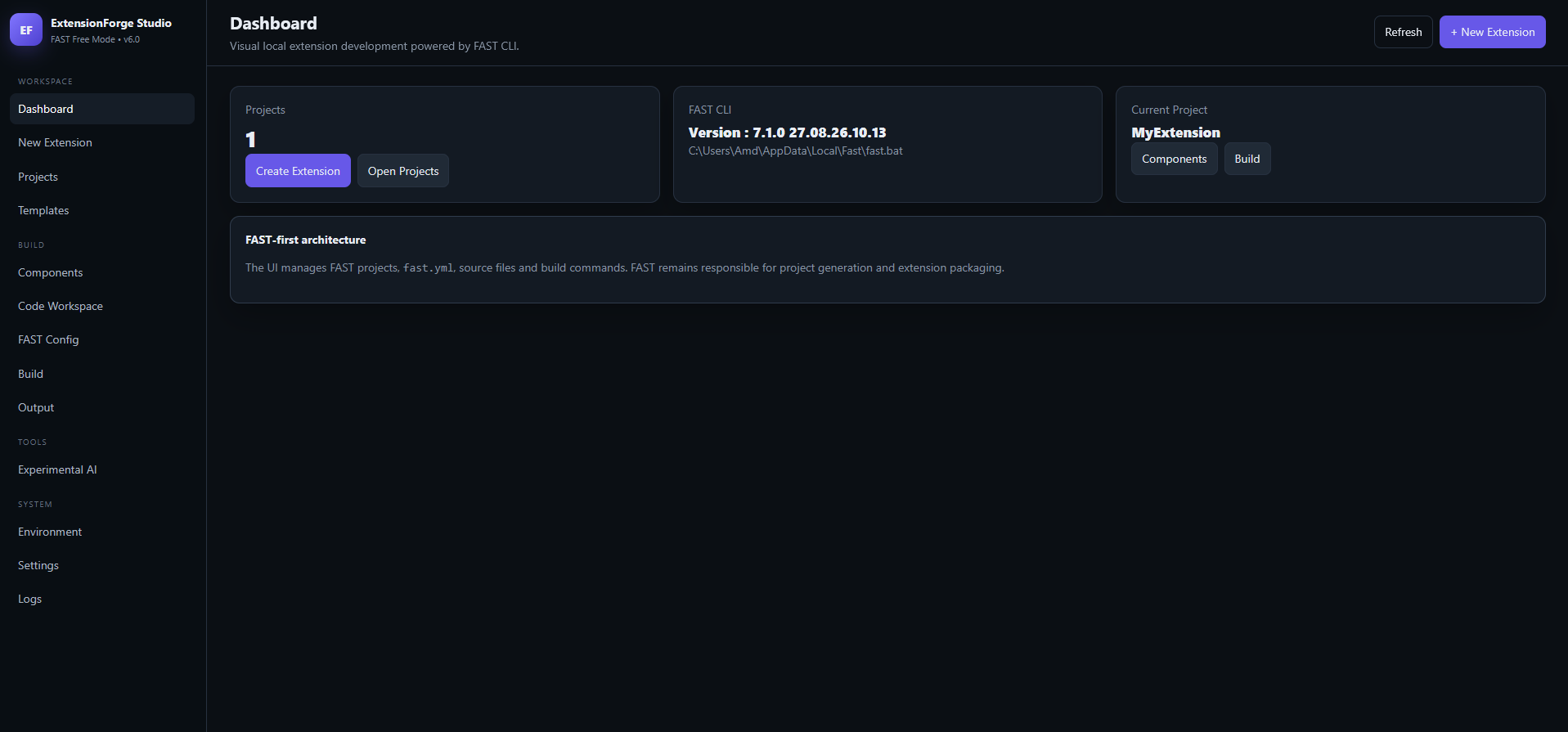
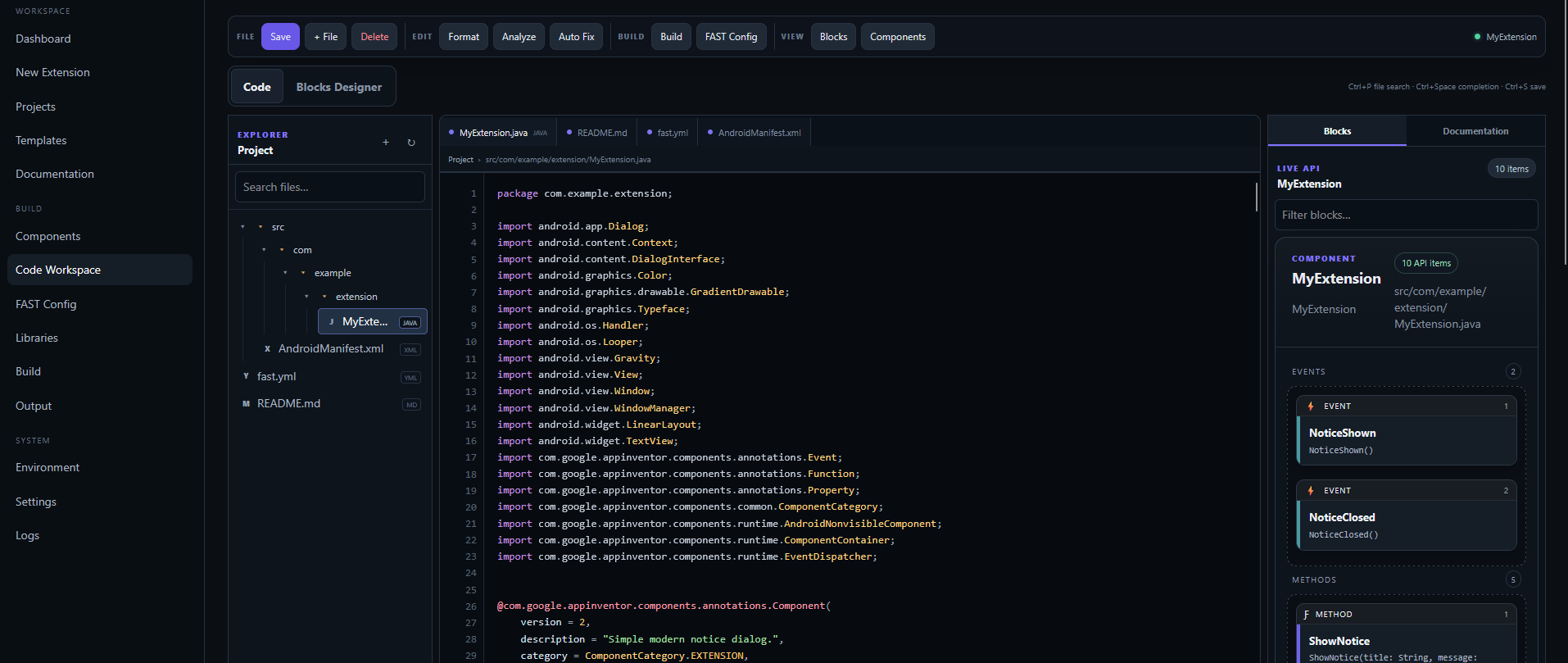
I’ve been using the FAST CLI by Jewel to build extensions recently. It is an incredibly powerful tool, and I have huge respect for what it does under the hood. However, I’ve found that constantly working inside the command prompt can be a bit tedious, and I really wish there was a visual, local alternative.
Because of this, I’m planning to build a Local Extension Maker.
The Concept: The idea is to create a graphical user interface (GUI) that runs locally on your machine, using Jewel’s FAST CLI as its core engine in the background. Essentially, it would be a visual wrapper that gives you all the power and speed of FAST, without ever having to touch the terminal yourself.
Full Transparency: Truth be told, building this from scratch is a bit beyond my current coding level, so I will be relying heavily on AI to help me write the code and bring this idea to life. I wanted to be upfront about that!
Before I dive too deep into building this, I wanted to ask the community:
Would a visual interface for FAST CLI be helpful to your workflow?
Are there any specific features you’d want to see in a local visual builder?
Massive credit to @Jewel for building the original CLI—this project would just be a visual interface built on top of their hard work.
Nice idea, but please make sure to ask for permission first.
If you mean creating a complete GUI that allows you to use all FAST commands without writing them in the terminal, possibly adding a code editor that properly supports syntax highlighting, auto-completion, and formatting (not just a simple text editor) as well, that would be a really great project.
Sorry, I was a bit vague.
I meant a code editor that properly supports syntax highlighting, auto-completion, and formatting, not just a simple text editor like Windows Notepad.
Hi! Thank you so much for the feedback and encouragement.
To address your points:
Regarding permission:
Absolutely! That is exactly why I am reaching out to the community and the creator first. I completely respect the strict licensing of FAST CLI, and I have already drafted a formal request to the creator. I won’t proceed with releasing anything without getting explicit permission first.
Regarding the editor features:
Yes, that is exactly what I have in mind! The plan isn’t just to make a basic notepad text editor. I want to build a proper, dedicated GUI that handles the FAST terminal commands in the background, paired with a robust code editor. It will include syntax highlighting, auto-completion, formatting, and better project organization.
Later on, I also plan to add built-in code snippets, templates, and AI assistance to make writing extensions even faster. Just to keep things fair to the creator, the GUI will only use the free version of FAST CLI as the compiler—so anyone who wants to use the premium FAST CLI features will still need to purchase it directly from the creator.
Thanks again for the support! I’m really excited to build this if I get the green light.
Do we need to install FAST CLI separately or your tool comes with pre-installed/bundled? If pre-installed/bundled, so allowing users to manually update/change the FAST version would be fine. If pre-installed/bundled, so please elaborate how users will be able to use their license to unlock premium features of FAST CLI?
ExtensionForge Studio requires FAST CLI to compile your projects, but i streamlined the setup process to make it as effortless as possible:
Auto-Installation: When you launch ExtensionForge Studio for the first time, the GUI automatically detects and installs the free version of FAST CLI if it isn’t already present on your system.
Manual Version Management: Because FAST CLI runs on your system path rather than being locked inside the app, you retain full control. You can manually update, downgrade, or switch FAST CLI versions anytime via your terminal.
How It Works: Think of FAST CLI as the core engine/machine that packages the .aix file, while ExtensionForge Studio acts as the instructor—providing a clean visual UI to manage your code and telling FAST CLI exactly what and how to build.
Premium Licenses: Since licensing is handled natively by FAST CLI, any Premium license or token you activate within your system’s FAST CLI environment will automatically apply when building through ExtensionForge Studio.
cant conform it but in 2 or 3 weeks i will be testing and making some improvement before the release it is made with AI
so there is going to be lots of issue that needs to fix manually later on
Please keep in mind that the project is currently under active development, so many aspects—including the UI layout, branding/name, and overall features—are subject to change before the final release.
I will keep posting regular progress updates here as development moves forward, so stay tuned for more details soon!