why is my app stuck after opening one of the screens
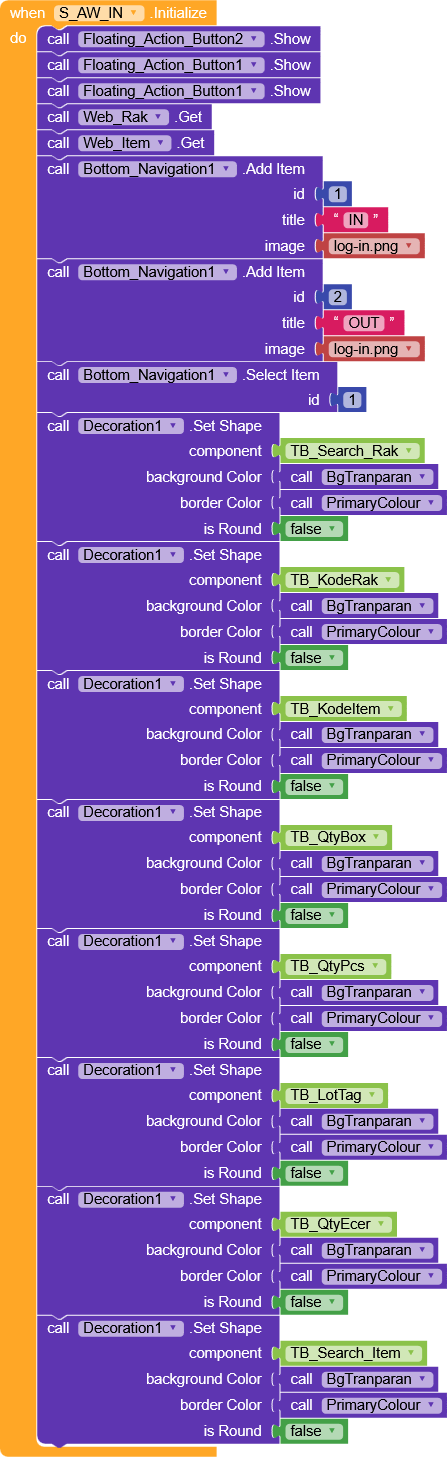
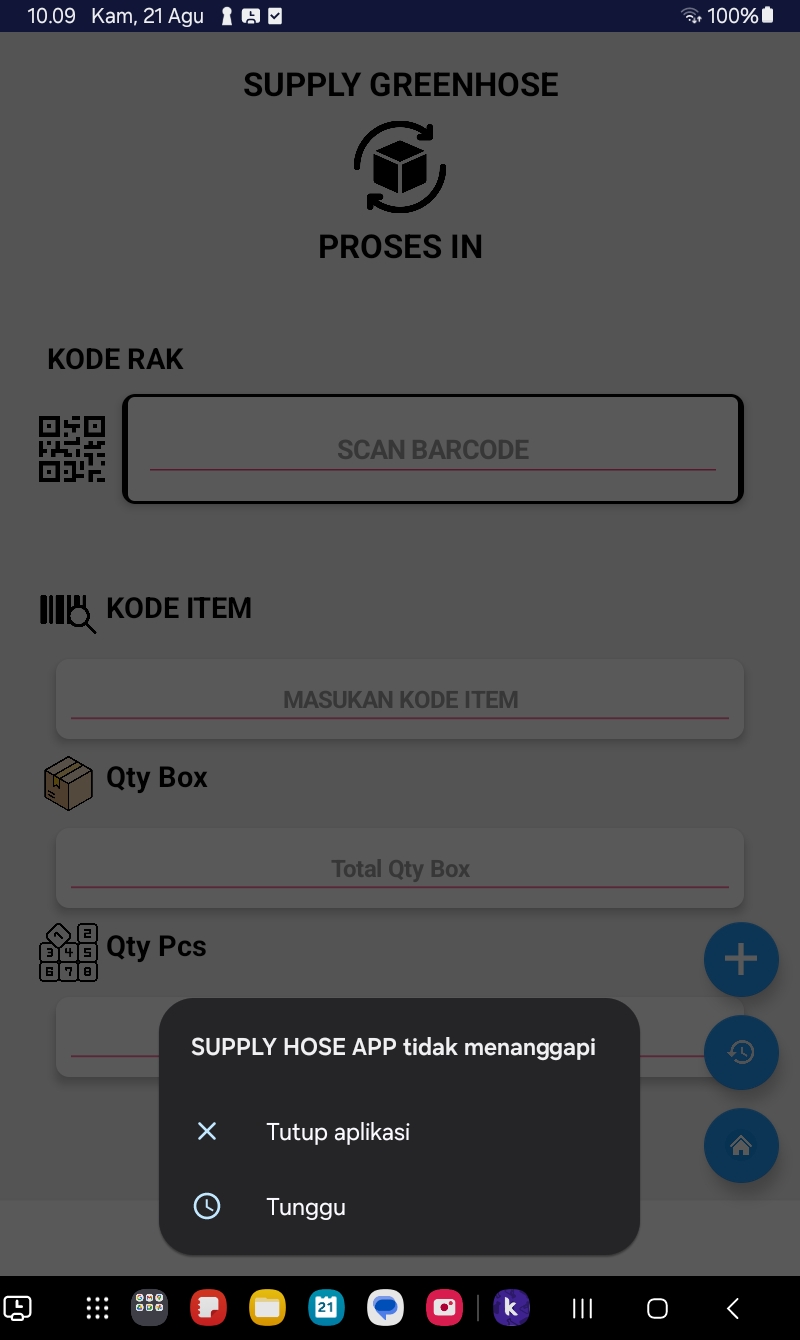
Try removing Bottom navigation on inintiallize, leave web get, and see if it’s can change anything
It doesn’t work even after I disable block screen initialize.
Check if you’re project contains push notifications (one signal)
Also

I wan’t to be sure if those blocks are clearly stated.
- Where is web url source before calling web.get function ???
- We want to look on bgTransparan & PrimaryColour function.
 Anyways check step by step with removing some blockes in your initialize event.
- First remove all set shape block and test it. If there is error again. Remove other similar blocks and test it again.
- If there is an issue on set shape block here is the block form work fine.
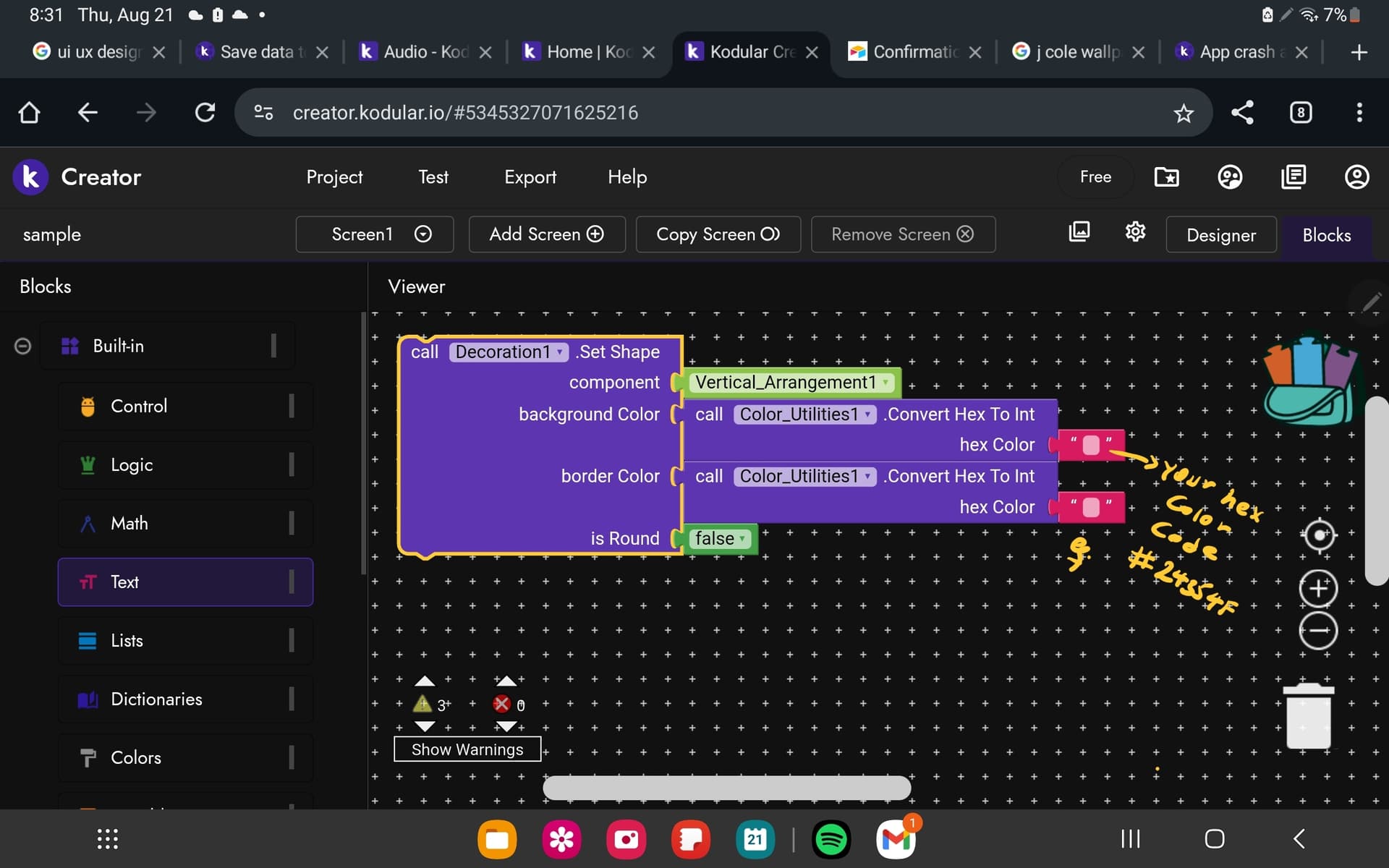
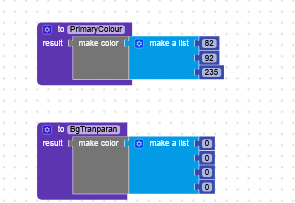
Did you check it?
@Ibrahim_Jamar seems right there may be you use component not working. If you use Lotti file there may be you use non working lotti .json file.
I don’t understand what you mean
Once Taifun said
Without you providing more relevant blocks I now only can suggest to use logcat to find out what is going on
can you help me to check the error that occurs, the tutorial I do not quite understand
Show all your blocks
If you don’t mind send me your aia file i will help you
1 Like
error occurs when exporting to apk
SUPPLY_APP(1).aia (2.7 MB)
Give me some time please
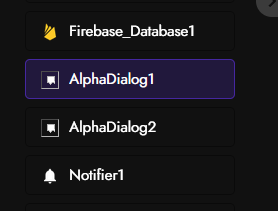
I can’t find the blocks there and even hard to open your project. anyways what is this extension named as alphadialog i did not see this before.
Hi Reyno,
This is not the solution
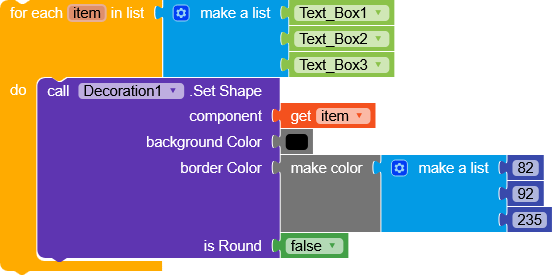
But I see that you’re performing the same operation for each textBox.
You could handle it like this:
Solution loading…
1 Like
what is this loading sir
1 Like