Hello everyone,
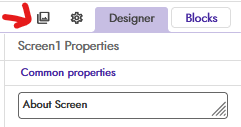
I am facing an issue where the ‘Assets’ manager section is completely missing from my screen. I have scrolled all the way down the left panel, but it is not visible below the ‘Palette’ list where it should normally be.
I have already tried all the common solutions, but the problem is still there:
- Hard refreshing the page (Ctrl + F5)
- Resetting the browser zoom to 100% (Ctrl + 0)
- Using Incognito mode
- Trying on a different browser
- Creating a completely new, blank project (the Assets section is also missing in the new project).
Could you please help me understand what might be wrong and how I can solve this? I am attaching a screenshot below for your reference.
Thank you for your help.