 Advanced Audio Player (AudioPlaer) — Powerful Audio Player for Your Apps
Advanced Audio Player is a professional and modern extension designed to build unique music apps in App Inventor, Kodular, and other builders. The player supports local files, internal assets (assets/), HTTP/HTTPS links, and content:// URIs. Built-in equalizer, bass boost, and a live spectrum visualizer take your app’s sound to the next level!
 Detailed Block & Feature Documentation
 Functions (Methods)
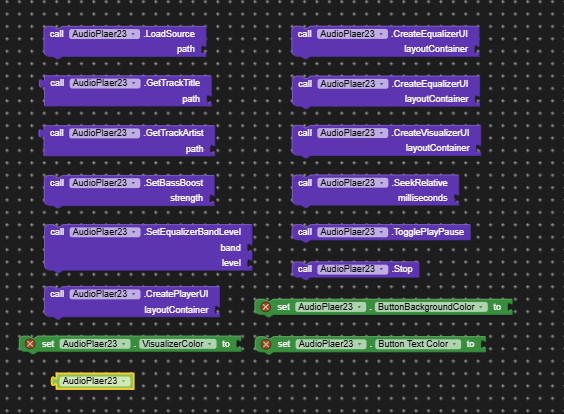
LoadSource (path)
What it does: Loads an audio file, stream, or link asynchronously without auto-playing. Supports web URLs, local device storage, system content:// URIs, and assets (file:///android_asset/…).
Why you need it: Prepares the track for playback while smoothly displaying a horizontal loading indicator during buffering.
GetTrackTitle (path)
What it does: Reads file metadata (ID3 tags) to extract the song title.
Why you need it: Automatically displays the actual track name instead of the raw file name.
GetTrackArtist (path)
What it does: Extracts the artist or band name from the audio file metadata.
Why you need it: To show who created the music track in the user interface.
SetBassBoost (strength)
What it does: Controls low-frequency boost intensity (values from 0 to 1000).
Why you need it: Lets users add deep, punchy bass when listening through headphones or speakers.
SetEqualizerBandLevel (band, level)
What it does: Adjusts the volume gain for a specific frequency band of the hardware equalizer.
Why you need it: For precise manual sound tuning across different music genres.
CreatePlayerUI (layoutContainer)
What it does: Automatically generates a complete graphical control panel inside the selected container: a horizontal loading progress bar, time label (00:00 / 00:00), interactive seekbar, and large user-friendly buttons ( Rewind,
  /❚❚ Play/Pause,
  Stop,
Stop,  Fast-forward).
Why you need it: Saves you from manually building layouts from dozens of small UI elements—creates a full player in a single line of code.
CreateEqualizerUI (layoutContainer)
What it does: Creates a drop-down list (Spinner) populated with all system equalizer presets (Rock, Pop, Jazz, Classical, etc.).
Why you need it: Allows users to switch audio presets with a single click.
CreateVisualizerUI (layoutContainer)
What it does: Creates a real-time animated wave spectrum visualizer view.
Why you need it: Adds a stunning visual effect that reacts dynamically to the playing music.
SeekRelative (milliseconds)
What it does: Seeks forward or backward by a specified number of milliseconds (e.g., passing -5000 rewinds 5 seconds back).
Why you need it: Implements convenient track navigation skips.
TogglePlayPause ()
What it does: Plays or pauses audio, automatically toggling the icon between and ❚❚.
Why you need it: The core button for controlling playback status.
Stop ()
What it does: Stops playback, resets the time timer and position to zero, and clears the visualizer.
Why you need it: To completely end the playback session.
Properties
ButtonBackgroundColor (argb)
What it does: Sets the background color for all player control buttons.
Why you need it: Customizes button appearance to seamlessly match your app’s design.
ButtonTextColor (argb)
What it does: Sets the text and icon color for the control buttons.
Why you need it: Ensures high readability and proper visual contrast.
VisualizerColor (argb)
What it does: Changes the color of the spectrum visualizer lines and bars.
Why you need it: Adapts visual effects to match your app theme’s accent colors.
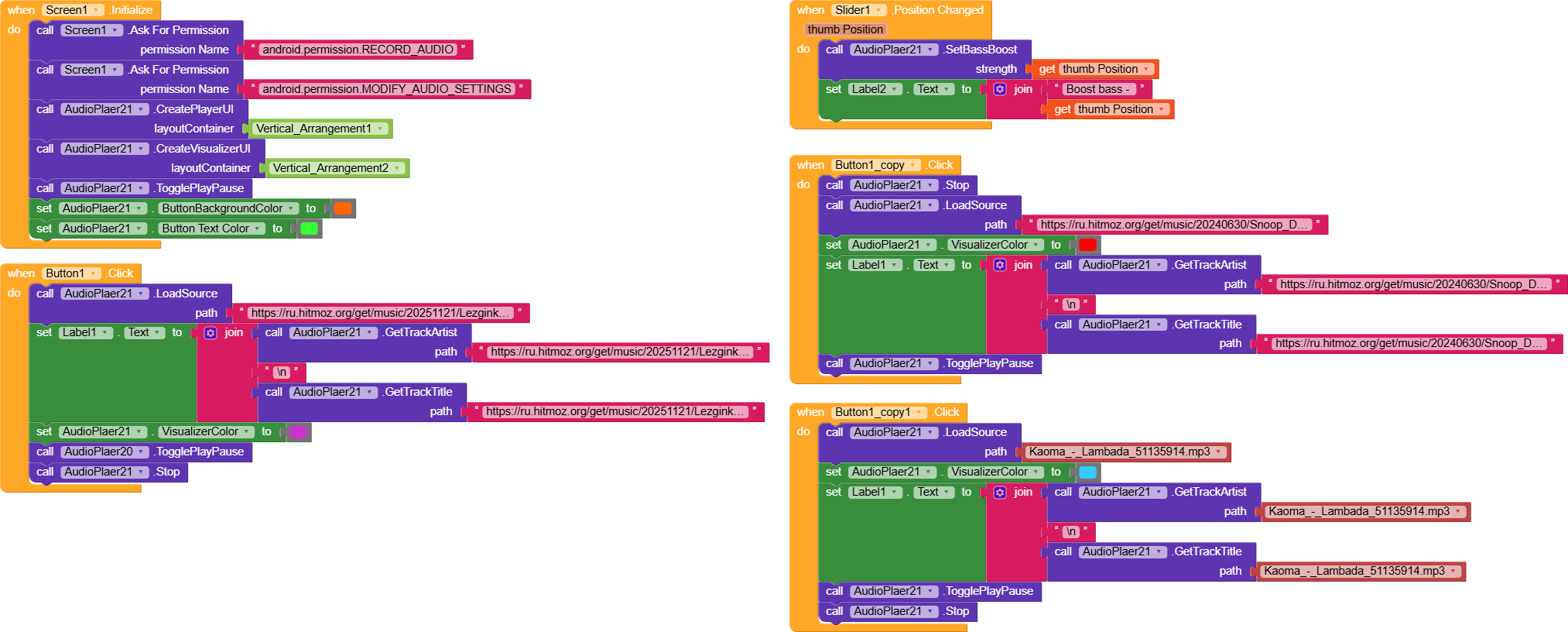
Price: 5 dollars
The extension was created with the help of:  FAST
FAST
 Key Features:
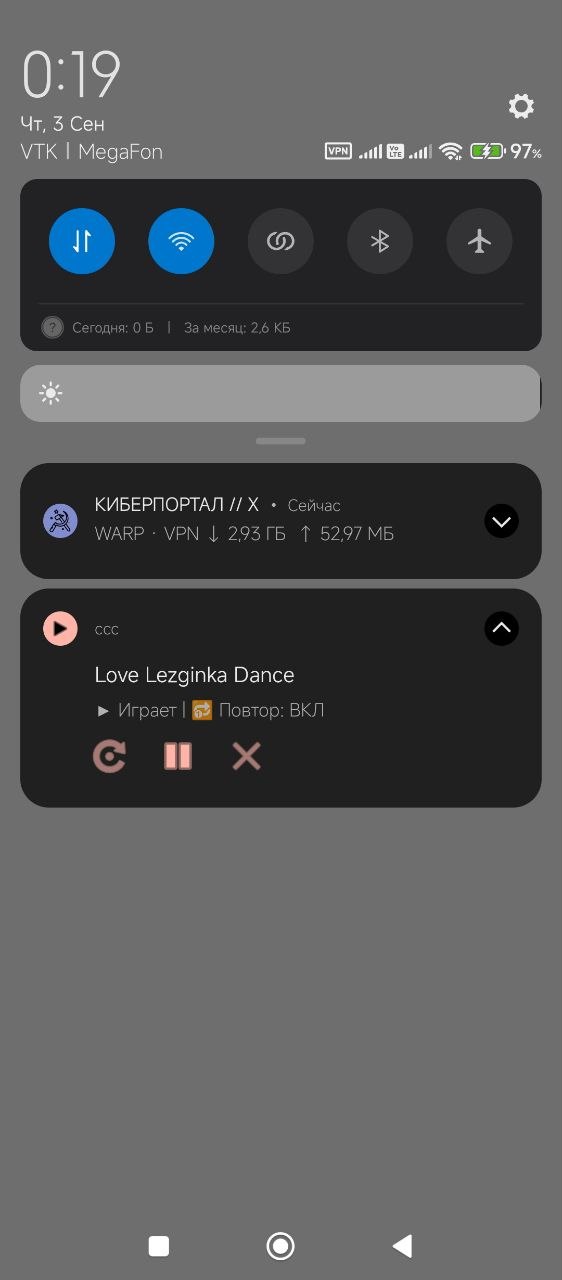
 Interactive Notification Drawer: A sleek, fully functional mini-player right inside your notification panel with media controls, status text, and quick toggles.
 Loop Toggle: Easily enable or disable track repeating (loop mode) on the fly with a dedicated button.