Here you go,
Screen1
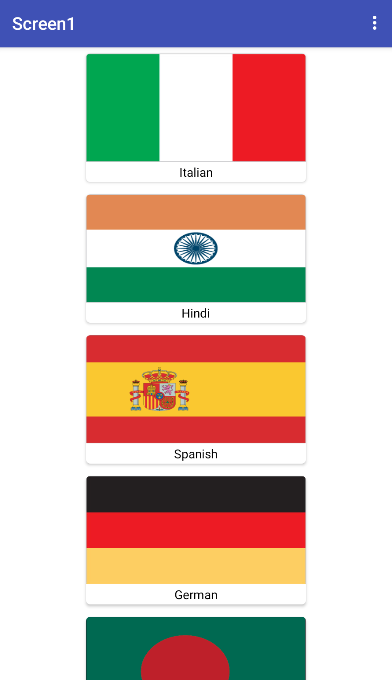
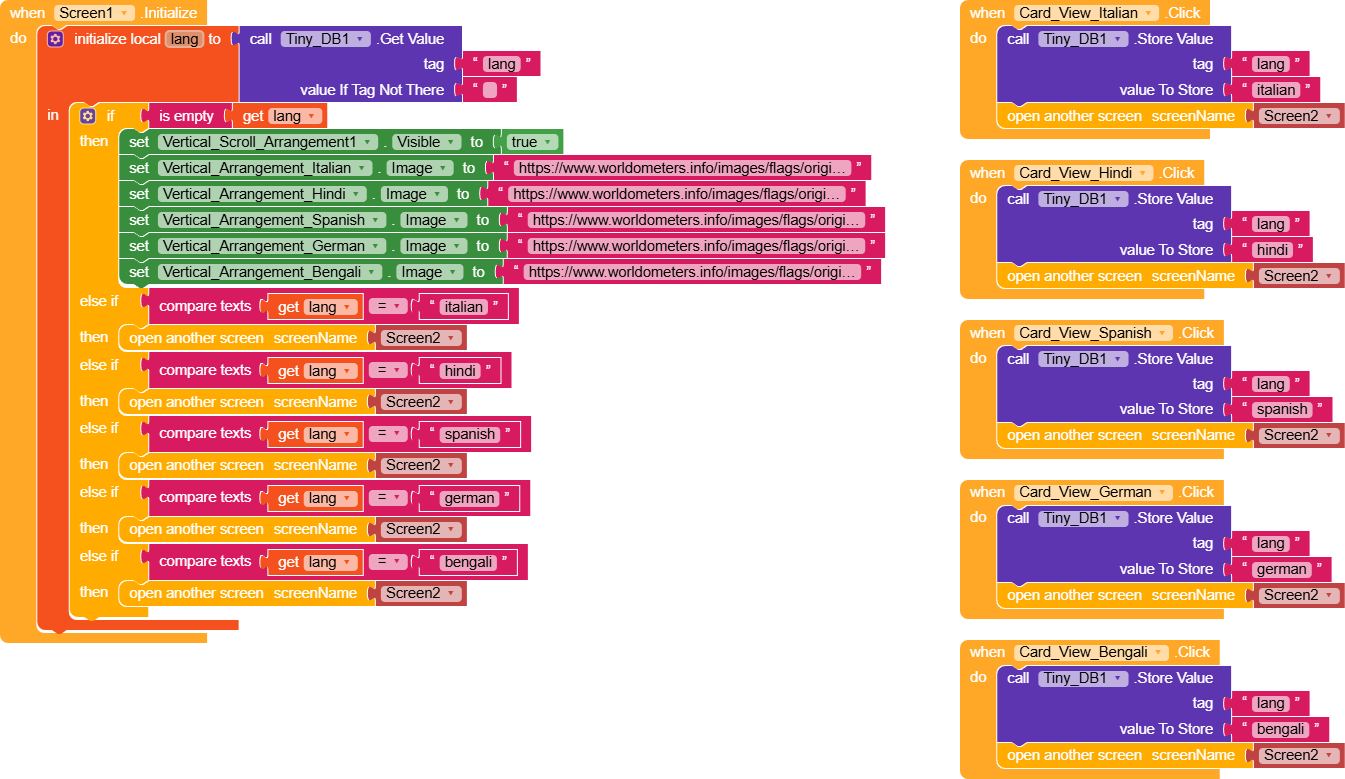
In Screen1 we have several CardViews, and for each one a different value is saved under the tag lang.
In Screen.Initialize, we check if a value is already saved. If there isn’t, we show the VerticalScrollArrangement containing the CardViews and set the various images from URLs (not necessary if they are saved in the assets).
If a value exists in lang, it opens Screen2; after that, it’s up to you to use multiple screens as needed.
Screen2
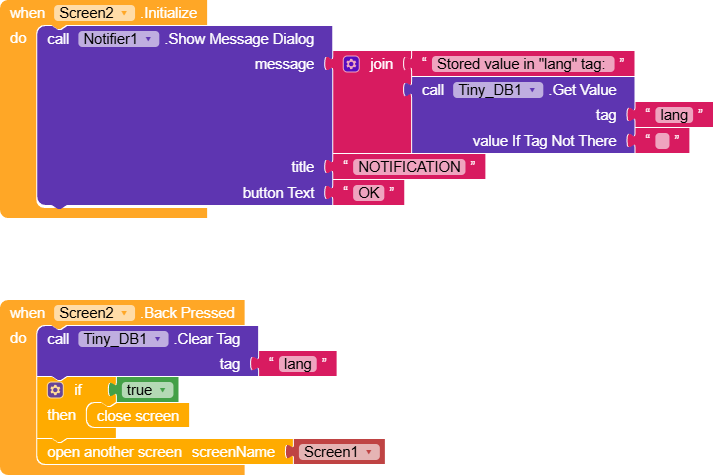
In Screen2, when
Screen.Initialize runs, we simply show a notification displaying what’s saved in the tag.Pressing Back clears the value from the tag and properly closes the screen, this avoids a loop where closing Screen2 would make Screen1 detect the saved value and reopen Screen2.
LanguageSelector.aia (6.3 KB)