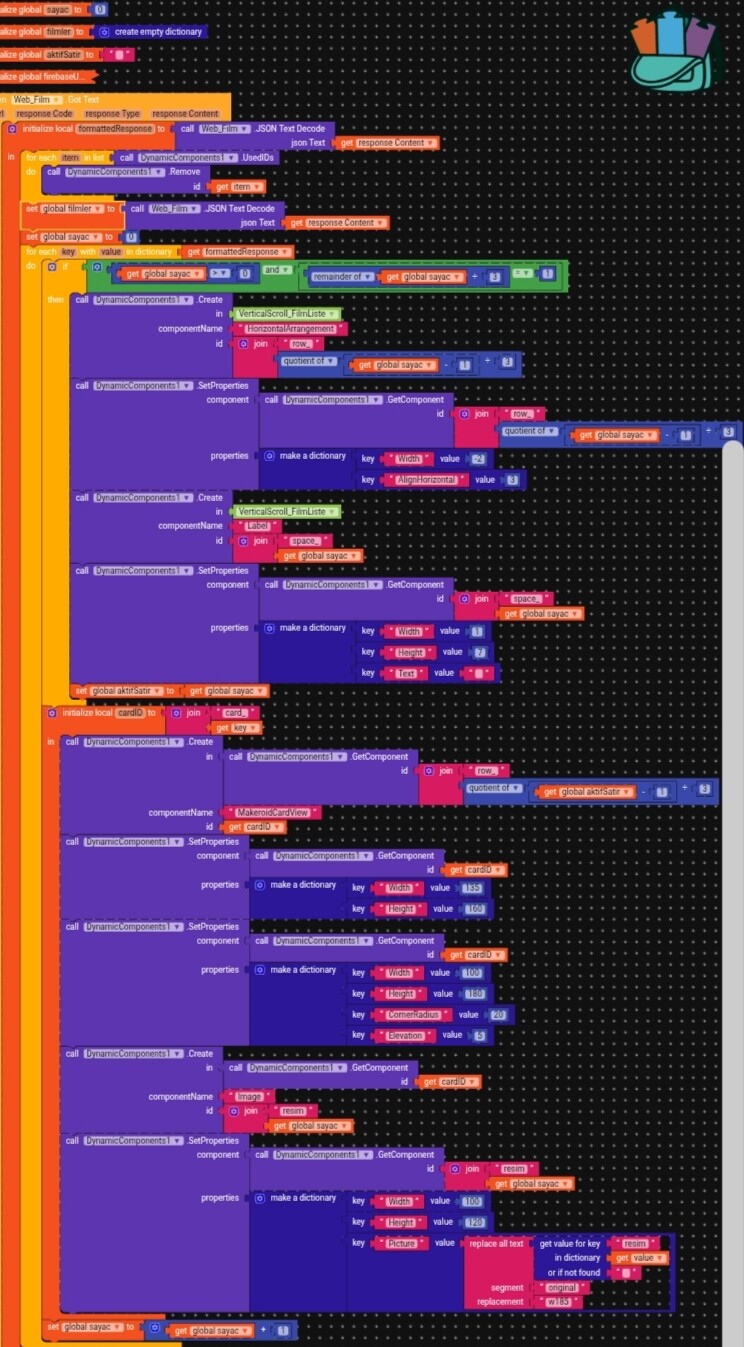
Hi, I think you all know that I’m trying to make a movie app.But as with every new feature, I encountered problems.What I wanted to do was to put the photos in a square and round the corners of the square so that they would look good on my movie list.But I couldn’t do it, I encountered many errors. I need your help.
This is the message of the error.
Runtime Error
The operation - cannot accept the arguments: , [empty-string], [1]
Note: You will not see another error reported for 5 seconds.
Also, I have no intention of making money from this application I’ve created.I just enjoy creating applications and writing code. I will share the aia file at the end of this project.Since this is a community forum, I’m asking for your help. I would appreciate your assistance.
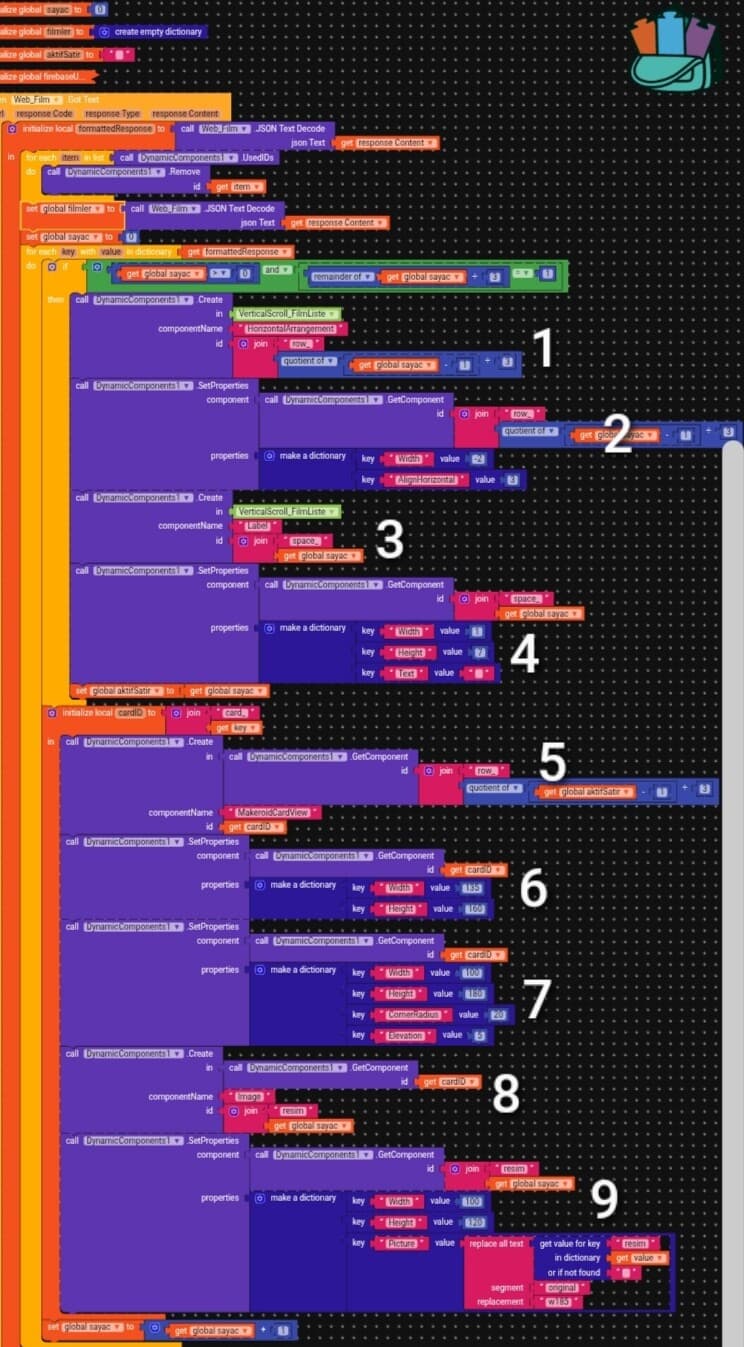
Thanks for your comment, I solved the problem. It turns out the issue was caused by the - block I was using in the IF and ID blocks.I deleted and rearranged them, and the problem was solved.
Thank you for taking the time to help.
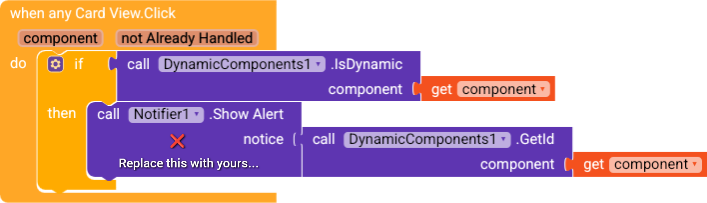
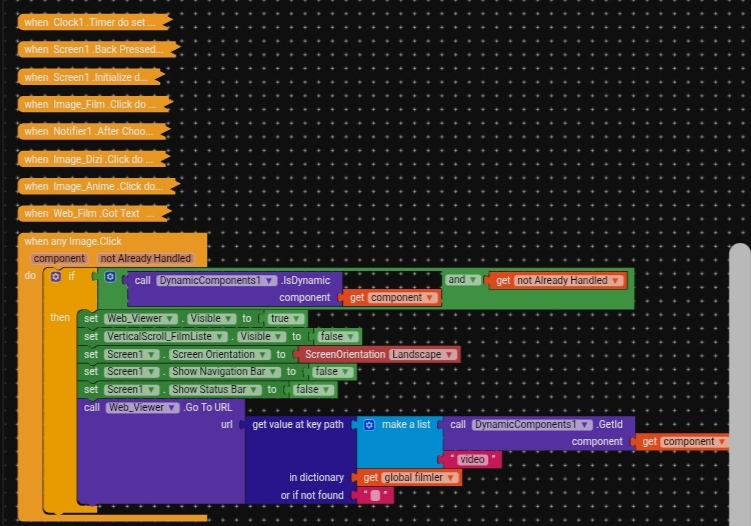
Another problem I’m currently experiencing is that there are three movies in one row in the movie list. When I click on one movie, the remaining two Cardviews are also clicked.And when I click on the movie I want, the player (web viewer) doesn’t open.
I think you misunderstood me. I want the video to open when I click on a movie in the movie list. It was working before I added Cardview, but it doesn’t work now.
As per you block it seems your video url present in the firebase has the main tag as that of the dynaminc ard id.
Did you set the video url as the key value for the same as the dynamic card id in firebase? are you number as tag in firebase? do not set single digit number as the fb tag.
to debug what are you getting while on the image clic use one lable to catch insted of call web viewer go to url , use one lable set text and you make sure you are geting the video url else correct it. may be video url is in the list. so using this card id as index use, select list item from tehlist index method
Hello, there’s no problem with the video link, I checked it and it was working before I added the Dynamic Cardview. Now it’s not working, but I still haven’t figured out why. Could you please
In Firebase, it goes movie1, movie2, movie3, and so on. That’s how I do it; it worked before.


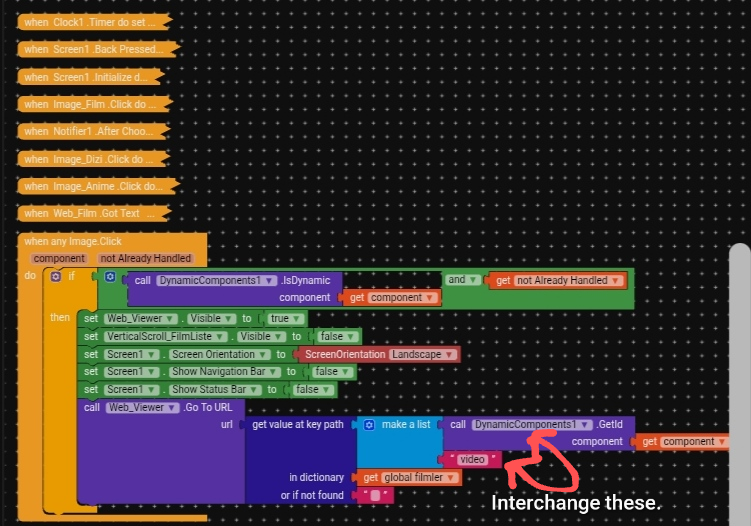
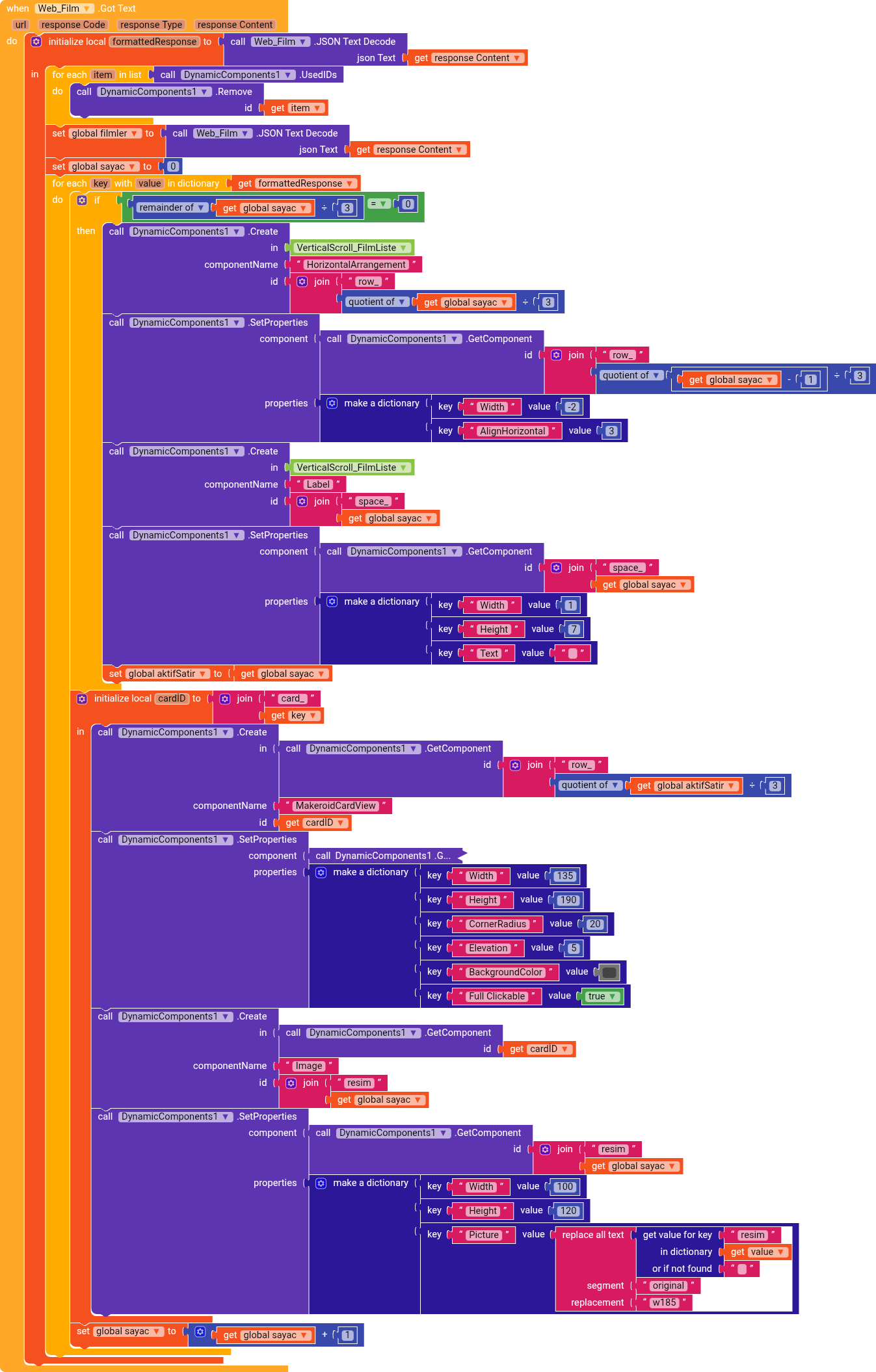
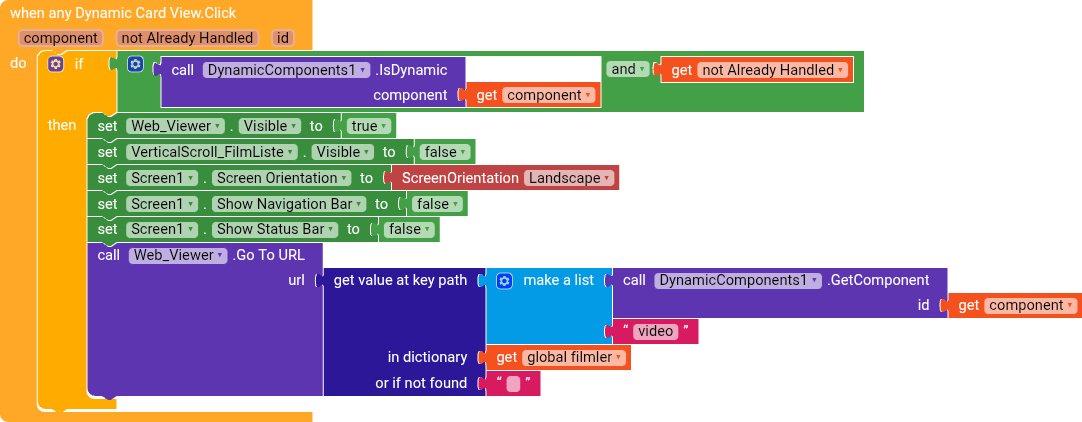
 to do… You didn’t…!