Hello,
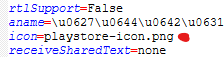
If I try to add an icon after loading it to assets, it does not show on the setup drop down for icons or to Splash screens. Only option shown is “none”!!!
And my APP generate the following error when compiled:
Kodular is unable to compile this project.
The compiler error output was
[ReadBuildInfo] Starting Task
[ReadBuildInfo] Task succeeded in 0.006 seconds
[LoadComponentInfo] Starting Task
[LoadComponentInfo] INFO: Generating assets…
[LoadComponentInfo] Component assets needed, n = 7
[LoadComponentInfo] INFO: Generating activities…
[LoadComponentInfo] Component activities needed, n = 0
[LoadComponentInfo] INFO: Component “com.LukeGackle.JSONTools” does not specify activityMetadata
[LoadComponentInfo] Component activity metadata needed, n = 0
[LoadComponentInfo] INFO: Generating broadcast receivers…
[LoadComponentInfo] INFO: Component “com.LukeGackle.JSONTools” does not specify contentProviders
[LoadComponentInfo] INFO: Generating libraries…
[LoadComponentInfo] Libraries needed, n = 14
[LoadComponentInfo] INFO: Component “com.LukeGackle.JSONTools” does not specify metadata
[LoadComponentInfo] Component metadata needed, n = 0
[LoadComponentInfo] INFO: Generating Android minimum SDK…
[LoadComponentInfo] INFO: Generating native libraries…
[LoadComponentInfo] Native Libraries needed, n = 0
[LoadComponentInfo] INFO: Generating permissions…
[LoadComponentInfo] usesLocation = False
[LoadComponentInfo] Permissions needed, n = 11
[LoadComponentInfo] INFO: Component “TextExtractor.com.TextExtractor” does not specify queries
[LoadComponentInfo] INFO: Component “com.LukeGackle.JSONTools” does not specify queries
[LoadComponentInfo] INFO: Component “DynamicCompProp.com.DynamicCompProp” does not specify queries
[LoadComponentInfo] INFO: Component “de.bodymindpower.TFormat.TFormat” does not specify queries
[LoadComponentInfo] INFO: Component “com.LukeGackle.JSONTools” does not specify services
[LoadComponentInfo] INFO: Component “TextExtractor.com.TextExtractor” does not specify xmls
[LoadComponentInfo] INFO: Component “com.LukeGackle.JSONTools” does not specify xmls
[LoadComponentInfo] INFO: Component “com.yusufcihan.DynamicComponents.DynamicComponents” does not specify xmls
[LoadComponentInfo] INFO: Component “DynamicCompProp.com.DynamicCompProp” does not specify xmls
[LoadComponentInfo] INFO: Component “de.bodymindpower.TFormat.TFormat” does not specify xmls
[LoadComponentInfo] Component xmls needed, n = 0
[LoadComponentInfo] INFO: Generating component broadcast receivers…
[LoadComponentInfo] Task succeeded in 0.01 seconds
[CheckDeprecatedComponents] Starting Task
[CheckDeprecatedComponents] Task succeeded in 0.011 seconds
[CheckComponentRequirements] Starting Task
[CheckComponentRequirements] Task succeeded in 0.0 seconds
[VerifyExtensions] Starting Task
[VerifyExtensions] Task succeeded in 0.616 seconds
[GenerateBuildId] Starting Task
[GenerateBuildId] INFO: Skipping Build ID generation for App with no required components.
[GenerateBuildId] Task succeeded in 0.0 seconds
[RetrieveGamAdUnit] Starting Task
[RetrieveGamAdUnit] INFO: Skipping Ad Unit ID retrieval for app with no required components.
[RetrieveGamAdUnit] Task succeeded in 0.0 seconds
[PrepareAppIcon] Starting Task
[PrepareAppIcon] INFO: Creating mipmap dirs…
[PrepareAppIcon] INFO: Generating icons…
[PrepareAppIcon] ERROR: Something went wrong while getting the default icon
[PrepareAppIcon] ERROR: Could not prepare app icon
[PrepareAppIcon] Task errored