ChatKaroUI is a customizable advanced chat component extension with text, images, reply quotes, star/bookmark, HTML/Markdown rendering, swipe-to-reply, link previews, export/import, and more — built on RecyclerView, LinearLayout, and FrameLayout.
Hey, Great extension. Can you help me how to remove the timestamp in RED (01:35), like it should show today, yesterday or past date but not the time since its already under the messages. I used showTimeStamp to false but it hides the timestamp under the message and not the RED one.
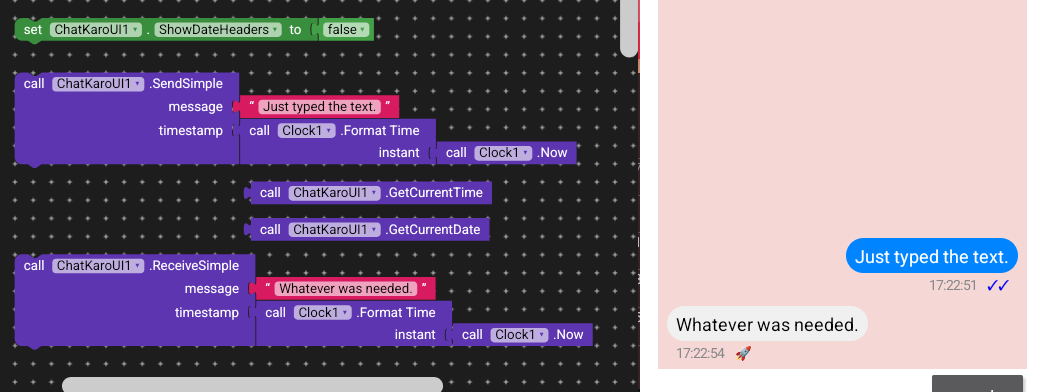
Thanks a lot for suggestion. I also got in touch with the developer and he informed to uncheck “ShowDateHeaders” option from the Design which fixed it.
Well it’s great to hear. But I did try and I’m quite sure that setting show date headers to false or unchecked will remove the date header from the UI completely.
Ofcourse why not… I’ll be glad. Give me a bit.
I’ll upload it here itself
Edit:
Unfortunately before heading to bed, deleted the project in my sleepy eyes and now had to redo everything. This screenshot is just the main thing i used to recreate the above conversation.
Give it a shot by right click > do it, changing the blocks of timestamp = with others.
Singh, your question was to show today, yesterday etc. As I said earlier the dateheader will not be shown in the UI, this screenshot is the result. Just curious to know, how did it got fixed miraculously.
@Vega_Star mentioned he used GetCurrentDate instead of GetCurrentTime to show today, yesterday. I’ll try that but maybe later as I’m working on different thing. Meanwhile, he can show his blocks for the same.
I am building a group chat application using ChatKaroUI and CloudDB.
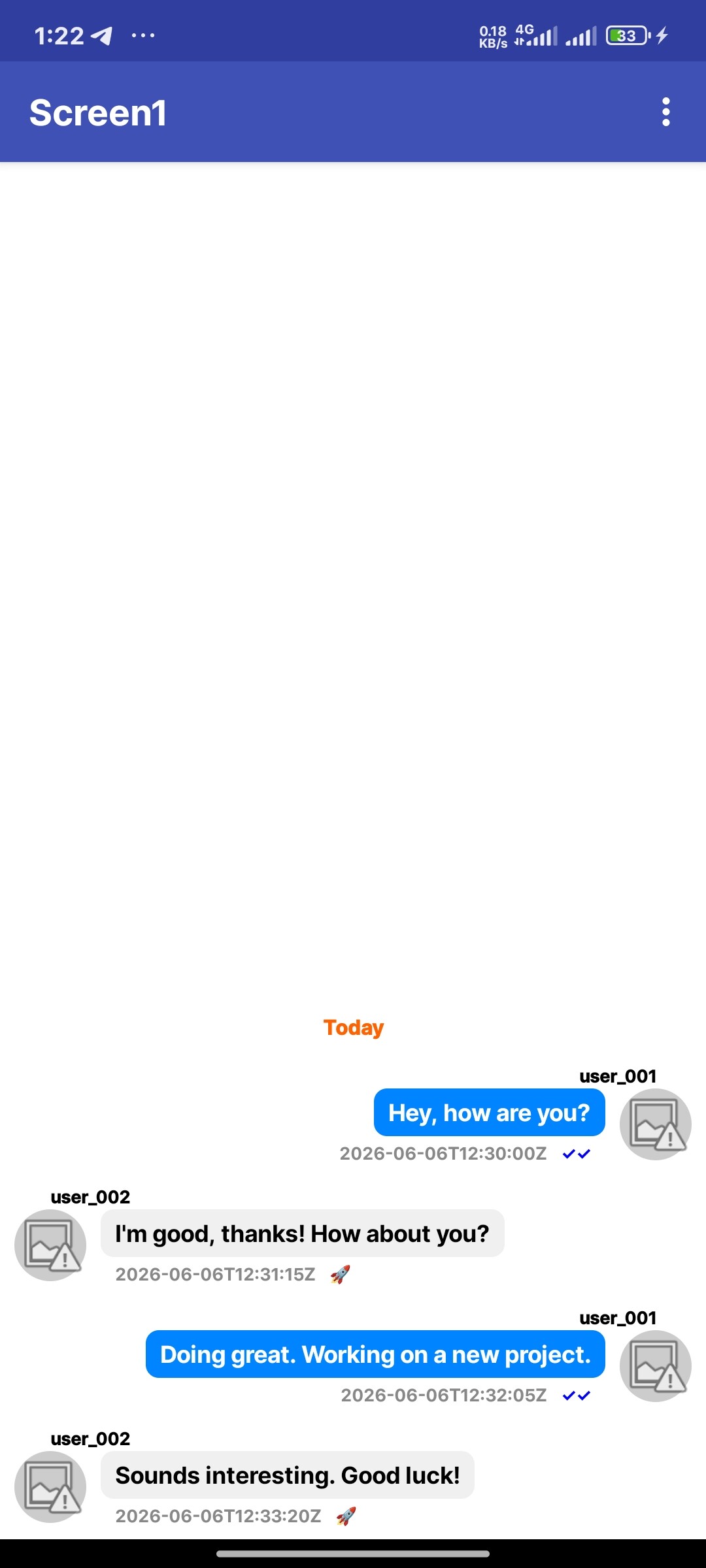
My main problem is displaying messages on the correct side. I want my own messages to appear on the right side and messages from other users to appear on the left side, similar to WhatsApp or Telegram.
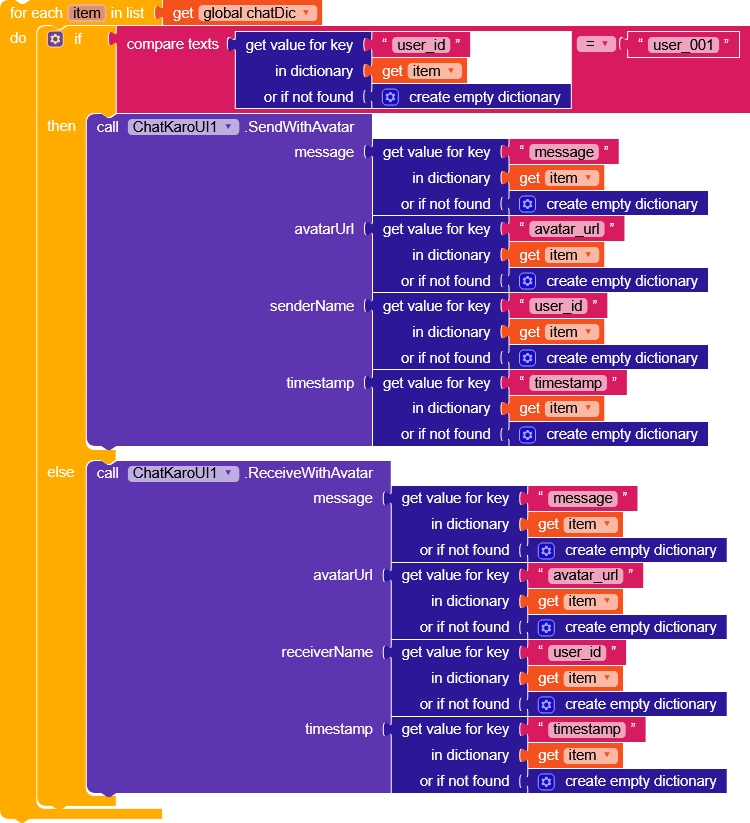
I am using SendWithAvatar and ReceiveWithAvatar, and I store the following data in CloudDB:
[username, avatarUrl, message, timestamp]
When a message is received, I compare the username in the message with the current user’s username. However, the messages are not being displayed correctly on the left and right sides.
My goal is:
Show my messages on the right side.
Show other users’ messages on the left side.
Display avatar, username, and timestamp correctly.
Use CloudDB for real-time group chat.
Has anyone successfully implemented this with ChatKaroUI? Could you please share the correct blocks or an example project?
If you’re using ChatKaroUI or a similar chat interface, the usual approach is to compare the message sender ID with the current logged-in user’s ID. Messages sent by the current user are aligned to the right, while messages from other users are aligned to the left.
For example, check whether message.senderId == currentUserId. If true, apply a right-aligned chat bubble style; otherwise, use a left-aligned style. Most chat frameworks handle this through conditional UI rendering.
If you’re facing issues, verify that the sender IDs are being passed correctly and that the alignment logic is applied consistently when rendering the message list. This is the standard method used in most messaging applications.


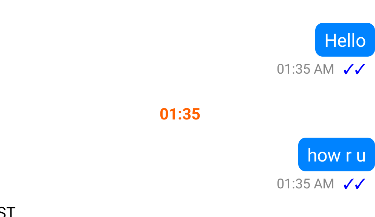
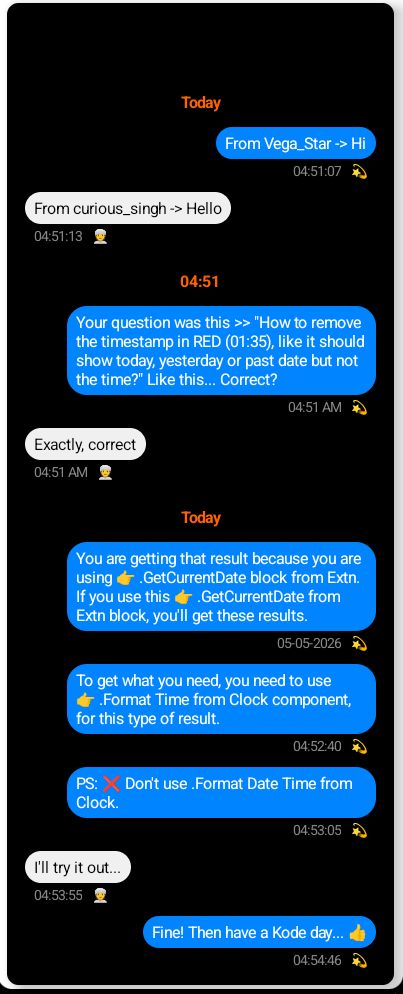
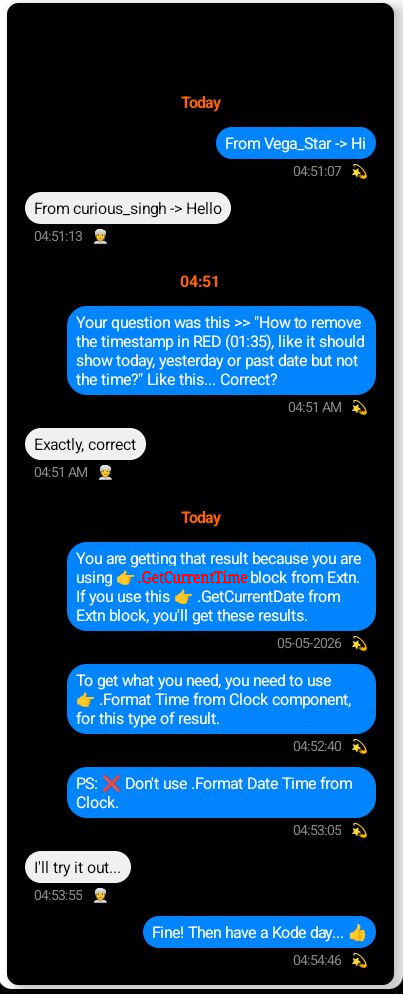
 .Format Time from Clock component.
 to hear. But I did try and I’m quite sure that setting show date headers to false or unchecked will remove the date header from the UI completely.