this block is used to call the whole table as a json list

here, after the Bearer there must be a space
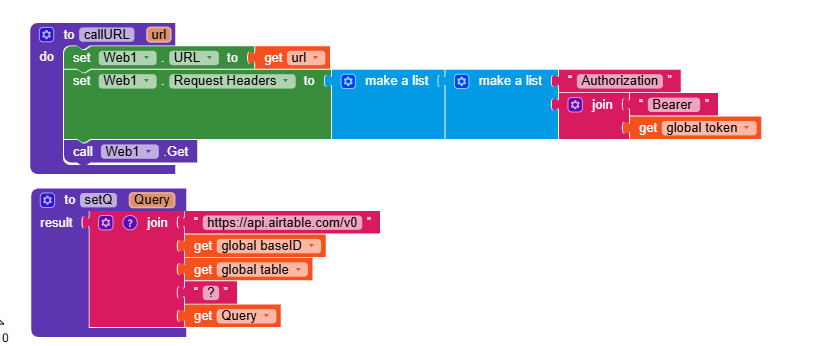
this code is used to filter the row based on input condition ( must use Hypen at the end)
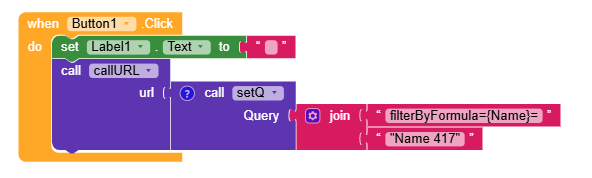
here,
1 denotes the col name
2 denotes the matching value in that col
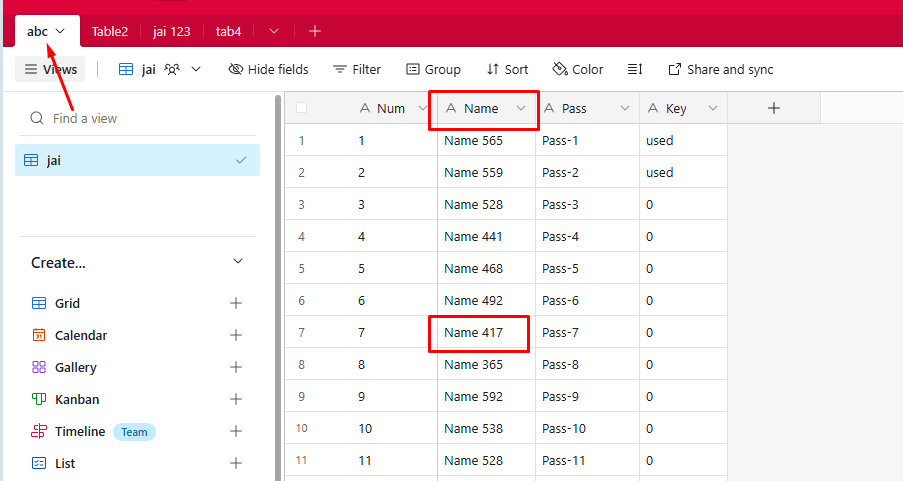
in the above example, i want to look the row value so i am using the condition as Name col mathcing value as Name 417, and i expected the total row to display. As i guess i got the output.
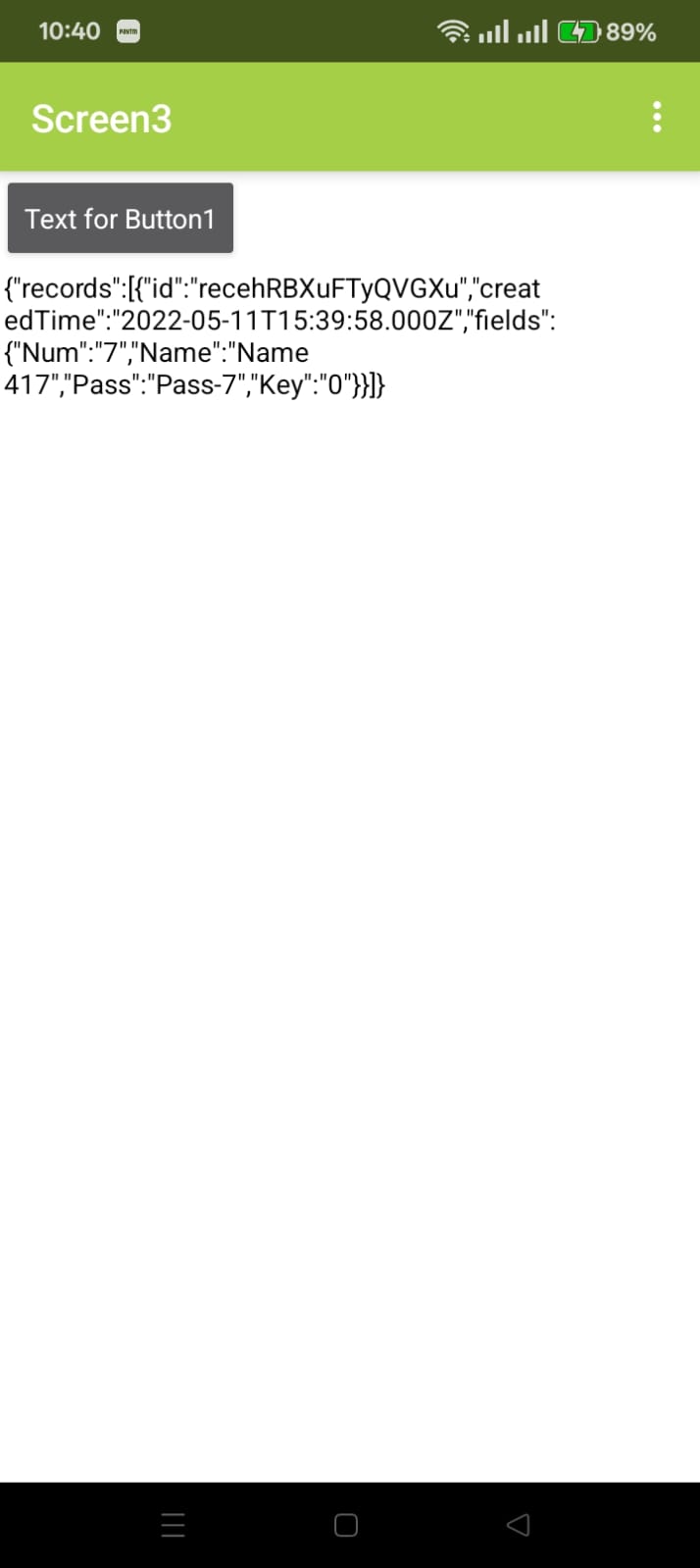
If no matching found it will throw empty result see.
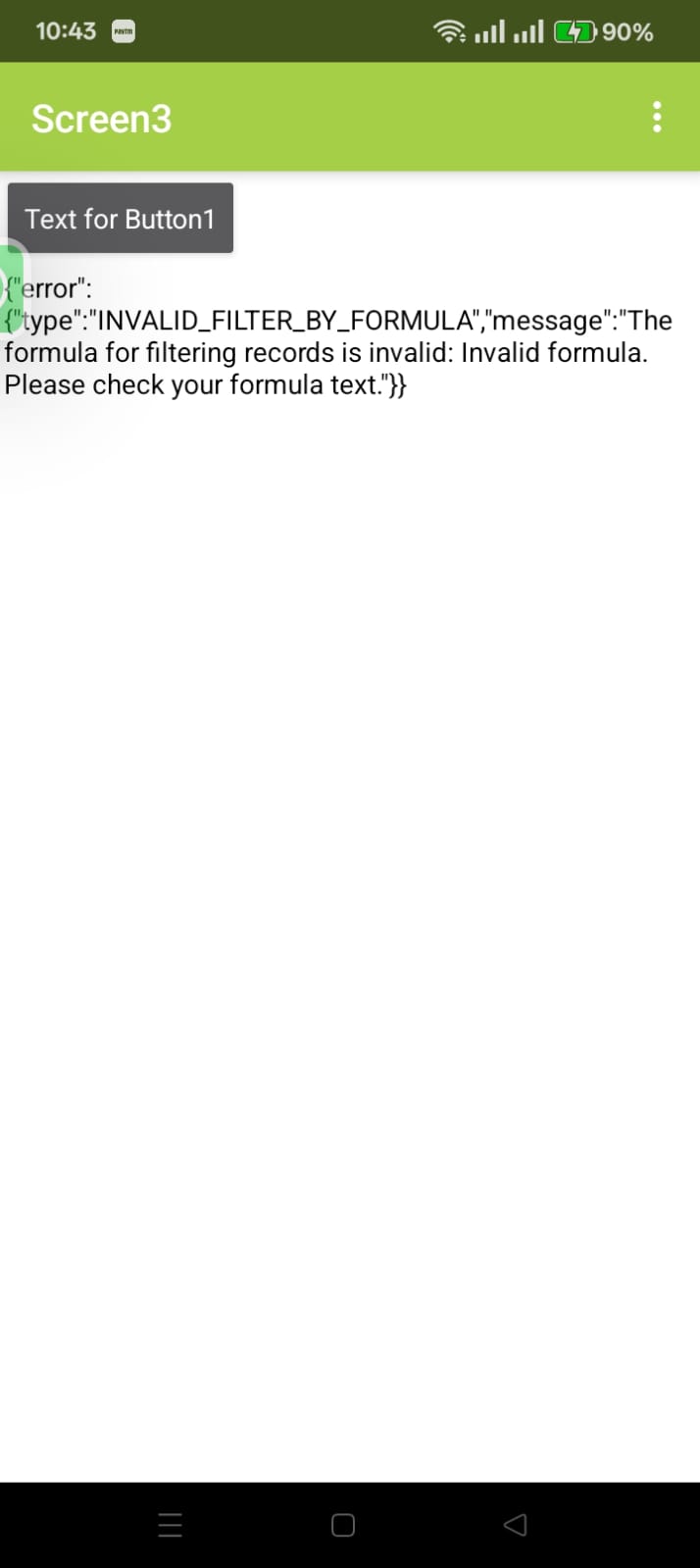
I hope now you know how to use this..
Process.
When user logged in or signed in, Get device ID
Run the filterByFormula using this ID using its col name.
You will get the total row, and from this look the value of payment status.
Got it?, i hope you understand