Thanks! Do you know of any extensions that support WebSockets and headers?
Is your extension free or a sponsor version?
Try this
Hi, thanks! I got it. It looks like what I was looking for 
1 Like
Thanks, I hope so ,
And I I am waiting for your feedback 
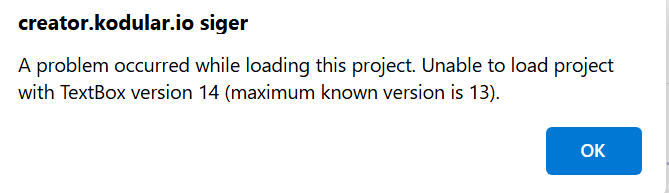
Hi, do you have a demo.aia? the one in the download can’t load in kodular as a project.
I’m focused in the gpt stream part.
Br Teddy
Try with MIT app inventor the aia file originally for AI2 not kodular
It’s loading perfectly in App Inventor - Thx.
1 Like
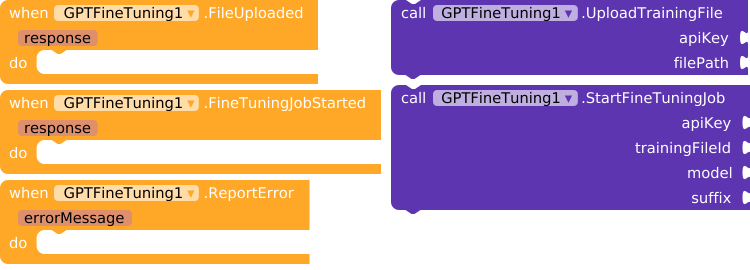
17. UploadTrainingFile (NEW)
-
Description: Uploads a JSONL file for use in fine-tuning.
-
Parameters:
apiKey(Text): Your OpenAI API key.filePath(Text): Path to the JSONL file to upload.
-
Returns: Triggers
FileUploadedevent with the file ID orReportErrorif an error occurs. -
How it works: This method sends a
multipart/form-dataHTTP POST request to OpenAI’s API to upload the specified JSONL file for fine-tuning purposes.
18. StartFineTuningJob (NEW)
-
Description: Starts a fine-tuning job using an uploaded JSONL file.
-
Parameters:
apiKey(Text): Your OpenAI API key.trainingFileId(Text): The ID of the uploaded JSONL file.model(Text): The base model to fine-tune (e.g.,gpt-4o-miniorgpt-3.5-turbo).suffix(Text): Optional suffix to append to the fine-tuned model’s name.
-
Returns: Triggers
FineTuningJobStartedevent with job details orReportErrorif an error occurs. -
How it works: This method sends an HTTP POST request to OpenAI’s fine-tuning endpoint, creating a fine-tuning job using the provided file and model.
3 Likes
Thanks, Ahemed, I have pm’d you.
1 Like
Creating GPT JSONL files
Click here to access my website that generates the files in an intuitive way.
1 Like
I´m trying to use Vision with an image from a component but I´m geting error all the time, only working with URL images, any ideas?
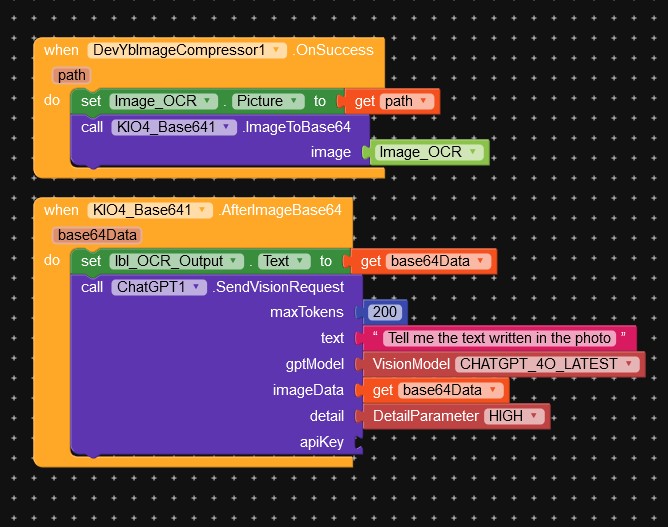

Unfortunately, it is a problem with the MIT App Inventor base system itself, which does not allow working with base 64 images.
1 Like
How did I solve this problem by sending to an Image2URL conversion server?
do you know any free api service to do that?
I designed a solution with Imgur and Imbb server: [FREE] Convert images to URL with Imgur API
2 Likes
thank you so much! I will check it out
Hi @Passos_0213 , I sent a pm regarding the extension, thanks
1 Like
 ChatGPT Extension v10 - What’s New!
Latest Update: GPT-4.1, GPT-4o, GPT-Image-2, Batch Processing, Function Calling, 13 TTS Voices & More!
 Quick Summary
| Feature | Status |
|---|---|
| New Language Models |  GPT-4.1, GPT-4.1-mini, GPT-4.1-nano, GPT-5.4, GPT-5.4-mini GPT-4.1, GPT-4.1-mini, GPT-4.1-nano, GPT-5.4, GPT-5.4-mini |
| Reasoning Models | o3, o3-mini, o4-mini |
| Image Models | GPT-Image-2, GPT-Image-1.5, GPT-Image-1, GPT-Image-1-mini |
| TTS Voices | 13 voices (7 new: Ash, Ballad, Coral, Marin, Sage, Verse, Cedar) |
| TTS Models | GPT-4o-mini-tts |
| Embedding Models | Text-Embedding-3-Large |
| Moderation | Omni-Moderation-Latest |
| Image Edit | Edit, Variation, Inpaint |
| Batch Processing | Create, Retrieve, List, Cancel |
| Function Calling | Define, Execute, Auto-execute |
 Visual Blocks Gallery
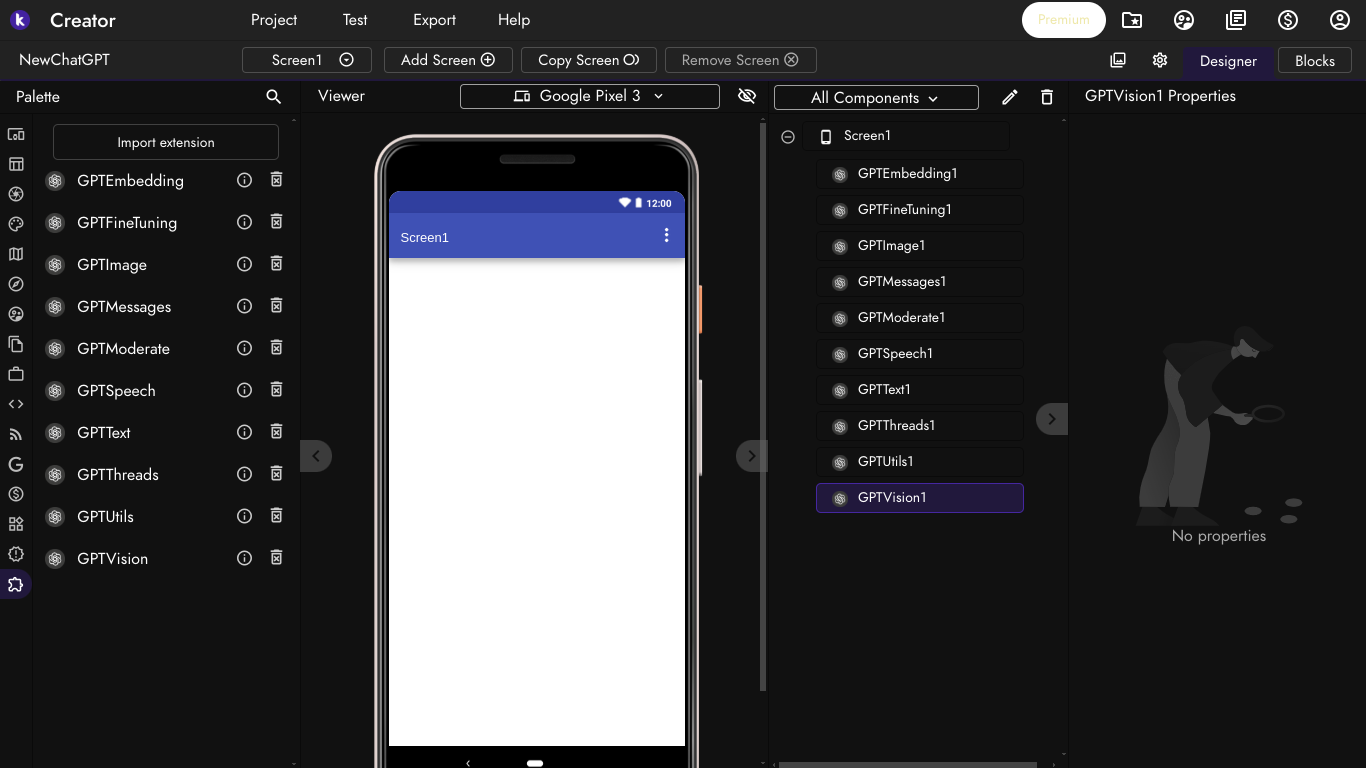
GPTVision1 - Vision Response
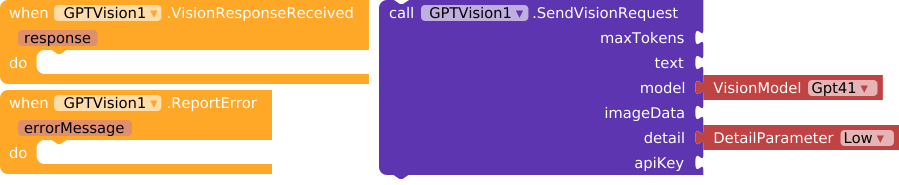
GPTUtils1 - Dialogs & Utilities

GPTThreads1 - Thread Management
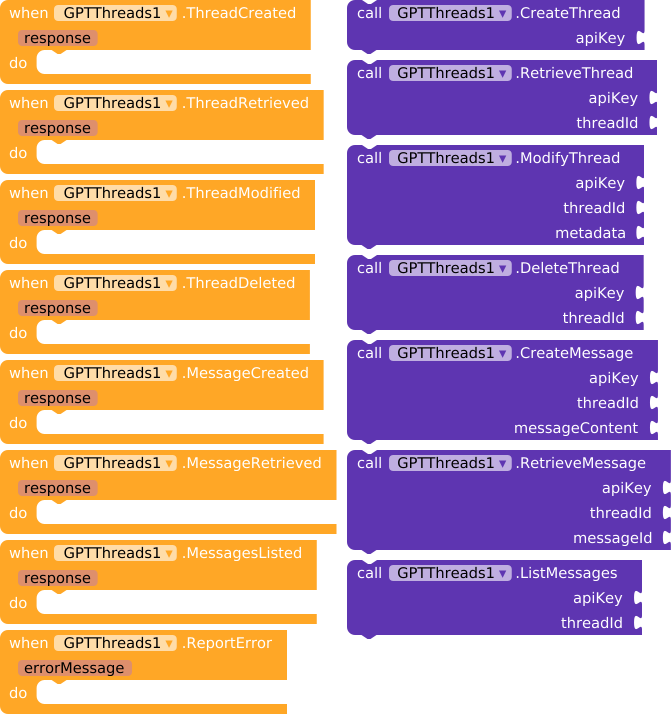
GPTText1 - Text Response & JSON Decode
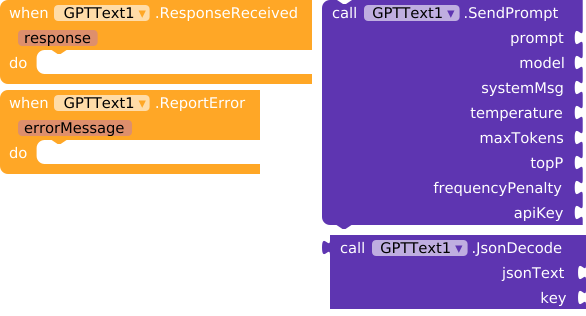
GPTSpeech1 - Speech Generation (13 Voices!)
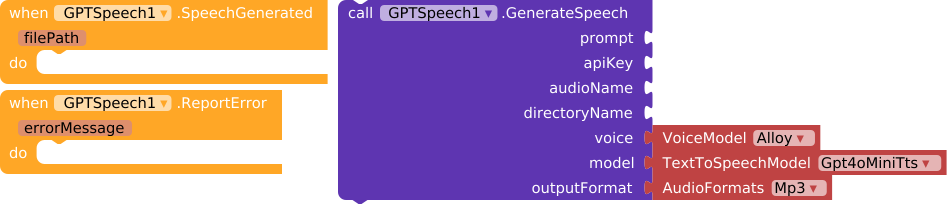
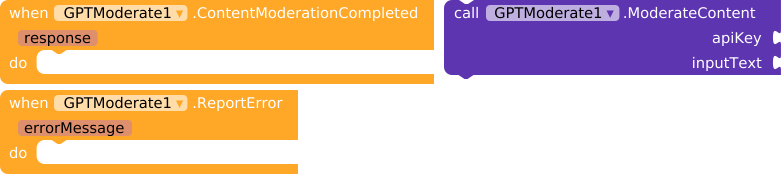
GPTModerate1 - Content Moderation
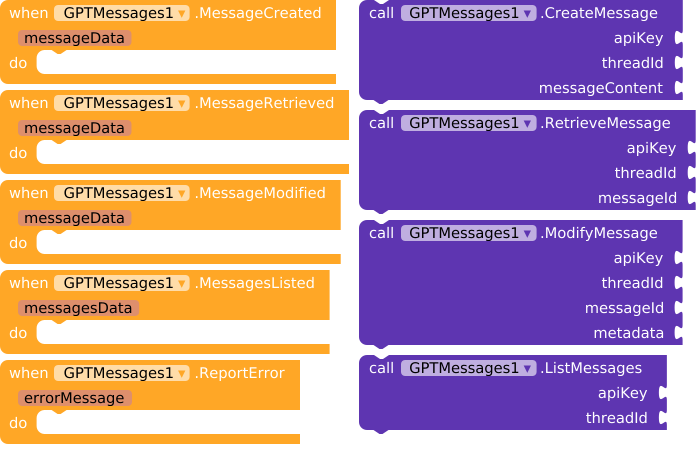
GPTMessages1 - Message Management
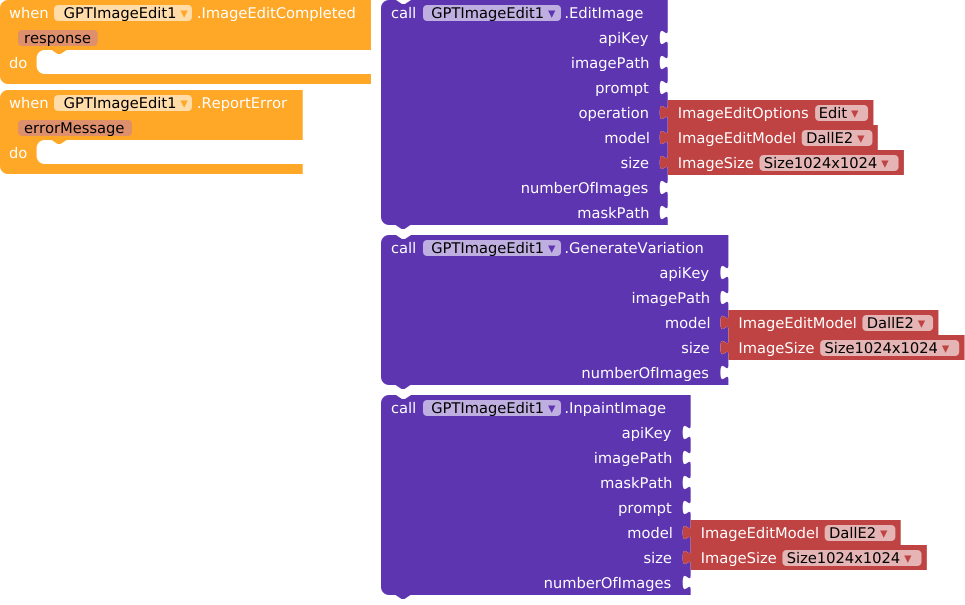
GPTImageEdit1 - Image Editing (NEW!)
GPTImage1 - Image Generation

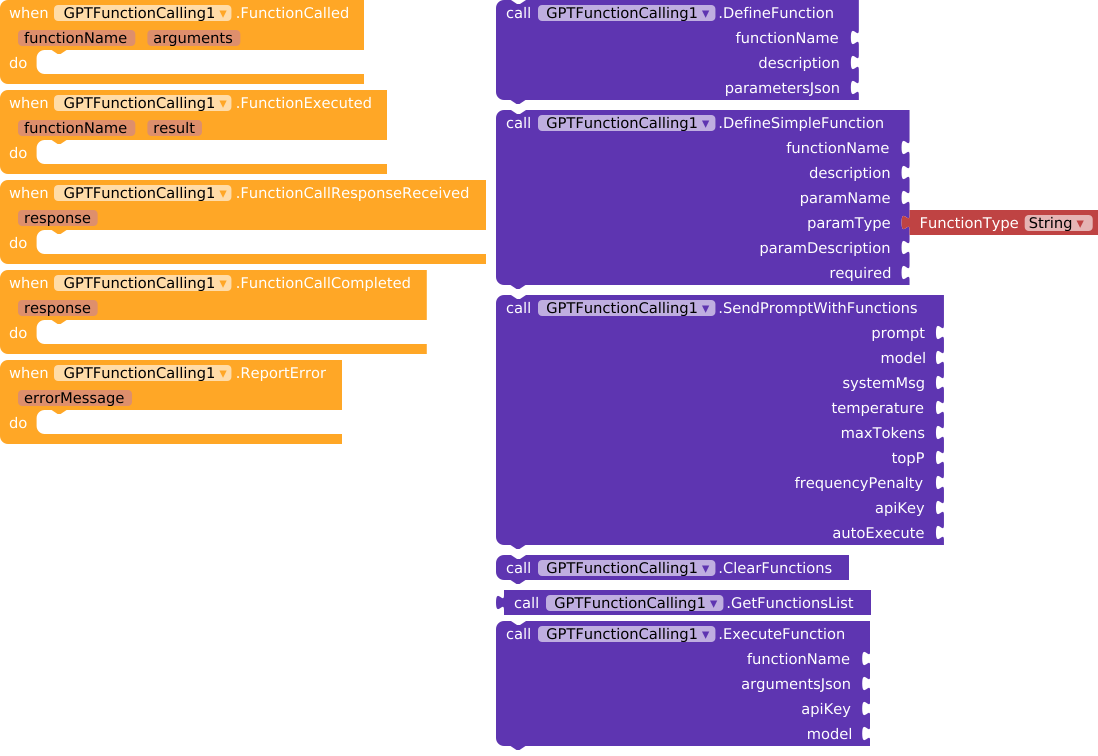
GPTFunctionCalling1 - Function Calling (NEW!)
GPTFineTuning1 - Fine Tuning
GPTEmbedding1 - Text Embedding

GPTBatch1 - Batch Processing (NEW!)
 New Features Overview
1.  New Models
- GPT-4.1 Family: GPT-4.1, GPT-4.1-mini, GPT-4.1-nano
- GPT-5.4 Family: GPT-5.4, GPT-5.4-mini
- Reasoning Models: o3, o3-mini, o4-mini
- Image Models: GPT-Image-2, GPT-Image-1.5, GPT-Image-1, GPT-Image-1-mini
- TTS Models: GPT-4o-mini-tts
- Embedding: Text-Embedding-3-Large
2.  Image Edit
EditImage(apiKey, imagePath, prompt, operation, model, size, n, maskPath)
GenerateVariation(apiKey, imagePath, model, size, n)
InpaintImage(apiKey, imagePath, maskPath, prompt, model, size, n)
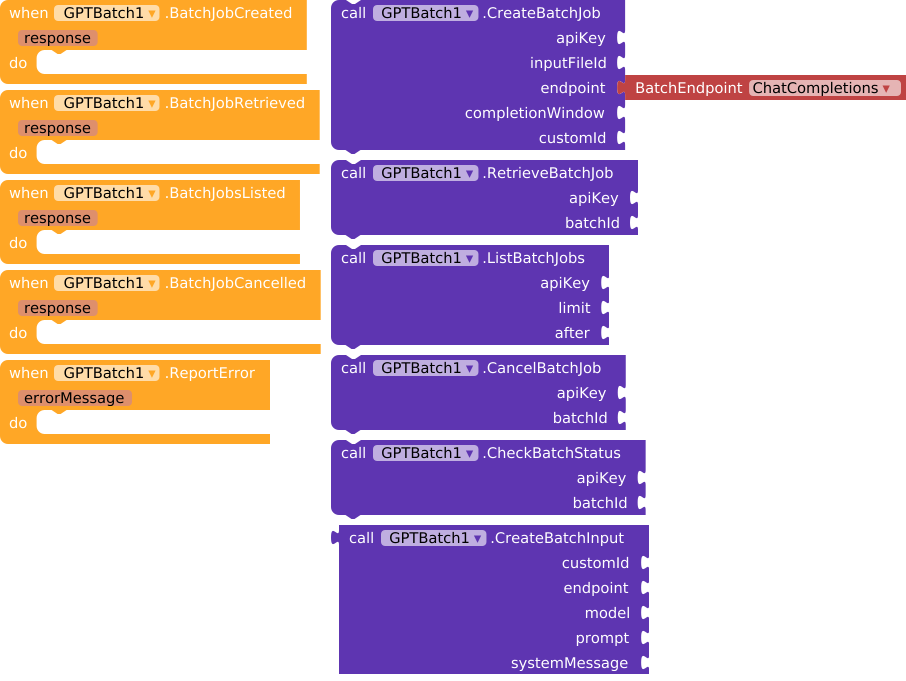
3.  Batch Processing
CreateBatchJob(apiKey, inputFileId, endpoint, completionWindow, customId)
RetrieveBatchJob(apiKey, batchId)
ListBatchJobs(apiKey, limit, after)
CancelBatchJob(apiKey, batchId)
CheckBatchStatus(apiKey, batchId)
CreateBatchInput(customId, endpoint, model, prompt, systemMessage)
4.  Function Calling
DefineFunction(name, description, parametersJson)
DefineSimpleFunction(name, description, paramName, paramType, paramDescription, required)
SendPromptWithFunctions(prompt, model, systemMsg, temperature, maxTokens, topP, frequencyPenalty, apiKey, autoExecute)
ClearFunctions()
GetFunctionsList()
ExecuteFunction(functionName, argumentsJson, apiKey, model)
5.  New TTS Voices
| Voice | Style |
|---|---|
| Alloy | Neutral |
| Ash | NEW - Clear & Young |
| Ballad | NEW - Melodic |
| Coral | NEW - Warm |
| Echo | Neutral |
| Fable | Neutral |
| Marin | NEW - Calm |
| Nova | Neutral |
| Onyx | Neutral |
| Sage | NEW - Wise |
| Shimmer | Neutral |
| Verse | NEW - Poetic |
| Cedar | NEW - Earthy |
Total: 13 Voices Available!
 Quick Comparison
| Feature | v10 | v11 (Latest) |
|---|---|---|
| Language Models | 3 | 12 |
| Reasoning Models | 0 | 3 |
| Image Models | 1 | 4 |
| TTS Voices | 6 | 13 |
| TTS Models | 2 | 4 |
| Embedding Models | 2 | 3 |
| Omni-Moderation |  |
|
| Image Edit | |
|
| Batch Processing | |
|
| Function Calling | |
|
 Download
| Version | Features | Download | Size |
|---|---|---|---|
| Latest (v11) | All features + New Models | com.bosonshiggs.chatgpt.aix | 93.1 KB |
 Quick Setup
- Download the latest AIX file
- Import into Kodular Creator
- Add your OpenAI API Key
- Start building!
Example: SendPrompt("Hello!", "gpt-4.1", "You are helpful", 0.7, 1000, 1.0, 0.0, apiKey)
 All Available Methods
Text & Chat
SendPrompt- Send text to ChatGPTJsonDecode- Extract JSON values
Image
GenerateImage- Create imagesEditImage- Edit existing imagesGenerateVariation- Create variationsInpaintImage- Replace masked areas
Threads
CreateThread,RetrieveThread,ModifyThread,DeleteThread
Messages
CreateMessage,RetrieveMessage,ModifyMessage,ListMessages
Speech
GenerateSpeech- Text-to-Speech with 13 voices
Vision
SendVisionRequest- Analyze images
Fine-Tuning
UploadTrainingFile,StartFineTuningJob
Embeddings
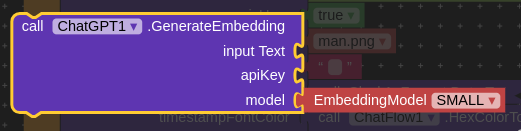
GenerateEmbedding
Batch
CreateBatchJob,RetrieveBatchJob,ListBatchJobs,CancelBatchJob,CheckBatchStatus,CreateBatchInput
Function Calling
DefineFunction,DefineSimpleFunction,SendPromptWithFunctions,ClearFunctions,GetFunctionsList,ExecuteFunction
Moderation
ModerateContent
Utilities
ShowNativeAudioPlayerDialog,ShowTextInputDialog,ShowListDialog
 Events
| Event | When Triggered |
|---|---|
ResponseReceived |
Text response received |
ImageGenerationCompleted |
Image generated |
ImageEditCompleted |
Image edited |
SpeechGenerated |
Speech generated |
VisionResponseReceived |
Vision analysis complete |
ContentModerationCompleted |
Moderation complete |
BatchJobCreated |
Batch job created |
BatchJobRetrieved |
Batch job retrieved |
BatchJobsListed |
Jobs listed |
BatchJobCancelled |
Job cancelled |
FunctionCalled |
Function requested by AI |
FunctionExecuted |
Function executed |
FunctionCallCompleted |
Function call complete |
ThreadCreated / ThreadRetrieved |
Thread operations |
MessageCreated / MessageRetrieved |
Message operations |
FileUploaded / FineTuningJobStarted |
Fine-tuning operations |
EmbeddingGenerated |
Embedding generated |
TextEntered / ListItemSelected |
Dialog interactions |
ReportError |
Error occurred |
 Support
Click here to support development
 Support:
  Summary
Version 11 brings:
- 9 New Language Models
- 3 Reasoning Models
- 4 Image Models
- 7 New TTS Voices (Total: 13)
- Omni-Moderation
- Text-Embedding-3-Large
- Image Edit & Inpaint
- Batch Processing
- Function Calling
- Better Performance & Stability
Download now and start building amazing AI-powered apps!
Last Updated: July 2026