[FREE] Media3Player v1.6 Stable — AndroidX Media3 Player Extension

Media3Player v1.6 Stable

Media3Player is a free non-visible Kodular extension built with AndroidX Media3 / ExoPlayer.

It is designed for playing media URLs and streams that the app developer is authorized to use.

Main features

  • HLS/M3U8 and other formats supported by AndroidX Media3
  • Single source and multiple-source playlists
  • User-Agent, Referer, Origin and Cookie headers
  • Play, pause, resume, stop, seek and volume controls
  • Auto retry with configurable retry count and delay
  • Auto next, playlist loop and fallback source
  • Fullscreen immersive mode
  • Android TV support
  • Playback state, duration and buffered-position information
  • Optional log file for troubleshooting
  • ResolveAndPlay for supported and authorized web-player URLs

Basic usage

  1. Import the AIX file into Kodular.
  2. Add Media3Player and a visible Arrangement to the screen.
  3. Call SetContainer and provide the Arrangement.
  4. Call CreatePlayer.
  5. Call SetSource with a media URL you are authorized to use.
  6. Call Play.
  7. Call ReleasePlayer when the screen is closed.

For a playlist, use SetSources or AddSource, then enable AutoNextEnabled if required.

Request headers can be configured before playback with SetUserAgent, SetReferer, SetOrigin and SetCookie.

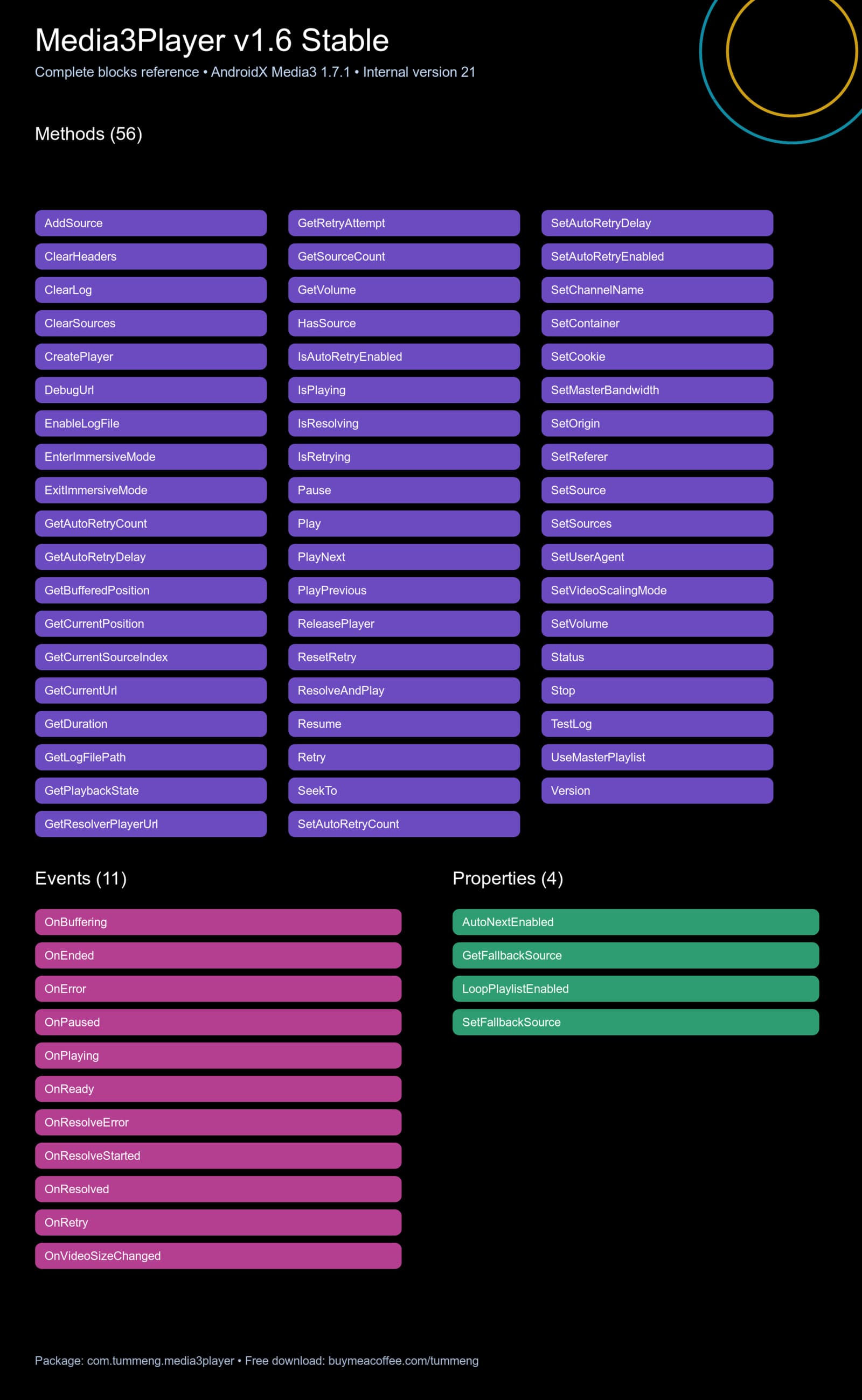
Blocks

Important limitations

  • No TV channels, IPTV playlists or copyrighted media are included.
  • Users must have permission to use every URL, stream, header, token and item of content.
  • This extension does not bypass DRM or access-control systems.
  • Playback is not guaranteed for every URL, codec, server or device.
  • Some codecs depend on the hardware decoder available on the Android device.
  • Third-party websites and player-page formats may change without notice.

Version information

  • Extension: Media3Player v1.6 Stable
  • Internal version: 21
  • Package: com.tummeng.media3player
  • Engine: AndroidX Media3 1.7.1
  • License: Freeware
  • Price: Free — optional tips are never required

Download

Free download:

The download package contains the AIX file, bilingual license, README, support policy and SHA-256 checksums.

Please download the AIX only from the official Tummeng page. Redistribution, resale and mirroring of the AIX file are not permitted.

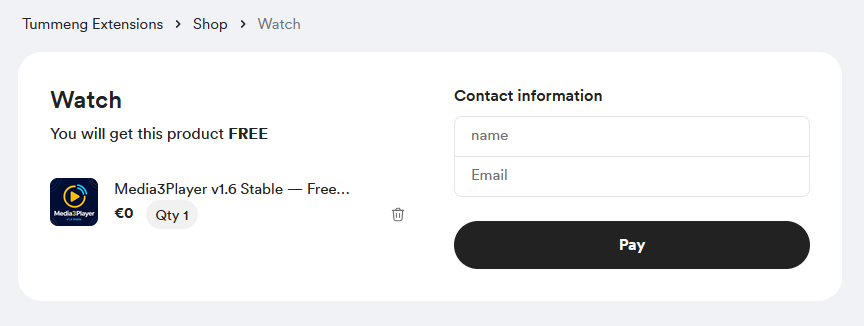
The price is $0. No tip, payment card or purchase is required.

2 Likes

Thank you for this wonderful plugin contribution. Could I request a professional player AIA file? The block structure is strange.

Was about to say that :wink:

Also buy me coffee comes first before using it? It’s like it’s not free, You have to pay and get. It’s paid then​:joy:

1 Like

Thank you for your feedback and kind words.

A complete professional player AIA is not included in the current download. I may prepare a basic starter/demo AIA in the future, but I cannot promise a release date yet.

For basic playback, the recommended order is:

  1. SetContainer
  2. CreatePlayer
  3. SetSource
  4. Play
  5. ReleasePlayer when the screen closes

Could you please explain which part of the block structure seems strange? A screenshot of the relevant blocks and the expected behavior would be helpful. Please remove any private URLs, tokens, cookies, or authorization headers before posting it.

Thank you both for the feedback. I understand the confusion.

Media3Player is 100% free. The item price on Buy Me a Coffee is set to $0, and no tip or card payment is required to download it. “Buy Me a Coffee” is only the name of the platform I use for the official download page.

Please open the download page, keep the amount at $0, and continue to the download. If the page requires a payment or card from you, please share a screenshot because that would be an unintended configuration issue.

Regarding the blocks: the image in the post is a complete API/block-name reference generated from the extension metadata, not a screenshot of the actual Kodular blocks. I understand that this may look unusual. After importing the AIX, the blocks appear in the normal Kodular block format.

I will consider adding clearer real-block screenshots or a basic demo project in a future update. Thank you for pointing this out.

1 Like

Or you can also donate something, which is great support for the developer :partying_face:


It works correctly, and on the next page it will be available for download (no contact information required, thanks to Joe90 for the clarification)

2 Likes

Ahem, you can just enter (no name required) any “valid” (looks like an email address) email address

2 Likes

Media3Player v1.7 RC5 — 4K/HDR Surface Preview

A new free RC/Preview release is now available for testing.

What’s new

  • Texture or Surface video output
  • Surface output path for 4K/HDR testing
  • Buffer presets: Default, Fast, Balanced and Stable
  • Custom buffer configuration
  • Force HLS parsing with SetSourceAsHls and AddHlsSource
  • 63 methods, 11 events and 4 properties

Important notes

This is an RC/Preview release. Media3Player v1.6 remains the recommended Stable version.

4K/HDR playback depends on the device, codec/profile, hardware decoder, display, Android version, server and available bandwidth. Surface mode cannot add capabilities that the device does not support.

The extension contains no TV channels, IPTV playlists or copyrighted media.

Price: $0 — no tip, payment card or purchase is required.
:point_right: Download Media3Player v1.7 RC5 for free

:page_facing_up: Release announcement and details

Feedback and test results are welcome, especially the device model, Android version, media format and video output mode used.