Hi everyone,
I learned to build apps here, with Kodular blocks and a lot of help from this community. I wanted to share where that path took me, because I think it can be useful for anyone here who is wondering what comes after their first apps.
Why I moved on from blocks
My idea was a dating and friendship app, and at some point I needed things that are hard to do with blocks alone:
- the same app on iOS and Android, plus a web version
- my own backend (accounts, matching, chat, push notifications)
- subscriptions through the App Store, Google Play and card payments on the web
- safety features: selfie verification, photo checks, reporting and blocking
- privacy rules (GDPR in Europe) and two languages, German and English
I did not know enough “real” code to build all of that alone. So I started using Claude Code, an AI coding assistant that works in your project folder: you describe what you want in plain language, it writes and runs the code, and you test and decide.
What I built: Kismat
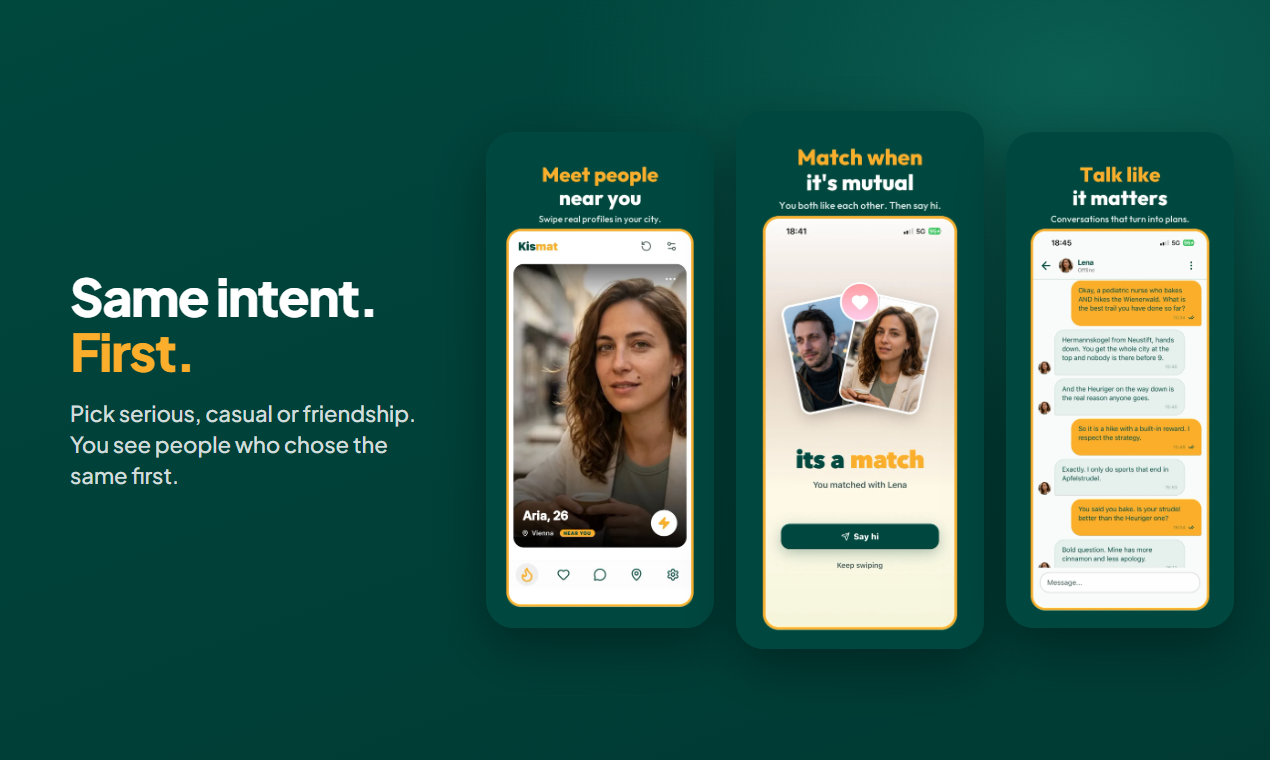
Kismat is a dating and friendship app from Vienna, Austria. The idea is simple: you first choose what you are looking for (something serious, casual dating or friendship), and you see people nearby who chose the same thing first.
- iOS and Android app (React Native with Expo) and a web app
- Node.js API with MySQL on a VPS, plus an admin panel for moderation and support
- live selfie verification, and a free Private Mode that keeps your photos blurred until you match
- subscriptions on App Store, Google Play and Stripe
- websites for Austria, Germany and English-speaking countries

What Kodular taught me that still helps every day
- Thinking in events and components. “When this button is clicked, do this” is exactly how you describe features to an AI too. If you can plan a Kodular screen, you can plan a real app screen.
- Testing on a real phone. The AI writes code fast, but it does not hold your phone. I still test every change myself, in light and dark mode.
- Start small. My first version had far fewer features. Build one screen, make it work, then the next.
Lessons from the switch
- You are still the product owner. The AI is very good at code, but you decide what the app should do and you have to check that it really does it.
- Write your rules down. I keep a rules file and a changelog in the project (no secrets in code, every deploy logged, which colors are allowed). The AI reads them every time, so it does not repeat old mistakes.
- Real users change everything. Security, privacy and moderation took more work than the features. Plan for them early.
- Blocks are not “less”. Kodular is still a great way to learn and to build a prototype quickly. It was the reason I could describe my app clearly at all.
Try it
- International (English): https://kismatdating.com
- Austria (German): https://kismat.at
- Germany (German): https://kismatdating.de
- Android: https://play.google.com/store/apps/details?id=at.kismat.app
- iOS: Kismat Dating App - App Store
- Web app: Kismat Dating App - Serious, Casual Dating or Friendship
If you like data: I also built pages with official statistics on how many single and divorced people live in each region, for example Austria by district and Germany by Kreis. A fun project on its own, all generated from open government data.
Happy to answer questions about the move from Kodular to a coded app, or about working with an AI assistant. And thanks to everyone here who answered my beginner questions back then.