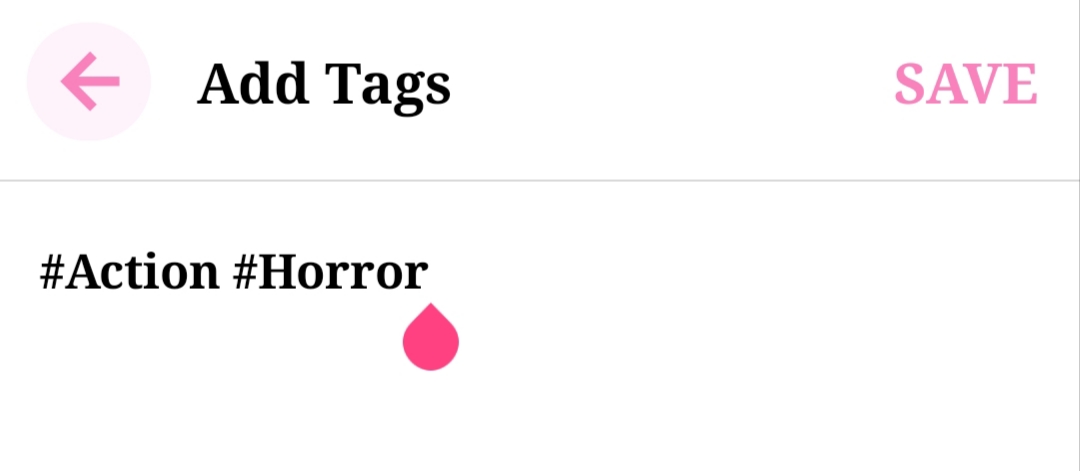
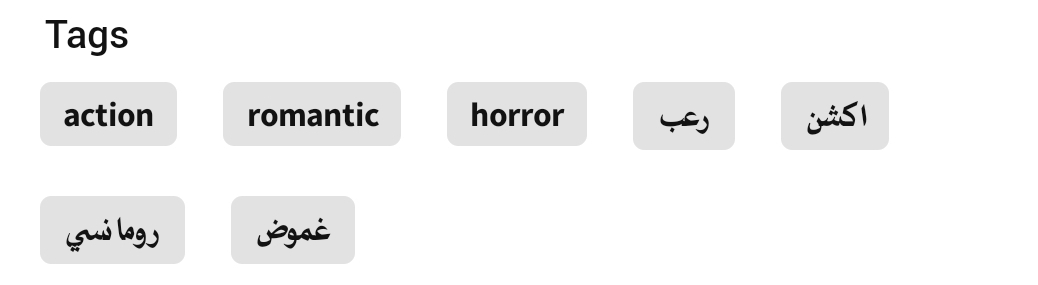
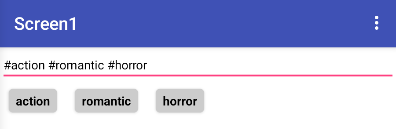
Hello everyone, I’d like to know how I can allow users in my app to add tags like in the video. So, when a user starts typing, the hashtag (#) is automatically placed at the beginning of the word. When they enter a space and start typing a new word, the hashtag is placed again at the beginning of the word along with the first letter. Also, the letters are automatically converted to lowercase, even if the keyboard is set to capital letters, as shown in the video. Then, on another page, after adding the tags, each word is displayed individually in small boxes without the hashtag, as in this image
Hi, thank you for replying.
I’m using Firebase to store the stories and tags.
The structure is something like this:
Stories
story_id
title
description
tags (list)
Each story has a list of tags, and I want users to be able to add new tags when they create or edit a story.
How can I let users add tags and save them correctly in Firebase using Kodular?
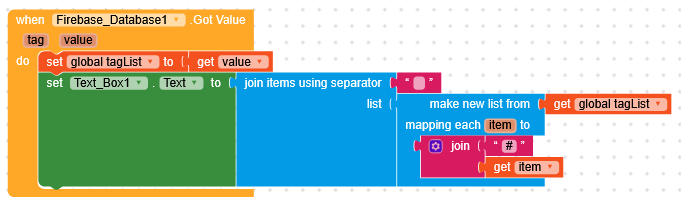
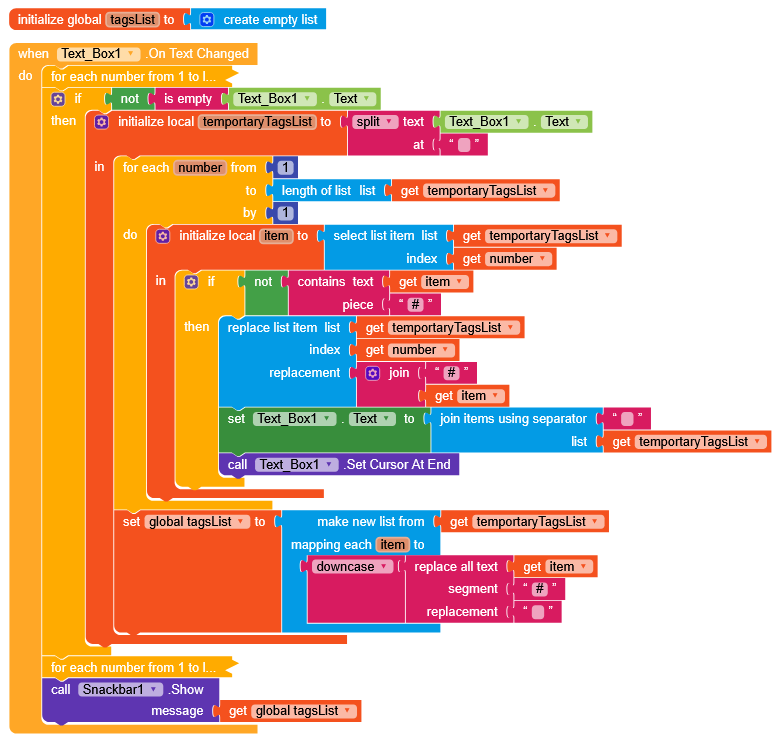
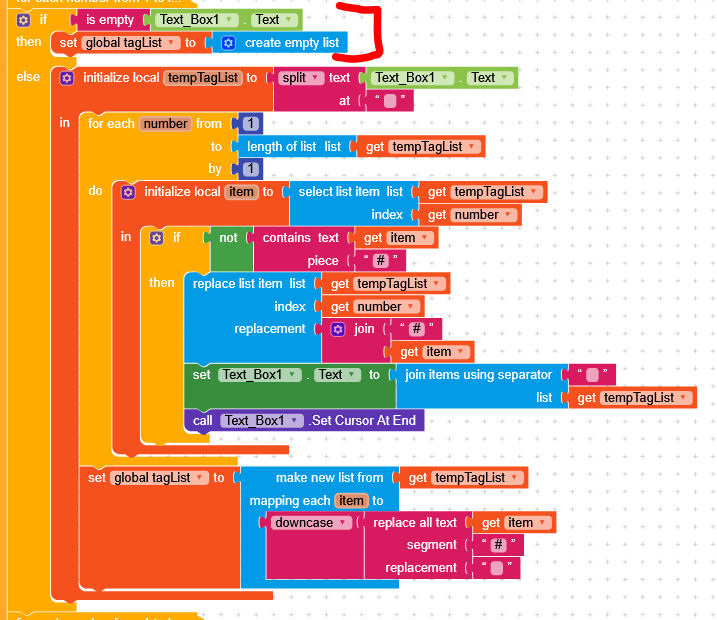
At every space the text is split into a list, and for each element a hashtag is added in front.
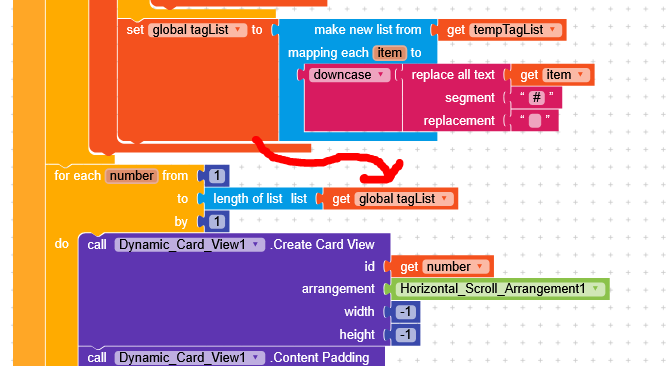
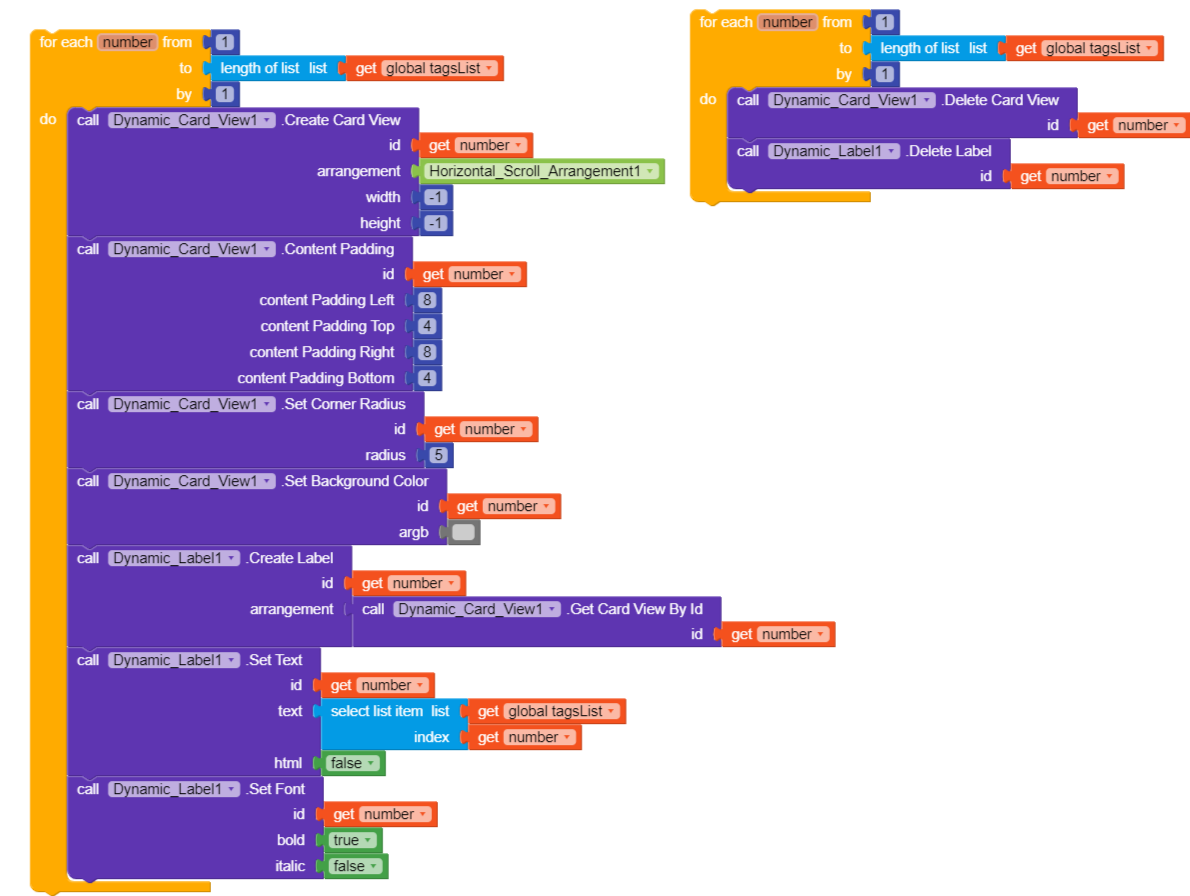
For creating the tags in CardViews I used the native dynamic components (for convenience), but I strongly recommend switching to Dynamic Component or Recycler List, which allow much better manipulation of the elements (I hid them because they are very simple but take up a lot of space).
Edit
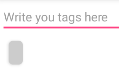
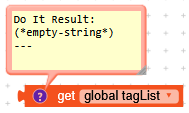
I noticed that if all the tags were deleted, a CardView remained visible
because the list was being filled with an *empty-string* element
I tried your example and the hashtag part works well — it automatically adds # before the words when typing, which is great.
However, I noticed a few issues:
The lowercase conversion doesn’t seem to work for me. The tags stay with capital letters.
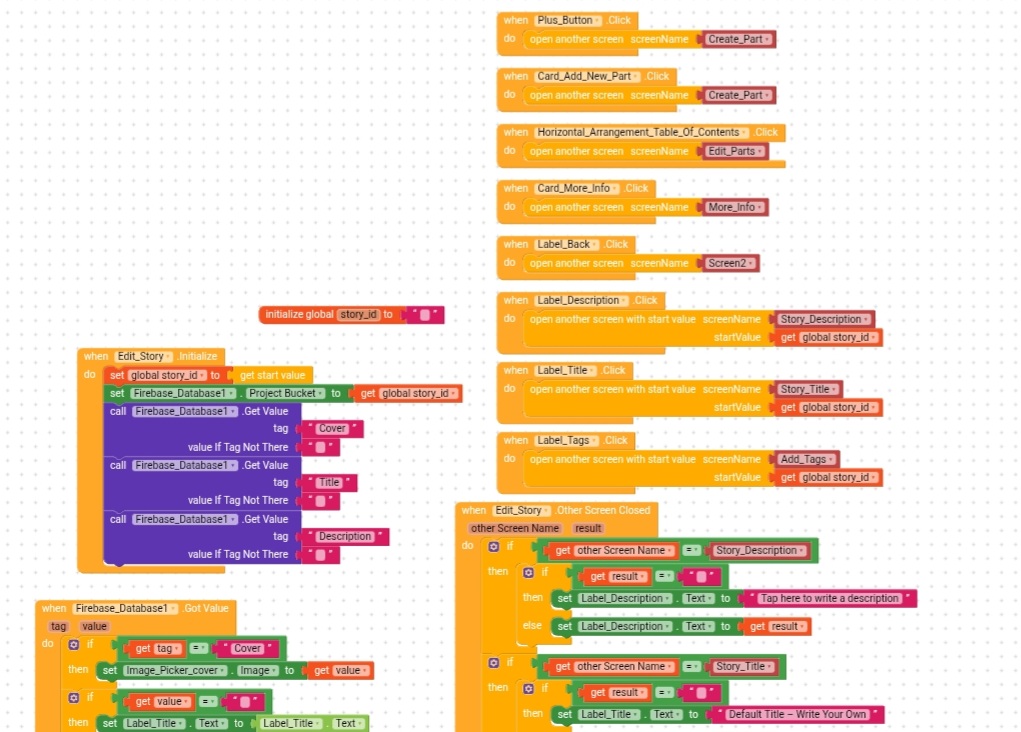
Also something strange happened in another screen. I added your logic only in the Add Tags screen, but after that the cover image, title, and description stopped appearing in my Edit Story screen. I’m not sure why that happened.
Do you have any suggestion on how I can fix this?
Last thing, I don’t know how to store the tags list in Firebase after it is created.
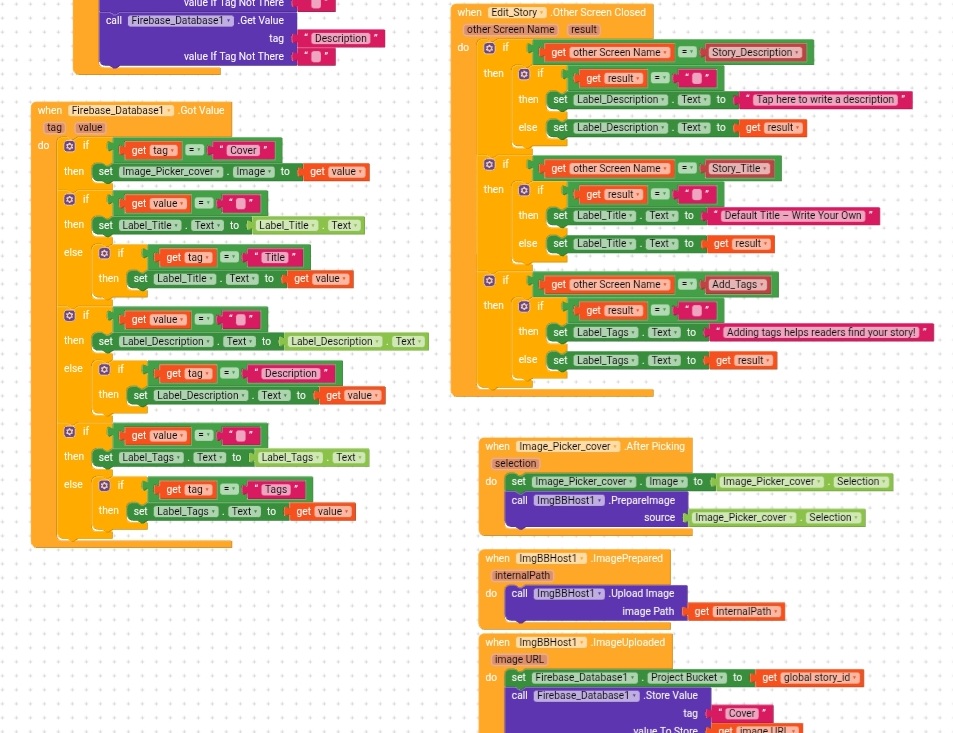
There are many small improvements that could be made, but the main one is definitely handling the tags in Firebase.GotValue.
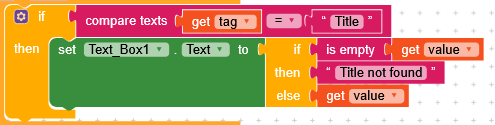
The approach should be, if the tag is this, do this, instead of checking the content of the value.
if tag = Cover
  set Image_Cover.Picture to value
if tag = Title
  set Label_Title.Text to value
if tag = Description
  set Label_Description.Text to value
if tag = Tags
  set Label_Tags.Text to value
Then, maybe after each tag check, if the value is empty, set a default text.
Well, I did it this way because when I did it like this it didn’t work
if tag = Title
  set Label_Title.Text to value
else set Label_Title.Text to Label_Title.Text
if tag = Description
  set Label_Description.Text to value
else set Label_Description.Text to Label_Description.Text
You are setting the label text with its own text, so it doesn’t actually do anything.
Unfortunately, without having the project, it’s difficult to understand what isn’t working.
Are you receiving data from Firebase? Use a notifier to display a message with the tags and the values.
Another good thing to do would be to retrieve the highest node relative to the tags you are calling, so you make a single call to Firebase and it returns the JSON structure, which is very easy to read using dictionaries.
I noticed this when I tried your project, but I didn’t notice it in mine because I focused on writing the tags and then saving them in Firebase. I didn’t add the dynamic card view display blocks, I only added the writing tags blocks because I designed my screens that way:
Clicking the + button to add a new story opens the Add Story page with its components (add cover, add title, add description). Then, clicking the Next button takes us to the Edit Story page, where the cover image, title, and description added on the previous page are displayed. I then added additional options to the Edit Story page, such as adding tags.
When you click on the phrase “adding tags helps readers find your story” it takes you to the Add Tags page where i placed your tags blocks. I didn’t add the dynamic card view blocks, this
because I don’t want them displayed on the Add Tags page itself. I want them displayed on the Edit Story page instead of phrase “adding tags helps readers find your story” appears. like this
and if I don’t write any tags, or even delete all the tags I’ve added, I want the same sentence (“adding tags helps readers find your story”) to appear instead of leaving the space blank as in the description/title label.
I’m so confused by all this and I don’t know how to implement it Even when I tried typing some tags, saved them, and then reopened the page, the tags were inside brackets like this: #(action #(horror. Also, I wanted the letters to be lowercase when typing them, not when displaying them.
Could you reduce the request to the bare minimum? You provided a lot of information, but for someone who doesn’t know the project it becomes difficult to understand
Let’s solve one problem at a time and explain in a simple and concise way what the issue is and what you would like to achieve, possibly showing what you tried to.
okey, first thing, i want to write the tags on screen, store them in Firebase, then import them from Firebase and display them in small boxes on another screen.
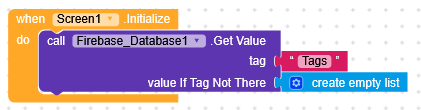
In Firebase.GotValue you receive the data, in this case a list.
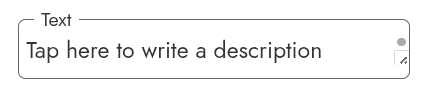
Now that you have the list, you just need to format it as #tag and set it as TextBox.Text. TextBox.OnTextChanged, like in the previous project, will take care of formatting the data.





 Even when I tried typing some tags, saved them, and then reopened the page, the tags were inside brackets like this: #(action #(horror. Also, I wanted the letters to be lowercase when typing them, not when displaying them.