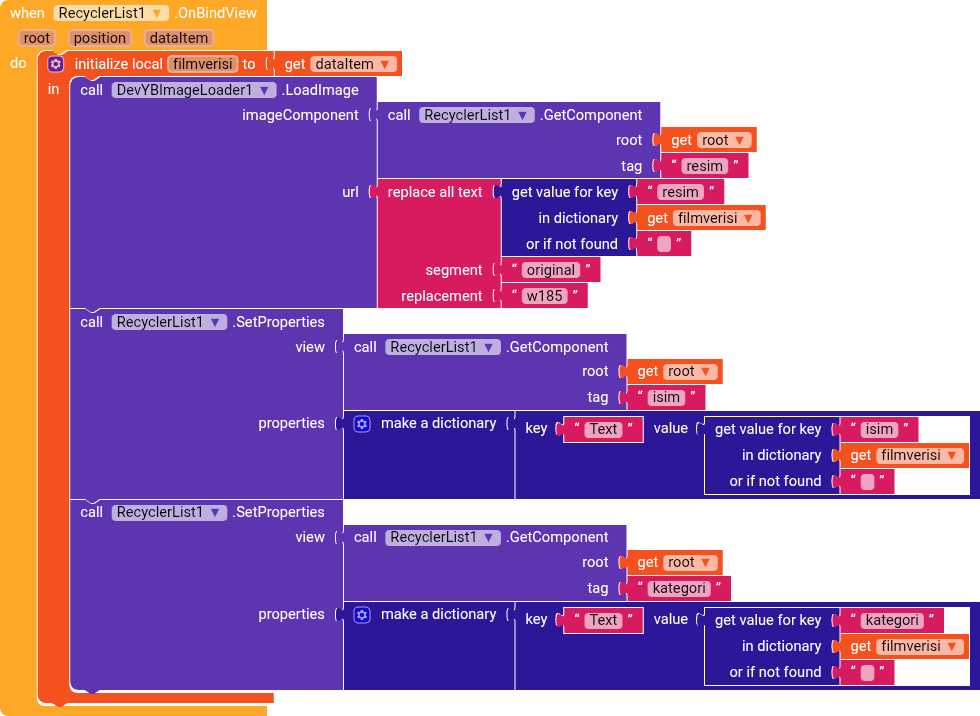
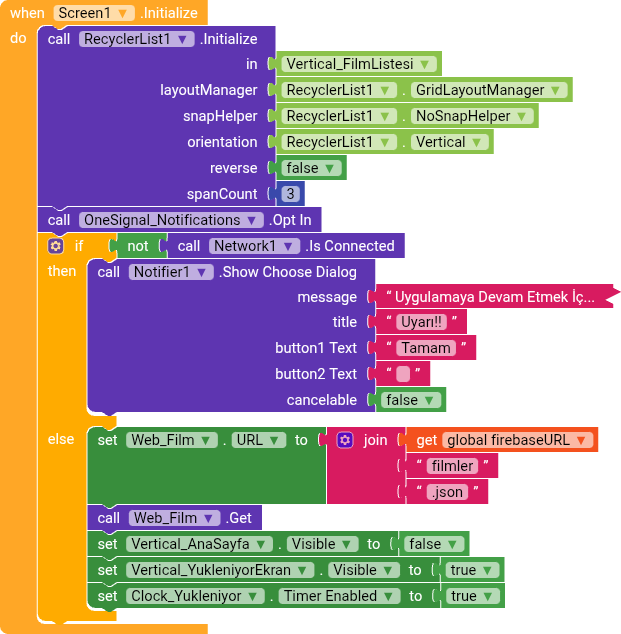
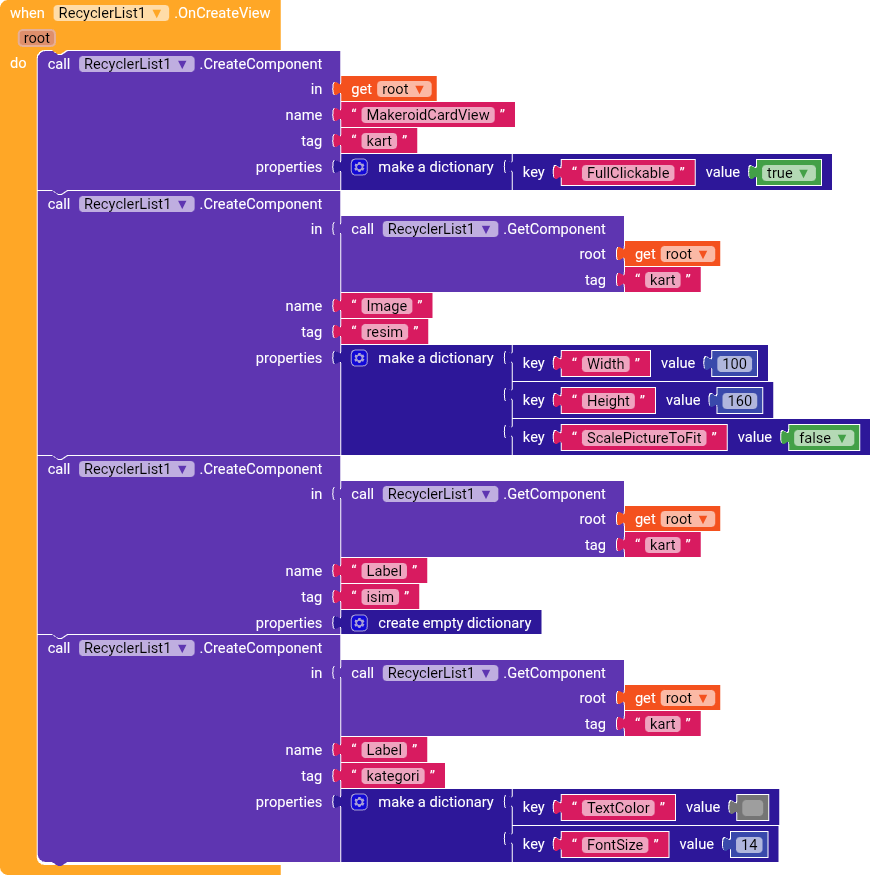
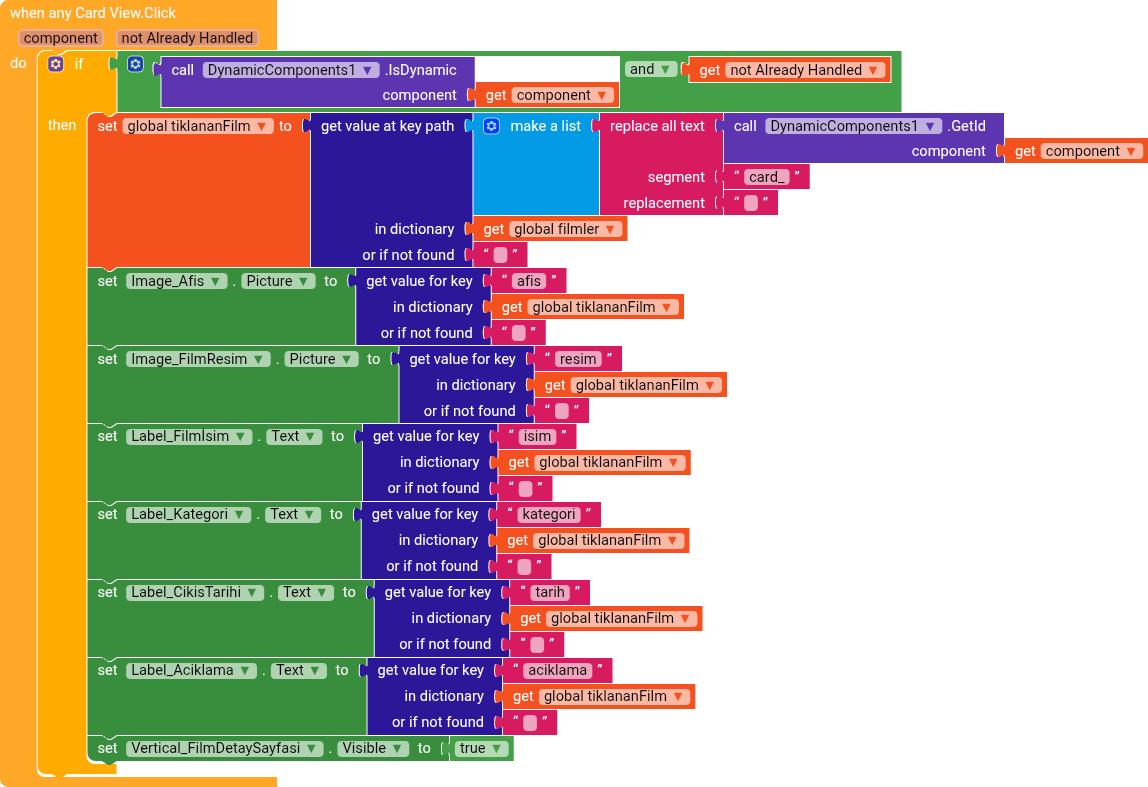
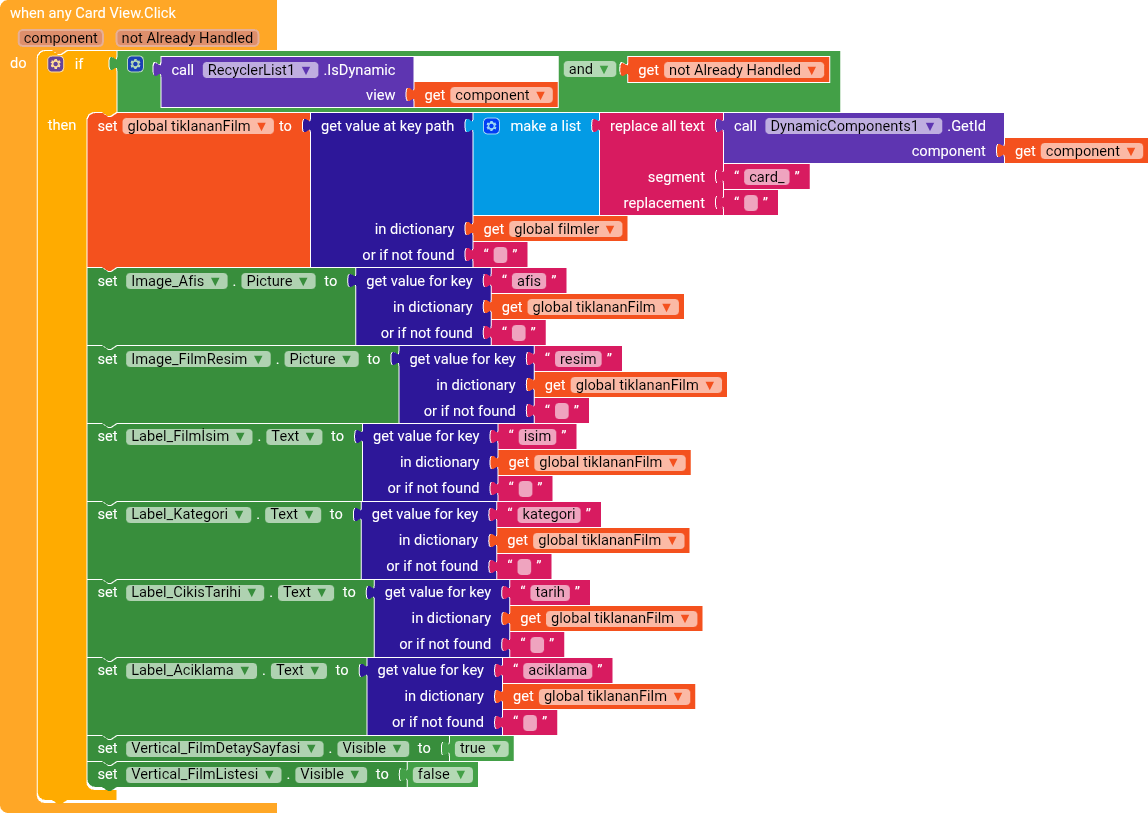
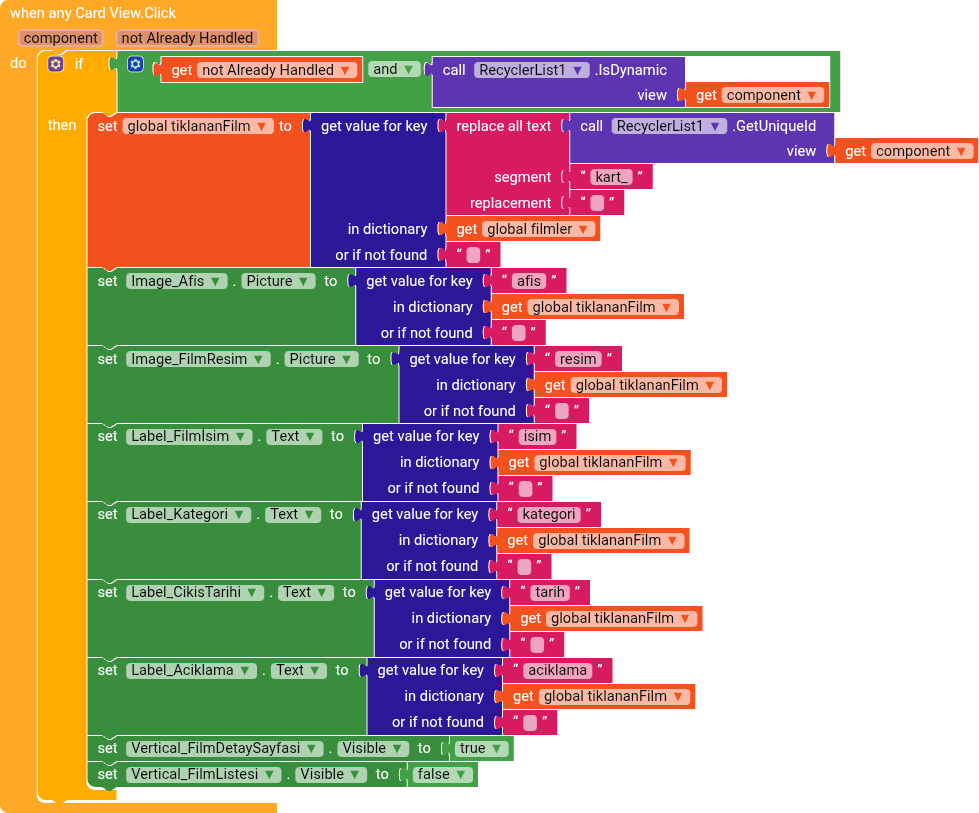
I created a list for my movie application using Recycler List View. Normally, I was using dynamicComponents, and clicking on a movie required the movie details page to open.But it’s not opening. I click, but nothing happens. Why?
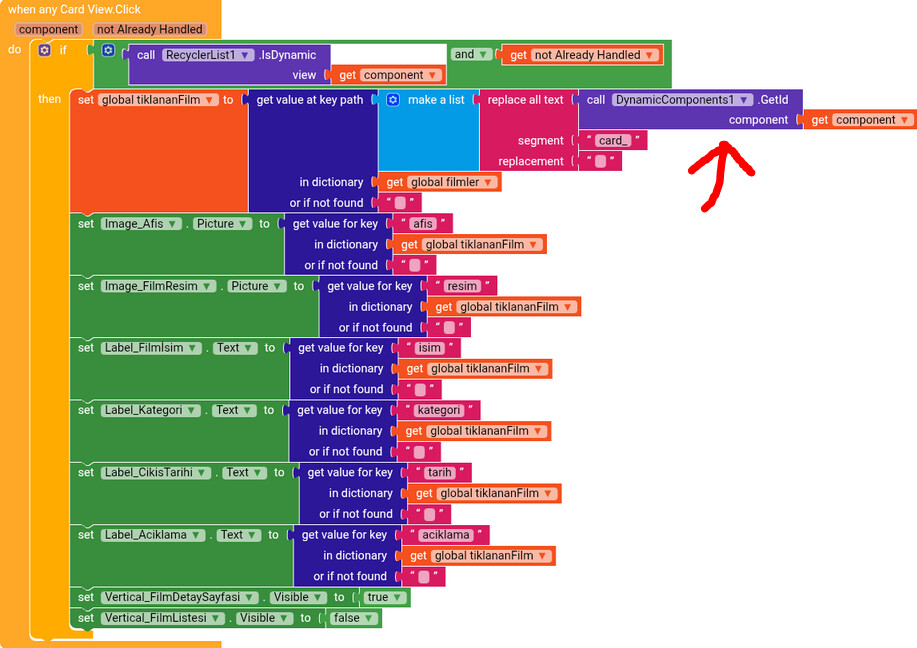
Well, it’s very simple, replace the isDynamic from Dynamic Components with the one from RecyclerList.
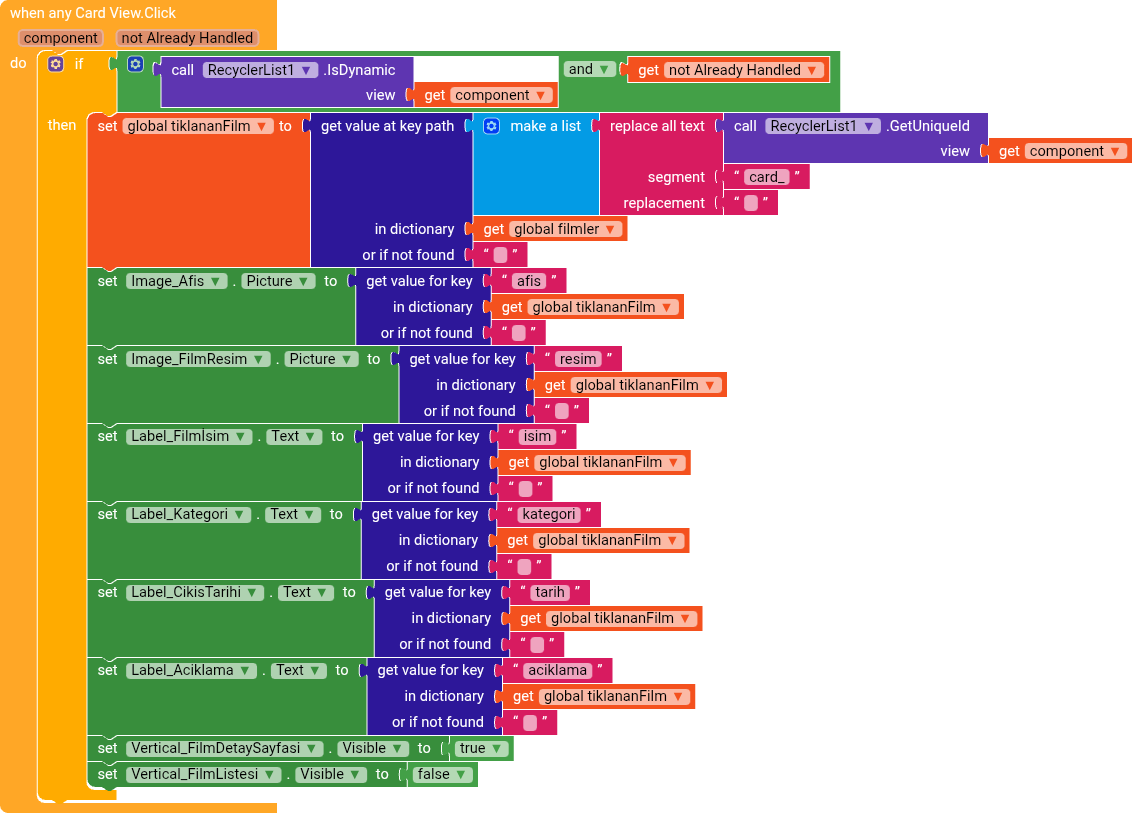
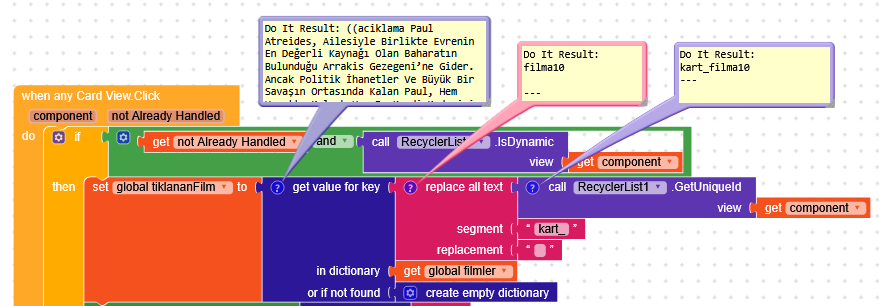
Of course, to get the component ID, you also need to replace the GetId block
I’m sorry, I forgot to do what you said, I did it now but I got an error.
Runtime Error No error message
Note: You will not see another error reported for 5 seconds
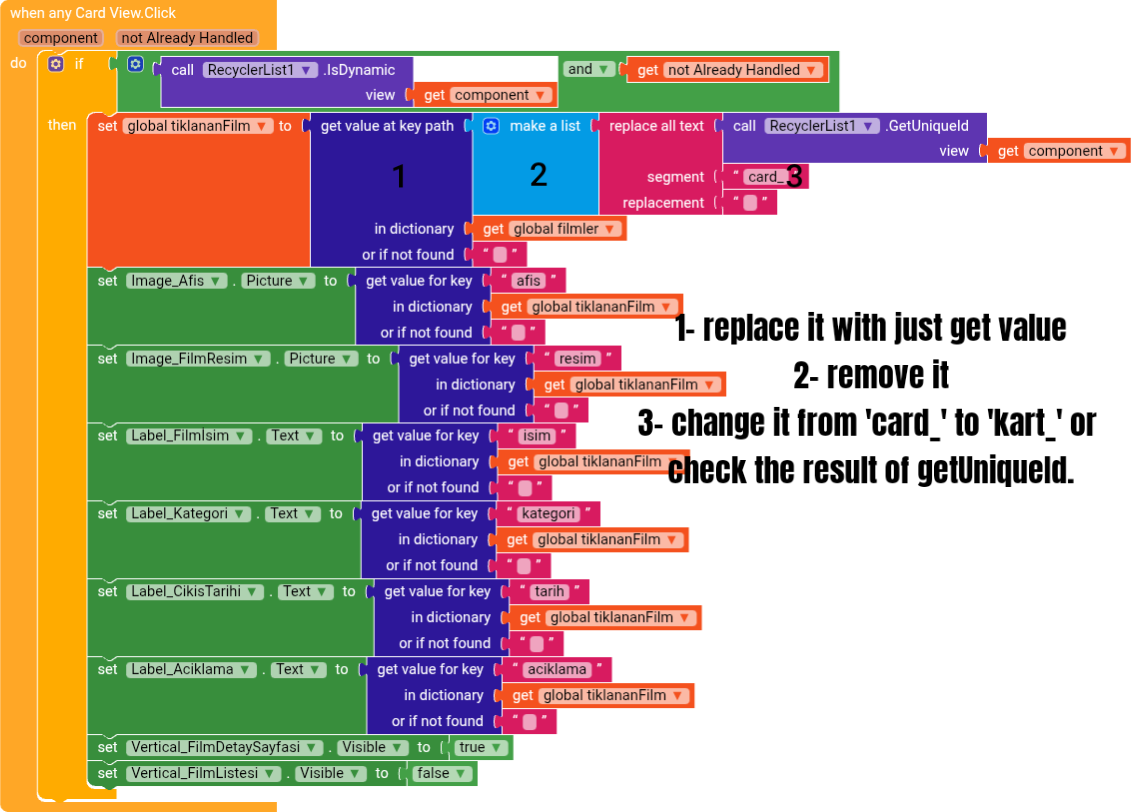
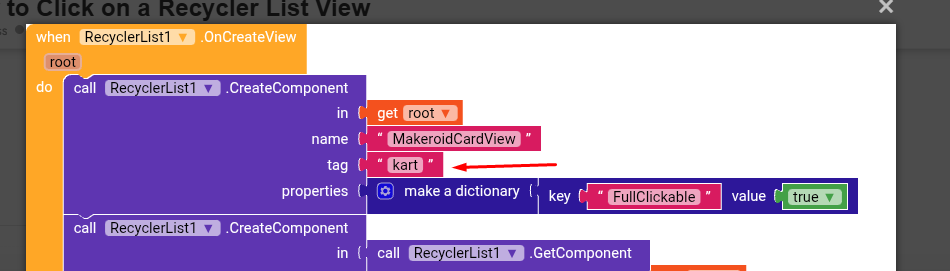
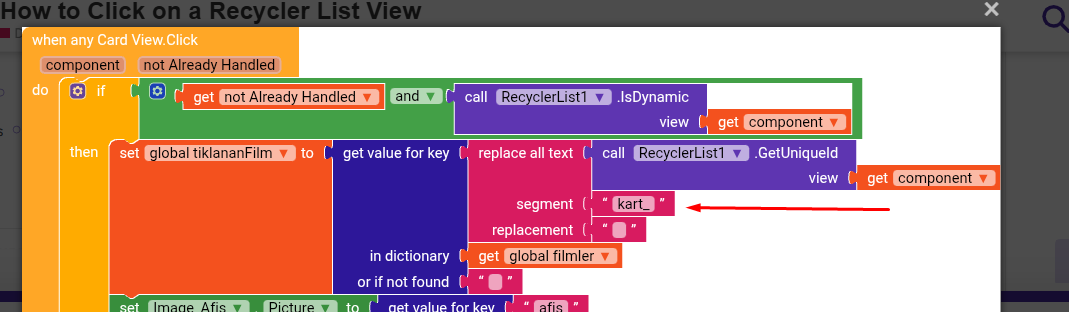
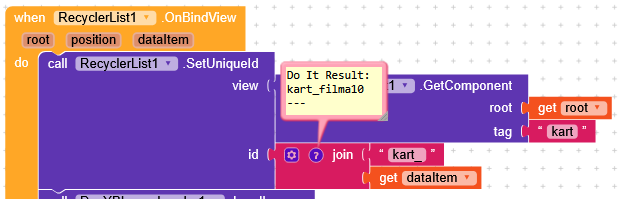
Nope. you are not following the way. see in the OnCreateView you have used kart but in the GetUniqueId you are using kart_ so obviously no surprise to get such error
I also tried the blog above. The details page opened, but the text inside, such as the image, movie title, description, and category, did not load.
Also, the movie doesn’t load when you press the “Watch” button; the same applies to the trailer.
Please help, this is my AIA file.
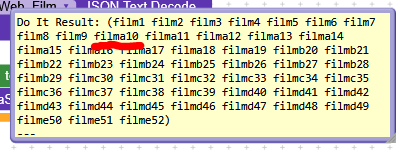
I normally have 52 movies in the app, but only 9 of them show their detail pages. The detail pages for the remaining movies open, but…Text such as Image, Film Title, Description, Category, and Date is not visible.
Here’s the APK for you to try. MoviePro (5).apk (8.1 MB)
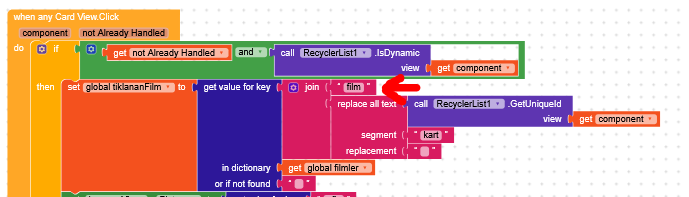
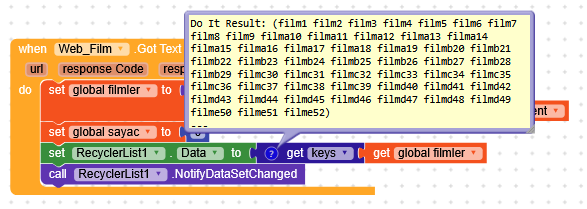
I hadn’t deleted your project yet and I noticed that you have different keys like filma1, filmb1.
You’re setting the uniqueId with "kart" + position, getting values like kart1, kart2.
Then, when a CardView is clicked, you remove "kart" from the uniqueId, ending up with 1, 2, 3, and then you add the prefix "film", getting film1, film2.