Hi dear,
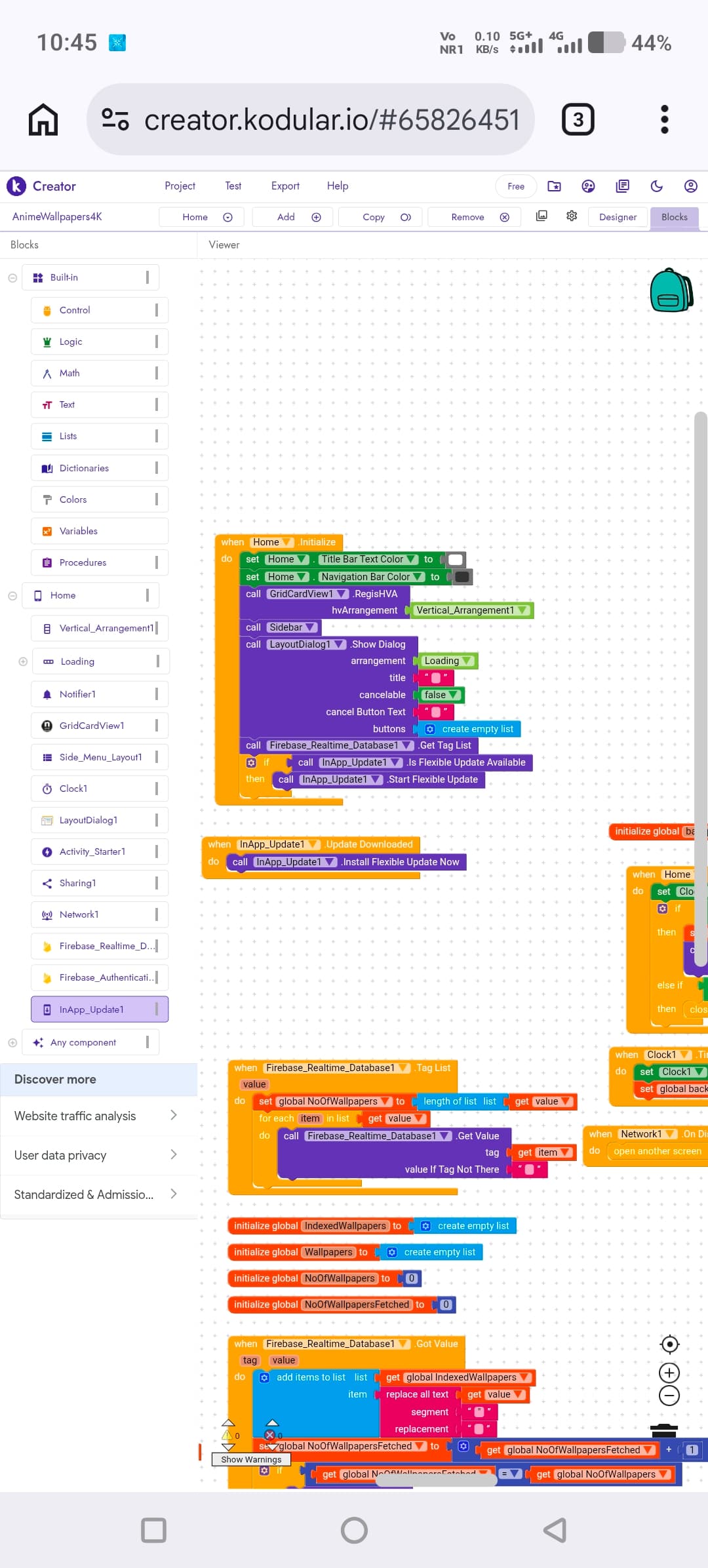
From the documentation I can see there’s a block When In-App Update.Initialized, so I believe the update check should be done inside it.
Bro how to set blocks structure
Simply copy this part

inside When In-App Update.Initialized.

Everything is correct,
When you receive a response from the Google Play Store about available updates (Initialize), it will check whether a flexible update is available and, if so, the update will run in the background and will require an app restart.
I want my app to behave exactly like the app in this video. Could you please tell me how to set up the In-App Update blocks in Kodular?
Then I think you should use an immediate update, the flexible one runs in the background and the user can keep using the app.
Personally, I have never used it, but I am certain it uses the official Google Play library, so yes, it should be identical to it.
Take a look here
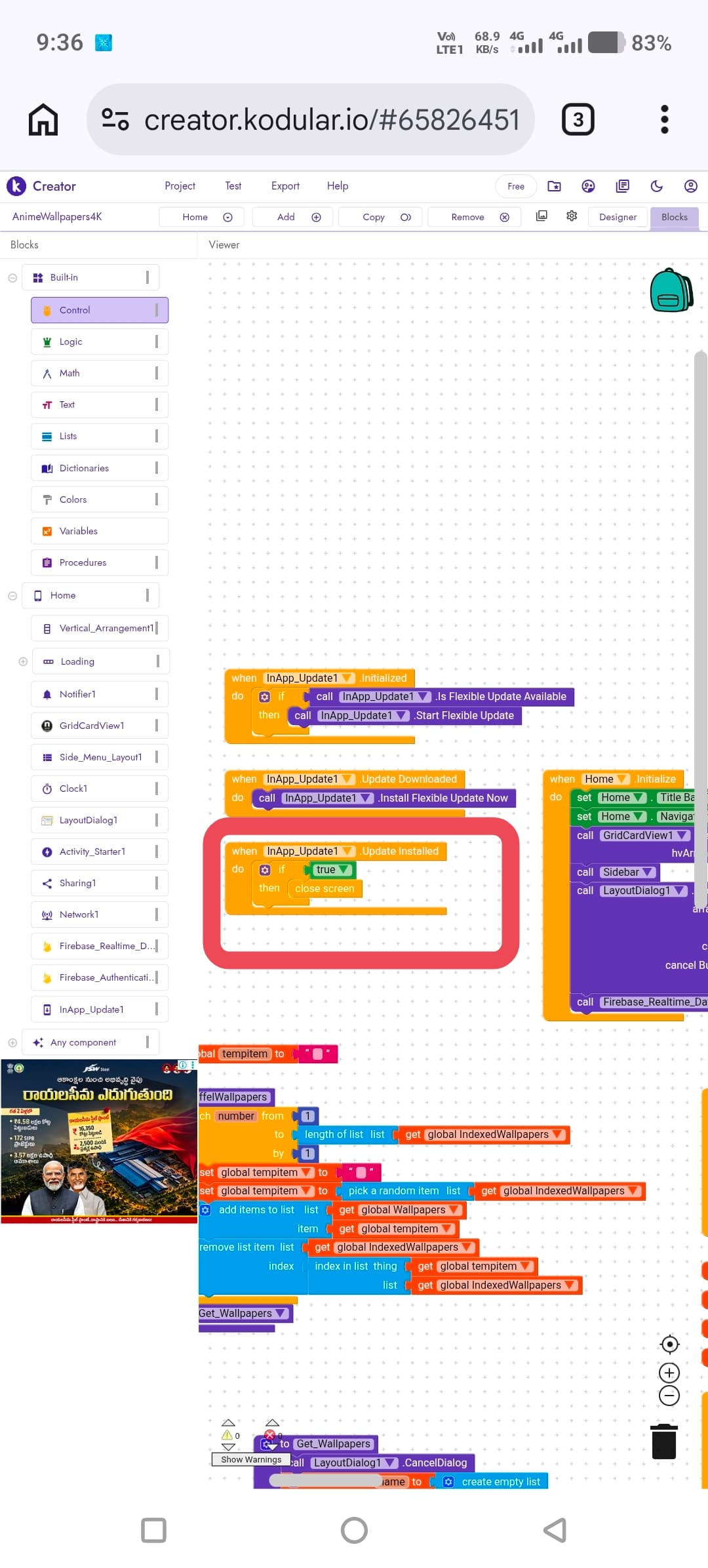
I have one more doubt about the In-App Update blocks.
In my blocks, “Is Flexible Update Available” and “Start Flexible Update” are inside when InApp_Update.Initialized, not inside when Home.Initialize.
Is this the correct way to set it up, or should these blocks be placed inside Home.Initialize instead?
Also, for when InApp_Update.UpdateInstalled, I have added close screen (as shown in the screenshot).
Is this correct, or could it cause any problems after the update is installed?
That’s correct.
I’m not entirely sure how it was handled at the code level, but I imagine it like this:
The Initialized event is the moment when the component has received a response from Google Play regarding the availability of updates, so it is a separate event.
If you use it in Home.Initialize, you might not have received a response from Google Play yet, and therefore it would only install the update the next time the app is Initialized.
That said, Initialized events usually exist to indicate that the component is ready to work.
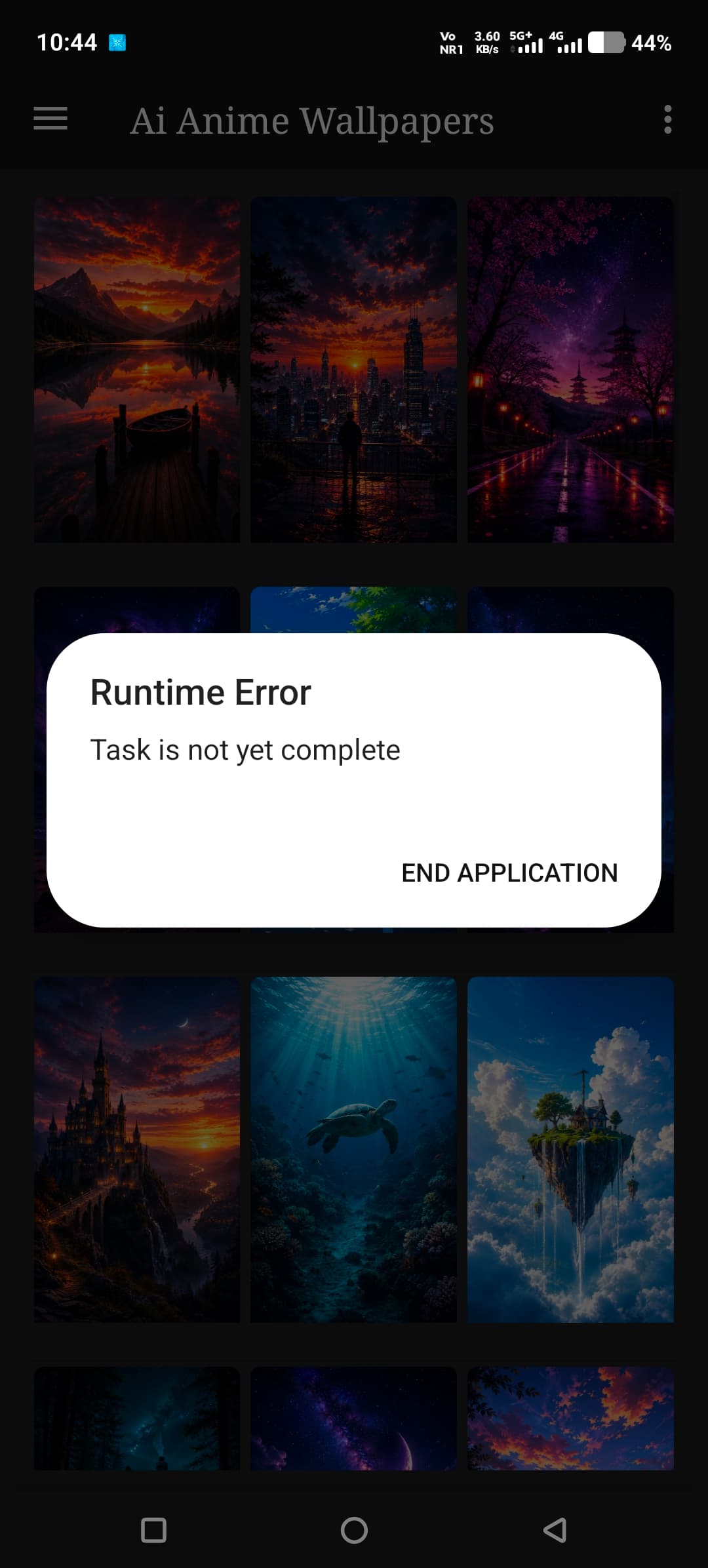
This part probably doesn’t work correctly, closing the Home screen does not restart the app.
You can use closeApplication, but at that point it would make more sense to use immediateUpdate at least the user is more aware that the app will be closed.
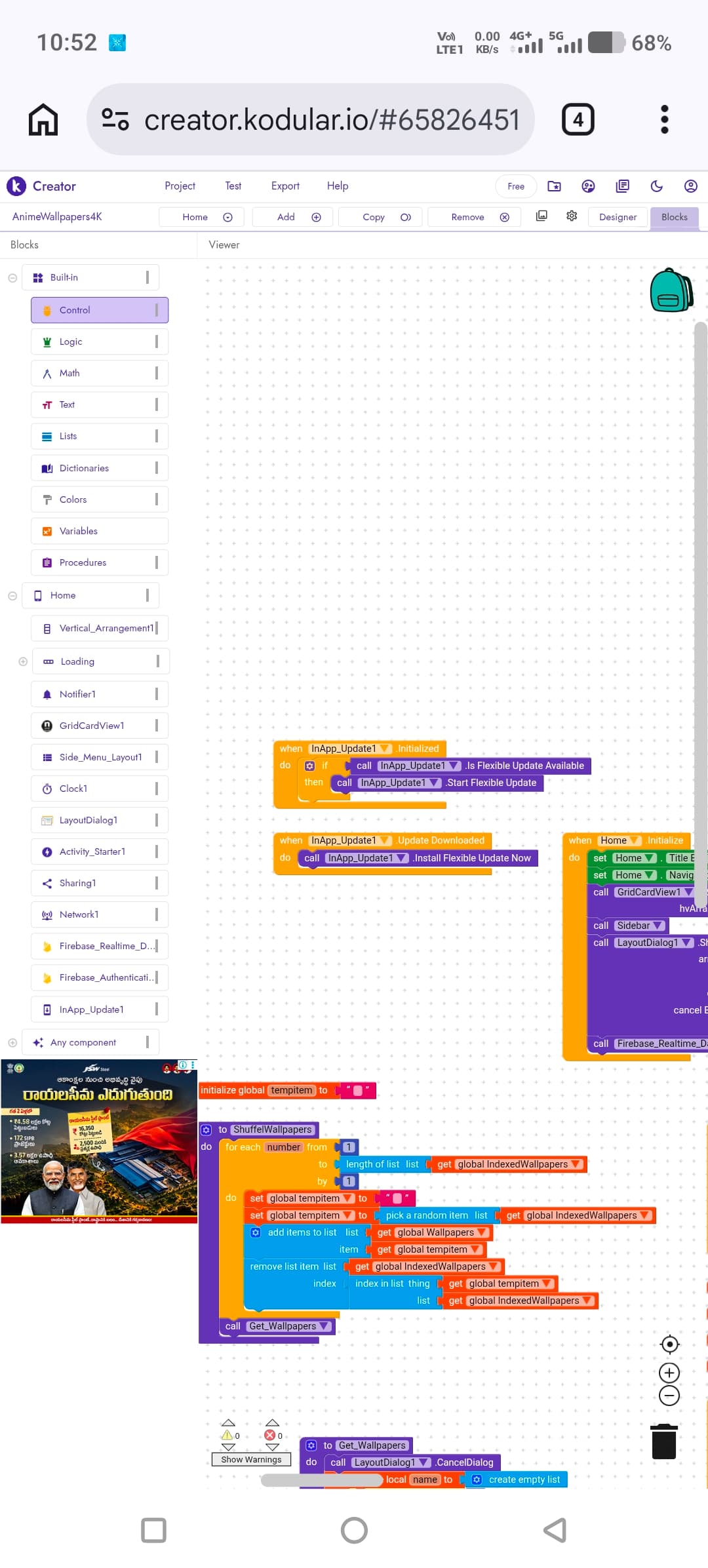
I removed the Update Installed block completely. Is this the correct procedure? How will it behave after the update is installed? Will Google Play automatically restart the app after installation, or do I need to handle the Update Installed event myself?
No, in the case of a flexible update, it’s up to the developer to decide how to proceed.
The procedure I would follow is:
- when InApp_Update.Initialized
- If isFlexibleUpdateAvailable
- Start Flexible Update
- If isFlexibleUpdateAvailable
- when InApp_Update.UpdateDownloaded
- maybe add a notification that the update is ready to be installed and ask if the user wants to proceed and InApp_Update.Install Flexible Update Now
- when InApp_Update.UpdateInstalled
- Here as well, you can show another notification stating that a restart is required to apply the changes, and if the user agrees, you can restart the app.
I’d like to point out that it would be better to use a snackbar so as not to be too intrusive with notifications, since the flexible update is designed not to interrupt the user experience.
Okay, I’m going to use Immediate Update instead of Flexible Update. Could you please tell me the correct block setup? Which events should I use, and which ones can be left empty? I want the app to restart automatically after the update is installed and open again from the splash screen.
Showing update Like a video
I had already initially advised you to use the Immediate option 
- when InApp_Update.Initialized
- If isImmediateUpdateAvailable
- Start Immediate Update
Start the process for immediate in-app updates. In this time your app user can NOT use your app. After the update download is done your app will be restarted automatically.
- If isImmediateUpdateAvailable
You can also add a custom message explaining that a mandatory update is required, possibly also describing the reason.
Happy  oding, dear.