Hello Community,
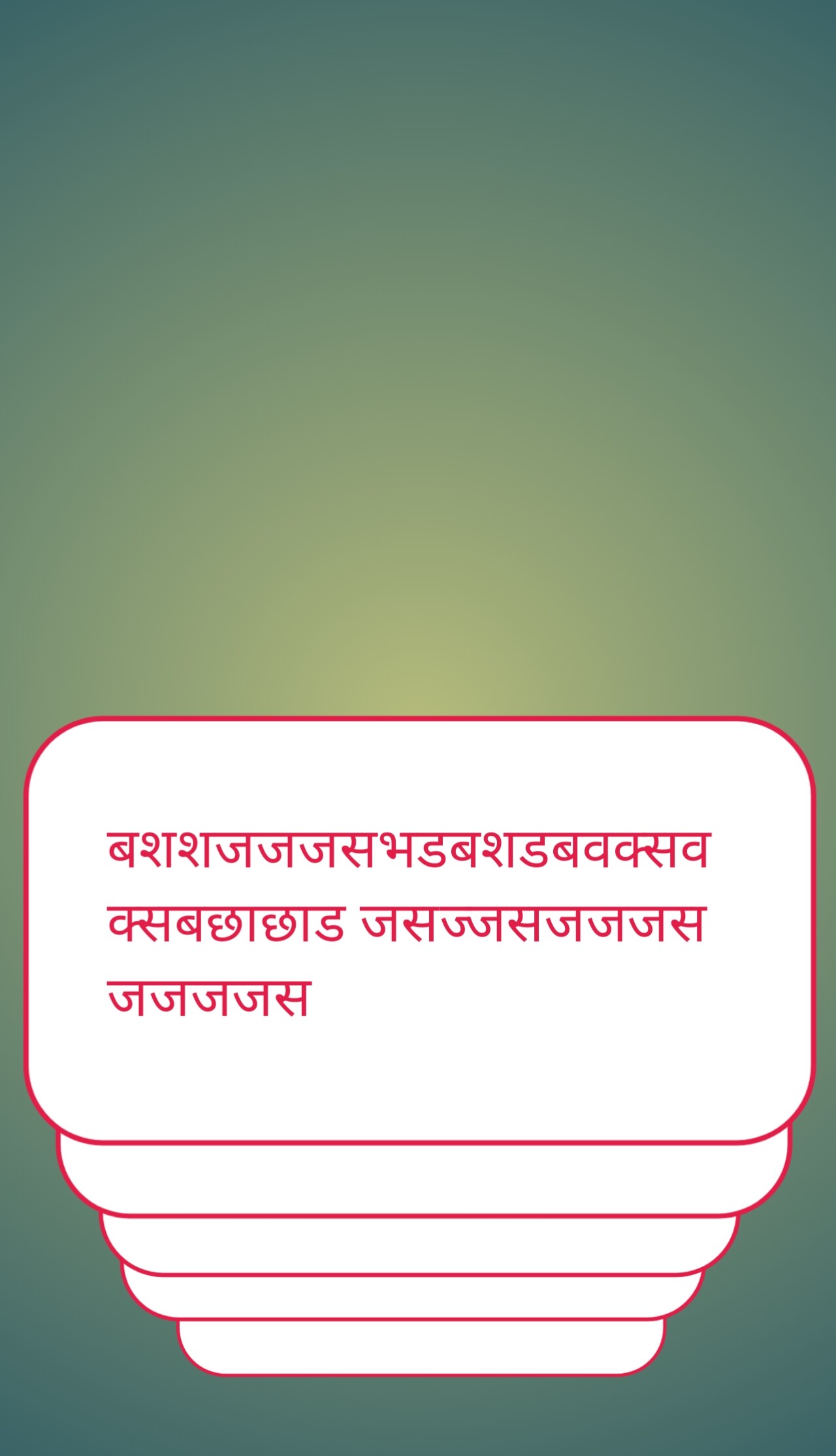
I want to create a Stacked Card Animation / Layered Card View specifically using the Recycler List component, as shown in the attached mockup image. The requirement is:
Cards should appear stacked one behind another in layers (top card wider, subsequent cards slightly narrower and overlapping).
When the user scrolls or swipes up/down, it should animate smoothly like a stacked card deck.
The issue I am facing:
Inside RecyclerList.OnBindView, I tried setting dynamic properties (modifying Width, Elevation,
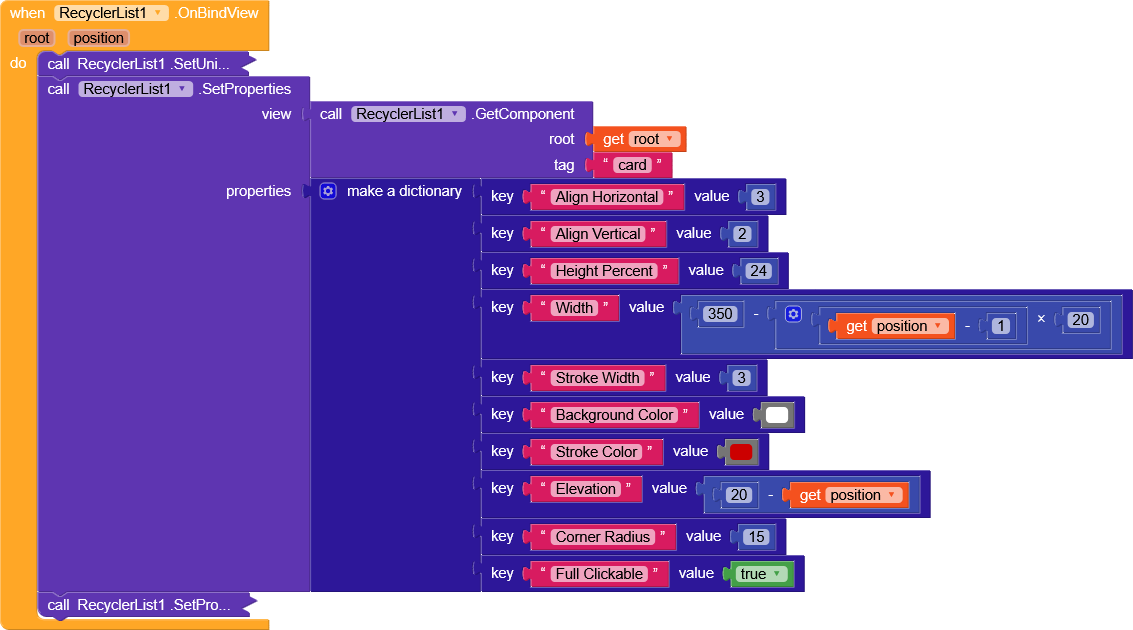
the item position).
However, as the user scrolls, calculating the layout directly based on position breaks the layout (cards become extremely narrow or misaligned), and it scrolls like a standard list instead of maintaining a proper fixed card stack on screen.
My Question:
How can I properly achieve this stacked/layered card swipe animation using Recycler List blocks?
What is the correct math/logic to handle the card positions, scaling, and scroll events inside the Recycler List so the stack stays consistent?
Any guidance, block examples, or suggestions would be greatly appreciated.
(Please find the reference design and my current block setup attached)