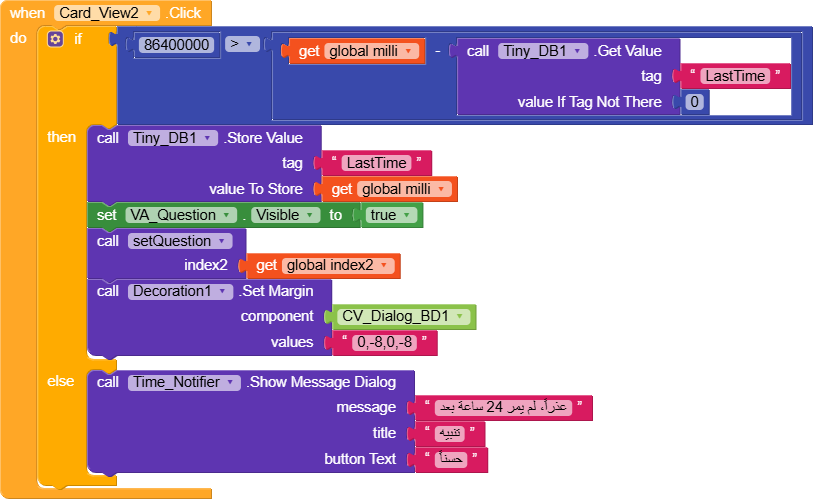
I am building a Kodular app and I need to restrict a CardView click to once every 24 hours. To prevent users from cheating by changing their phone time, I am using the Amdoren Time API to get the reliable current time.
The Problem:
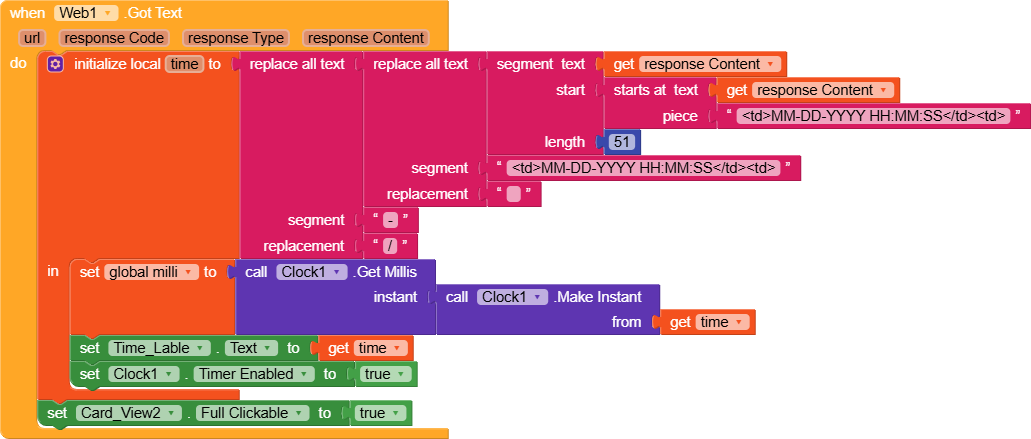
I am getting the error: “Segment: Start is less than 1” and some math operation errors. I think I am not parsing the API response correctly, or perhaps my Clock timer is firing before the data is fully loaded.
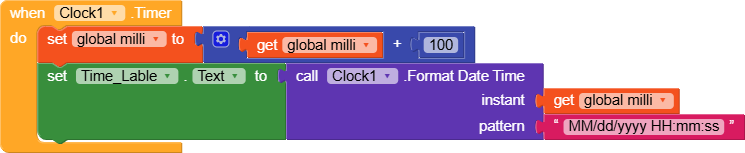
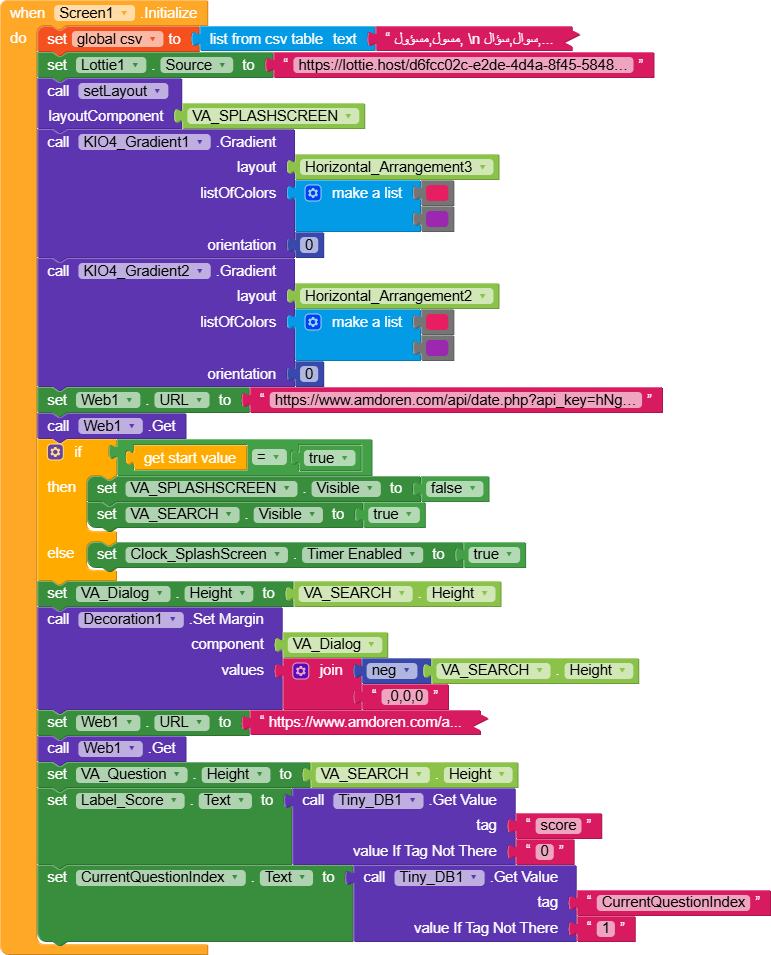
Here are my blocks attached. Can anyone help me fix the parsing or the logic?
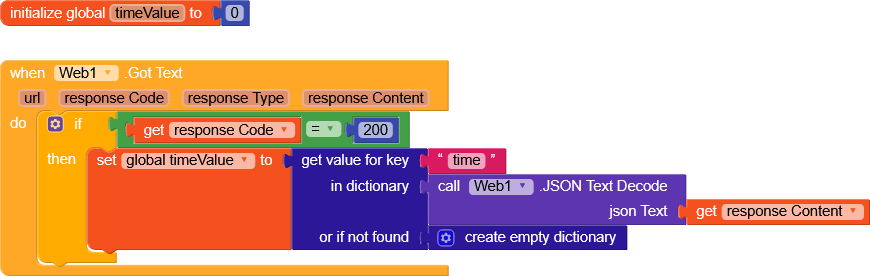
When Web.GotText
Call JSONTextDecode with responseContent
Set variable “jsonDict” to result of JSONTextDecode
Set variable “timeValue” to Dictionary.GetValue(jsonDict, “time”)
Show “timeValue” in a label or do further processing
I’m stepping in to add a few details regarding the error:
It indicates that you are segmenting a text by passing start = 0 as a parameter.
This is obviously an error, because you should start at least from 1. As a result, the portion of text you are trying to get with StartAtText has not found anything.
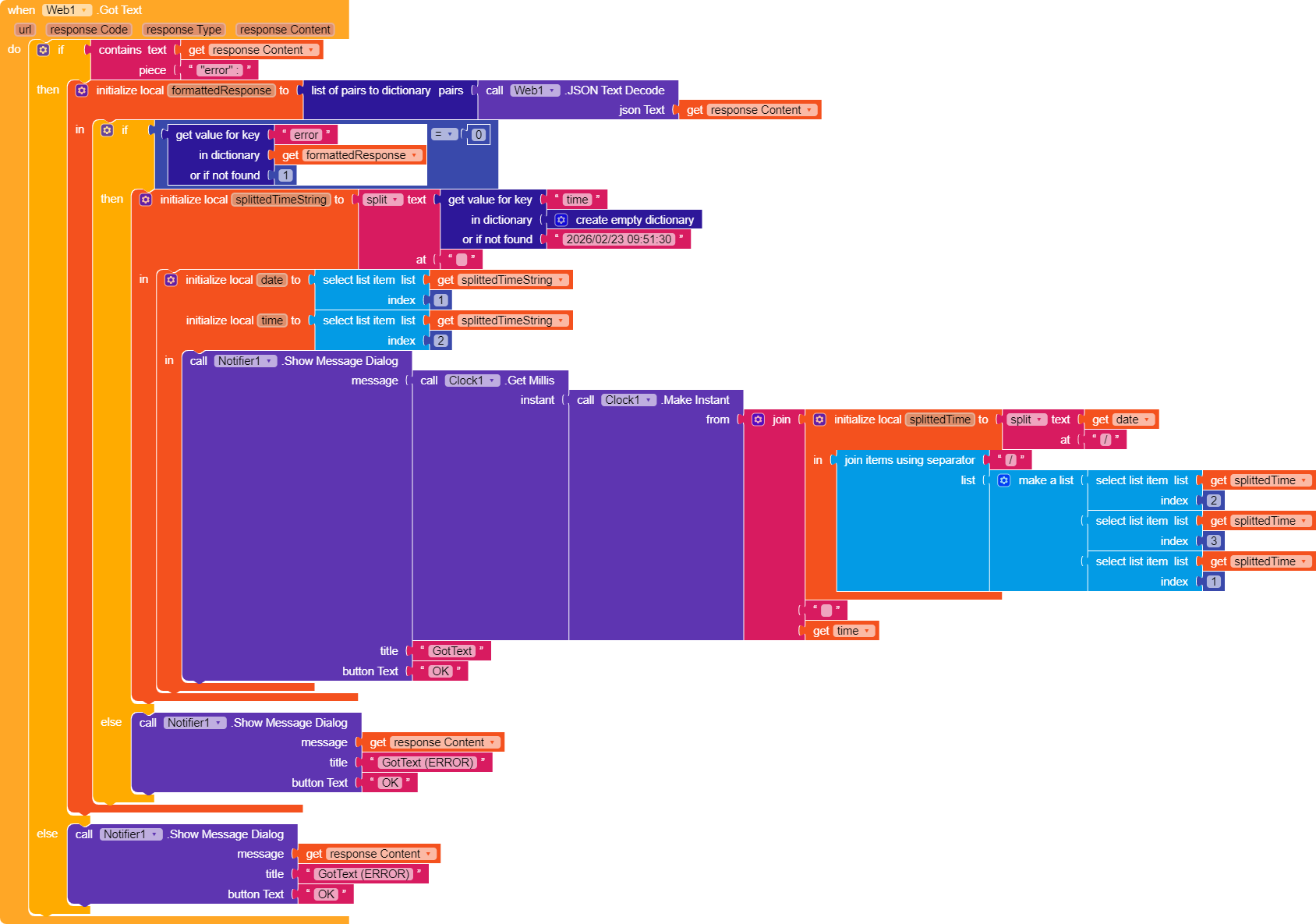
As pointed out by Still-learning, it would be better to format the response and use dictionary blocks to retrieve the value of the “time” key.
I had to convert the date from yyyy-MM-dd hh:mm:ss to MM/dd/yyyy hh:mm:ss, which is why you see many blocks.
In the notifier, you receive the date in milliseconds.
Thank you all for the amazing support and for teaching me about JSON and Dictionaries! It’s much clearer now why my segment blocks were failing.
Special thanks to you for pointing out the 10-call limit on Amdoren. I didn’t know it was that low! Since I’m just starting and don’t know if my app will be successful yet, I really need a completely free method to get the time reliably.
Could you please recommend a free alternative API (like WorldTimeAPI or similar) that works well with the JSON blocks you suggested? I want to make sure I’m using a stable and free source for my 24-hour logic.
thank you for the offer, but I prefer to keep the discussion here in the community so everyone can benefit from the solution. If you have a free method or suggestion, please feel free to share it here. Thanks again to everyone!"
Many thanks to both of you for continuous help.
I want to try the two methods @RaYzZz, could you please share the link for the KIO4_Terminal extension? so I can try it. @Still-learning, I’m also going to try your utctime method as well.
I will update if I face any problem so you can help me.
Nothing is difficult now, thank you so much for asking, I actually understood your method, and thanks a lot guys for all the help @Glich, I just tested your extension and it’s perfect! It even caught me when I tried to change the phone time. Thanks a ton for making this for me @RaYzZz, you know I always appreciate your help, you’ve been supporting me from the start. I’m gonna use the extension for now to save some time, but I’m definitely keeping your terminal method as a backup. It’s good to have a pro way like yours just in case. Thanks for being so helpful as always




 )
) How Users Will Use It in Kodular
 Drop extension
 On Screen Initialize →
  Call →
  Uses real internet time (Google server date header)
 Anti-tamper detection (manual time change, rollback, timezone tricks)
 Auto expiry from first launch (24h / 7d / 30d / custom hours)
 Works offline temporarily with forced periodic online check
 Persistent storage — remembers state across app restarts
 Simple events: Valid, Expired, Tampered, InternetRequired