Hello everyone,
Today I’m sharing with you a guide on how to implement modern Deep Links, also known as App Links.
In the Android documentation, the use of App Links is recommended for several reasons that make them the best choice nowadays.
The extension we will use is this one from  Glich
Glich
 Index
Index
1. Setup GitHub Pages
2. Setup the extension
3. Setup of assetlinks.json
4. Setup the blocks
5. Test
6. Docs
Setup GitHub Pages
Since we will need a GitHub domain for the extension configuration, GitHub Pages will come to our aid by providing us with a free one.
Here the click by click steps:
First, access to GitHub


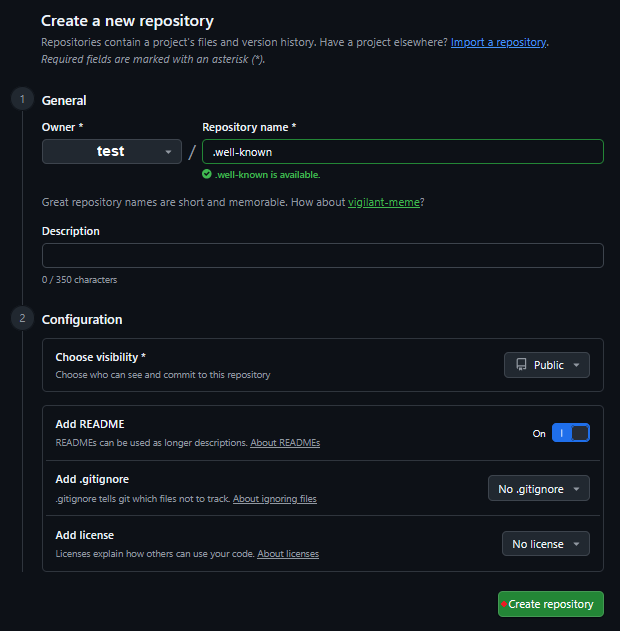
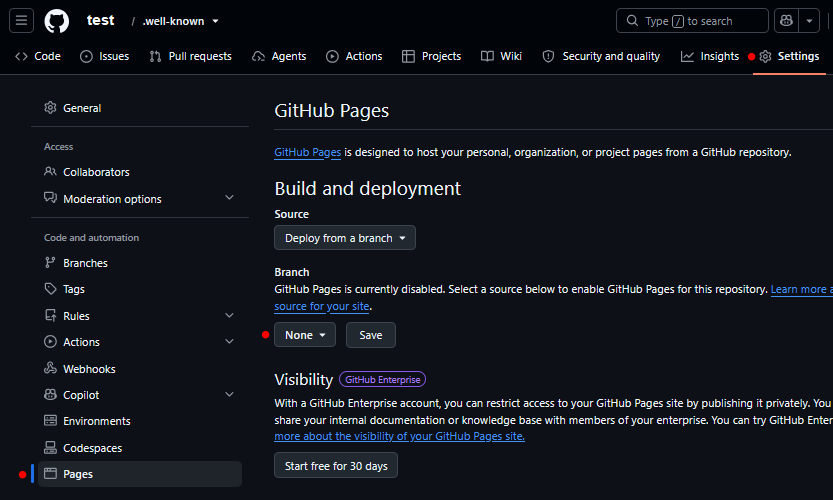

It may take a moment and from Actions you can check the status.
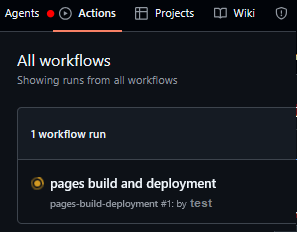
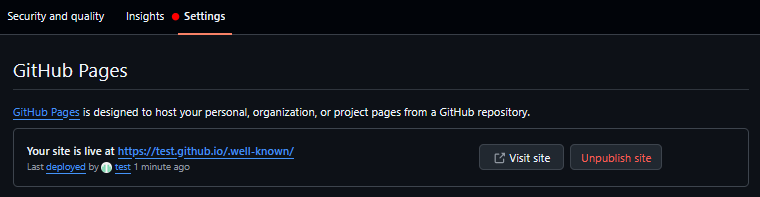
Let’s copy the domain because we will need it as an attribute to configure the extension.
test.github.io
Setup the extension
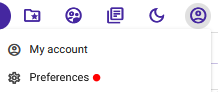
1) android.keystore
To create the assetlinks.json file, the extension generator will need the keystore, so the first thing we need to do is download it.

2) Extension generator by Glich
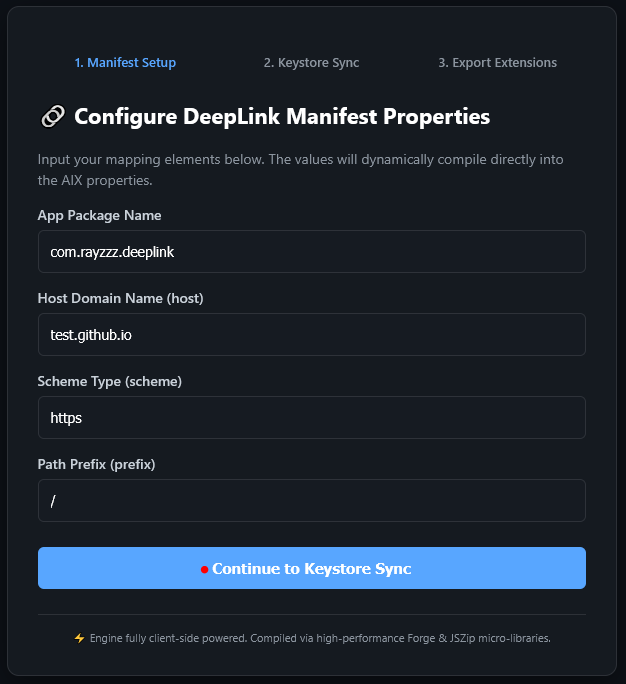
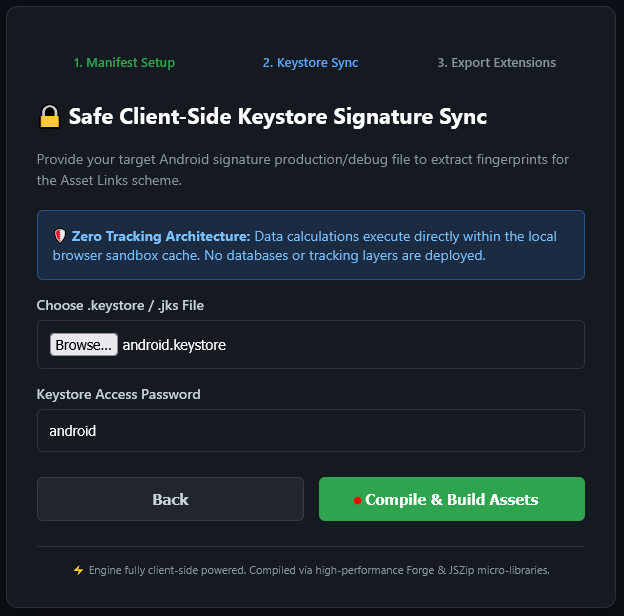
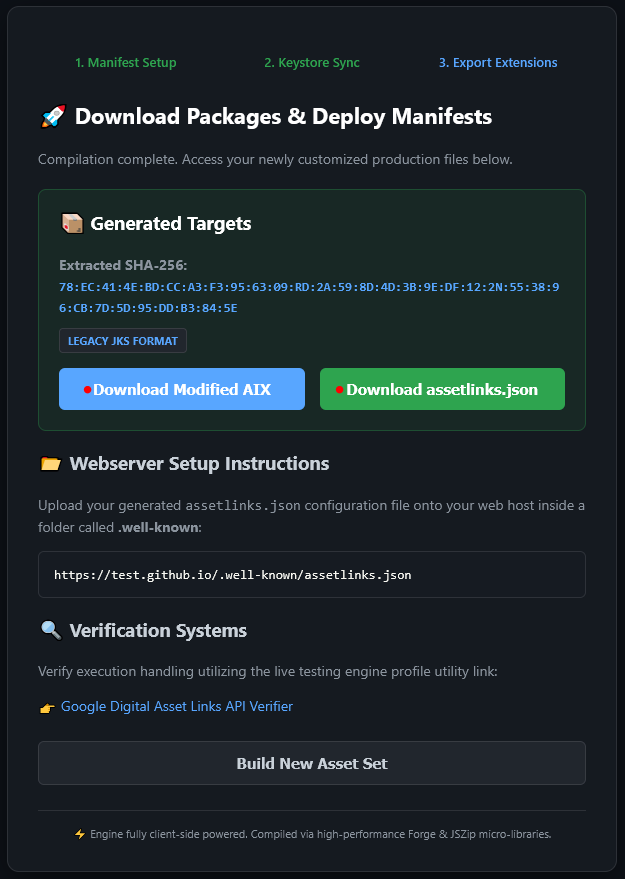
At this point, we will have 2 files
- the extension
com.glich.deeplinkextto upload to Kodular - and the
assetlinks.jsonfile that we need to place inside the.well-knownfolder of our GitHub page
Setup of assetlinks.json
Very simply, choose how to create the file
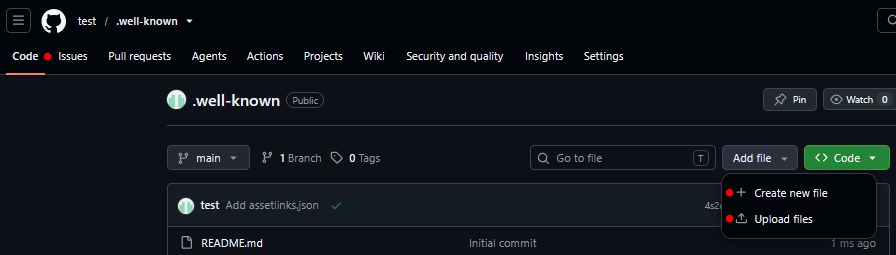
and make sure that
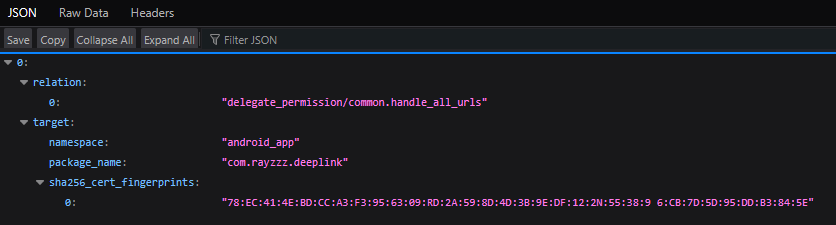
https://yourSubdomain.github.io/.well-known/assetlinks.json
is reachable and responds with the configuration
Setup the blocks
To avoid making things too complicated, we will use a minimal example to make everything work.
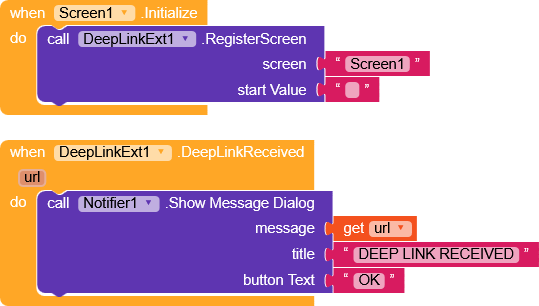
In this very simple example, we register Screen1 and, on the DeepLinkReceived event, we display a message with the url.
Test
Now, whenever a link containing
https://test.github.io/something
is opened, the app will open, triggering the DeepLinkExt.DeepLinkReceived event and receiving the URL as a parameter.
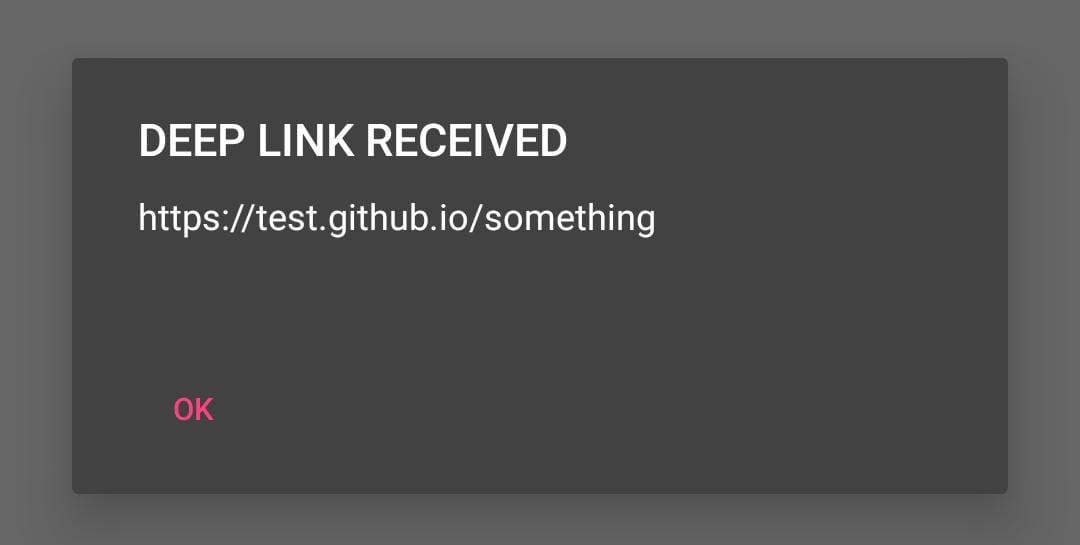
Concrete usage example
Docs
- Medium - App Links, Web Links, Deep links, Universal Links, and Dynamic Links
- Android developer docs About deep links | App architecture | Android Developers
 oding!
