Let me first explain how to clean up your screen, since you told me it’s cluttered.
Screen cleaning
I usually manage multiple layouts on a single screen like this.
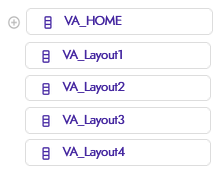
Each VA you see is a full-screen layout that serves a purpose
You create a function that first hides all the layouts with a for each item in list,
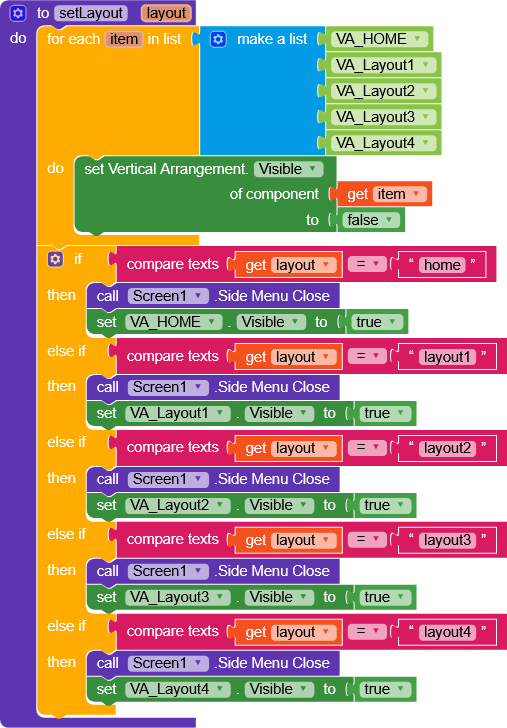
then, based on the value layout that gets passed in, it shows the specific layout you want.
This way, in the designer you can hide everything, and in Screen.Initialize you can put a setLayout(home) so that as soon as the app starts, that layout is shown.
Custom side menu layout
The custom layout is very simple,
you add a layout to this block

it “attaches” it (making it disappear from the screen) and makes it visible either by swiping right or by calling the .SideMenuOpen function.
Here’s a sample project.
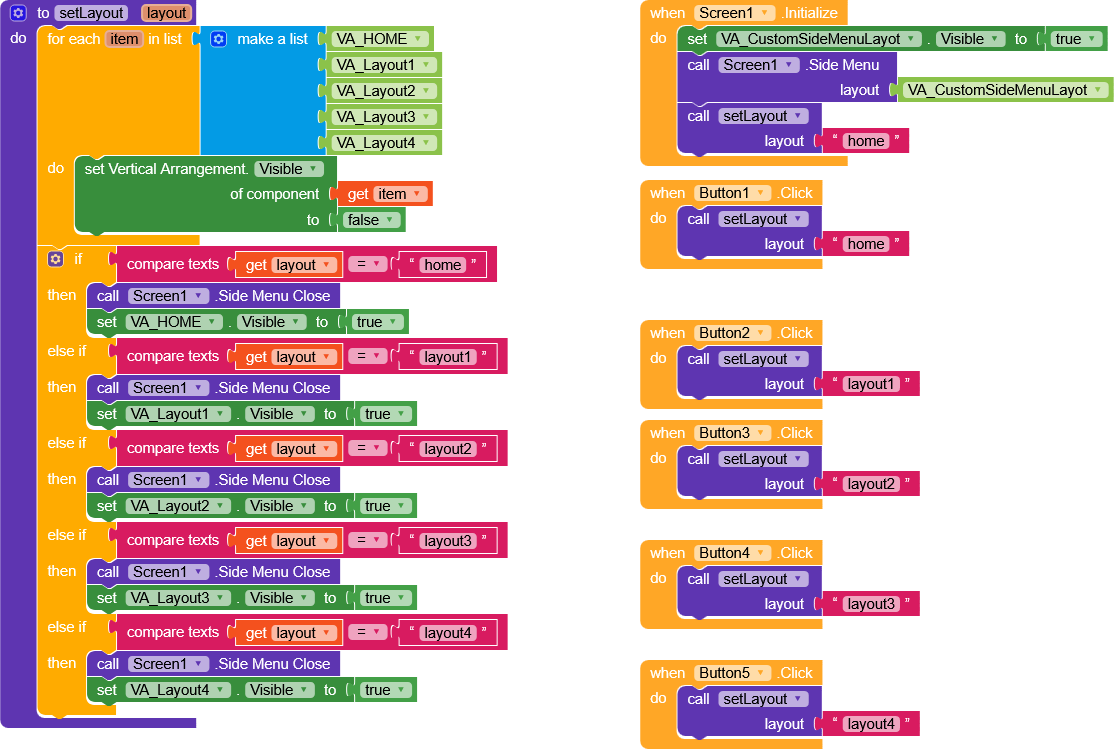
LayoutManagerWSideMenu.aia (4.2 KB)
Here’s a different way to call the layouts by passing a component.
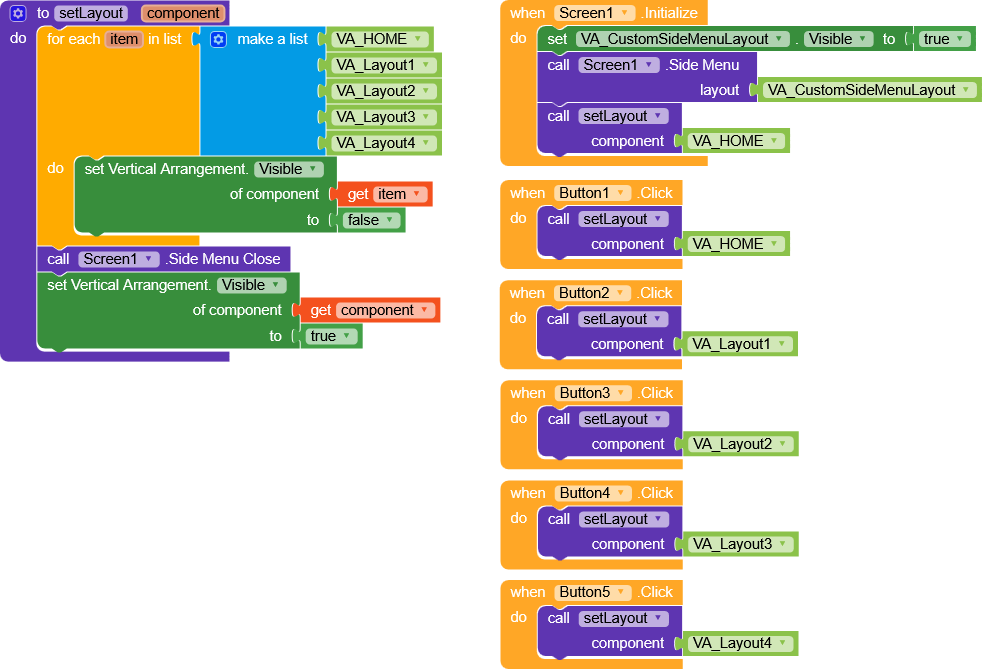
LayoutManagerWSideMenuComponent.aia (3.4 KB)
I wish you a great continuation,
Happy  oding!