IDGameChecker Extension [FREE]

:rocket: Introducing IDGameChecker Extension!

Hello Kodular Community!

I am excited to share with you a new extension that I’ve developed called IDGameChecker. This extension allows you to easily check game IDs using the RapidAPI. It supports various games such as Call of Duty: Mobile, Arena of Valor, Point Blank, and Genshin Impact.

Features:

  • Check game ID for various games.
  • Retrieve details like game name, user ID, and username.

How to Use:

  1. Drag and drop the IDGameChecker extension into your Kodular project.
  2. Call the CheckGameID function with the game name, user ID, and region as parameters.
  3. Receive the result using the GameIDChecked event.

Example:

List Game Name:

  • CoD-mobile
  • arena-of-valor
  • point-blank
  • genshin
  • pubgm-global
  • higgs-domino
  • mobile-legends
  • jawaker
  • valorant
  • coc
  • clash-royale
  • brawl-stars
  • teen-patti-gold

Download Link:
IDGameChecker.aix (8.4 KB)

Feel free to try it out and let me know your thoughts! Your feedback is valuable.

Happy coding! :rocket::sparkles:

5 Likes

Hi Kodular team :waving_hand:

I am using an extension called IDGameChecker.

I want to:

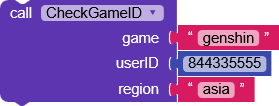
  1. Call CheckGameID with game name, user ID and region
  2. Receive the result using GameIDChecked event

I am a bit confused about the correct block usage.
Can someone please explain with block examples?

Thanks :folded_hands:

Hie, Welcome to :kodular:odular communinty,

If am not wrong, the user added a list of games

Are sure have tested with the Sample available there?

yes please tel me full process how i

Sorry for my first response (out of your question)

I assume that the owner mentioned API

Am not able for now import the aix in creator to test it thoroughly and give the feedback, I may request @RaYzZz since he seems online, but am curious because I see only 2 block, let me ask you this, after importing the aix do you also see only these blocks?

Is the API complied with the aix?

I suggest to use helper-blocks for the game parameter.

The extension, as shown in the guide,

has no other blocks.

When calling CheckGameID with game, userID and region
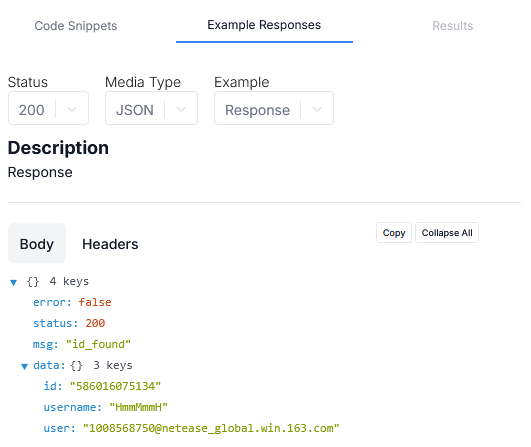
in .GameIDChecked it returns success, game, userId, and username.

1 Like

How? Since he mentioned API

Its works for you?

Since it wasn’t specified, the APIs being used are these:

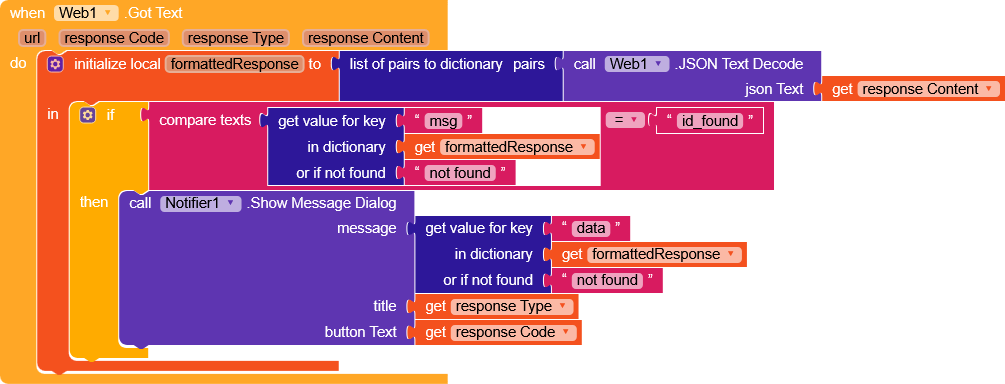
When using the extension, I noticed that I don’t receive any response from the .GameIDChecked event.

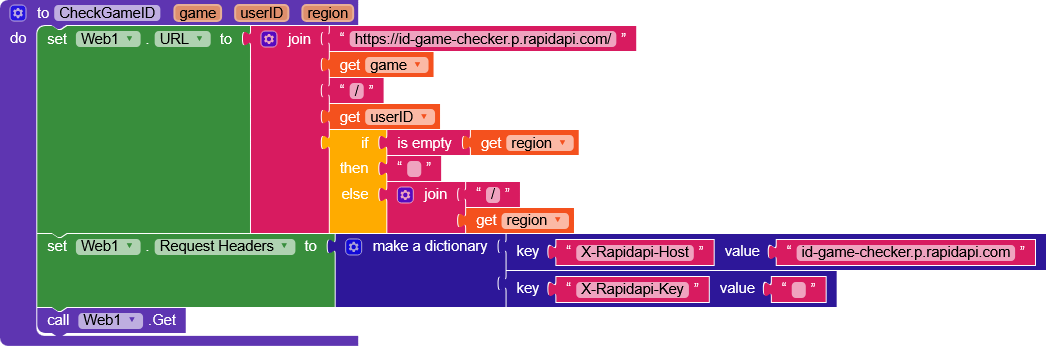
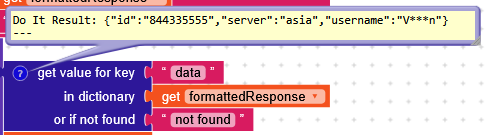
So i converted the extension logic into blocks and it works correctly (I’m omitting the API key out of fairness to the developer).

1 Like

I have three Free Fire APIs: Player Stats, Player Personal Info, and Account Search by Keywords.
and For BGMI get the in-game name using the UID.
If you need any of these APIs contact me.