New Platform for Kodular Creator

Dear Koders,

We are excited to share the next chapter for Kodular Creator. Over the past months, we have been working on a completely new infrastructure for the platform, and today we are opening it up for you to try.

This is not just a visual refresh. We have rebuilt the foundation that Kodular Creator runs on, and the result is a faster, more reliable, and more scalable platform that will allow us to deliver improvements at a much higher pace.


Why Are We Migrating?

Kodular Creator has been running on Google App Engine since its inception. While App Engine served us well for years, it comes with limitations that have increasingly slowed us down: rigid scaling, expensive storage operations, and an architecture that makes certain features difficult to implement.

The new platform runs on modern cloud infrastructure with dedicated compute resources, giving us full control over performance, reliability, and cost.

What This Means for You

Here is what you can expect from the new platform:

  • Faster project loading and saving. The new storage layer is significantly faster than the legacy Datastore, especially for projects with many screens or large assets.

  • Better uptime and resilience. The new infrastructure is designed with cross-region redundancy in mind. If an entire region goes down, your work is safe and another one picks up immediately.

  • More frequent updates. One of the biggest benefits is for us as a team. Previously, every release required over 25 manual steps across multiple cloud consoles, SSH sessions into individual build servers, and careful sequencing to avoid downtime. The new infrastructure reduces this to a single deployment command, which means we can ship bug fixes and new features significantly faster.

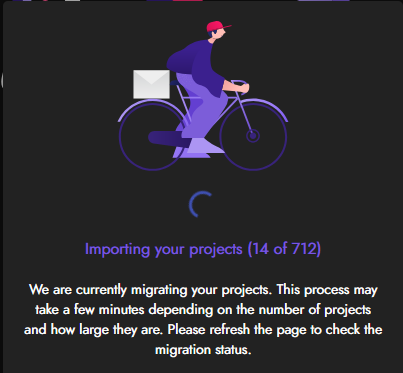
  • Real-time migration progress. When your account is being migrated, you can see exactly how many projects have been imported in real time, so you always know where things stand.

How It Works

Your migration is fully automatic. When you visit the new platform, your account, settings, files, and all your projects are copied over. You do not need to export or import anything manually.

  • Your data is copied, not moved. Nothing is deleted from the old platform.
  • Project timestamps (creation and modification dates) are preserved.
  • If something goes wrong, you can retry with one click. The system picks up where it left off, and already-imported projects are skipped automatically.

For a complete guide on the migration process, troubleshooting, and what to expect at each phase, please read our support article:

:books: Account Migration to the New Kodular Creator

Migration Phases

We are rolling this out gradually to ensure a smooth transition for everyone:

  1. Phase 1 (Now): Try the New Platform. The new platform is available at creator-new.kodular.io. Visit it, log in, and your migration will start automatically. You can continue using creator.kodular.io as usual if you prefer.

  2. Phase 2: Current Creator becomes creator-old. creator.kodular.io will start redirecting to the new platform. The old platform will remain accessible at creator-old.kodular.io in read-only mode.

  3. Phase 3: New Creator becomes the default. creator.kodular.io points to the new platform. creator-old.kodular.io will redirect non-migrated users to the new one, and remain available in read-only mode for users who have already been migrated.

  4. Phase 4: Old platform decommissioned. Once all projects have been successfully migrated, creator-old.kodular.io will be taken offline.

We will announce each phase transition here in the Community before it happens.

What’s Coming Next

This infrastructure move is not just about stability. It unlocks a wave of features that we have been working on and are excited to start shipping:

  • Undo and Redo. A long-requested feature for the designer.
  • Project List Views. Switch between grid, list, and detail views for your project dashboard.
  • Project Folders. Organize your projects into folders, move them around, and navigate with breadcrumbs.
  • Project Search. Quickly find any project by name.
  • New Components. Cloud Firestore, Supabase, Firebase Cloud Messaging, Biometric Prompt, and more.
  • New Ad Networks. Unity Ads, TapJoy, and Start.io components.
  • Project Revision History. Your projects are automatically saved over time, allowing you to roll back to any previous version.
  • AI Assistant. We are building an AI-powered assistant directly into Kodular Creator to help you build apps faster.

We will open separate topics with demos to get early feedback from the Community on various features.


We are really looking forward to this next step for Kodular, and we hope you enjoy the improved experience. If you run into any issues during migration, do not hesitate to reach out in the Community or contact us at support@kodular.io.

Happy Koding!

:kodular: Kodular Team

22 Likes

I tried the new platform and migration got stuck at project 5/8. And when I open any of the imported projects it says “Server Error: could not save one or more files”.

I tried uploading the .aia file manually and got the same message error.

Also the old compiler website, when I try to compile an APK it says “Build failed. Build server responded with Error 500”

A post was merged into an existing topic: Error 500 when exporting project, please advise

220 projects migrated. Compiled one of them to test; APK compilation also worked just fine.

Can’t wait to be a part of this next chapter in Kodular’s story!

4 Likes

And when is this expected..?

This should be unaffected. Are you sure it’s the old website, and that it was not crashing before? I’ll take a look anyway, but worth to confirm first…

Hi @Diego

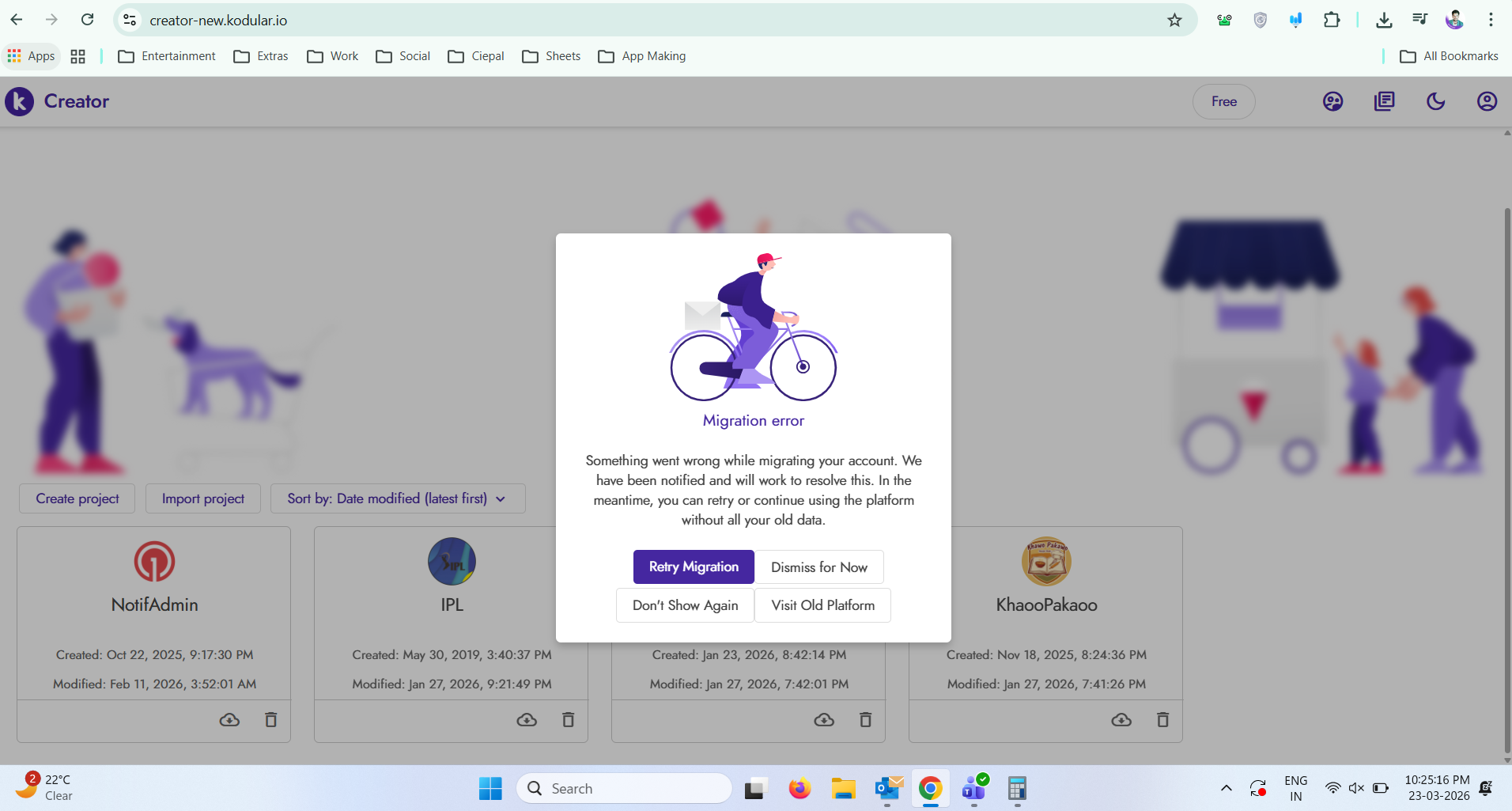
I tried to migrate my apps from the old platform to the new one. Initially, the migration started successfully and I was able to import 4 out of 29 (4/29) projects.

However, after that, I encountered an error. When I click on retry, the same migration error appears again and the process does not continue.

Could you please take a look at the attached screenshot and help me understand how I can complete the migration of all my 29 apps?

Any guidance or solution would be greatly appreciated.

Thank you!

If migration fails, just go back to the old platform. I’ll be fixing in the coming days. Once it’s stable, then I’ll move onto the next phase.

2 Likes

We will make a major release containing the 6 bullet points after the old platform is decommissioned. We will then make another major release, later on, for the project revision history and the AI assistant.

Couple of things fixed so far:

  • Fix migration failures for users with many extensions
    • Some users’ projects were failing to migrate with a server error. This is now fixed.
  • Fix migration retries getting stuck
    • Retrying a failed migration could fail again on projects that previously exported successfully. Retries now work correctly.
  • Fix stale migrations
    • Migrations that got interrupted (e.g., during a server update) are now automatically resumed.
  • Fix “500 The call failed on the server” error
    • Some users were seeing this error after a platform update. Clearing browser cache resolved it, but the underlying issue is now fixed.
  • Fix extension upload errors
    • Uploading .aix extensions could fail with a file not found error. This is now fixed.

@securebugs you should be able to retry and hopefully your migration will succeed

5 Likes

Yes, it’s done now thank you so much for the update! :raising_hands::sparkles:

Everything is working fine on my end. I’ll start exploring the new features and will definitely share any feedback or report issues here if I come across anything. :rocket:

Really appreciate the support! :blush:

2 posts were split to a new topic: Advanced Functionality Request

A post was split to a new topic: Appwrite Support

A couple more improvements have been deployed to old and new Kodular Creator:

  • Faster download and upload projects: up to 20x speedup when exporting projects as AIA or uploading them. This improvement is more noticeable when having many assets or larger projects in general; small ones may just get a 2x speedup.
  • Faster project builds: related to the previous improvement, waiting for a build to start may also be up to 20x faster.
  • Improved project dashboard: when dealing with many projects, dashboard was hanging to load some icons. They are now fetched lazily, so the UI becomes responsive earlier.
  • Shorter project loading times: there is an improvement for larger projects which should make them open faster, and get the editors to become responsive earlier.
  • Fixed reopening same project: when going back to the project dashboard and reopening the same project, the component palette would disappear, making it impossible to add new components. This has been fixed.
9 Likes

Oops, migrating to new server, I hope it didn’t causes any issues..

4 Likes

Hmm, I’m checking the logs and it should have been completed back on 25th, in 23 minutes. Is it still showing like that?

1 Like

It worked flawlessly, I just wasn’t prepared that it was so many projects.

3 Likes

Ha, yeah, I think so far yours was the account with the most, so you were indeed load testing it :smile:
In my case it was ~200 but mostly empty ones…

For you it took 23 minutes, and it was without the 20x speed improvement I mentioned earlier actually. So it could have been even faster, maybe 5 minutes or so if you did that today :sweat_smile:

4 Likes

Now we’re seeing something interesting. Congratulations!

1 Like

Three more QoL changes coming in a few hours:

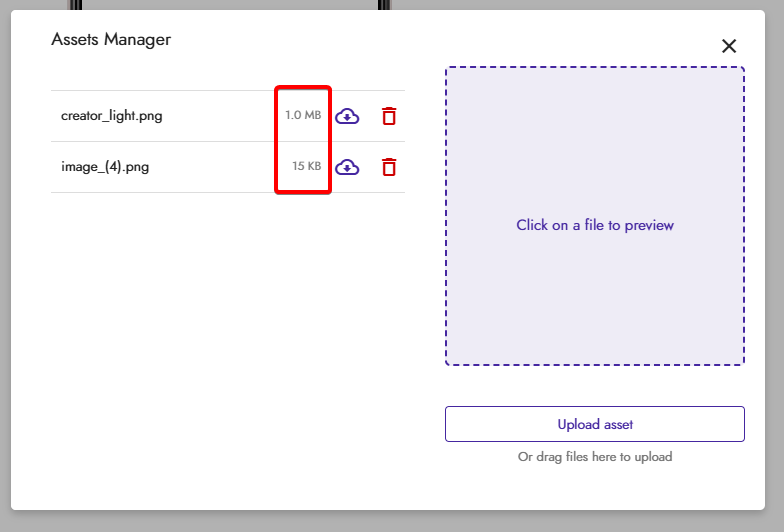
  • Assets now show each individual size

  • Multiple asset upload at the same time (also for drag and drop)

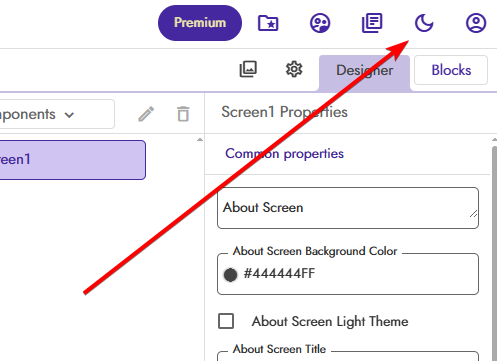
  • Quick theme toggle to change between Light and Dark

7 Likes