
 Bolt CLI



[!IMPORTANT]
Credits & Acknowledgements: Bolt CLI is built upon the excellent foundation of the original Rush CLI project created by Shreyash Saitwal. We express our sincere gratitude and credit to Shreyash and all the Rush contributors for their pioneering work in building high-performance compilation toolsets for the App Inventor community.
Hello Developers! 
Are you tired of waiting for slow compilation times when building App Inventor extensions? Do you wish you could write your extensions in modern Kotlin instead of Java? Or maybe you’ve been struggling to integrate third-party .aar libraries and deal with legacy Android support libraries?
Today, we are thrilled to introduce Bolt CLI (built by TechHamara) — an open-source, next-generation CLI extension compiler optimized for speed, developer experience, and modern workflows.
Whether you are building basic utility extensions or complex integrations requiring deep dependency management, Bolt CLI is here to make your development workflow feel like lightning!
 Key Features
- Lightning-Fast Builds
Bolt CLI has been designed from the ground up to minimize compilation overhead. No more staring at a loading bar. Bolt builds, processes, optimizes, and bundles your .aix package in the blink of an eye.
 Native Kotlin & Java 8+ Support
Say goodbye to Java boilerplates! Write clean, modern, and expressive code using Kotlin. Bolt CLI also features built-in Java 8+ desugaring, meaning you can natively use Lambda expressions () → and modern Java structures without breaking backward compatibility on older Android versions.
 Maven-Style Dependency Management
Managing external libraries is a breeze. Define your dependencies inside your bolt.yml configuration, and Bolt will automatically fetch, resolve, and package them. It fully supports attaching raw .aar and .jar libraries!
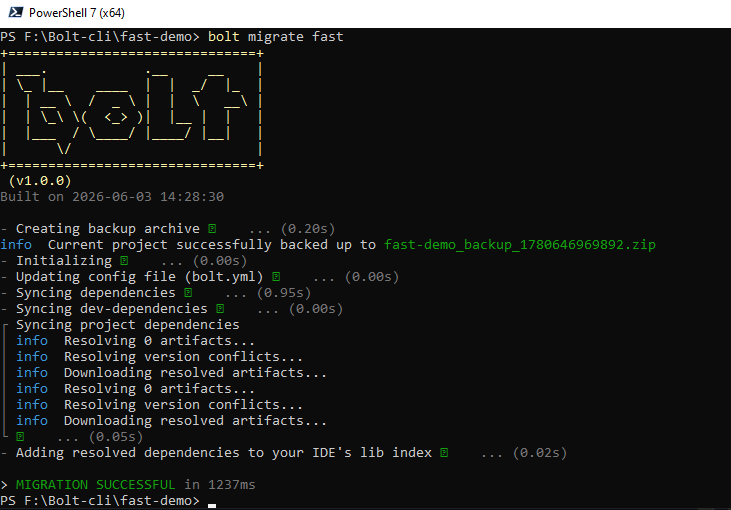
 Universal Legacy Migration (bolt migrate)
Transitioning to Bolt CLI is risk-free and effortless. Have an old project built on Rush, FAST, App Inventor Extension Template, or raw AI2 source code? Just run:
bolt migrate
Bolt will automatically take a secure ZIP backup of your project and convert its entire structure to the modern Bolt CLI standard!
 Advanced ProGuard & R8 Optimization
Keep your .aix extension sizes tiny and protect your source code! Bolt CLI integrates robust ProGuard/R8 optimizations by default. It shrinks unused classes and performs aggressive optimizations (-optimizationpasses 5) to give you highly efficient builds.
 Dynamic SDKs & AndroidManifest.xml Support
Define components, permissions, receivers, and services using clean shorthand class names in your manifest (e.g., .MyService automatically expands to your full package-relative name). You can also configure your target compile SDK dynamically via android_sdk in bolt.yml — no more hardcoded APIs!
 Automatic Documentation
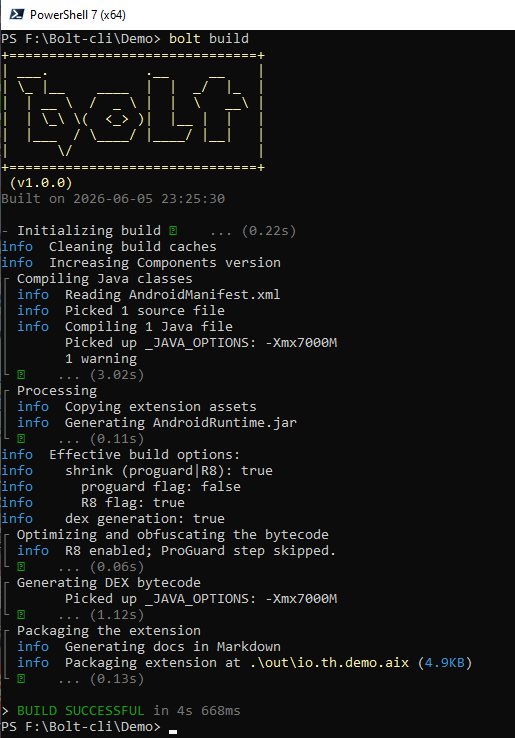
On every build, Bolt CLI automatically creates a formatted Markdown catalog (extension.txt) representing your blocks inside the out/ directory.
- Android (Bolt Mobile IDE) Comming Soon..
Check Documentation here
Demo Terminal
here
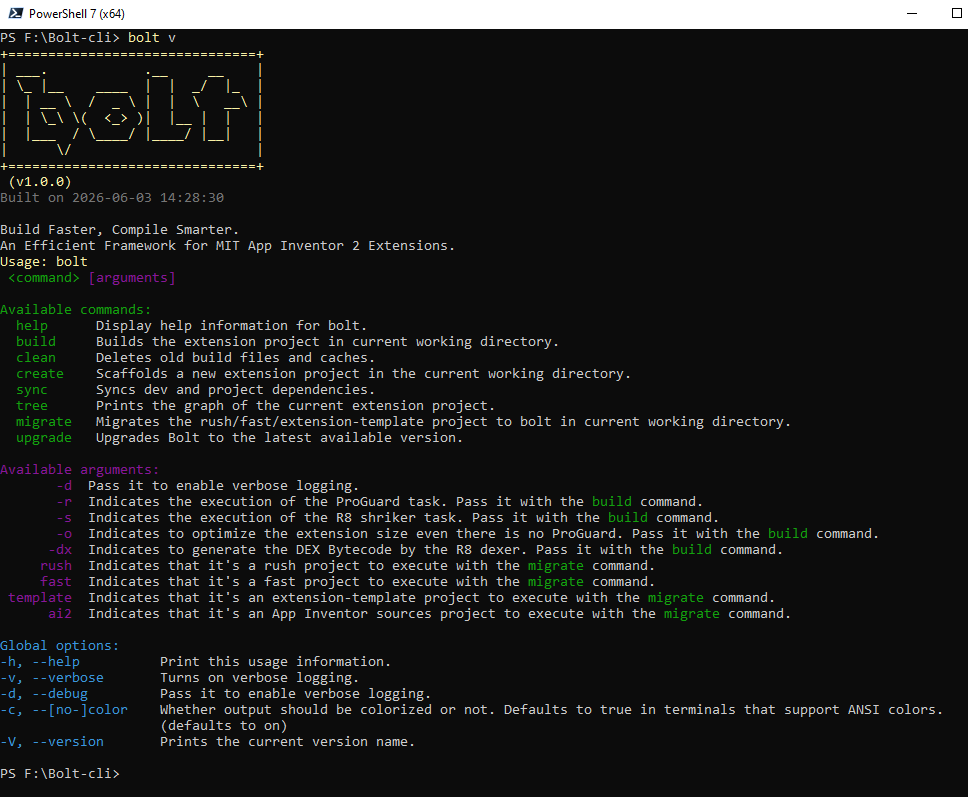
Bolt CLI version:
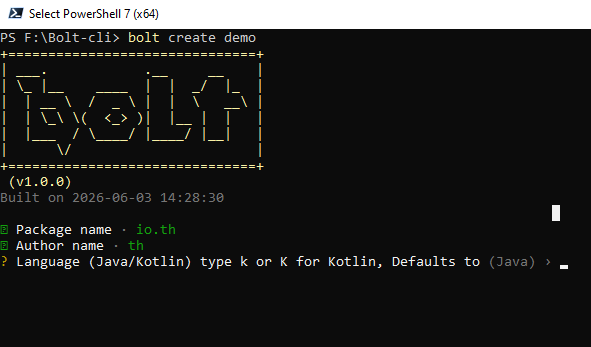
Bolt Language Selection
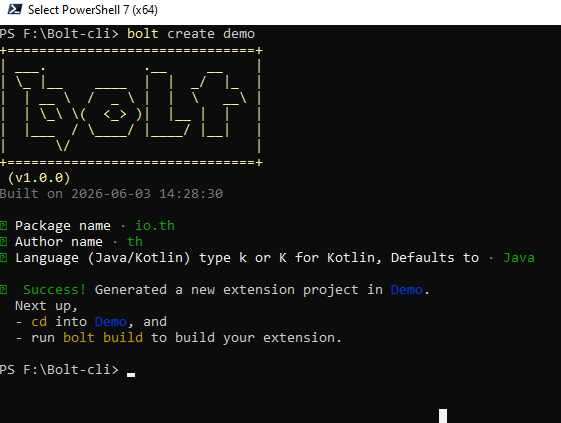
Bolt Project Created
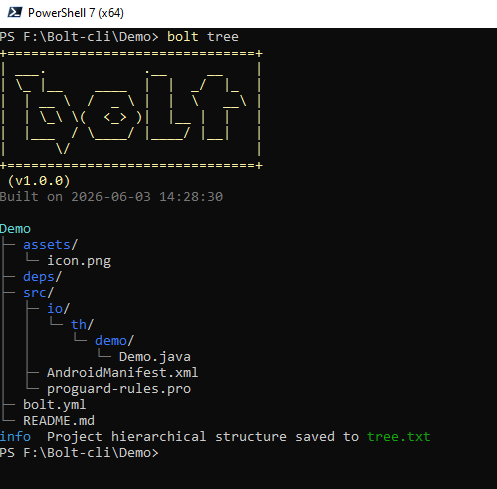
Bolt Tree
Bolt Migrate
Bolt Build
 CLI Command Reference
Command
Usage
Description
bolt create
bolt create
Scaffolds a new project interactively with configurations & sample templates.
bolt build
bolt build [options]
Compiles, processes annotations, resolves dependencies, and outputs your .aix package.
bolt sync
Resolves dependencies in bolt.yml and performs Support-to-AndroidX Jetifier translation.
bolt migrate
Migrates legacy projects (Rush, Fast, Template) into Bolt standard safely.
bolt clean
Cleans up local compiler caches and temporary build files.
bolt tree
Outputs a visual file tree hierarchy of your project structure.
bolt upgrade
Automatically fetches and upgrades Bolt CLI to the latest binary release.
Getting Started in 3 Steps
Step 1: Install Bolt CLI
Ensure you have the required prerequisites (like Java Development Kit (JDK 8 or 11+)).
Windows / Linux / macOS: Download the compiled binaries directly from our GitHub Releases.
Installation & Setup
Before installing Bolt CLI, ensure you have JDK 8 or above installed on your system.
Windows (PowerShell)
To install to the default location ($HOME\.bolt):
iwr https://raw.githubusercontent.com/TechHamara/bolt-cli/main/scripts/install/install.ps1 -useb | iex
Or specify a custom install directory:
iwr https://raw.githubusercontent.com/TechHamara/bolt-cli/main/scripts/install/install.ps1 -useb | iex -Args @{ InstallPath = 'C:\MyCustomPath\.bolt' }
The installer script respects the BOLT_HOME environment variable if set.
Step 2: Create a New Project
Open your terminal/command prompt and run:
bolt create MyAwesomeExtension
This interactive command will ask for your package details, author name, and preferred language (Java or Kotlin), and scaffold your project with all the settings preconfigured.
Step 3: Compile Your Extension
Navigate to your newly created directory and build:
cd MyAwesomeExtension
bolt build
Your compiled .aix file will be generated instantly and placed inside the out/ folder, ready to be imported into MIT App Inventor, Kodular, or Niotron!
 Sample Project Structure (bolt.yml)
Here is how simple and readable your bolt.yml configuration is:
Bolt CLI Extension Configuration
metadata:
name: MyAwesomeExtension
package: com.techhamara.myextension
version: 1.0.0
author: TechHamara
compiler:
language: # Choose “java” or “kotlin”
minify: true # Enable ProGuard code shrinking
dependencies:
Declare your Maven packages here easily
maven:
- “com.squareup.okhttp3:okhttp:4.10.0”
 Open Source & Contributing
Bolt CLI is 100% Open Source and licensed under the GPL-3.0 License. We welcome contributions, bug reports, and suggestions from the extension developer community!
GitHub Repository: TechHamara/bolt-cli  (Don’t forget to drop a star!)
Bolt-CLI release page
Issues & Bug Tracker: Report an issue
Contributions: Pull requests are highly welcome. Fork us and help make extension development better for everyone!
 Support & Donations
If Bolt CLI saves you hours of development time, please consider supporting the project:
Support via Paypal
Buy us a coffee: BuyMeCoffie1 | BuyMeCoffie2
Happy coding, and let’s build some amazing extensions!
(Built with for the MIT App Inventor, Kodular, and Niotron Communities)

