 Store Description
Name: SecureScreen — Screen Protection & Privacy
Version: 4.0
Description:
The SecureScreen extension provides maximum security and privacy for your App Inventor apps (Kodular, Niotron, etc.). It blocks screenshots and screen recording at the system level, hides your app preview in the Recent Apps screen, and displays a beautifully styled warning dialog with emojis (🛡️ , ⚠️ ) for unauthorized actions.
Key Features:
 Blocks screenshots and screen recordings via system flags (
FLAG_SECURE). Hides app content thumbnails in the Recent Apps switcher.
 Automatic system language detection (supports Russian and English by default).
 Fully customizable warning titles and messages via properties or blocks.
 Event triggers to monitor and log security violation attempts.
 Blocks Reference & Examples
1. Properties
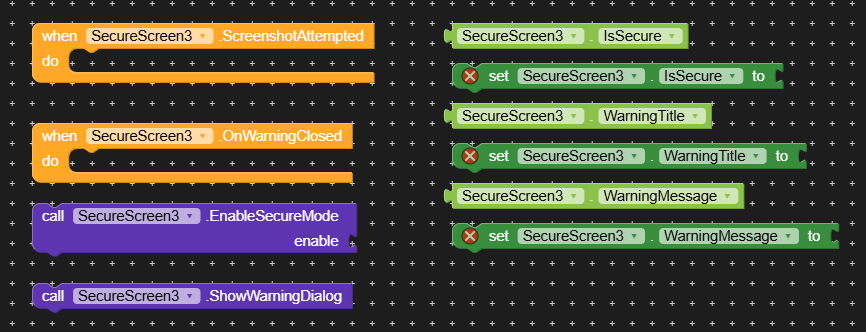
IsSecure(Boolean)

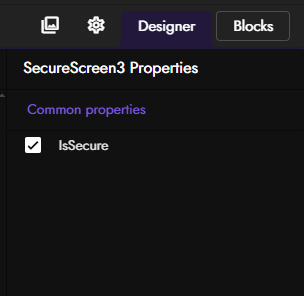
- Description: Enables or disables protection against screenshots and recents preview. Can be set in the Designer or via blocks.
- Usage Example: On
Screen1.Initialize, set this property toTrueto activate security right when the app launches. WarningTitle(Text)

- Description: Sets a custom title for the warning dialog. If left blank, the extension uses localized defaults.
- Usage Example: Set text block to
"⚠️ Security Notice". WarningMessage(Text)

- Description: Sets a custom message body for the warning dialog.
- Usage Example: Set text block to
"Screenshots are restricted to protect sensitive user data.".
2. Functions
EnableSecureMode(enable as Boolean)

- Description: Programmatically turns secure mode ON (
True) or OFF (False). - Usage Example: Call this block inside a toggle switch event to let users control security features manually.
ShowWarningDialog()

- Description: Forcefully displays a styled popup warning dialog with emojis, using custom or localized auto-language text.
- Usage Example: Call this method when you need to alert the user about restricted actions or policy terms.
3. Events
ScreenshotAttempted()

- Description: Fires when a security warning is triggered. Allows your app to track and react to attempts.
- Usage Example: Use
When SecureScreen1.ScreenshotAttemptedto increment a violation counter or log the event to a database. OnWarningClosed()

- Description: Fires when the user taps the confirmation button (“Got it” / “Понятно”) on the warning dialog.
- Usage Example: Use this block to resume normal app flow or navigate back after the user dismisses the warning.
com.ssreenblocker.aix (11.2 KB)
Расширение было создано с помощью:  FAST
FAST