SlideBar Extension Description (v1.8)
An advanced extension for App Inventor and its derivatives (Kodular & others) that allows you to easily create a stylish navigation drawer with deep customization: adjustable background transparency, rounded corners for the header and individual menu items, icon and description support, and a smooth, enhanced click animation.
 Blocks Description (Functions & Events)
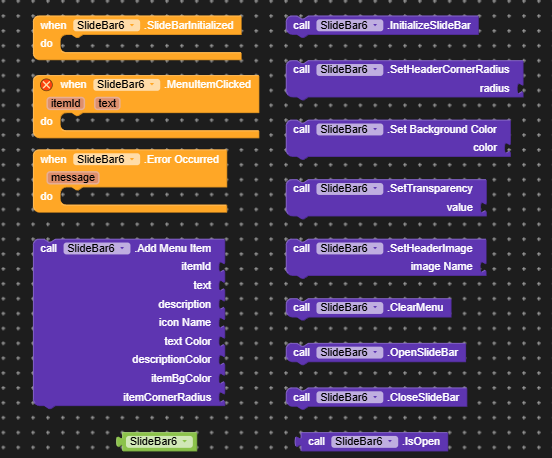
- InitializeSlideBar

- What it does: Creates and injects the slidebar menu structure onto the app screen. A mandatory starting block.
- SetHeaderCornerRadius

- What it does: Programmatically sets the corner rounding radius for the top header image.
- SetBackgroundColor

- What it does: Sets the background color of the sidebar panel.
- SetTransparency

- What it does: Adjusts transparency only for the background of the sidebar (supports a 0-100 or 0.0-1.0 scale), keeping icons and photos completely crisp.
- SetHeaderImage

- What it does: Loads and sets an image in the menu header from the project’s media assets.
- ClearMenu

- What it does: Clears and removes all menu items from the sidebar.
- AddMenuItem

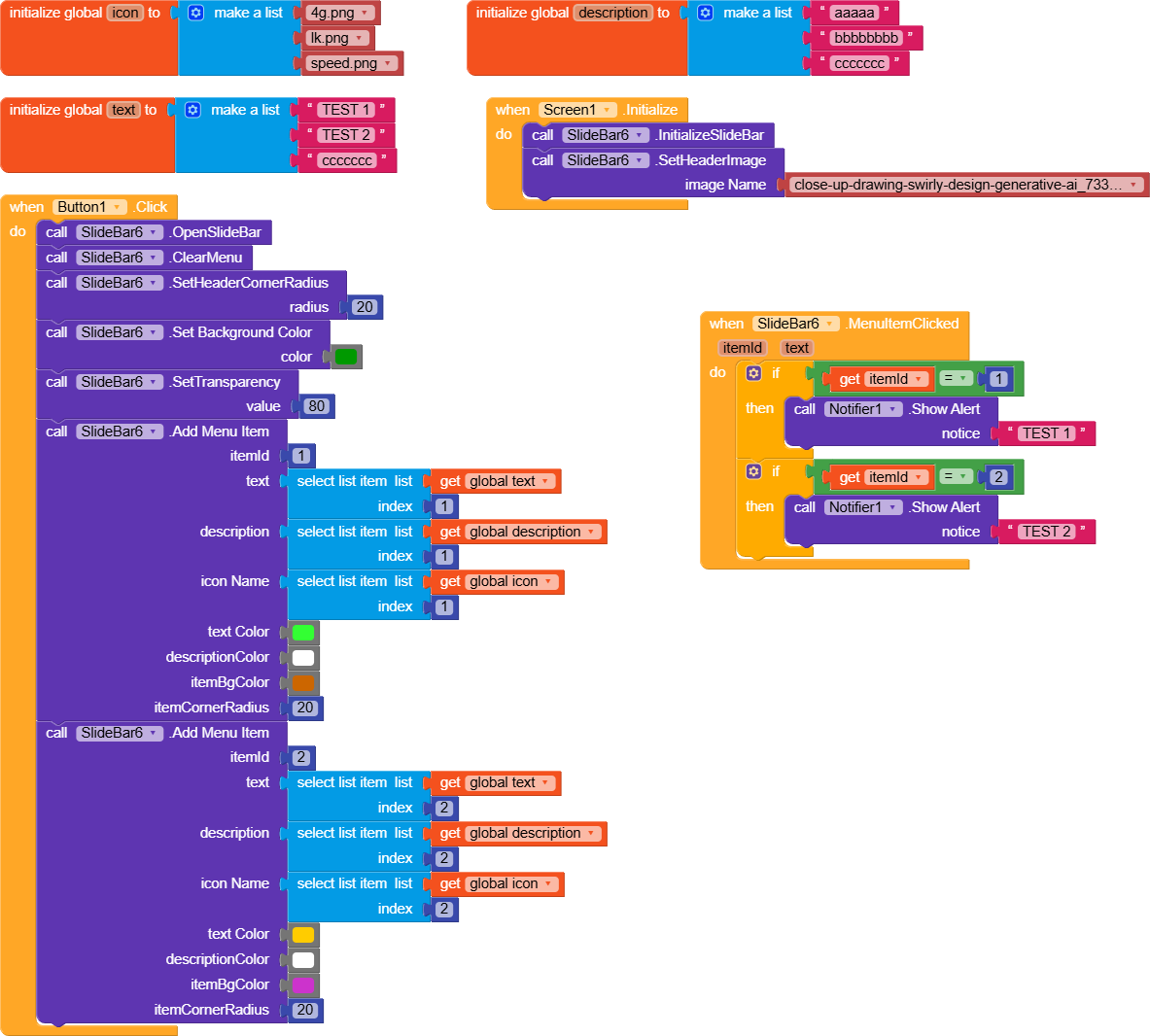
- What it does: Adds an interactive menu item with customizable ID, text, description, icon, text color, description color, item background color, and corner radius.
- OpenSlideBar

- What it does: Programmatically opens the slidebar menu.
- CloseSlideBar

- What it does: Programmatically closes the slidebar menu.
- IsOpen

- What it does: Returns a boolean (
true/false) indicating whether the slidebar is currently open.
- What it does: Returns a boolean (
- SlideBarInitialized (Event)

- What it does: Triggered automatically once the slidebar menu structure is successfully initialized on the screen.
- MenuItemClicked (Event)

- What it does: Fires when any menu item is clicked, passing its
itemIdandtext.
- What it does: Fires when any menu item is clicked, passing its
- ErrorOccurred (Event)

- What it does: Fired when an error occurs (e.g., image loading failure).
Slidebar.aix (18.9 KB)
The extension was created with the help of: FAST