I checked out Kodular Fenix (v1.5D.0) Bug Tracker before creating a new topic
Describe your issue
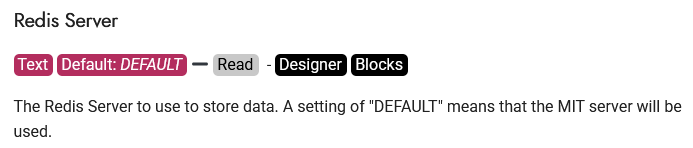
The cloudDB component does not connect to the DEFAULT server, when I run in companion error: “java.net.unknowhostexception:cloudb.example.com”
Steps to reproduce the issue
Create simple project :
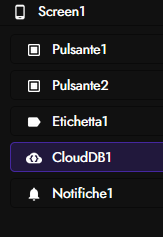
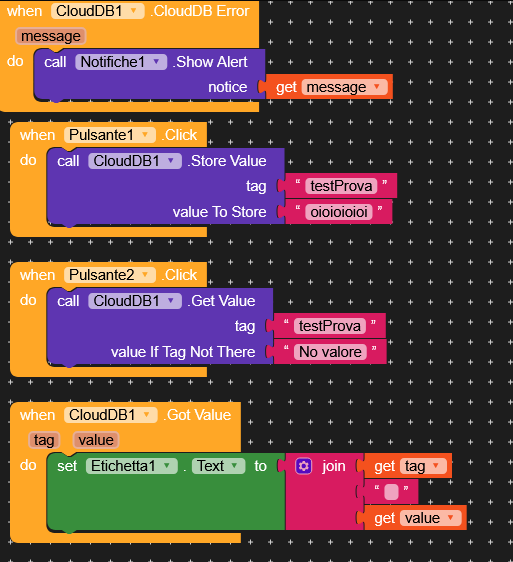
Expected Behaviour
With button 1, it writes and with button 2, it reads. When the data arrives, it displays the label.
Actual Behaviour
It doesn’t write to CloudDB or read.
Show your Blocks
above
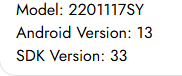
Android version
Other details:
To get it to work here on Kodular, I created the same appinventor project, and it works fine on appinventor. When I import the .aia file from App Inventor to Kodular, it gives me a cloud db version error. It imported it, but it doesn’t work with the default. So I searched for the Redis server, and with the appinventor token,
it works. I think the default server needs to be updated in the component. Otherwise, set: redis server = clouddb.appinventor.mit.edu and token = C7uFtZt84pgNvR5Xmb97q5tkw97ceLAMLyY5msfg6ZByx2oLvAjGTcUo6V2s8FtMUtzwTH3WwPyiQp24MQJ9CqQfeyPyPkxwJv3ZfyfJzDDyn5AmdKLzY.
P.S. I checked that the server was online with power shell =Test-NetConnection clouddb.appinventor.mit.edu -Port 6381
Let me know what you think. I know a personal Redis server is better, but for some testing it’s more than fine.