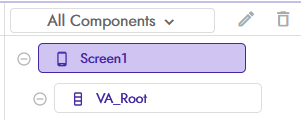
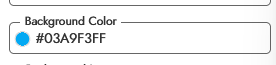
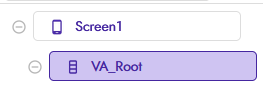
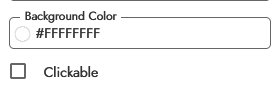
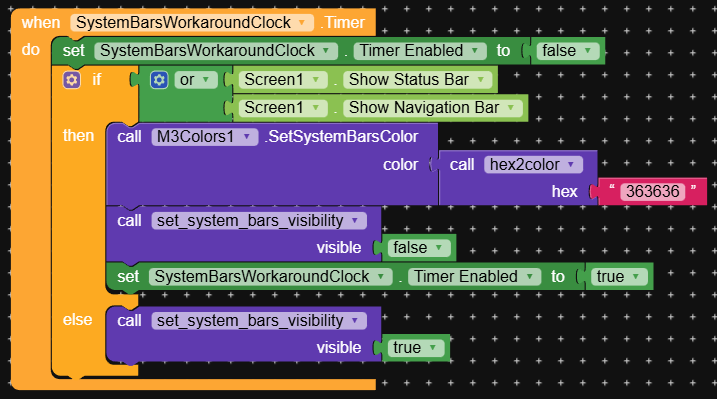
The edge-to-edge issue has been resolved, but there is still a problem when trying to change the status bar and navigation bar colors. The colors do not update and remain white (default light color).
Using the block to change the colors also has no effect.
For reference, the device used for testing is an iQOO 13 running OriginOS 6 on Android 16.
@Fallen_Media can you please open a separate topic for this edge-to-edge bug? It’s messy to discuss multiple bugs in the same topic; let’s keep this one for the apply-to-args one…
My first thought here is that, unfortunately, it might be the expected behaviour in Android 16. I read something regarding the status bar colors being no-op in SDK 35/36. I’ll confirm this later…
I have also confirmed that there is an known issue starting from SKD 33-36 Many custom ROMs silently override bar color to match system design such as these for example (OriginOS, MIUI, ColorOS, Realme UI) but further research is needed inoder to resolve this.
I’m having the similar issue so to fix that, I change the “Screen” background color to NOT white and “Arrangement” Root to white color(else it will be similar t background color).
Which now would result in a double status bar thingamajig, so it’s gone. More disturbingly, there is now seemingly no way to know the system bar heights.
This code from M³Colors now only returns 0:
  @SimpleFunction(description = "Get Height of Status Bar")
  public int GetStatusBarHeight() {
    return this.activity.getWindow().getDecorView().getPaddingTop();
  }
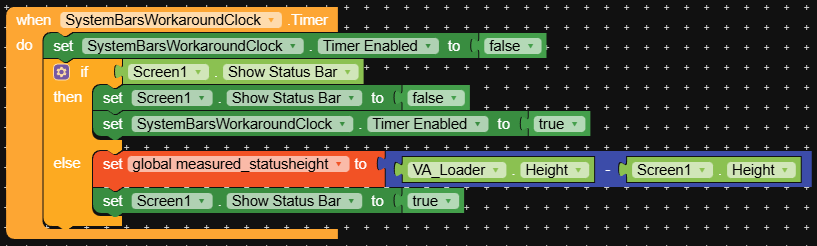
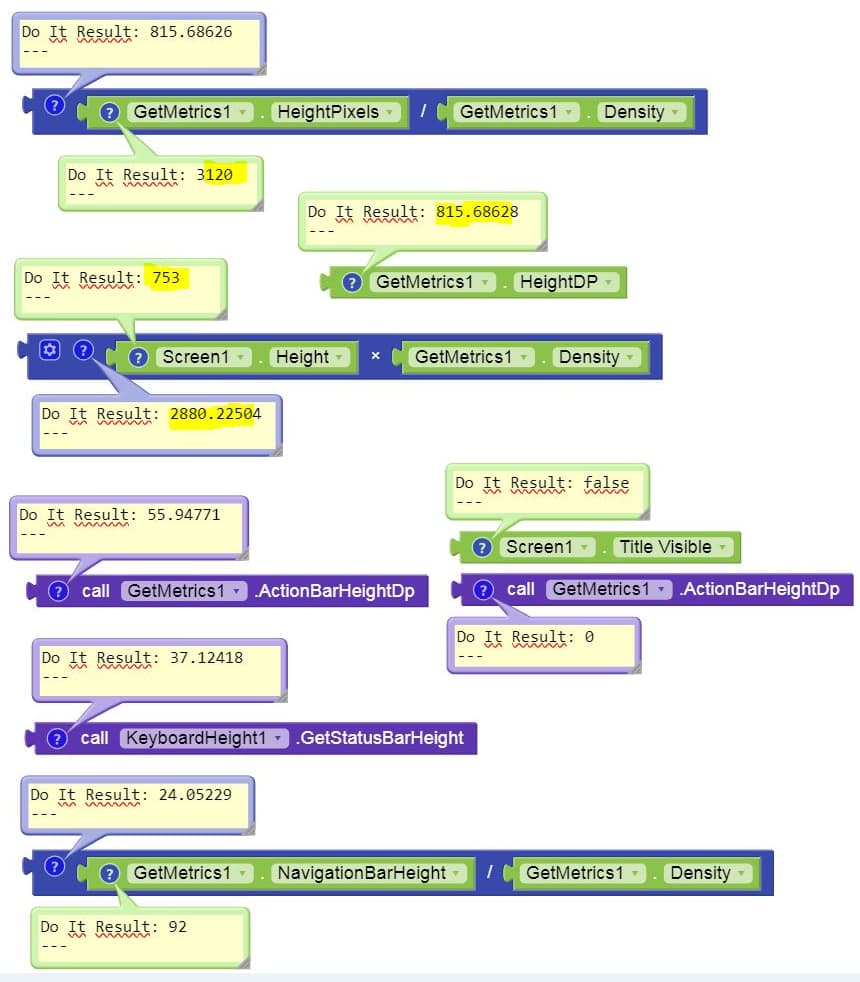
I tried taking the difference of Screen1.Height with the bars hidden v/s shown, but it’s janky. Any suggestions? And is it intended behaviour, that Screen1.Height now no longer includes the system bar heights?
  @SimpleFunction(description = "Get Height of Status Bar")
  public int GetStatusBarHeight() {
      if (Build.VERSION.SDK_INT >= Build.VERSION_CODES.VANILLA_ICE_CREAM) {
          WindowInsetsCompat rootInsets = ViewCompat.getRootWindowInsets(
              this.activity.getWindow().getDecorView());
          if (rootInsets != null) {
              Insets systemBars = rootInsets.getInsets(WindowInsetsCompat.Type.statusBars());
              return systemBars.top;
          }
      }
      // Fallback for pre-SDK 35
      return this.activity.getWindow().getDecorView().getPaddingTop();
We can consider adding this as a built-in property to the Screens, if it’s something you consider useful.
What is the exact use case you need to solve, when looking at the current Kodular Creator behaviours without hacks or workarounds? Like, what is not working as expected?
If it’s only the status bar color, then that’s something that for SDK 35+ is not fixable, as that’s an Android behaviour, to not let customize it, so we will not support it natively. You can however have the hack with the extra property we can introduce, if that’s what you want.
I don’t expect status bar color anymore, since my hack was the antithesis of Google’s instructions for SDK 35+. It was a miracle that it even worked (it did two things, apply color as well as remove the overlap between app content and system bars that everyone was complaining about).
I just need the system bar heights because I use it to calculate the right FAB bottom margin. All the other behaviour seems to be up-to-spec so far.
Here’s what I am doing now (seems to be working fine):
Firstly, the GetStatusBarHeight code just wouldn’t compile for me despite importing androidx.core.view*. So I just gave up on it.
Firstly, a simple function to get raw screen height in px:
  @SimpleFunction(description = "Get Screen Height in pixels")
  public int GetScreenHeight() {
    return context.getResources().getDisplayMetrics().heightPixels;
  }
Now, Screen1.Height has changed to only return the safe form height. However, this means that an arrangement filling the screen can be bigger than the screen if a system bar is hidden. We can use this to our advantage.
We first measure out the difference to get the status bar height (I prefer doing it this way since hide/show on navigation bar sometimes makes it go transparent and overlap the app, especially when using the Companion):
I was thinking of something like this, its seems works from my side, when i really verified it i will share it
import android.app.Activity;
import android.graphics.Color;
import android.os.Build;
import android.view.View;
import android.view.ViewGroup;
import android.view.Window;
import android.view.WindowManager;

public final class StatusBarColorHelper {

    private static final String TAG_STATUS_BAR_VIEW = "custom_status_bar_view";


    public static void setStatusBarColor(Activity activity, int color) {
        if (activity == null || activity.isFinishing()) return;

        // 1. Make status bar transparant and allow drawing behin it
        enableEdgeToEdge(activity);

        // 2. Remove any previously added custom status bar view
        removeCustomStatusBarView(activity);

        // 3. Clear the content view's background – it would otherwise cover our view
        ViewGroup contentView = activity.findViewById(android.R.id.content);
        if (contentView != null) {
            contentView.setBackground(null);          // remove any solid background
            contentView.setFitsSystemWindows(false); // extend under the status bar
        }

        // 4. Add the colored status bar view
        addCustomStatusBarView(activity, color);
    }

    /**
     * Removes the custom status bar view if it exists.
     * Useful when you want to revert to the default transparent status bar.
     */
    public static void clearStatusBarColor(Activity activity) {
        if (activity == null) return;
        removeCustomStatusBarView(activity);

    }


    private static void enableEdgeToEdge(Activity activity) {
        Window window = activity.getWindow();
        View decorView = window.getDecorView();

        // API 30+ : official edge-to-edge flag
        if (Build.VERSION.SDK_INT >= 30) {
            window.setDecorFitsSystemWindows(false);
        } else {
            // Fallback for older APIs (21-29)
            int flags = View.SYSTEM_UI_FLAG_LAYOUT_FULLSCREEN
                      | View.SYSTEM_UI_FLAG_LAYOUT_STABLE;
            decorView.setSystemUiVisibility(flags);
        }

        // Clear any legacy translucent flags
        if (Build.VERSION.SDK_INT >= 19) {
            window.clearFlags(WindowManager.LayoutParams.FLAG_TRANSLUCENT_STATUS);
        }

        // Enable drawing system bar backgrounds and set status bar transparent
        if (Build.VERSION.SDK_INT >= 21) {
            window.addFlags(WindowManager.LayoutParams.FLAG_DRAWS_SYSTEM_BAR_BACKGROUNDS);
            window.setStatusBarColor(Color.TRANSPARENT);
        }
    }

    private static void removeCustomStatusBarView(Activity activity) {
        ViewGroup decorView = (ViewGroup) activity.getWindow().getDecorView();
        View existing = decorView.findViewWithTag(TAG_STATUS_BAR_VIEW);
        if (existing != null) {
            decorView.removeView(existing);
        }
    }

    private static void addCustomStatusBarView(Activity activity, int color) {
        ViewGroup decorView = (ViewGroup) activity.getWindow().getDecorView();

        // Create a simple view that acts as the status bar background
        View statusBarView = new View(activity);
        statusBarView.setTag(TAG_STATUS_BAR_VIEW);
        statusBarView.setBackgroundColor(color);
        statusBarView.setClickable(false);
        statusBarView.setFocusable(false);

        // Get the exact status bar height
        int statusBarHeight = getStatusBarHeight(activity);
        if (statusBarHeight <= 0) {
            statusBarHeight = (int) (24 * activity.getResources().getDisplayMetrics().density); // fallback
        }

        // LayoutParams: full width, status bar height
        ViewGroup.LayoutParams params = new ViewGroup.LayoutParams(
                ViewGroup.LayoutParams.MATCH_PARENT,
                statusBarHeight
        );

        // Insert at index 0 so it sits behind the content view
        decorView.addView(statusBarView, 0, params);
    }

    private static int getStatusBarHeight(Activity activity) {
        int resourceId = activity.getResources()
                .getIdentifier("status_bar_height", "dimen", "android");
        if (resourceId > 0) {
            return activity.getResources().getDimensionPixelSize(resourceId);
        }
        return 0; // fallback handled in caller
    }
}