Dear Kodular Team
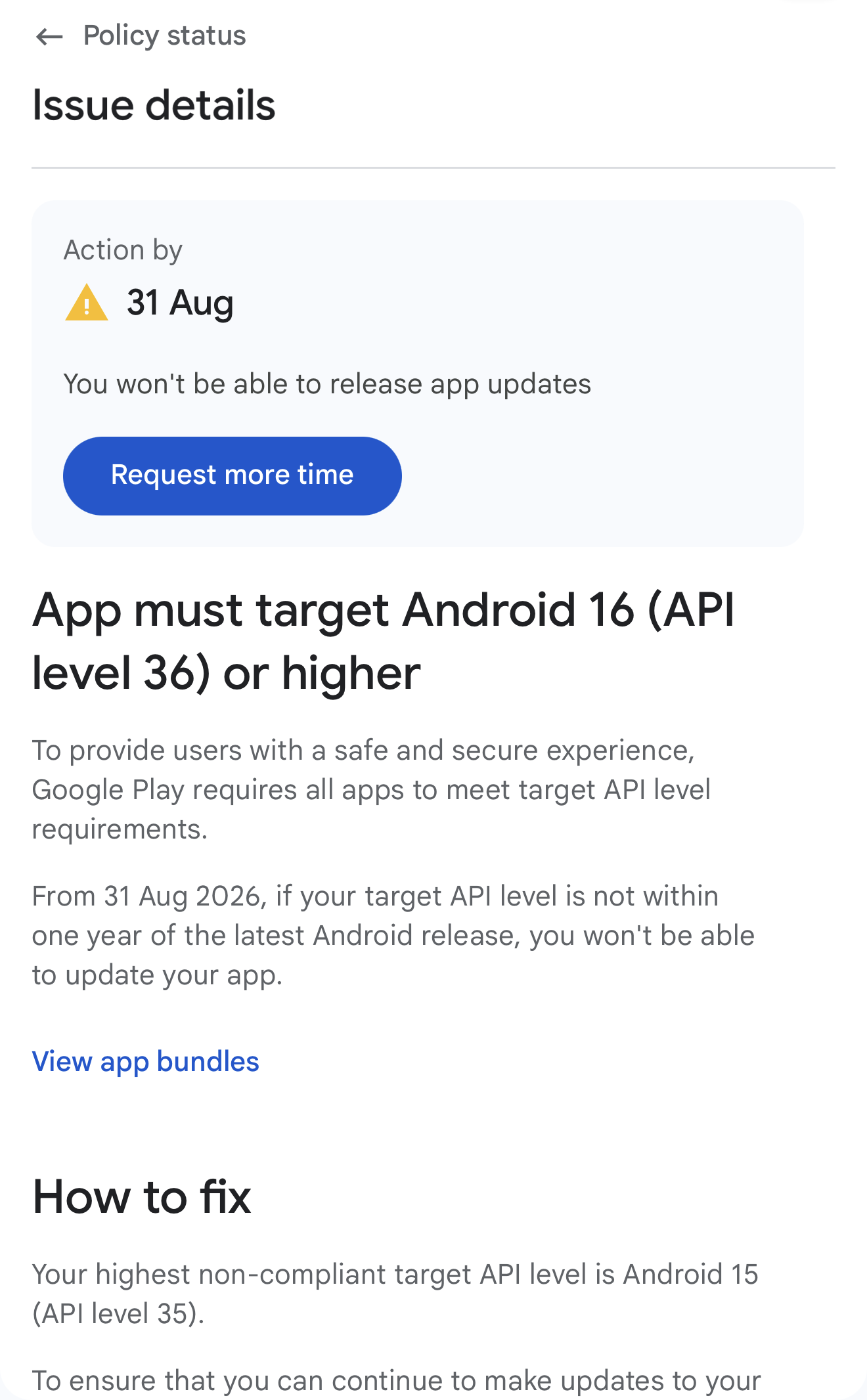
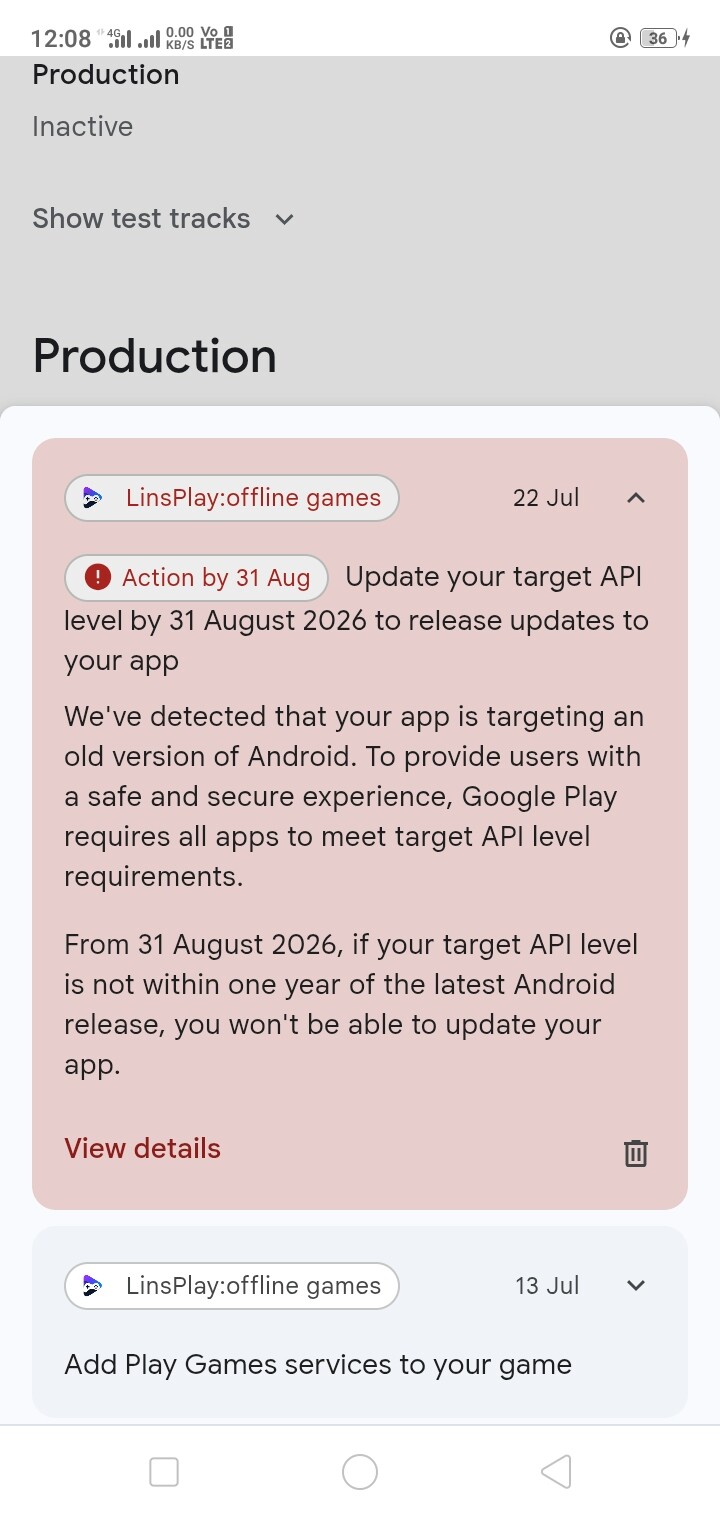
Please update the build Android SDK to API level 36 or Android 16 due to Google Play Consle Requirement.
Deadline start from 31 August 2026
Dear Kodular Team
Please update the build Android SDK to API level 36 or Android 16 due to Google Play Consle Requirement.
Deadline start from 31 August 2026
Hello Kodular Team,
I would like to request that Kodular be updated to support Android API Level 36 as soon as possible.
Google Play now requires new app updates to target API Level 36. Currently, Kodular only supports API Level 35, which means many developers, including myself, will soon be unable to publish updates to our existing apps on Google Play.
The deadline is August 31, 2026 , so we would greatly appreciate it if API Level 36 support could be added before then.
Many of us rely on Kodular for our apps, and keeping up with Google’s target API requirements is essential for maintaining and updating them.
Could the Kodular team please share:
Thank you for all your hard work and continued support. We hope this update can be prioritized so the Kodular community can continue publishing app updates without interruption.
Hello Kodular Community!
Does anyone know how to set the Target SDK Level to Android 16 (API level 36)?
In my project settings, the highest Target SDK Level is only at Android 15 (API 35)
Thank you in advance
Best regards,
Honggi
We have developed a tool for this every-year requirement headache. Import .aab into this tool set MinSDK to 21(or as per your need) & Target SDK to 36, Generate .aab. You will get your compliant SDK in few seconds, then release app/update on Google Play. It’s FREE for 1 day so you don’t need to pay anything APK/AAB Manifest Editor Helpful Developer Tool (Update App Manifest, Change MinSDK, TargetSDK, Direct APK to APK and AAB to AAB Signer With Keystore)
When to use this tool?
You can use our tool in a safe way if-
 The app already works correctly on Android 16 (If you don’t see any errors in logcat for your app by testing on Android 16). AND
Only the manifest values (Target SDK, Min SDK, permissions, etc.) needs update OR
The builder Kodular/App Inventor is behind Google’s yearly Play Store deadline OR
The developer has only an APK or AAB and needs a quick manifest update without recompiling (can’t access builder, lost AIA).
Don’t panic
These are only warnings
Every year this is the same procedure
Just be patient until Kodular targets SDK 36
Edit: there is no tool needed to manually increase the target sdk in the manifest. Just be patient and wait. No tool is able to adjust the behavioral changes, which are also required to adjust every year.
See also Behavior changes: Apps targeting Android 16 or higher | Android Developers and for next year Behavior changes: Apps targeting Android 17 or higher | Android Developers
Taifun
Hello Kodular Team,
Google Play now requires Target SDK 36 (Android 16) for app updates by 31 August 2026.
Currently Kodular supports Target SDK 35 only. Many developers, including me, are receiving policy warnings in Google Play Console.
Could you please share:
This update is important for all developers publishing apps on Google Play.
Thank you.
we all should contact kodular in their support team then they would know about it faster
Taifun
Title: Support for Android 16 Target SDK and Google Play Billing Library 8.0.0
Hello Kodular Team and Community,
I am currently facing two important Google Play Console requirements that may prevent me from publishing future updates for my Kodular application.
Google Play Console states that, starting from August 31, 2026, applications must target Android 16 / API level 36 or a newer supported API level.
The warning shown in Play Console says:
The app must target Android 16 (API level 36) or later.
Starting August 31, 2026, you will not be able to release app updates if your target API level is not within one year of the latest Android version.
Currently, Kodular does not appear to provide an option to compile applications with Target SDK 36.
Will Kodular Creator be updated to support Android 16 and Target API Level 36 before the deadline?
Google Play Console also reports that my application is using an outdated version of the Google Play Billing Library.
The warning says:
The app must use Google Play Billing Library version 8.0.0 or later.
Starting August 31, 2026, all applications must use version 8.0.0 or later.
I am using Kodular’s built-in billing components, so I cannot manually update the Billing Library dependency.
Will the Kodular Billing component be updated to Google Play Billing Library 8.0.0 or later?
These requirements are important because developers may be unable to publish application updates after August 31, 2026.
Could the Kodular team please clarify:
Thank you.
Read my previous answer and be patient until an update is available
Taifun
If you need quick help, send me a message. Please provide the latest AAB/APK and the keystore.
You can send a PayPal payment once it’s successful—that’s entirely up to you.
Happy to help! 

I now asked Gemini about your offer and below is the response. See also my previous answer in this thread
Taifun
Short answer: Handing over your keystore file is an enormous security risk, and simply bumping the targetSdkVersion in a manifest file without adjusting the underlying code creates a false sense of compliance that will likely crash or break the app.
Here is why both parts of that community offer are deeply problematic.
Your Android keystore contains the cryptographic private key used to sign your application. In Android’s security architecture, the signing key acts as your digital identity on the Google Play Store and on users’ devices.
Rule of thumb: Treat your keystore file like the master password to your entire developer account. Never share it with anyone unless you completely trust them with ownership of your app.
Bumping the target SDK version in AndroidManifest.xml (using tools like APKTool or decompiling the AAB) changes the declared target, but it does not address the underlying APIs or platform enforcement rules introduced in newer Android versions.
When Google bumps the target SDK requirement (e.g., targeting API level 35/36 for recent Play Store compliance), Android enforces strict new behavioral changes at runtime. Modifying the XML manifest without updating Java/Kotlin/Block logic leads to major issues:
If developers in the community need to update their app’s target SDK version:
Please why kodular team silent about API level 36?
See the post above yours
Dear Koduler team When will Android API 36 be available? There’s bound to be a date. Please give us some hints so we can be patient.
MIT has started testing its upcoming Android SDK update. It is expected that Kodular will update it soon.
Hi Kodular Team,
I would like to know if there is any upcoming update to the Target SDK Level in Kodular.
Google Play Store now requires apps to target newer Android API levels, but I don’t see an option in Kodular to update the Target SDK Level.
Is Kodular planning to update the Target SDK Level? If so, when can we expect the update?
SDK Upgrade Release Date / Paid Subscription Inquiry
Hi everyone,
I purchased a 1-month paid plan specifically to upgrade my app’s SDK version. However, this feature has not been enabled yet.
I am concerned that my plan will expire before the feature is released, which would force me to pay again for something I haven’t been able to use.
I would appreciate a clear timeline and clarification from the team. Thanks!
Where did you get that note Paid plan offer latest SDK?
Update with the new target SDK will be released soon before the scheduled deadline.