YouTube Player not working anymore

Recently youtube has made some changes and it is now necessary to pass http referrer,

This change has affected the kodular current YouTube player because by default they pass “https://www.youtube.com” or null which is not acceptable now. We have to pass package name with https:// or http://

I kindly request @Diego to take a look into this matter and publish the update within few days, it is crucial for me as my inbox is flooded with user complaints

For references:

Check out - PierfrancescoSoffritti/android-youtube-player#1252

1 Like

Hi, I have solved this issue by creating a custom web view extension and some html. Anyone who wants it, please PM

1 Like

Whst about sharing with the community? Just start a new thread in category Extensions and add a short documentation.

Taifun

It’s created using AI, so I am not sure if it’s okay to share, as I won’t be able to provide further support. But okay, i will share it with disclaimer

Hi I am facing the same issue, but I see the developer already release the update to fix the problem

Kindly help from Kodular admin to update the Youtube player as it is very crucial for me
Thanks

Yes the component has to be updated

Hi,

Anyone can let me know when kodular update the fixing library version on Kodular? When the bug will be fix? Thank you

It will take some time, no one is replying from the staff @Diego @pavi2410

Hello. I was experiencing this issue with my app, and it resolved itself without the need for an update.

Do you think I should release a new version? Or should I just leave it like this since it’s working again?

What do you mean by

Did you create extension? Or ?

Better to build an alternative as a backup, publish it as soon as the error appears again

1 Like

I don’t believe anything. It’s just that the problem I had with the YouTube player fixed itself, but I didn’t know why.

1 Like

I thought you created aix​:sweat_smile::sweat_smile: just in case, have a backup

We are aiming to make a major release this weekend, which will include a rework to YouTube Player. It removes a legacy library (v9) and upgrades directly to v13.

9 Likes

Hi @Diego

The issue is not fixed even in the v13, may be you should provide an option to set the origin (we are required to use our app package name),

please take a look here:

  1. Fails to play video - referer needs to be set to app id · Issue #1252 · PierfrancescoSoffritti/android-youtube-player · GitHub
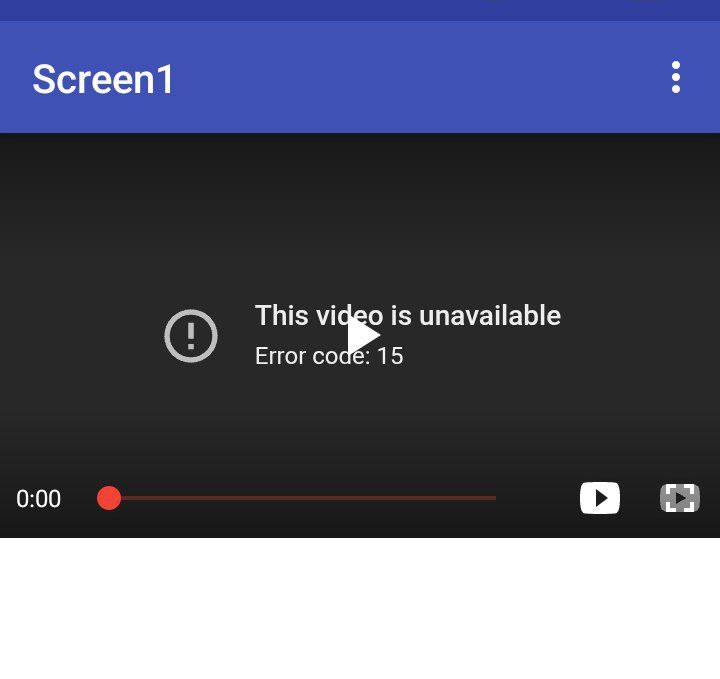
  2. error code 15 while playing video · Issue #1263 · PierfrancescoSoffritti/android-youtube-player · GitHub

issue ss:

This issue is very weird, may be YouTube sometimes enforce the missing origin error and then reverse it after few hours, currently this error is appearing, but may be when you test it, it works for you

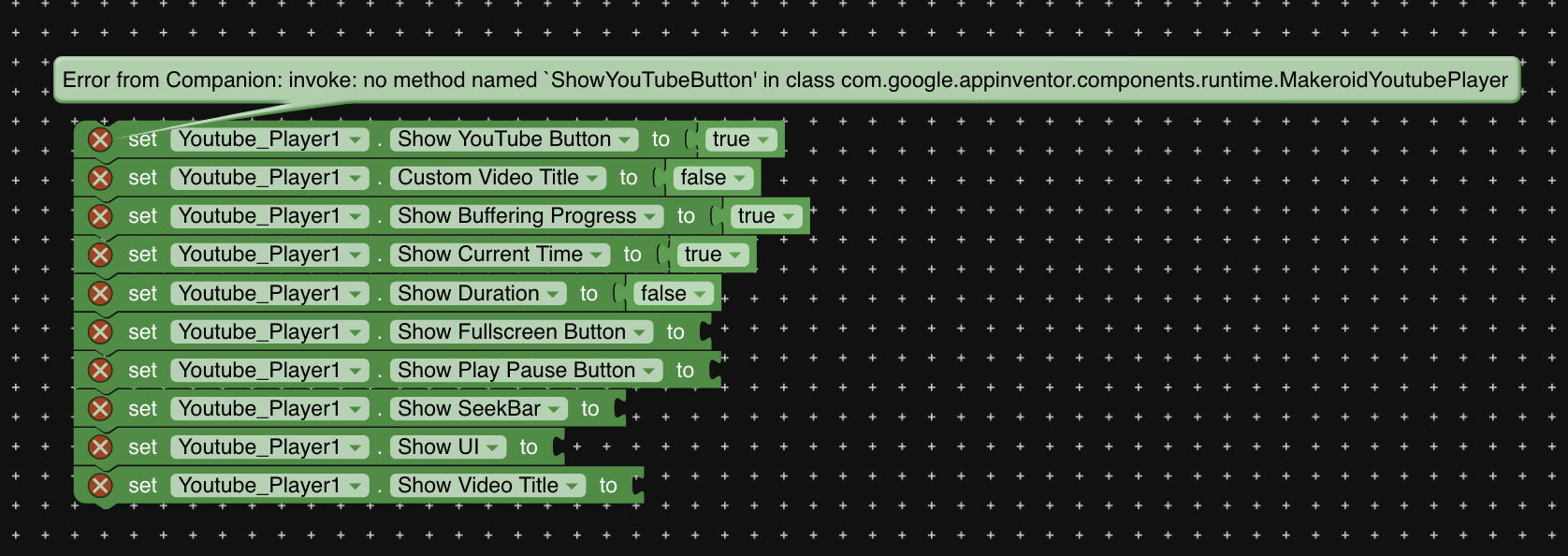
Also, none of these blocks are working, same error in all these blocks

Also in my opinion, we should not change the UI of the player, like the youtube button as it doesn’t comply with youtube terms

Hey, I exported the APK of my project that uses the YouTube player, and now it’s working fine. I no longer see this error. Obviously, I haven’t been able to update due to the current issue with read permissions in Kodular. But the app on the Play Store still has the problem.

It’s even working for me now, weird!!

As i mentioned here

2 Likes

Hi @Diego what about this?

I request moderators to add this in bugs tracker