AI-Powered Extension Generator for Visual Android Development
This video showcases an intelligent solution that uses artificial intelligence to simplify and speed up the creation of custom extensions for visual Android app development environments.
Through natural language interaction, the system understands project structures, components, and logic, then automatically generates Java-based extensions tailored to specific needs. It can analyze uploaded project files, interpret schemas, and propose multiple optimized extension alternatives for the developer to choose from.
Key features:
Conversational creation of extensions
Automatic analysis of components and properties
Generation of multiple extension ideas and implementations
Scalable, clean, and professional architecture
Ideal for learning, teaching, and real-world app development
This approach removes technical barriers and empowers creators to extend visual apps with advanced native features, combining simplicity with professional-grade results.
Watch the video and discover how AI can elevate visual Android development to the next level.
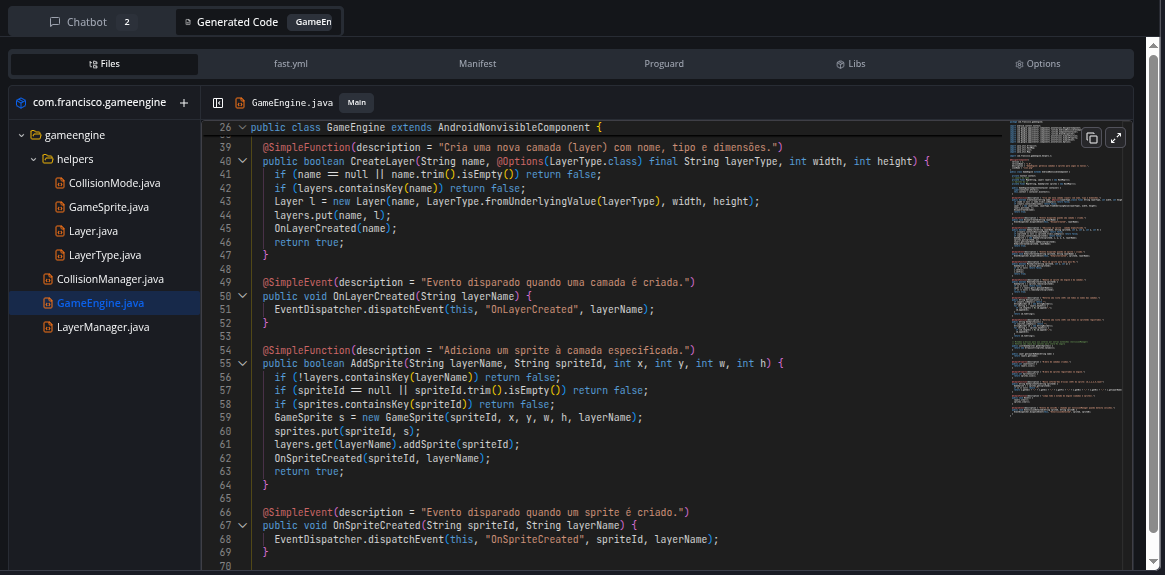
Automatic Code Organization: AI now automatically creates multiple files when needed - helper classes, enums, and separate extensions appear organized in the directory tree
Enums with @Options: Automatic creation of Enums annotated with @Options for parameters accepting selectable values (like colors, modes, shapes)
Smart Modularization: Code over 50 lines is automatically separated into helper classes for better maintainability
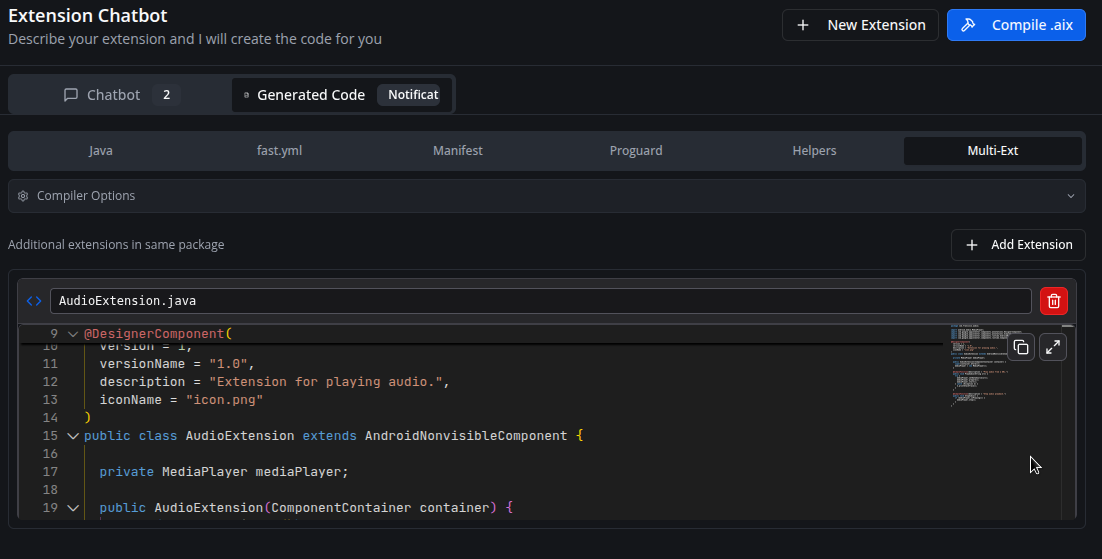
Multiple Extensions: Complex projects (200+ lines or independent features) are divided into separate extensions
File Management
IDE-Style File Explorer: IDE-like interface with folder tree to manage multi-file projects
Library Upload: Support for manual .jar and .aar file uploads in the “Libs” tab
Manual File Creation: Add new Java, XML, or resource files directly in the explorer
Compilation
Automatic Fast Sync: Automatic download of remote dependencies before compilation
Headless Mode: Java compilation optimized for server environment
Interface
Monaco Editor (VS Code): Professional editor with syntax highlighting and Java autocomplete
Voice Input: Voice support to describe your extension
Configurable Font Size: Adjust chat font size in settings
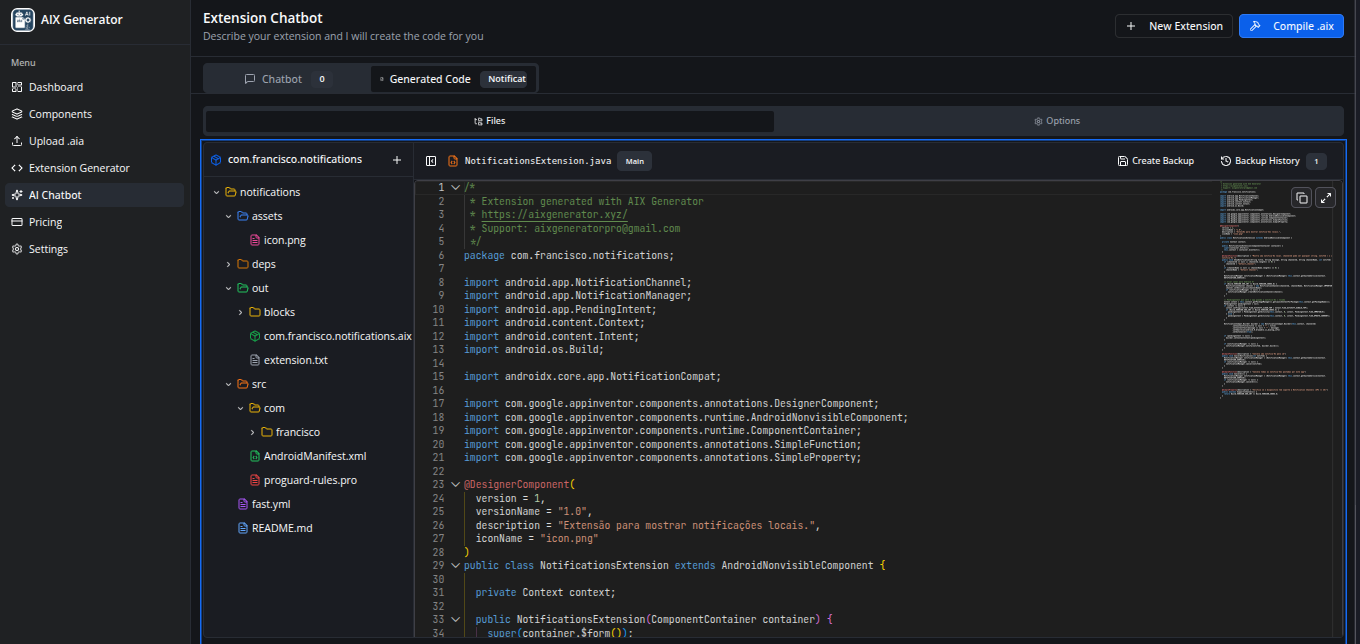
Project Backup System
Save manual backups of your project at any time
History stores up to 10 backups locally in your browser
Automatic backup created before each compilation
Restore any previous version with one click
Each backup preserves all files, Java code, configurations, and helpers
Extension Icon Upload
Upload PNG/JPG icons directly in the “Options” tab
The fast.yml file is automatically updated with the assets: section
All Java extensions are updated with iconName = "your_icon.png"
Icon preview with option to remove
Icon automatically included in compilation
AI Chatbot Improvements
File autocomplete with “/” - type “/” in the chat to select specific files
AI preserves existing files - helpers and extensions are never auto-deleted
Intelligent merge system - updates files by name, adds new ones, preserves unmodified
Analysis/verification responses don’t modify your code
Credits and Support
Generated file headers include AIX Generator credits
Resizable file tree - Users can now drag the right edge to resize the file explorer width (200-600px range)
Individual file download - Ultimate users and admins can download any file via the three-dot context menu
Code & Options Tab
Removed redundant icon upload - The separate icon upload section was removed since images can now be uploaded directly to the assets folder in the file tree
Bug Fixes
Fixed config files disappearing - Configuration files (fast.yml, README.md, AndroidManifest.xml, proguard-rules.pro) were intermittently disappearing from the file tree; this has been resolved by properly preserving existing config files during state updates
Gradle, version 8.14.3
x java.lang.RuntimeException: The license key is missing at: /home/runner/workspace/fast/.license
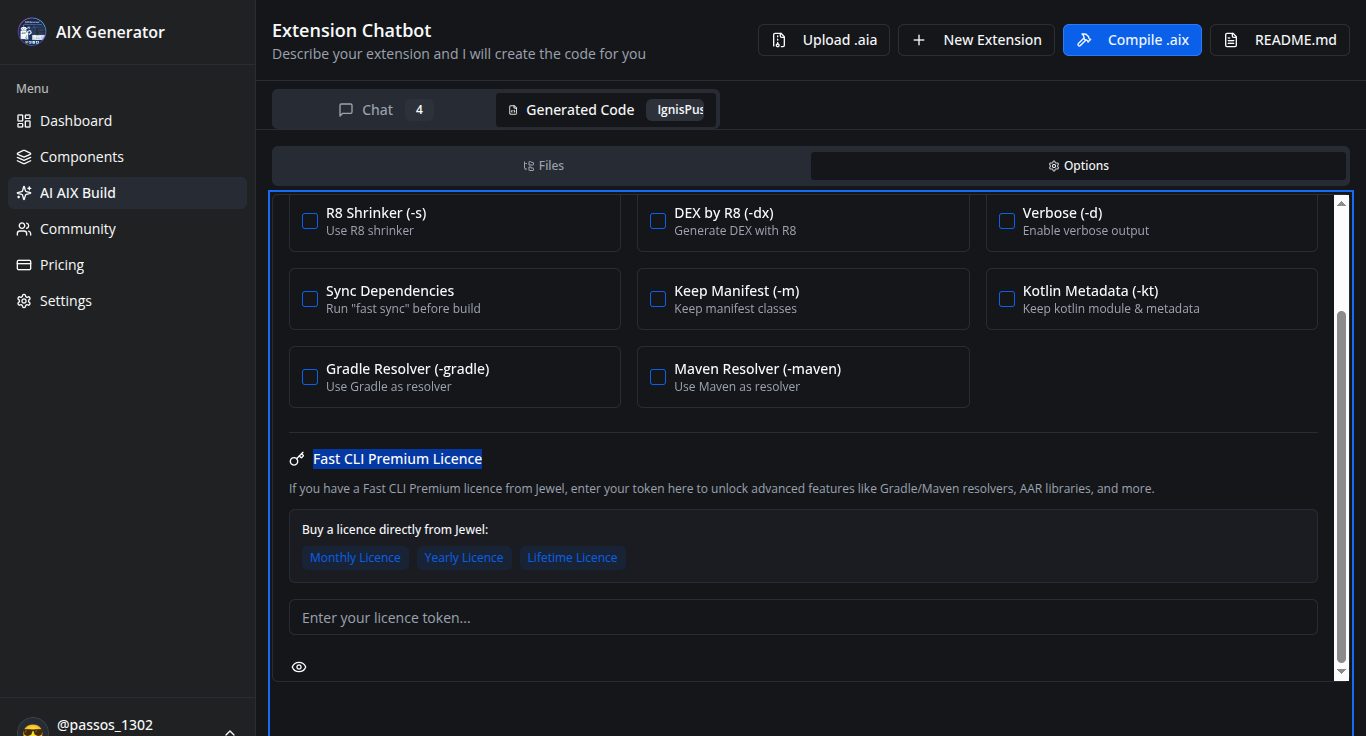
Gradle dependency resolving is a premium feature!
Request for a premium license: https://buymeacoffee.com/jewelshkjony/e/412700
at com.jewel.fast.repacked.eb.a(CheckLicense.java)
at com.jewel.fast.repacked.eh.(GradleManager.java:760)
at com.jewel.fast.repacked.cI.(CreateClasspath.java:168)
at com.jewel.fast.repacked.cy.(Build.java:760)
at com.jewel.fast.Fast.main(Fast.java:846)
You’re trying to use a premium feature of FAST-CLI. @Passos_0213 hasn’t implemented it yet. He’s just developing this website and we need to think more about how to introduce Premium features to users.
Thank you for the kind words and happy festive season to you too!
About the email issue: Our login system uses Replit Auth, which means you need a Replit account to sign in. The email validation is done on Replit’s side, not ours.
Here are your options:
Create a Replit account using your duck.com email at replit.com first, then use it to log in here
If Replit doesn’t accept duck.com emails during signup, you might need to use a different email provider for your Replit account
It is possible to create an MIT App Inventor extension that keeps GPS running in the background, but only with important limitations imposed by Android.
Android does not allow silent background GPS tracking. To keep location updates when the app is minimized, the screen is off, or the user switches apps, the extension must use a Foreground Service. A foreground service is required on Android 8+ and must display a persistent notification informing the user that location tracking is active. This notification cannot be hidden.
The following permissions are mandatory and must be explicitly accepted by the user:
ACCESS_FINE_LOCATION
ACCESS_COARSE_LOCATION
ACCESS_BACKGROUND_LOCATION (Android 10+ — must be approved manually in system settings)
FOREGROUND_SERVICE
FOREGROUND_SERVICE_LOCATION
WAKE_LOCK
POST_NOTIFICATIONS (Android 13+)
Even with these permissions, Android may still limit execution due to battery optimization policies, especially on Android 11 and newer versions. The user must manually disable battery optimizations for reliable long-term tracking.
What is possible:
Location tracking while the app is in the background
Tracking with the screen turned off
Continuous or interval-based GPS updates
Foreground tracking with user awareness and consent
What is not possible:
Hidden or silent GPS tracking
Background GPS without a visible notification
Bypassing Android security or battery restrictions
Guaranteed execution if the user revokes permissions or enables battery optimization
In summary, background GPS in App Inventor is achievable only through a properly implemented Java extension using a foreground service, full user consent, visible notification, and all required permissions. Android security rules cannot be bypassed.