I am testing bluetooth on my Pixel 7. When I use the Bluetooth_Admin.Enable command the Error Occured block returns this message: Device has no Bluetooth
This is odd because the .Has Bluetooth returns true.
I also requested all 3 bluetooth permissions and they are all granted.
Buetooth is enabled on the device. It is even connected to a device.
Any help is appreciated.
you can’t enable bluetooth programmatically anymore
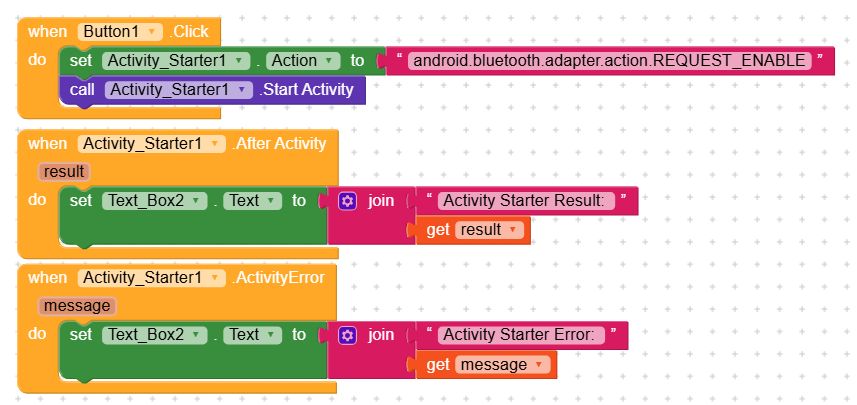
Enabling/disabling bluetooth without user consent is not more possible. You should use android.bluetooth.adapter.action.REQUEST_ENABLE together with the activity starter instead.
I actually saw this on your website and tried it too. The activitystarter returns without error and without any feedback. I don’t see any popups or anything I should click when i invoke this code.
I finally figured out this issue. When bluetooth is already enabled it returns without result. But oddly enough, now when I try to scan for devices it says: Bluetooth is not enabled.