Hello friends,
I want to share photos through my chat app. For this I would like to host my photos sleber and use Picapport (PicApport | The self-hosted private photo server with photo gallery and photo management ).
Picapport has a web API. Unfortunately, I don’t have a lot of experience with web APIs, even if I’ve read a lot here.
I use the web component. But I haven’t quite understood how to put the requests together
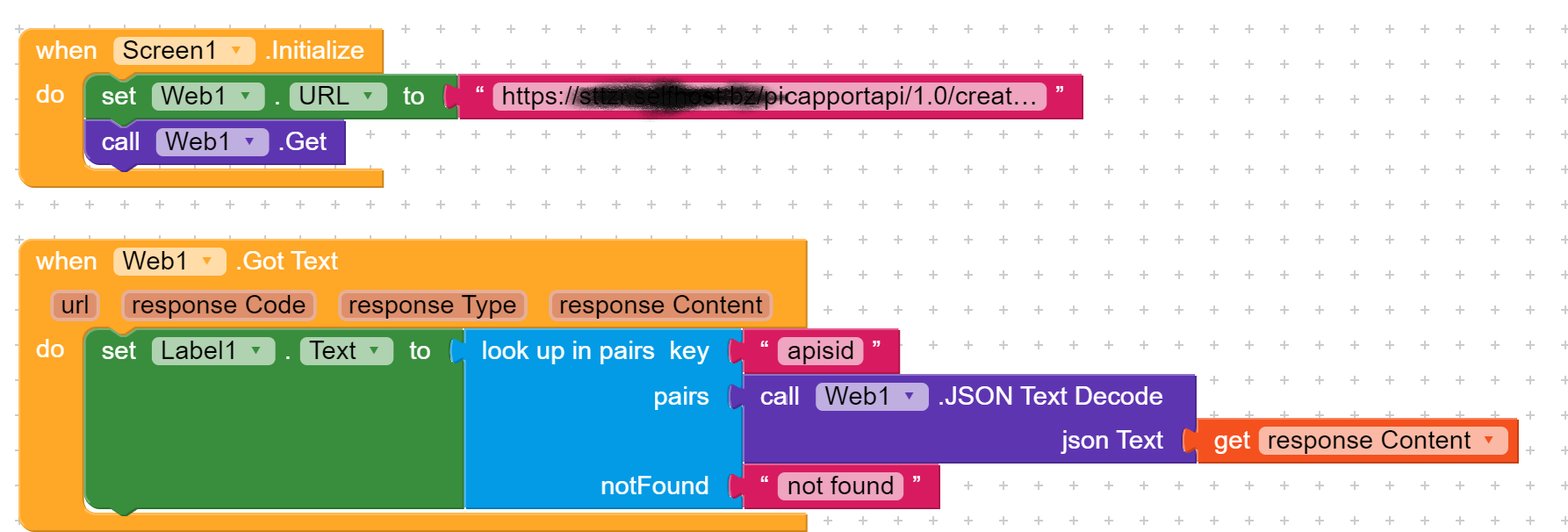
After all, I’ve already managed to establish a connection to the server and read out the APISID (= apiKey?) * Proud *
I have the following questions:
How do I have to build the request to upload a photo using the APISID? #upload
How can I then save the “path” to this photo in the CLoudDB?
how do I have to build the request to download the photo again? #getphoto
how can I secure the connection? #authorizeWebApiSession
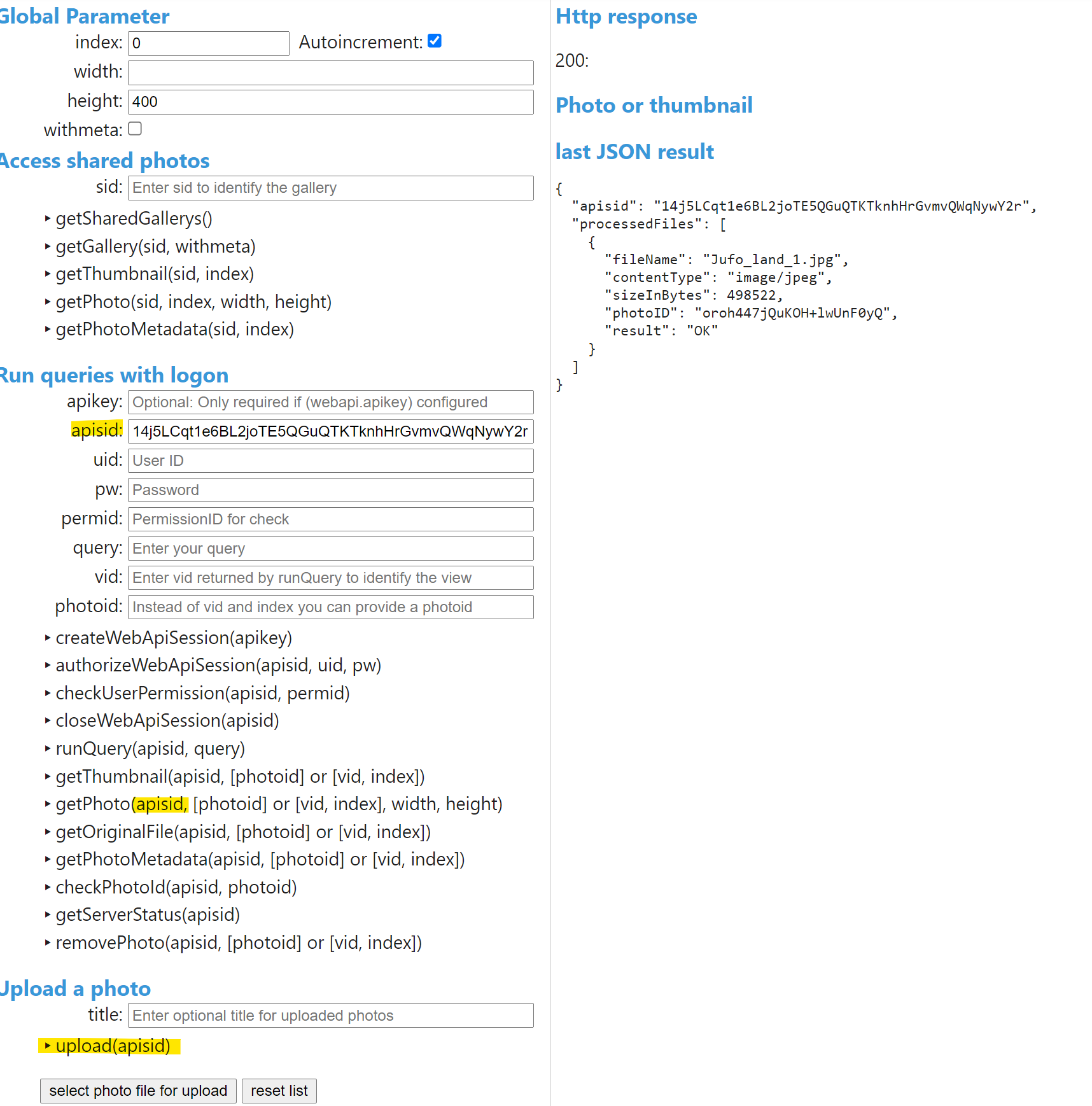
Here is the test overview. What does the API expect - or is it built up? Does that help?
the JSON result is the result of the manual photo upload. How can I draw conclusions from this for the structure of the blocks?
I thank you already now
akim_akim
May 26, 2021, 11:11am
3
Dear Rogerio
what did you want to tell me?
I can’t go on alone.
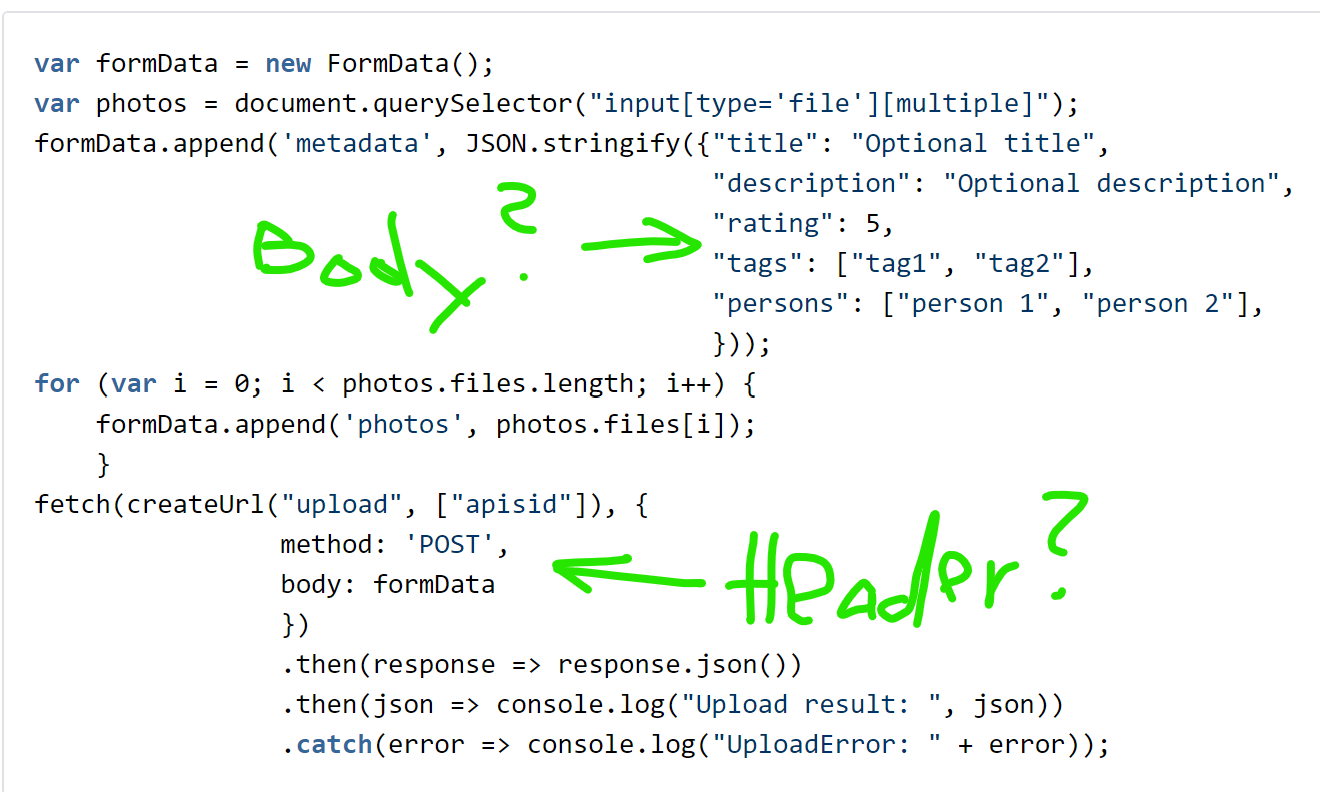
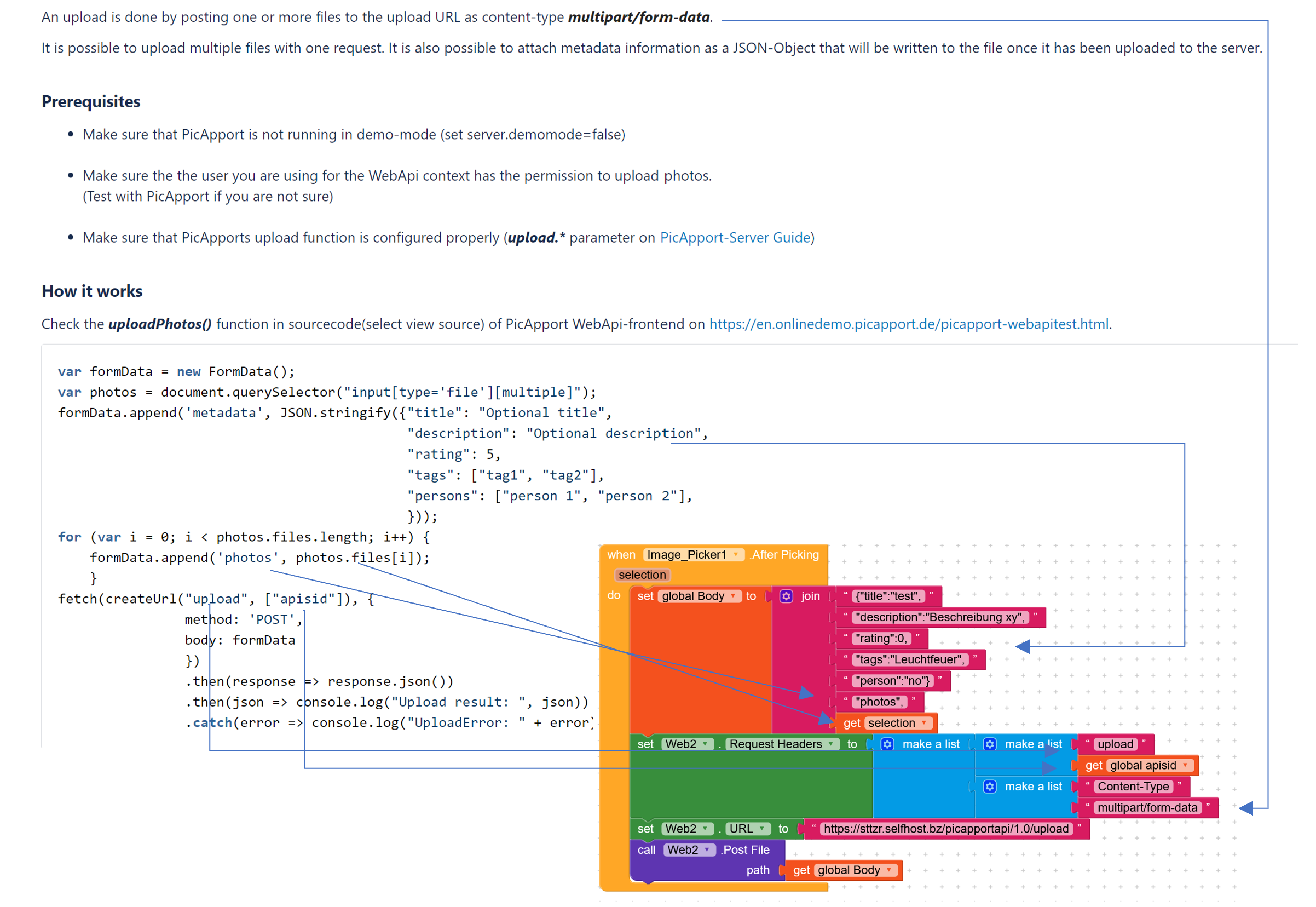
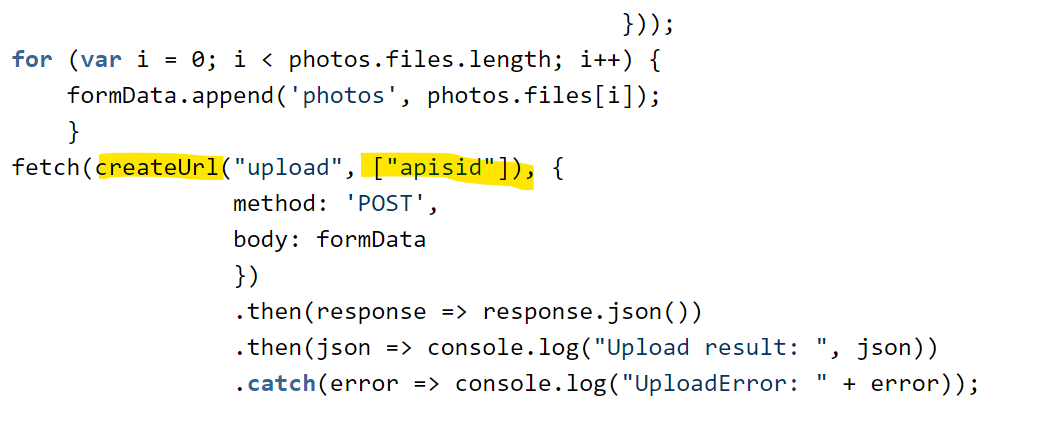
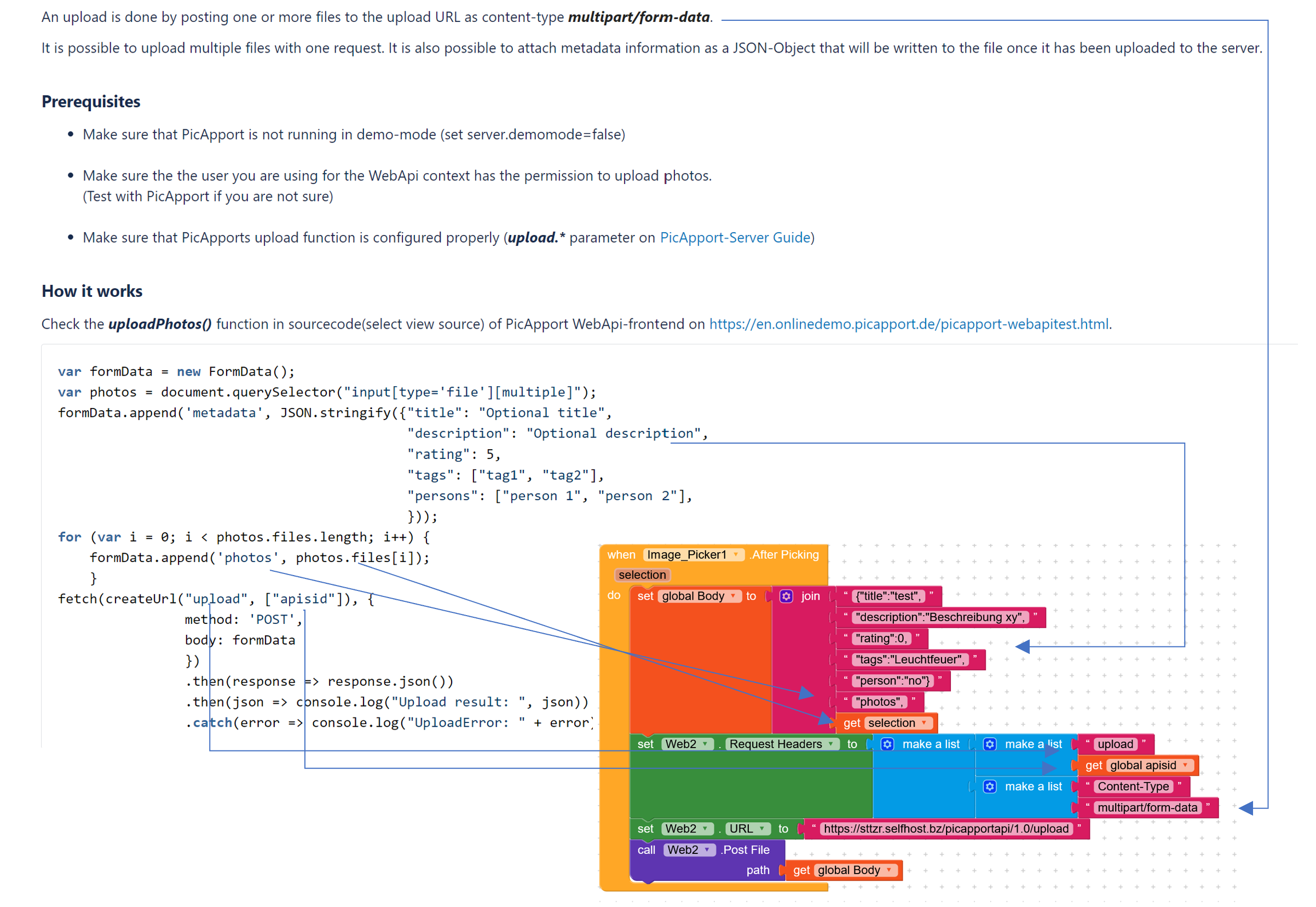
Here is an example of how the upload function is structured:
https://wiki.picapport.de/display/PICE/upload
How do I translate this structure into blocks?
What do i have to change?
First, read the API documentation carefully
1 Like
I have read the web API doko.https://en.onlinedemo.picapport.de/picapport-webapitest.html
I can upload and download images via the test page!
As shown, I also guess what the body and what the header is.
What works well:
With createWebApiSession I get the APISID (session ID) → the connection to the server works!
According to the API test page, I need the APISID for the upload.
How do I build the header with APISID?
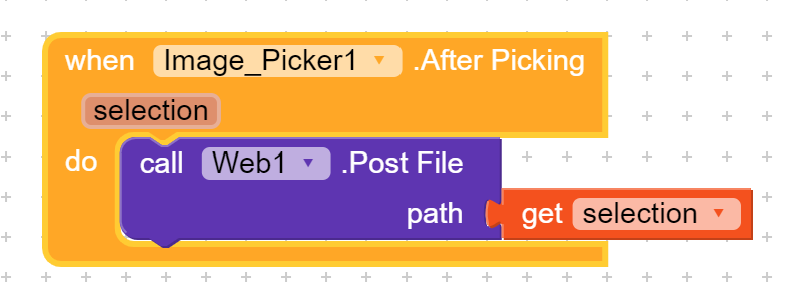
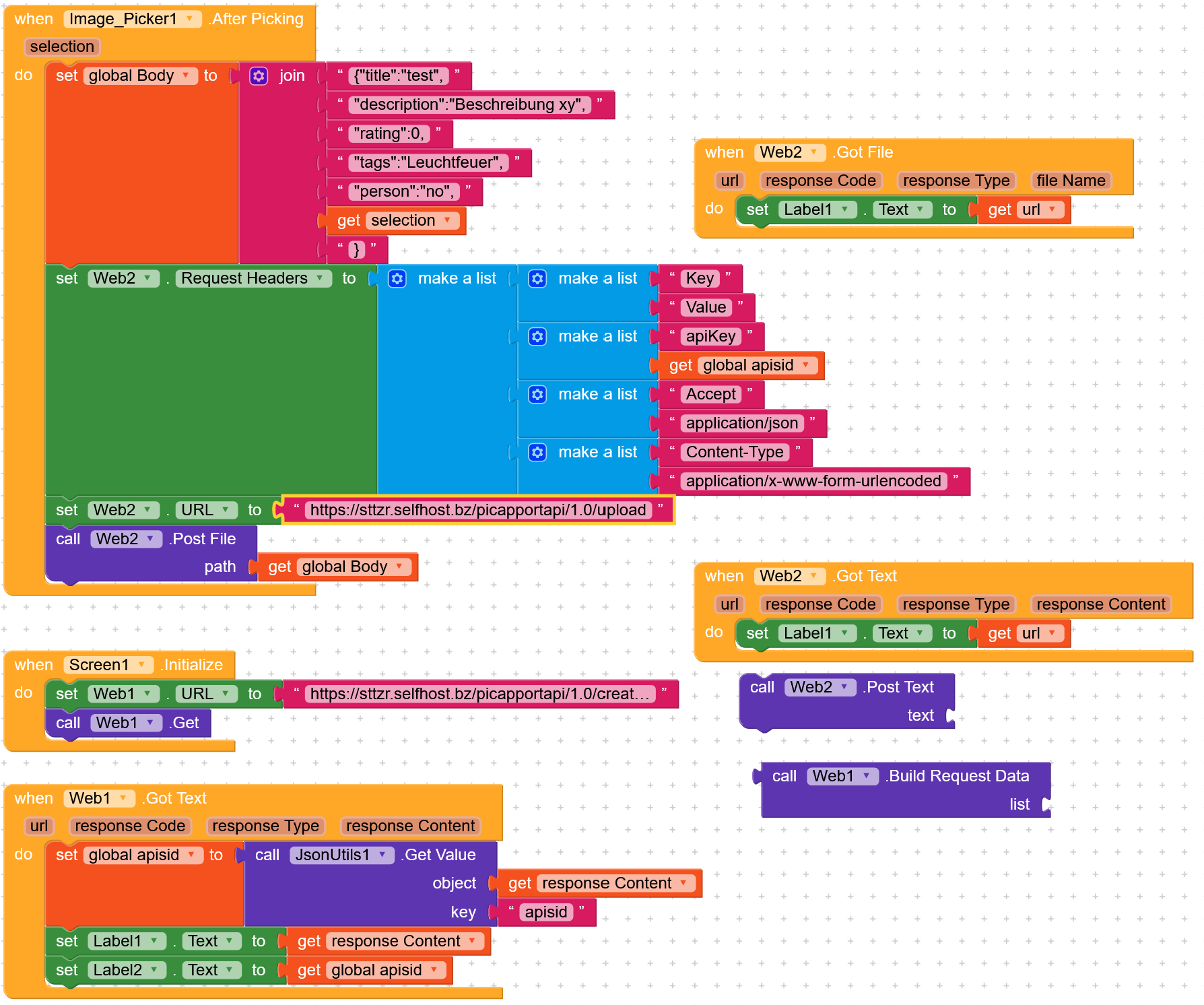
should it work like that? - but does not work
First : web.post.text
Should the header have APISID?
Thank you for your feedback signal
As I said, I read a lot and got very confused as a result
First tried web.post.text, but then switched to Post.File because of this “Upload to Dropbox” lesson.
There was the authorization with a token in the header.
Or do you think I should add this to the url sooner?
vknow360
May 28, 2021, 9:19am
10
Sometimes curls become quite difficult to implement.
1 Like
akim_akim
May 28, 2021, 12:51pm
11
Return Code 500
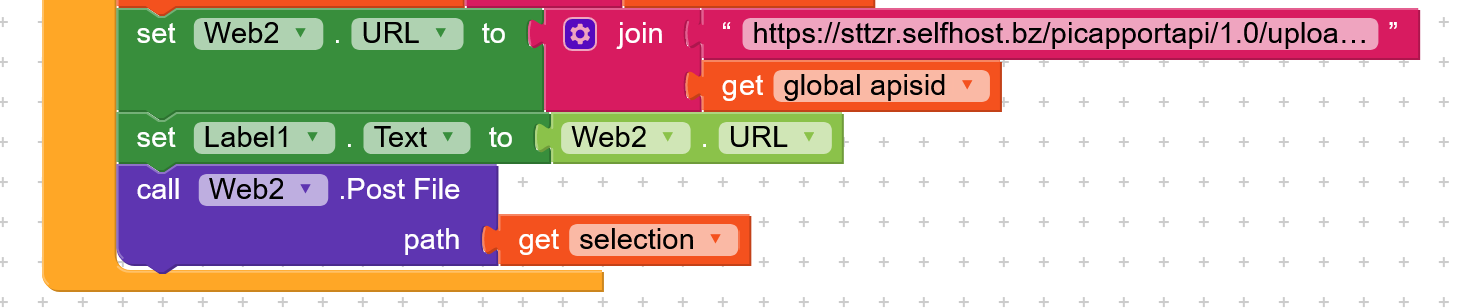
The download URL looks like this, that’s why I tried this too.
picapportapi/1.0/upload?apisid=FxKw6bePzt5geQJKTnU6E1w4hQiy4fGVdojvfTdwnu8
I didn’t make that connection to the server, okay? So I’m just suggesting.
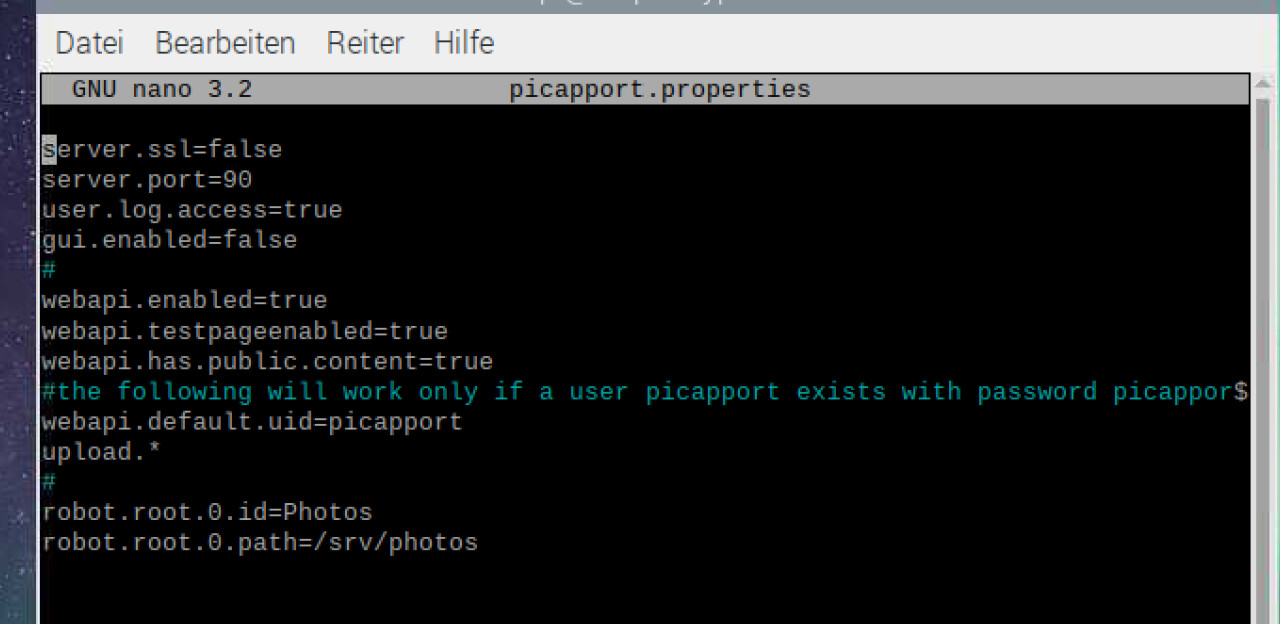
Make sure that PicApports upload function is configured properly ( upload. PicApport-Server Guide
This should work , but
I don’t know if the web support component “multipart/form-data or multipart/mixed stream”.
akim_akim
May 29, 2021, 10:58am
14
Thank you Rogerio for taking care
Since the app has not yet been published, I turn off my server in the evening. I think that’s why it didn’t work.
Here is my aia. The ApiSID is determined when the server is online.
Hier mal meine aia. Die ApiSID wird ermittelt, wenn Server online.upload.aia (10.2 KB)
the API test page also works:https://sttzr.selfhost.bz/picapport-webapitest.html
Server config:
akim_akim
May 31, 2021, 12:18pm
15
does anyone else have an approach for a solution?
think this is a great thing to be independent of Google and Co
akim_akim
June 1, 2021, 11:50am
16
Hello everybody,
you one more try - but I’ll give up soon - I’m too stupid?
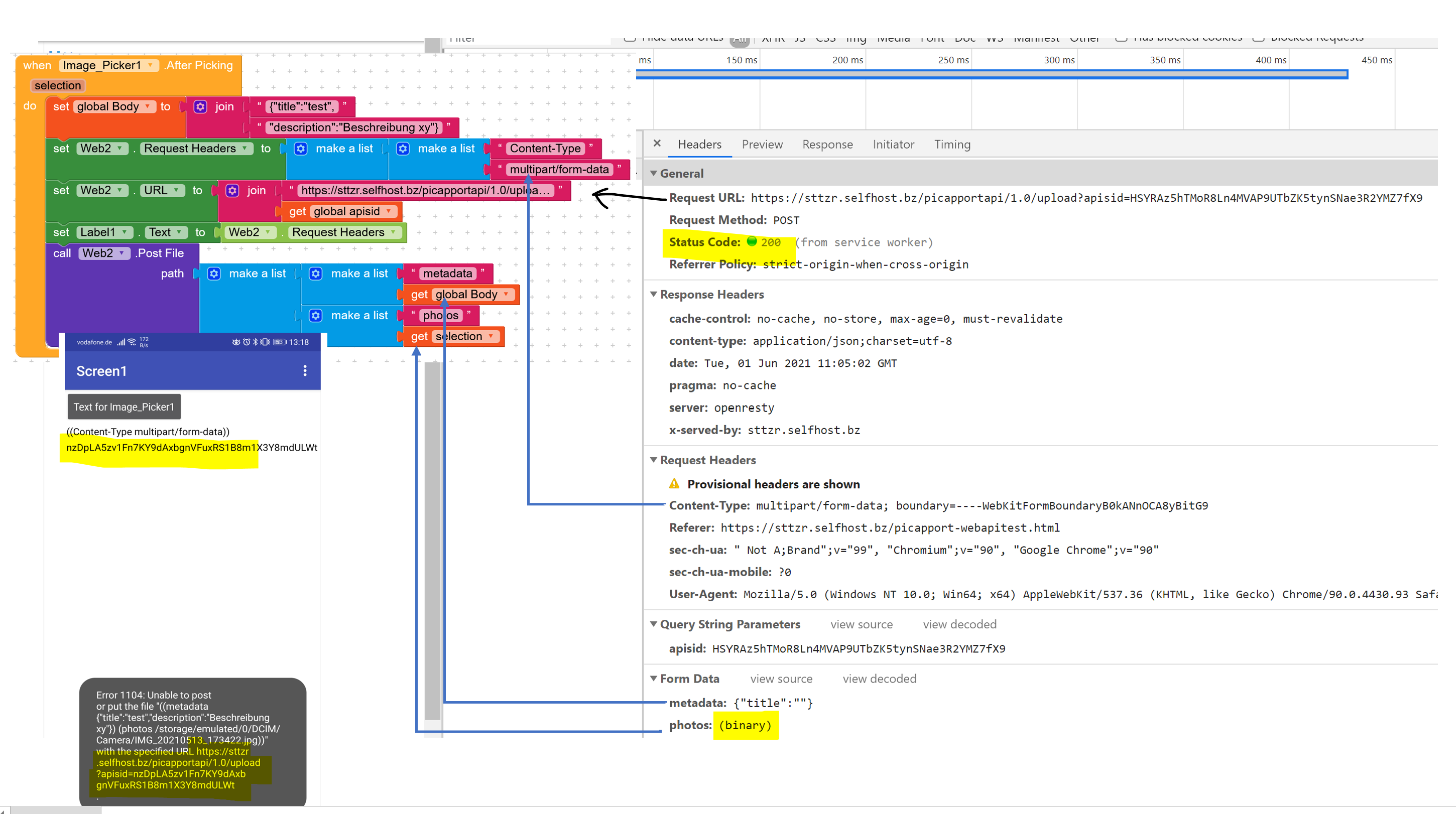
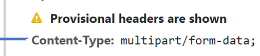
On the API test page I found out the following information about the browser’s developer tool and tried to use it to build a request in blocks. It should actually work. The upload request doesn’t look complicated. Just don’t understand when do I have to build a list, when to join text, when do I have to use Json? Also attached is the app’s error message.
Can someone do something with it?
TimAi2
June 1, 2021, 1:25pm
17
@Rogerio_Rios has already indicated that uploading images with multipart/form-data will probably not work on Kodular, it doesn’t work on App Inventor.
akim_akim
June 1, 2021, 3:08pm
18
Thanks Tim, I’ll ask if there is another content Type.
How would I have to build the blocks if I could?
Which of my approaches is going in the right direction?
akim_akim
June 22, 2021, 5:03pm
19
Hello friends,
I found the following picture on my server
Has anyone uploaded this while trying to help me?
What knowledge was gained?
I still didn’t get any further. Unfortunately, the API provider cannot change the content type.
I would be grateful for your feedback
TimAi2
June 22, 2021, 6:22pm
20
Change to a new provider…
1 Like
you can give a try to imgbb.com and gladly we have extension in community.
akim_akim
November 2, 2021, 6:23pm
22
Thanks for the information. But I would like to save the pictures privately on my own server at home and not use an external provider. I don’t know what will happen to my data.