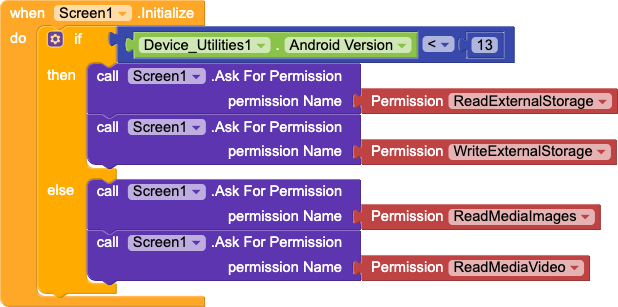
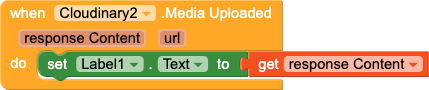
On android 13+ READ_EXTERNAL_STORAGE permission is removed by android and replaced with Image and video. but when upload the image or videos on cloudinary then its still asking the READ_EXTERNAL_STORAGE permission.
![The image shows a block-based programming script where clicking Button2 sets a label to ‘Loading’, requests permission to read external storage, and uploads media using a file name retrieved from the activity result URI.
For latest android version that does not work! Instead 1. Initialize global copied path to " “. Then inside after picking , [set global copied path to]- use block [ replace all text(get selection) segment(“file:”) replacement(” ") ] from text. next when uploading use path- get global copied path.