This update make’s impossible be possible, I appreciate your energy Jewel 
1 Like
 An update is available 5.4.0
1 Like
I am uncertain, but this task may prove to be quite challenging.
Oooops 
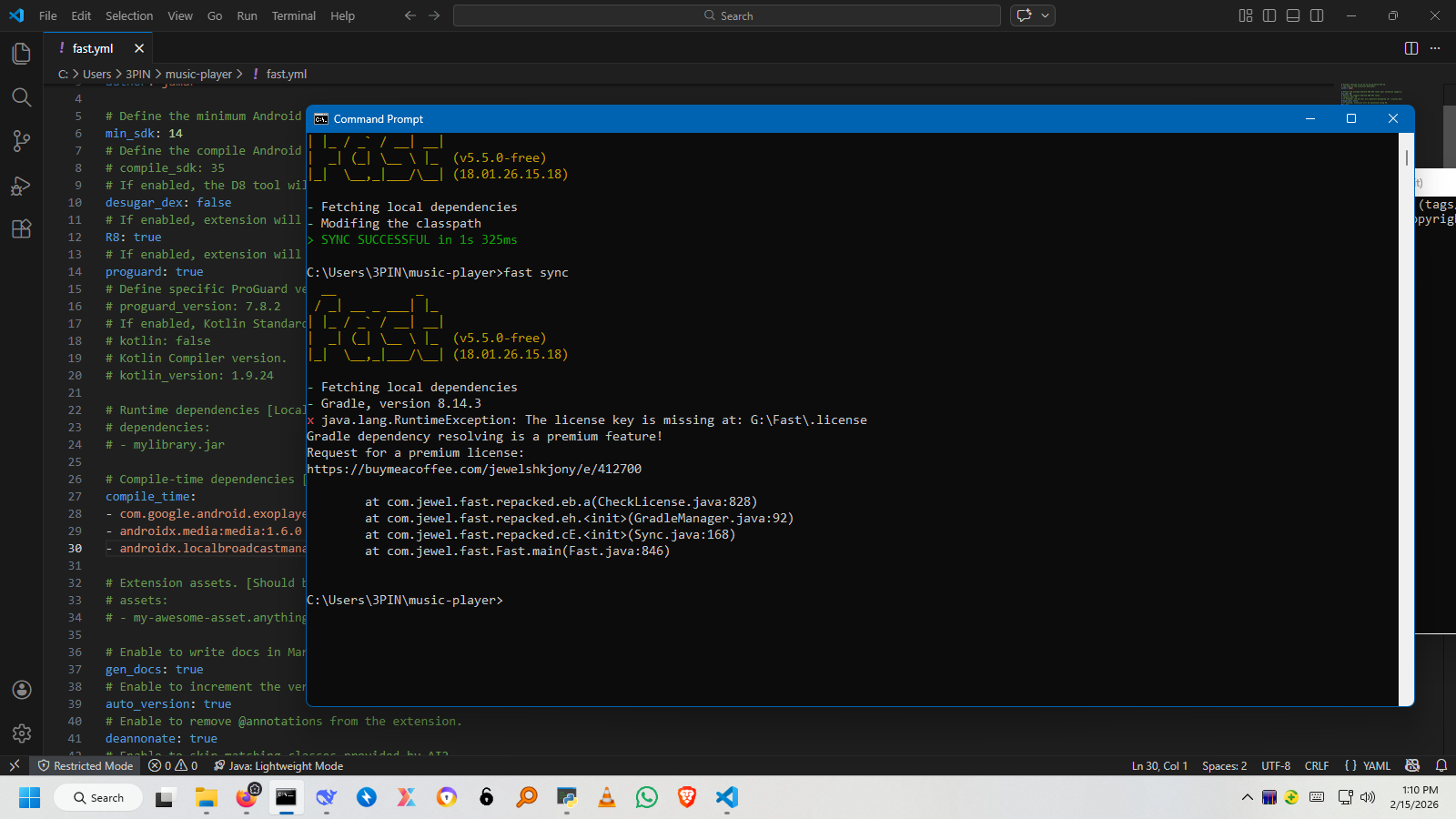
Which could be plan B?
Edit: Added manually but can’t found packages, i have imported .aar file in C:\Users\3PIN\music-player\libs

Also updated fast.yml file
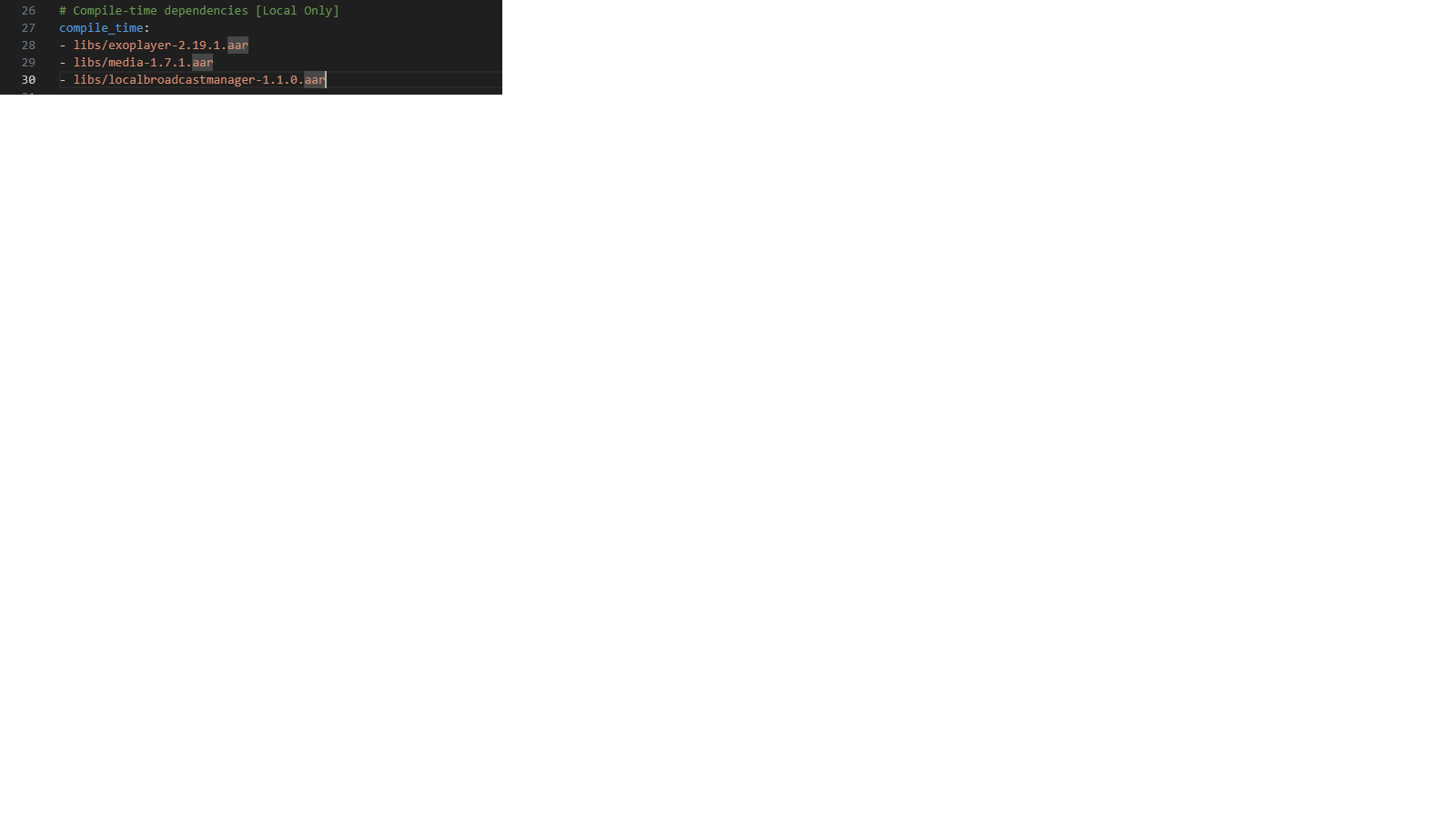
I think am doing something wrong somewhere, my firstime to use depes
Help please 
Your error says, you must be a premium user to use custom aar file. Your image says you are the freemium user so i didnt sync aar
1 Like
So i can’t use depes in freemium? Also i have downloaded the aar file manually
No. In freemium plan it wont
1 Like
Am having 12 errors from missing depes package names, but code itself seems okay
After reading, I found that am supposed to extract the .jar file class from .aar? The I did that yet still missing package names
Can you please explain how it works with depes
Your project structure is wrong. You should put AARs in $PROJECT_DIR/deps directory, not in the $PROJECT_DIR/libs. Also, you’re defining AARs in a wrong way in fast.yml. The correct way is below:
dependencies:
- exoplayer-2.19.1.aar
Run fast sync once before building the project or editing sources.
And if you are interested in accessing premium features, please let me know.
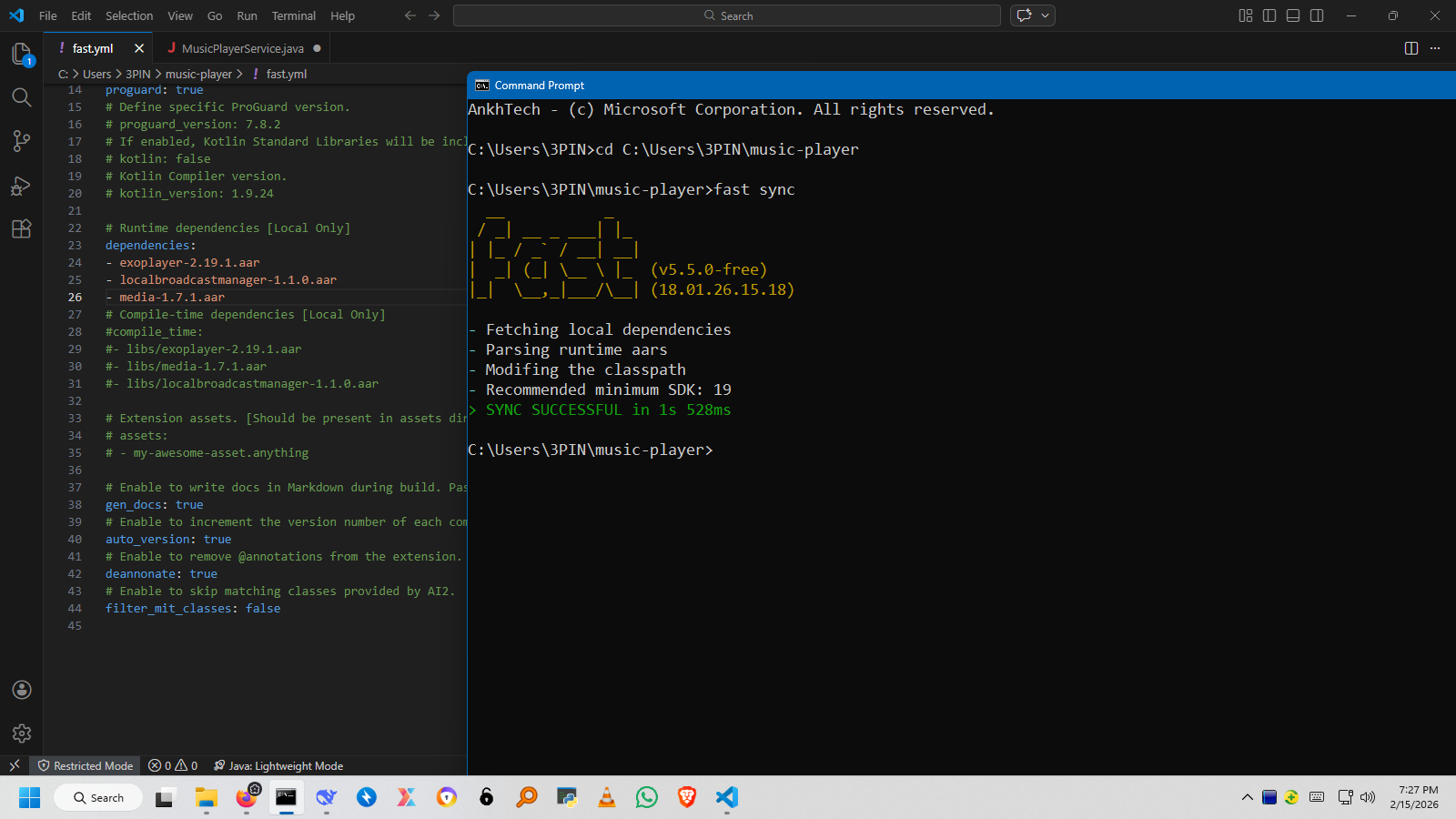
localbroadcastmanager.jar is provided by AI2, you don’t need to add it.
1 Like
Hey, i was hiding the truth that i didn’t succeed  when adding @UsesLibraries(libraries =“” and import com.google.appinventor.components.annotations.UsesLibraries
Am have 2 errors
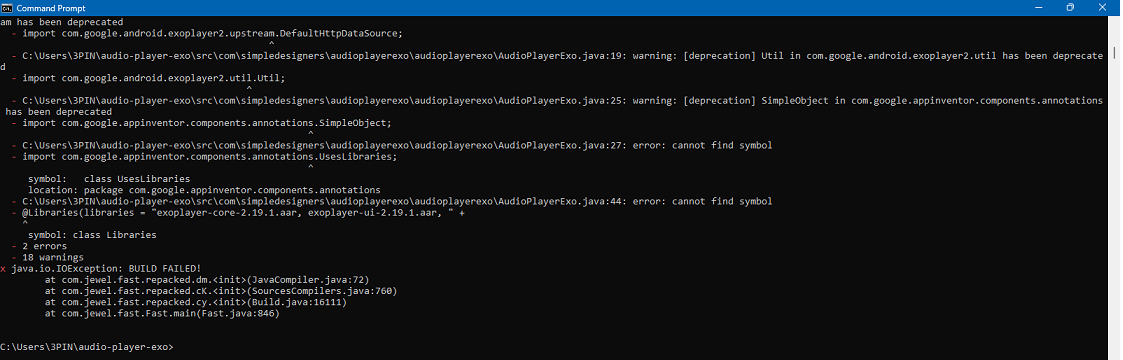

You gotta define dependencies in fast.yml.
Check out the open source project below to learn more:
I just deleted this line, now it works.
What an amazing tool 
1 Like
Since its my first time of using Deps, i still learning many thing on how to control it.
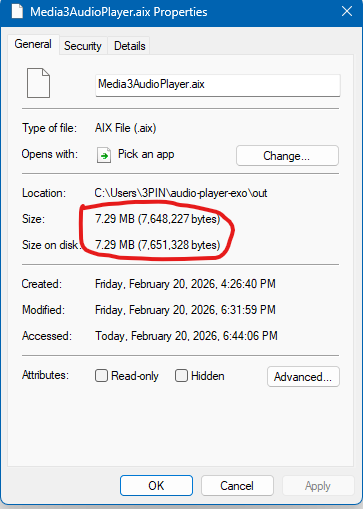
After the compilation, the size of the extension is too big  7+MB
7+MB
.aar files used
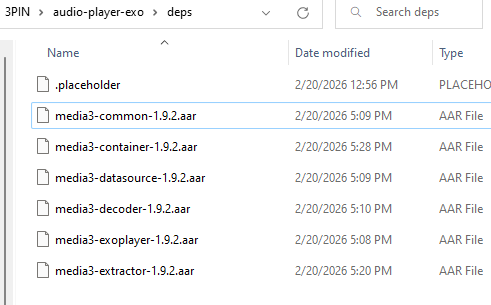
Is there any way of reducing the size when compiling?
To optimize the extension size, you may execute the ProGuard/R8 task.
ProGuard:
fast build -rR8:
fast build -s
1 Like
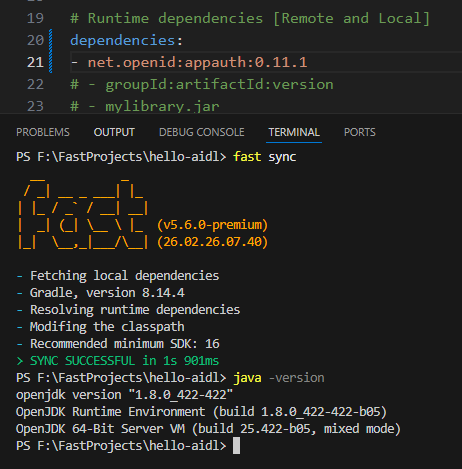
I encounter this error when I try to sync dependencies.
  __           _
 / _| __ _ ___| |_
| |_ / _` / __| __|
|  _| (_| \__ \ |_  (v5.5.0-premium)
|_|  \__,_|___/\__| (18.01.26.15.18)

- Fetching local dependencies
- Gradle, version 8.14.3
- Resolving runtime dependencies

  - FAILURE: Build failed with an exception.

  - * Where:
  - Build file 'build.gradle' line: 110

  - * What went wrong:
  - Execution failed for task ':graphDependencies'.
  - > Could not download appauth-0.11.1.aar (net.openid:appauth:0.11.1)
      > Could not get resource 'https://repo1.maven.org/maven2/net/openid/appauth/0.11.1/appauth-0.11.1.aar'.
         > Could not HEAD 'https://repo1.maven.org/maven2/net/openid/appauth/0.11.1/appauth-0.11.1.aar'.
            > The server may not support the client's requested TLS protocol versions: (TLSv1.2, TLSv1.3). You may need to configure the client to allow other protocols to be used. For more on this, please refer to https://docs.gradle.org/8.14.3/userguide/build_environment.html#sec:gradle_system_properties in the Gradle documentation.
               > Received fatal alert: handshake_failure

  - * Try:
  - > Run with --stacktrace option to get the stack trace.
  - > Run with --info or --debug option to get more log output.
  - > Run with --scan to get full insights.
  - > Get more help at https://help.gradle.org.

  - BUILD FAILED in 1m 51s
x java.io.IOException: GRADLE BUILD FAILED!
        at com.jewel.fast.repacked.ei.a(GradleResolver.java:15)
        at com.jewel.fast.repacked.eh.<init>(GradleManager.java:72)
        at com.jewel.fast.repacked.cE.<init>(Sync.java:168)
        at com.jewel.fast.Fast.main(Fast.java:846)
It works when I visit the URLhttps://repo1.maven.org/maven2/net/openid/appauth/0.11.1/appauth-0.11.1.aar , but it does not work with Gradle. 
- Does Fast support the latest version of JDK?
Try with v5.6.0. A clean (full) installation is required. (v5.6.0 is comes with a Gradle version update)
However, as a quick solution you may use the Maven resolver. To enable maven resolver make below changes in fast.yml:
resolver: maven
Yes, FAST-CLI is compatible from JDK8 to JDK25+.
1 Like