FirebaseAuthPro: Advanced Firebase Authentication Extension

Version: 1.0.1
Category: Extension
Visibility: Non-Visible
Developer: Idriss
🔹 Overview
FirebaseAuthPro is a **powerful authentication extension** for Kodular, allowing you to easily integrate Firebase Authentication into your app. It provides **sign-in, sign-up, anonymous login, user profile updates, email verification, password reset, account deletion, logout functionality, and offline data storage** for enhanced user management.
✅ Key Features
- 🔑 Sign In & Sign Up: Authenticate users using email and password.
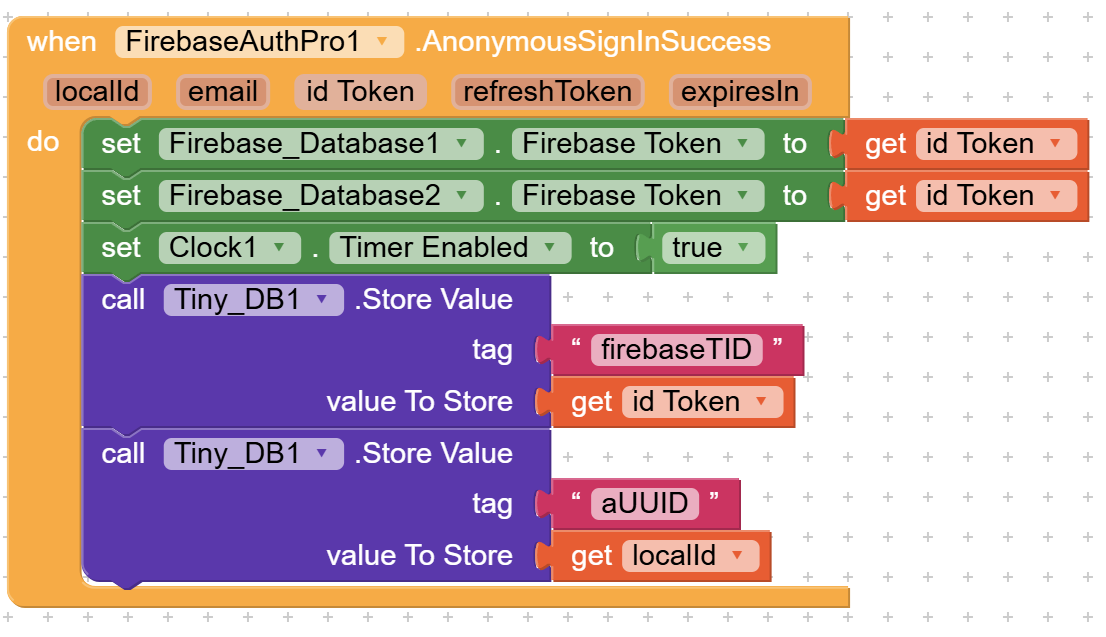
- 👤 Anonymous Sign-In: Allow users to log in without an email/password.
- 📊 Retrieve User Data: Fetch user info such as email, display name, and photo.
- ✉️ Email Verification: Send email confirmation links.
- 🔄 Password Reset: Send password reset emails.
- 🔧 Profile Management: Update user display name and photo URL.
- 🗑️ Account Deletion: Permanently remove user accounts.
- 🔓 Logout: Clear all stored user credentials.
- 📡 Offline Mode: Store and retrieve user credentials even when offline.
🛠️ Functions & Usage
 Authentication Functions:
- SignIn(email, password) – Logs in a user with email and password.
- SignUp(email, password) – Registers a new user with email and password.
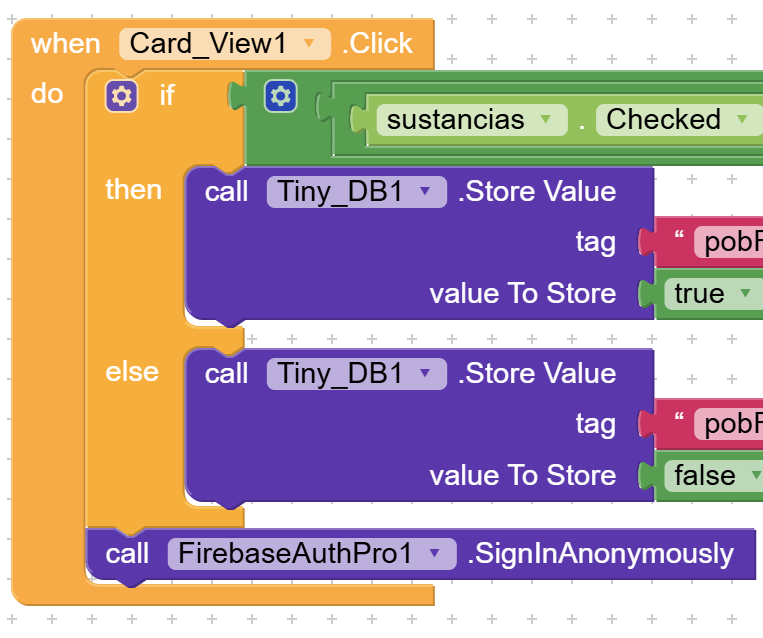
- SignInAnonymously() – Allows anonymous sign-in (defaults email to "anonymous").
User Management:
- GetUserData(idToken) – Retrieves user data using an authentication token.
- UpdateProfile(idToken, displayName, photoUrl) – Updates the user profile.
- ChangeEmail(idToken, newEmail) – Changes the user’s email.
- ChangePassword(idToken, newPassword) – Changes the user’s password.
Email & Password Management:
- SendEmailVerification(idToken) – Sends an email verification link.
- SendPasswordResetEmail(email) – Sends a password reset email.
- DeleteAccount(idToken) – Deletes the user account permanently.
Logout & Offline Mode:
- Logout() – Clears all stored credentials and logs out the user.
- GetStoredUserData() – Retrieves stored user credentials as JSON.
- GetStoredEmail() – Retrieves the stored email.
- GetStoredIdToken() – Retrieves the authentication token.
- GetStoredRefreshToken() – Retrieves the refresh token.
- GetStoredLocalId() – Retrieves the stored user ID.
- GetStoredExpiresIn() – Retrieves the expiration time of the session.
📌 How It Works (Step-by-Step Guide)
- Step 1: Import the Firebase Authentication Extension (.AIX) into your Kodular project.
- Step 2: Set your API Key using the
ApiKeyproperty. - Step 3: Authenticate users using
SignIn(),SignUp(), orSignInAnonymously(). - Step 4: Retrieve user data with
GetUserData(idToken). - Step 5: Update profile info using
UpdateProfile(). - Step 6: Retrieve stored user credentials with
GetStoredUserData(). - Step 7: Call
Logout()to clear stored data when the user logs out.
🛡️ Offline Mode & Data Storage
When a user signs in, their credentials are automatically stored. You can retrieve this data anytime, even offline.
To retrieve stored credentials:
GetStoredUserData()
To retrieve a specific data field:
GetStoredEmail()– Get user email.GetStoredIdToken()– Get authentication token.GetStoredLocalId()– Get Firebase user ID.
To clear all stored data and logout:
Logout()
🔔 Events & Error Handling
 Success Events:
- SignInSuccess(localId, email, idToken, refreshToken, expiresIn)
- SignUpSuccess(localId, email, idToken, refreshToken, expiresIn)
- AnonymousSignInSuccess(localId, email, idToken, refreshToken, expiresIn)
 Error Handling Events:
- SignInError(errorMessage)
- SignUpError(errorMessage)
- AnonymousSignInError(errorMessage)
- GetUserDataError(errorMessage)
- ChangePasswordError(errorMessage)
- ChangeEmailError(errorMessage)
🛠️ Troubleshooting & Common Issues
⚠️ "Invalid API Key" Error?→ Ensure your
ApiKey is correctly set from Firebase. “User Not Found” Error?
→ The user must be registered before trying to sign in.
SignInAnonymously() not working?
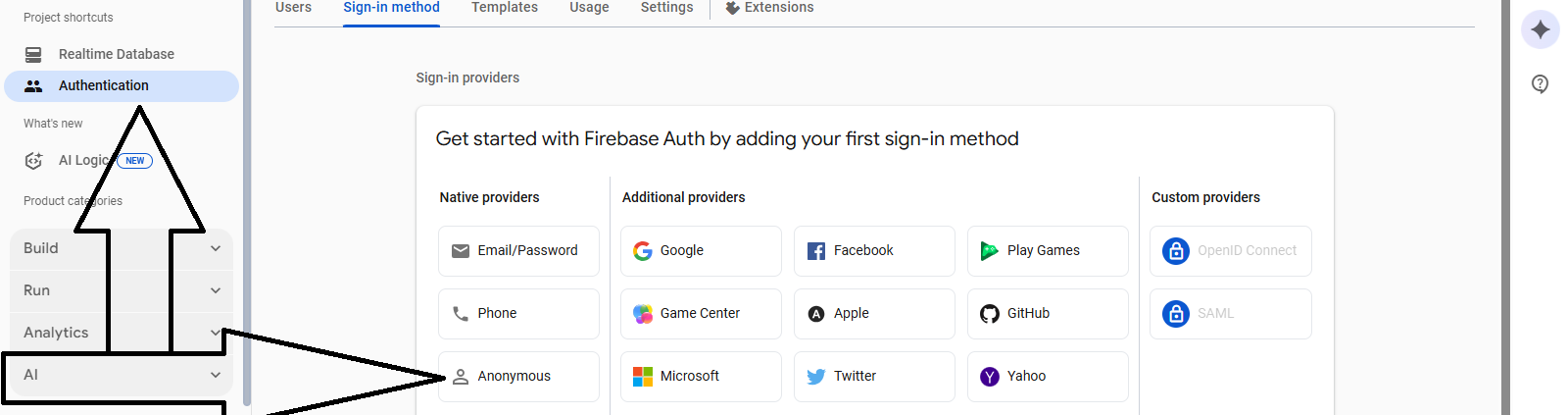
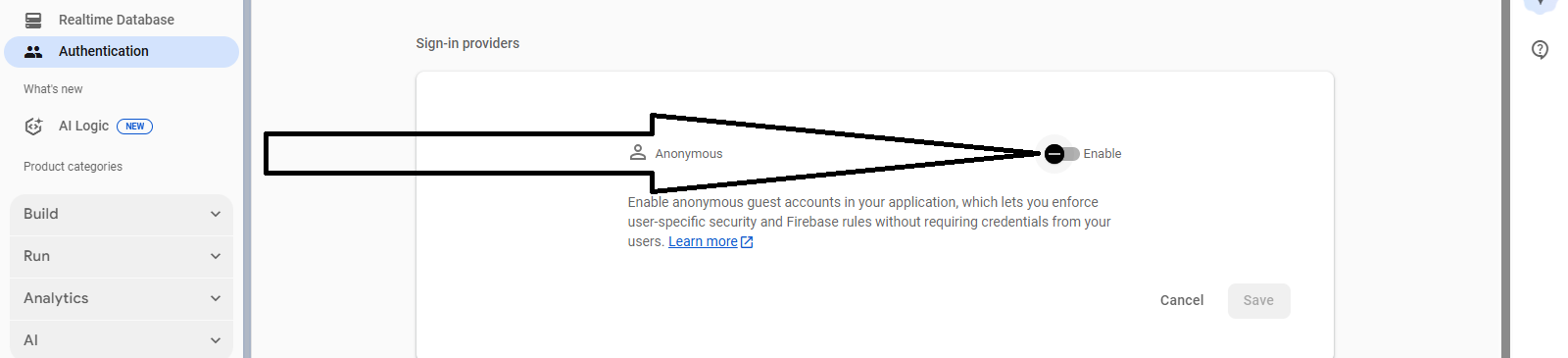
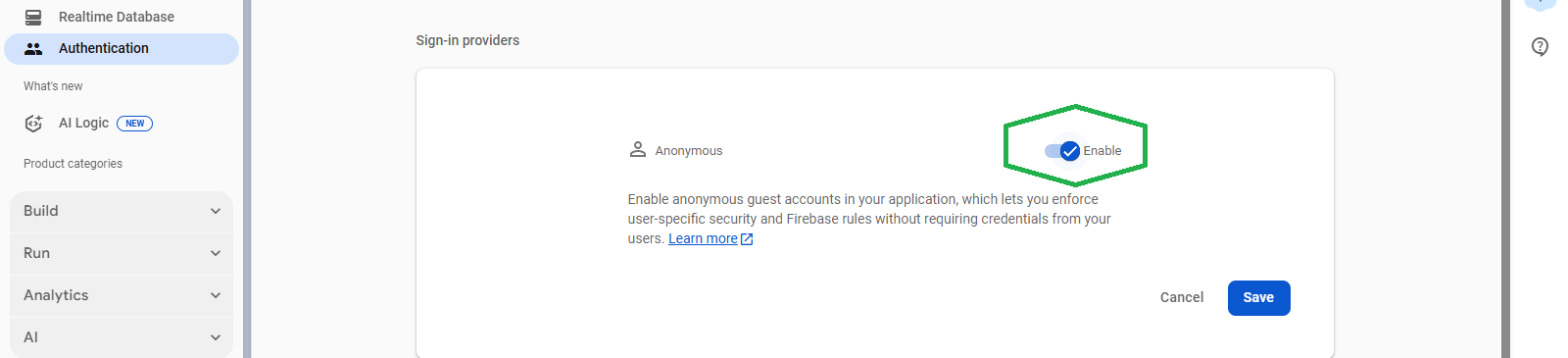
→ Enable Anonymous Sign-In in Firebase Authentication settings.
Stored Data Not Retrieving?
→ Make sure the user has logged in before using GetStoredUserData().
🚀 Why Use This Extension?
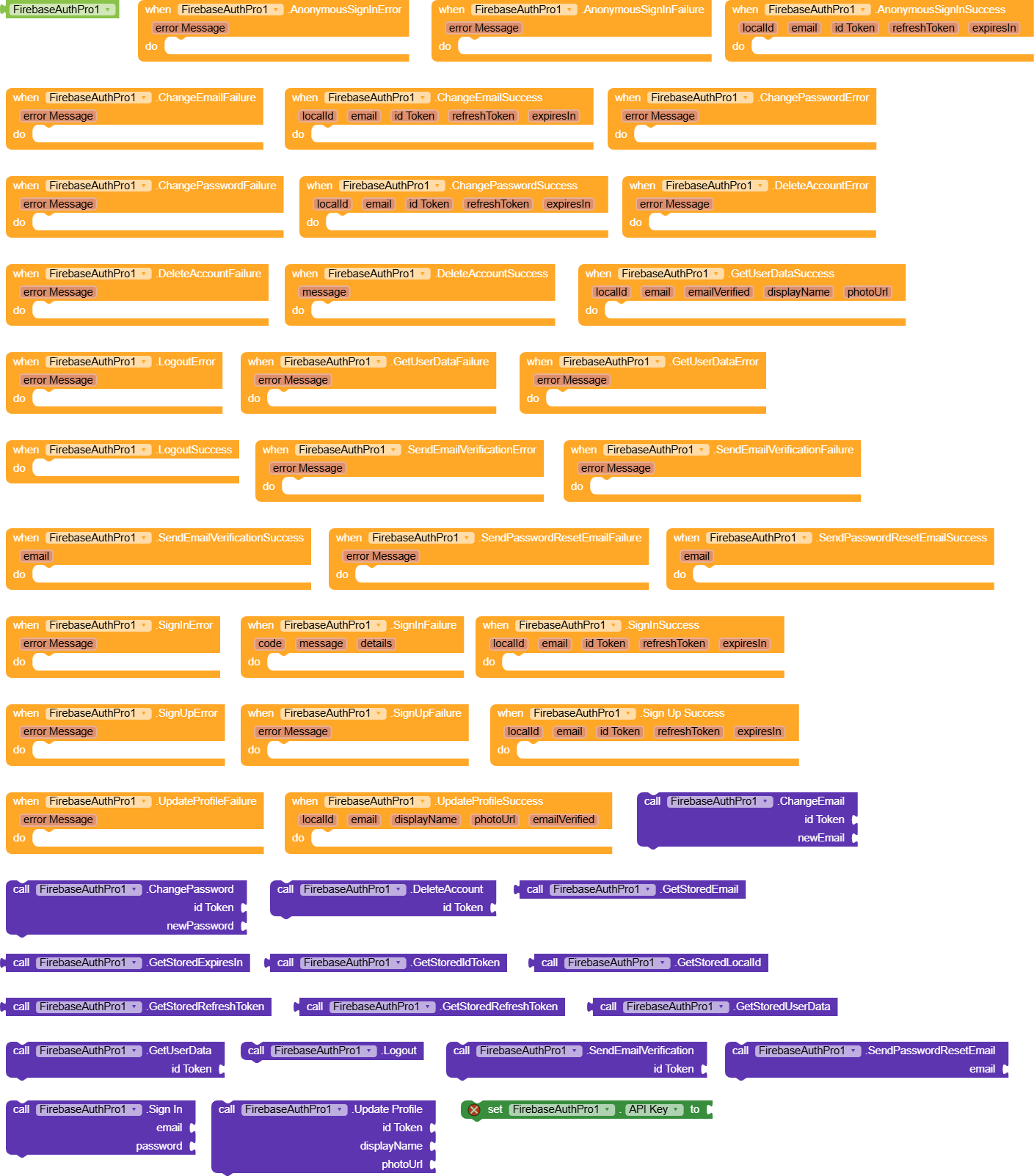
✅ **Fast & Secure Authentication** with Firebase. ✅ **Offline Mode** – Store and access user credentials anytime. ✅ **Complete user management** (Sign in, Sign up, Logout, Update profile). ✅ **Supports Anonymous sign-in** and **email verification**.🚀47 Blocks🚀
📥 Download & Documentation
🔗 Extension (.AIX):FirebaseAuthPro.aix (27.0 KB)