New upgrade
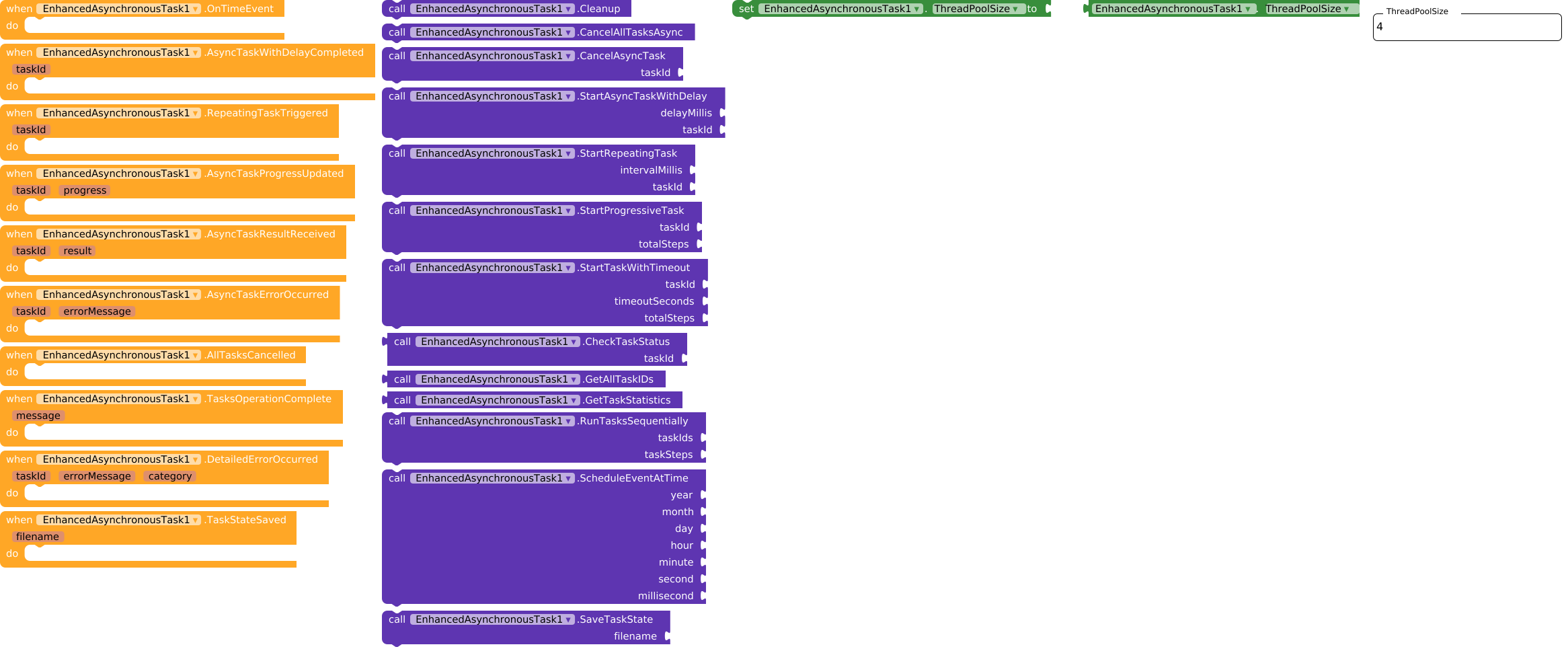
The extension has been updated with new features and now includes a new documentary.
Really excellent work 
Thank you so much for your contribution, this update has a lot of potential
Question 
What criteria is used to set the interval of the progressive task?
Is it one second, or is it based on some other factor?
totalSteps in StartProgressiveTask?totalSteps is NOT time - it’s the number of steps/stages in your task.
totalSteps = 10totalSteps = 50totalSteps = 100call EnhancedAsynchronousTask1.StartProgressiveTask
taskId: "my_task"
totalSteps: 10 // Task has 10 steps
Progress is automatic:
// Upload 5 photos
call EnhancedAsynchronousTask1.StartProgressiveTask
    taskId: "photo_upload"
    totalSteps: 5

// Progress updates automatically
when EnhancedAsynchronousTask1.AsyncTaskProgressUpdated
    taskId: taskId
    progress: progress
    do set ProgressBar1.Progress to progress
    // Shows: 20%, 40%, 60%, 80%, 100%
totalSteps = number of steps in your process
Progress = (steps done ÷ total steps) × 100
Perfect for operations with known “parts”
Time per step can vary - steps may take different durations, but progress increases steadily with each completed step.
Thank you very much for the very detailed explanation
But based on what? Since I don’t interact with the task by telling it when I’ve finished an operation.
Isn’t it very similar to the behavior of a Repeating task using a variable that counts how many times it is triggered? Like in my example, I have a countdown set to 100 and at each trigger I could increase a ProgressBar.
Sorry to bother you, it’s just that it seems very interesting to me and I want to clearly understand in which context to use each option.
Thanks again
The StartProgressiveTask command fires every 1000 ms for each step in totalSteps and calls the AsyncTaskProgressUpdated event.
You must ensure that every ID is unique. It would be good to implement a unique ID generator or use the extension block for this.
asyncronTest.aia (67.4 KB)
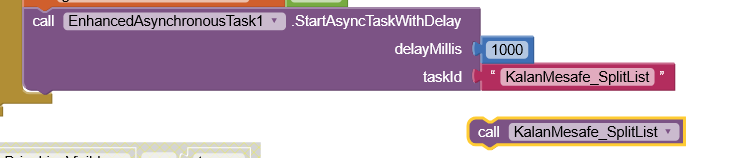
I tried with just one procedure and one ID. But I receive the same error.
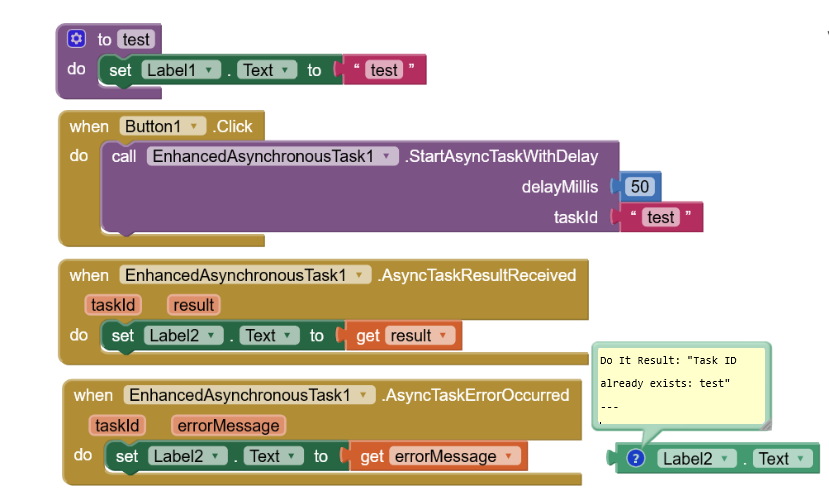
Hi dear, simply you are not deleting the task, and when you call it again it gives you that error.
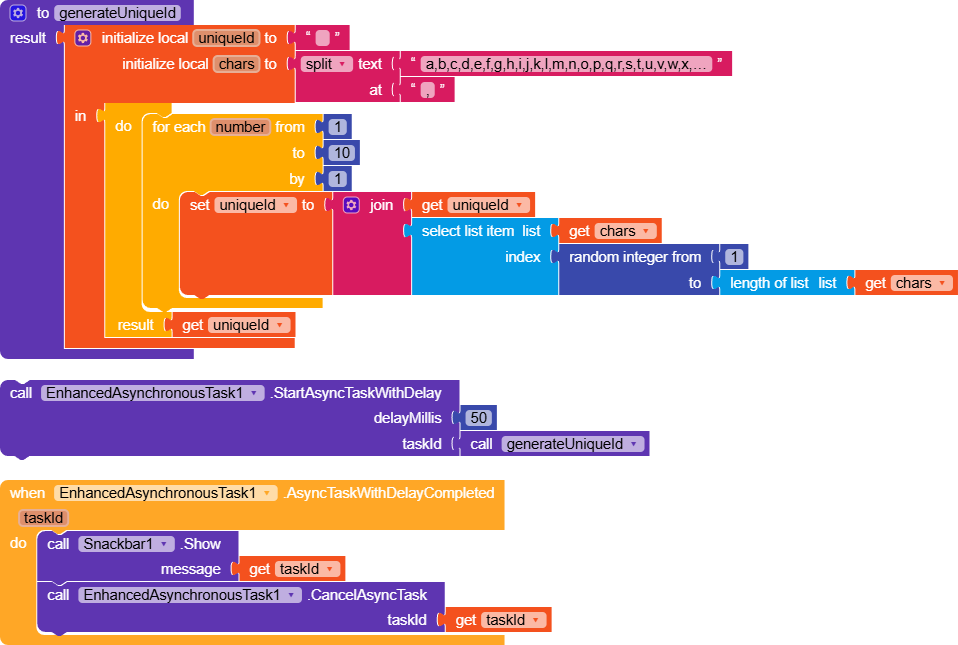
Try deleting the task in .AsyncTaskWithDelayCompleted.
Take a look here, I also created a simple function that generates a random ID.
Thanks, I’ve tried again according to your example and sample AIA file. Yeah, it runs now.
How about adding the extension in your project twice? Have you tried
EnhancedAsynchronousTask1
EnhancedAsynchronousTask2
And what about the error: “validation”?
I’m not familiar with this error.
When does it occur? Are you using the blocks you showed above?
yes. But at the end everything was very complicated for me and I gave up.
You come from far, whats do you want to archive? Explain it in detailed
Use the cleanup block on app startup.
OK, thanks. I am working now. At the weekend I will try it so again.