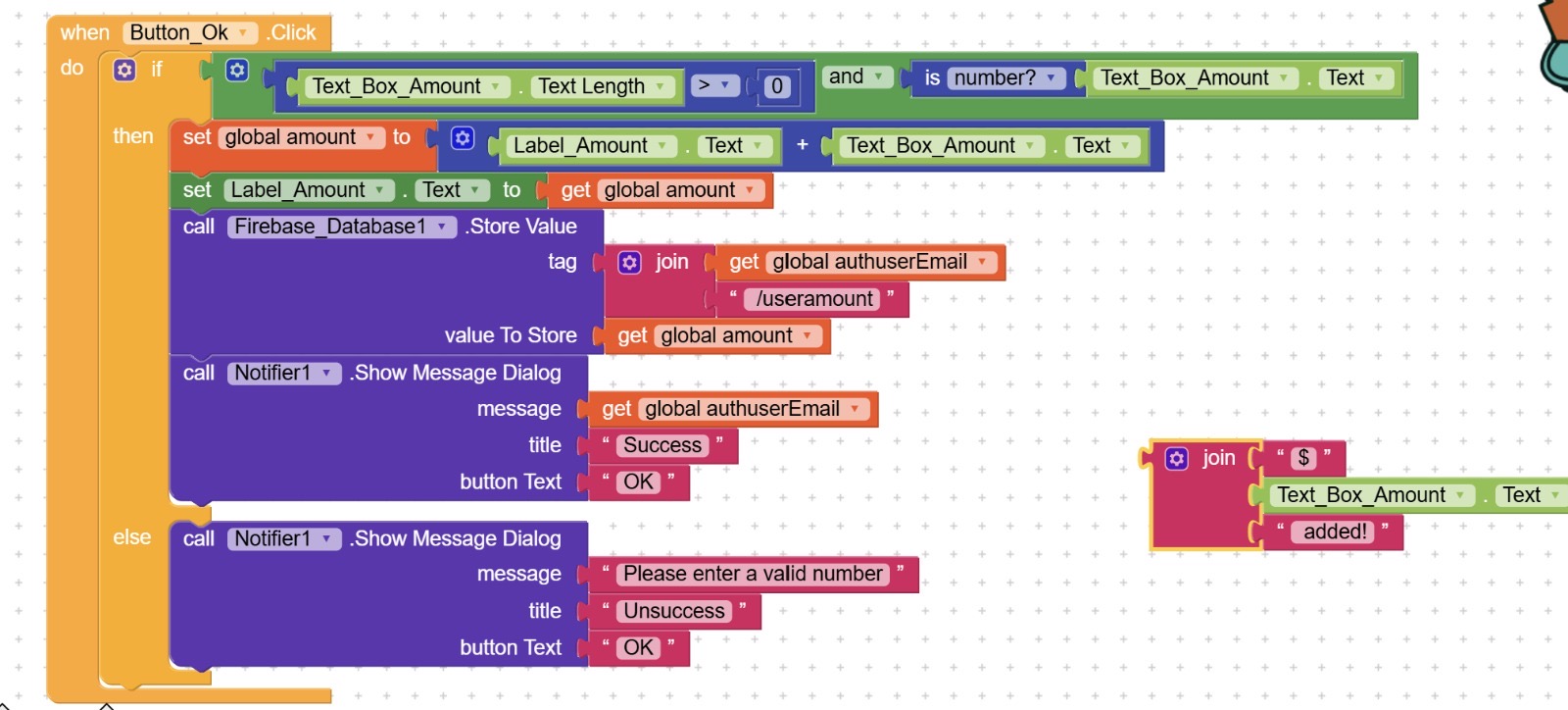
I am make a app that let people buy and sell things using kodular, in screen 7 I want to let user can user the in app payment, and also I want to let user to top up their money, I can do that now, but now i cannot save their own amount to firbase, now when one user use their account to top up the amount, other user amount will also toped up, how can I save it separately.
Can anyone would address this problem?
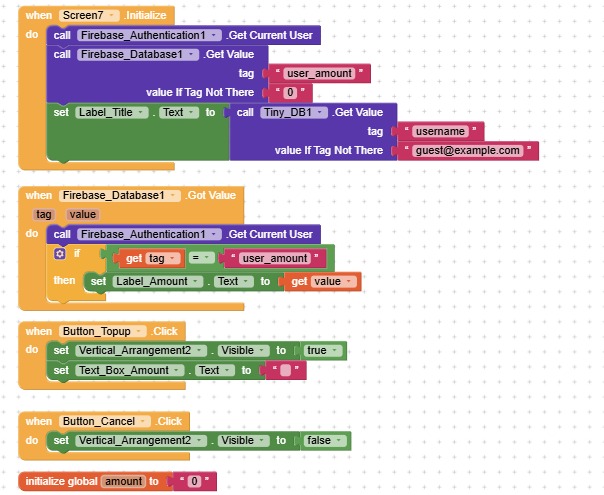
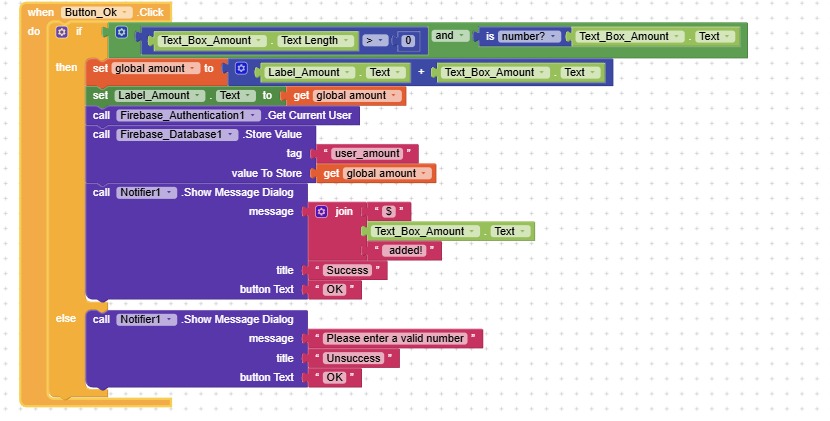
Hi dear,
Welcome to the Kodular community!
If you have a unique key to distinguish each user, you just need to specify it in the tag as
userUID/user_amount
this way, you’ll have data structured like this.
{
	"myDatabase": {
		"userUID1": {
			"user_amount": "349798482,45€"
		},
		"userUID2": {
			"user_amount": "5,23€"
		},
		"userUID3": {
			"user_amount": "1845,00€"
		}
	}
}
Edit:
I recommend using Firebase_Authentication to authenticate users and automatically generate a UUID, and also to apply security rules.
(However, you’ll need to use the Web component to create authenticated requests containing the user’s token)
Thank you for replying, so I can’t address this problem by changing my blocks?
Of course,
I was trying to give you a definitive and secure solution (since we’re dealing with personal data).
If you already have a way to identify each user, you can simply replace userUID with the ID you’re using, the email, in this case, if I understood correctly.
Can I use the email that user login to define different user? If this ok then what should I change in my block? What block I have missed that let kodular to save the amount to each user account? Are my tag wrong or something else? I feel so confused now..
Yes,
Firebase.StoreValue
  tag =  "userEmail/user_amount"
  value = amount
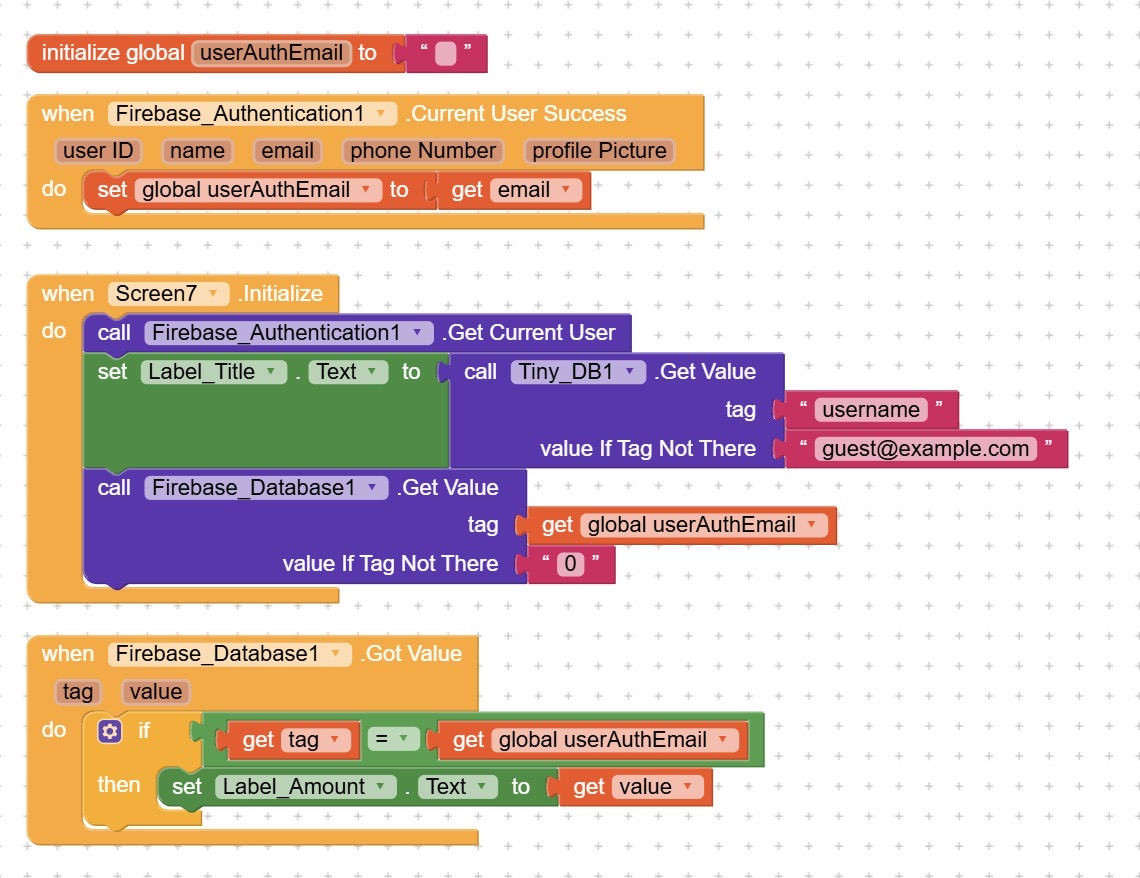
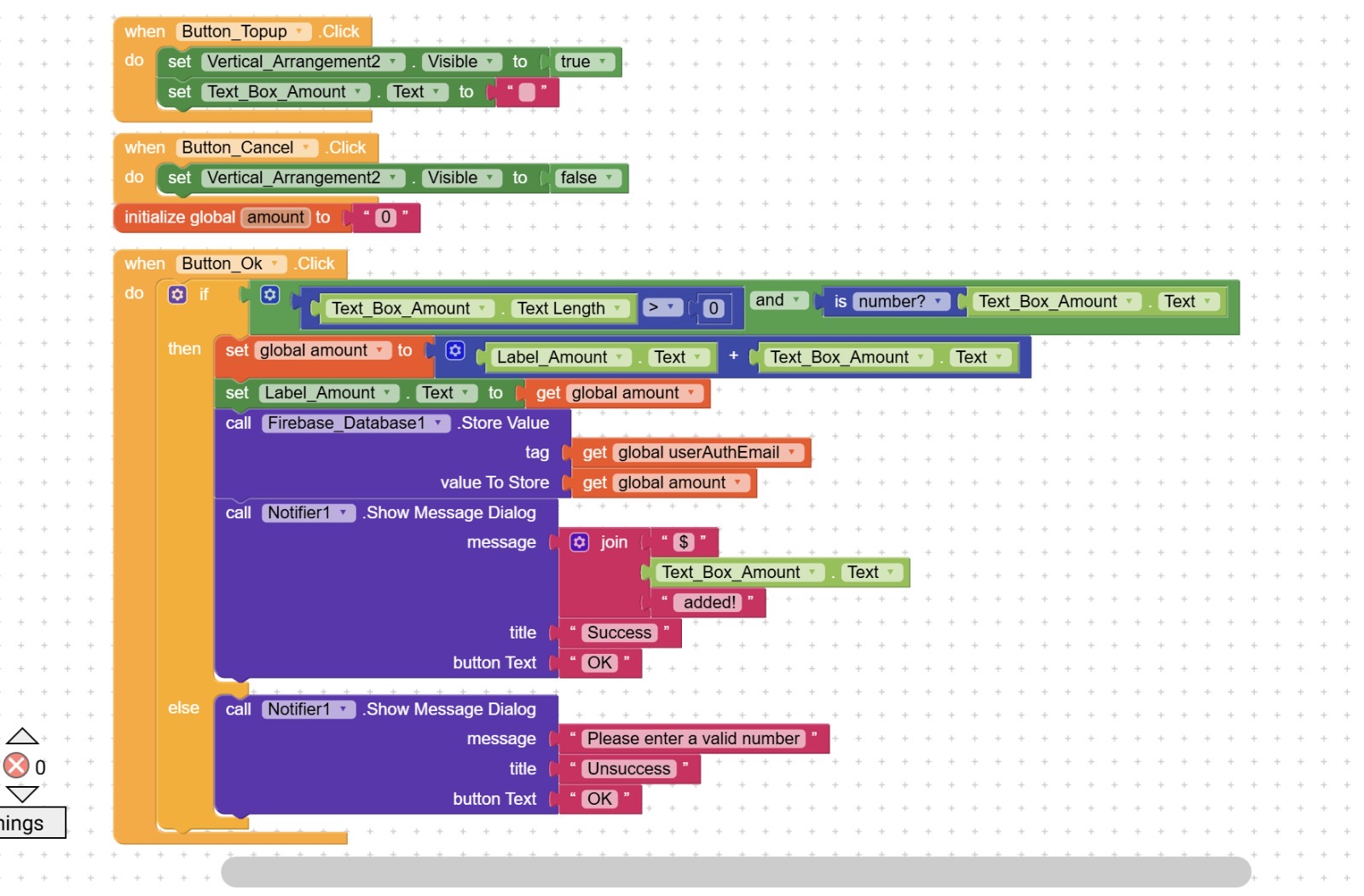
What error you’re getting?
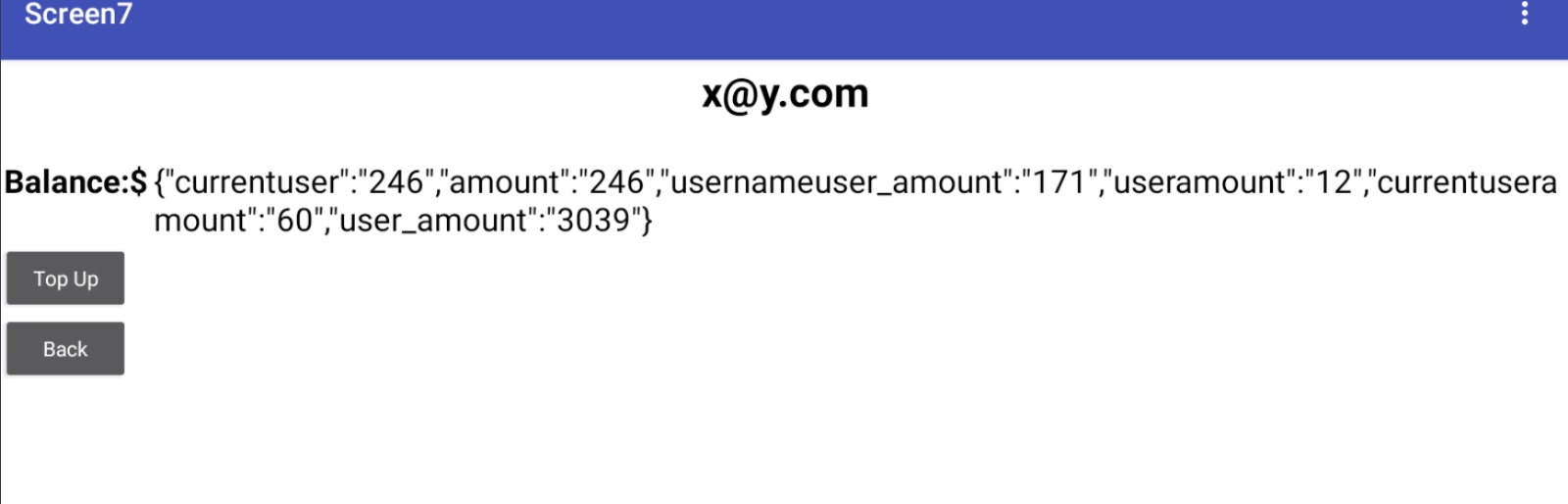
tag = userAuthEmail/useramount

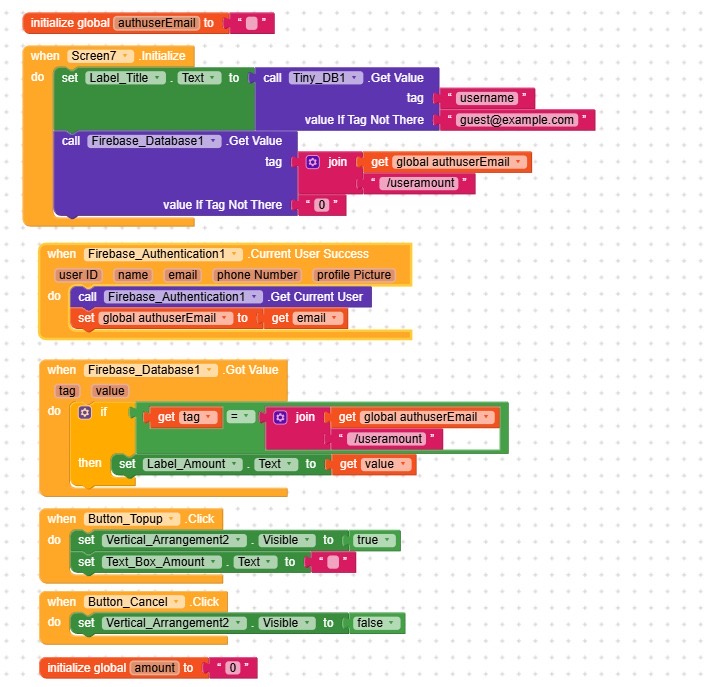
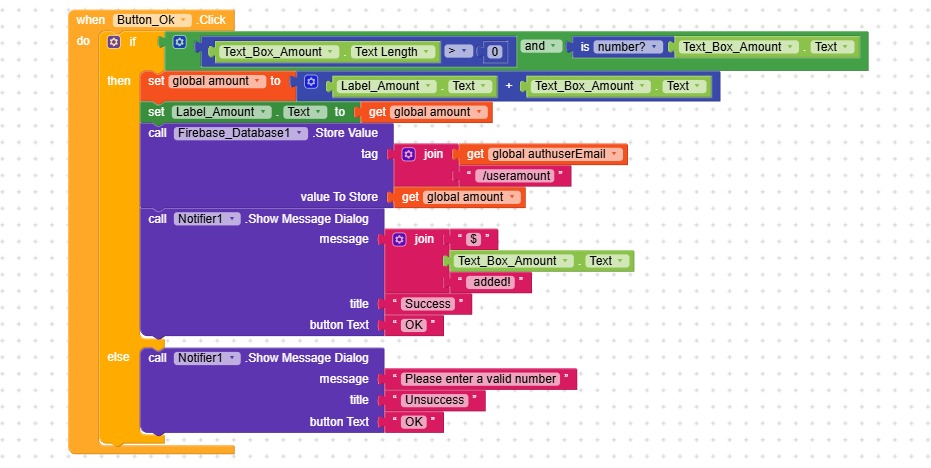
Now my code is like this, but it’s back to the core problem, when I top up in one account, the other account will top up too. Is there any method to fix that?
Thank you for your patience 
Can you confirm that when you use StoreValue authUserEmail points to the correct email?
I think yes?
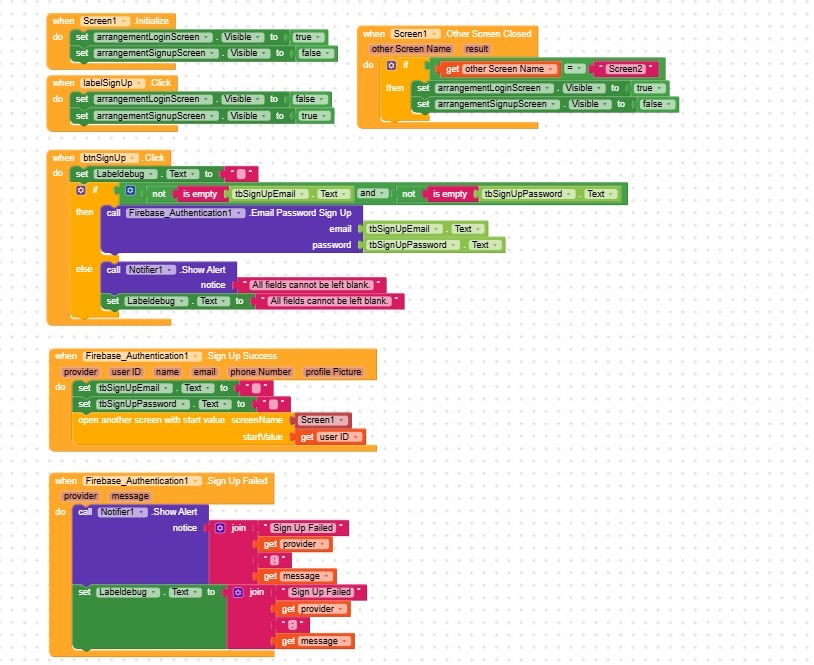
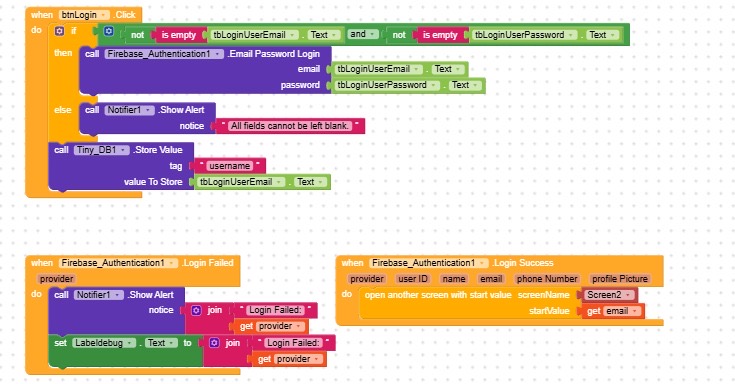
This is my login screen for user, if there are any problems please point it out!!! Thank you so much
Here too, storeValue must point to email/username.
Like this, every time a user click on login button, you save their username, you should save it once after SignupSuccess.
Anyway, to be sure, when you execute storeValue here, add a Notifier to show the value of authUserEmail.
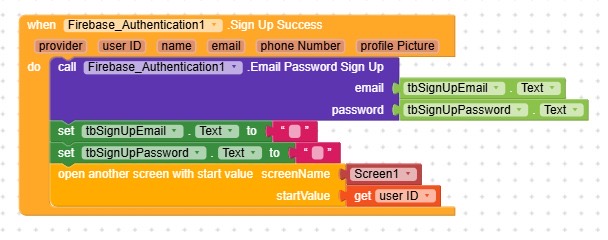

I mean add a new one  to check if you’re passing the correct email
Remove .EmailPasswordSignUp