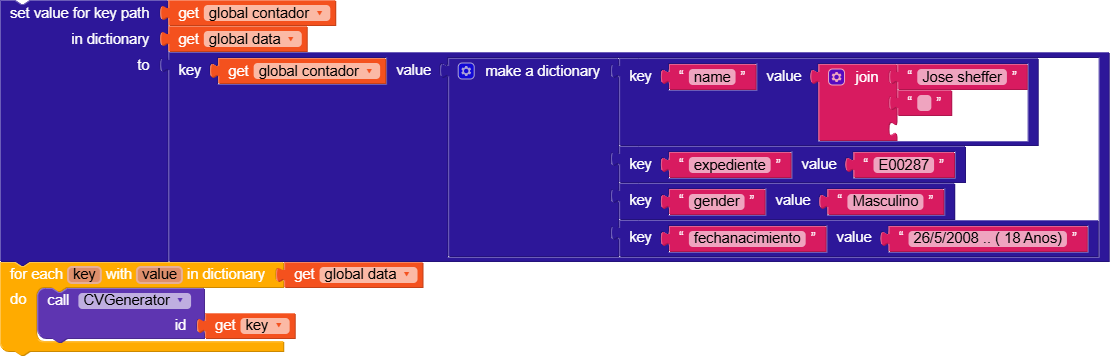
I want to add an element at the end using the following code, but it’s not working correctly. Could you please review it and guide me on what the correct code would be?
First off tell me → are your list items fixed (name, gender etc.)
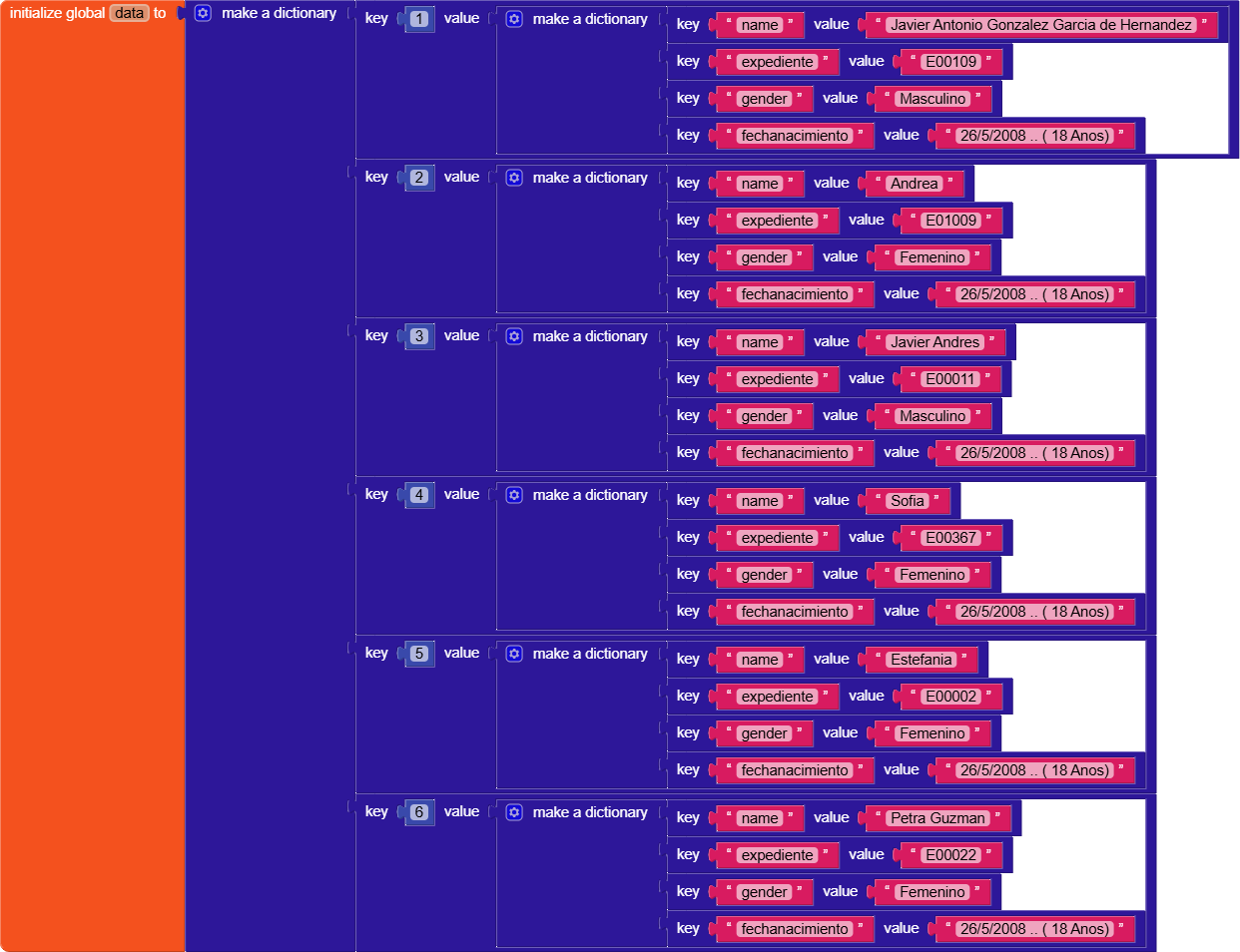
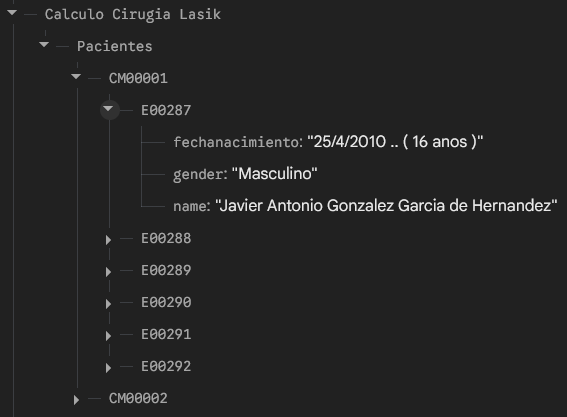
Looking at the image- 1st, it seems like the key list is fixed.
As you said,
then why are you making it so complicated for just a list of lists.
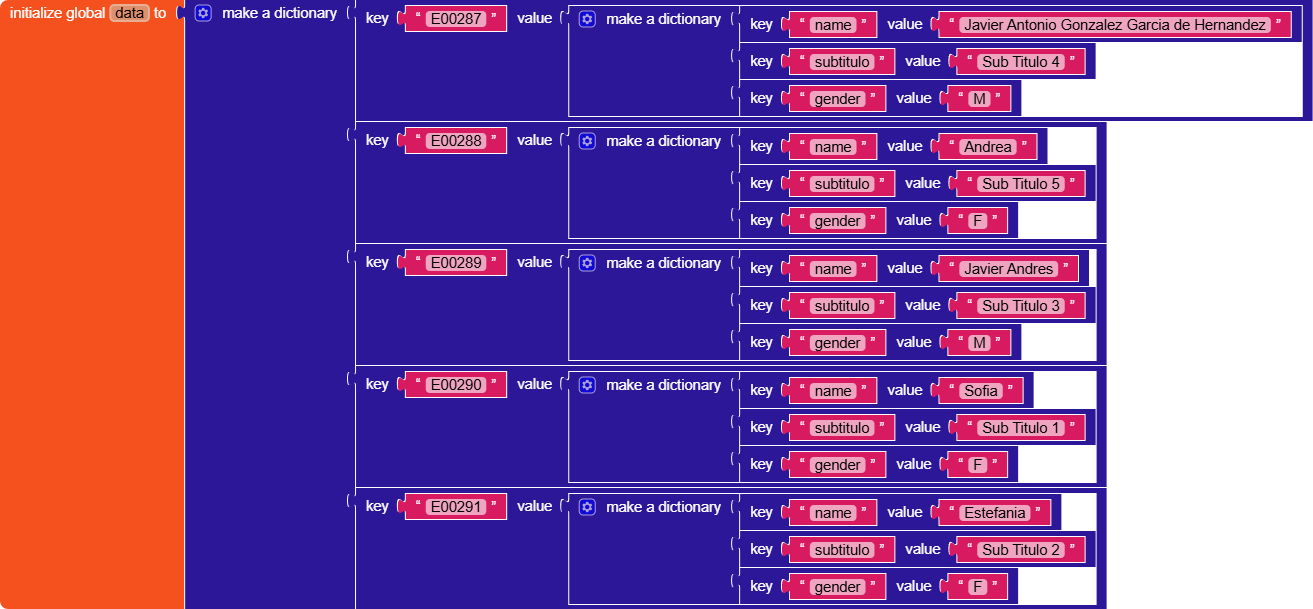
Look at the image and think → Repeating the same keys over and over, is it worth? So many blocks over here are totally redundant. More over If a single mismatched letter or a simple dot is present in any of those keys, then getting data of that key value is just gone. Just think about it.
I have no idea why did ray guided you to go with
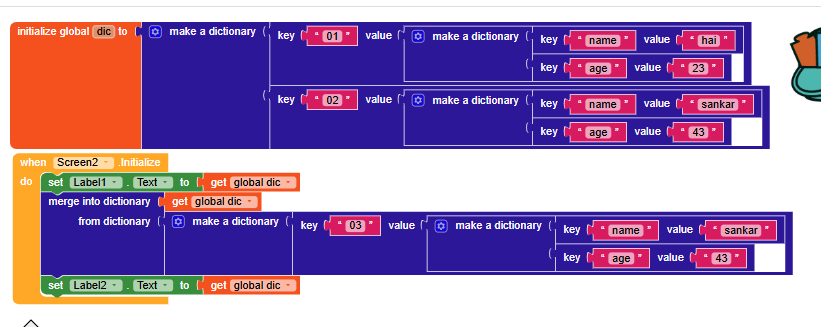
No, it’s not for this type.
Remember this, no matter what → the dictionaries are best where the keys vary or are unique, not with the fixed items like this…
By the way…
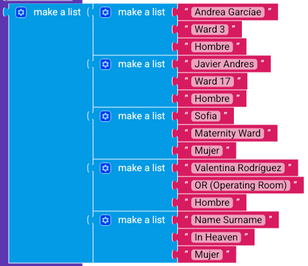
which is gonna be very simple with the list of lists. The retrieval is also quite simple.
Coming back to your blocks, the dictionary is not properly structured. It’s the wrong method, totally.
It’s upto you, if you still want to stick with the dictionaries (unnecessary over here), then let me know. I’ll help you build the dictionaries, with a proper method.
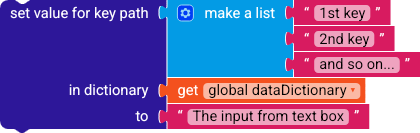
Adding items with to the lists is unbelievably simple.
Initially, I had written several reasons why I thought dictionaries were better, but I don’t want to claim that one method is better than the other, because in the end it depends entirely on what the developer finds more convenient.
Keep in mind that if each user has an “expediente” field, which I believe is a unique code, the dictionary can be managed like this.
While I suggested using a dictionary.
(Which in its updated version looks like this)
My idea is based on the fact that sooner or later data entry will be done through a form and not manually modified in the project and then exported again as an APK.
So I hadn’t considered easy manual insertion as an issue.
I also think it is a good exercise to prepare someone to use dictionaries, which are essentially the standard for communication with Web APIs.
I am fully aware that
and that they will likely not use a database, but I wanted to be forward-thinking.
Thank you for answering my question. I’d like to take this opportunity to clarify why I asked it.
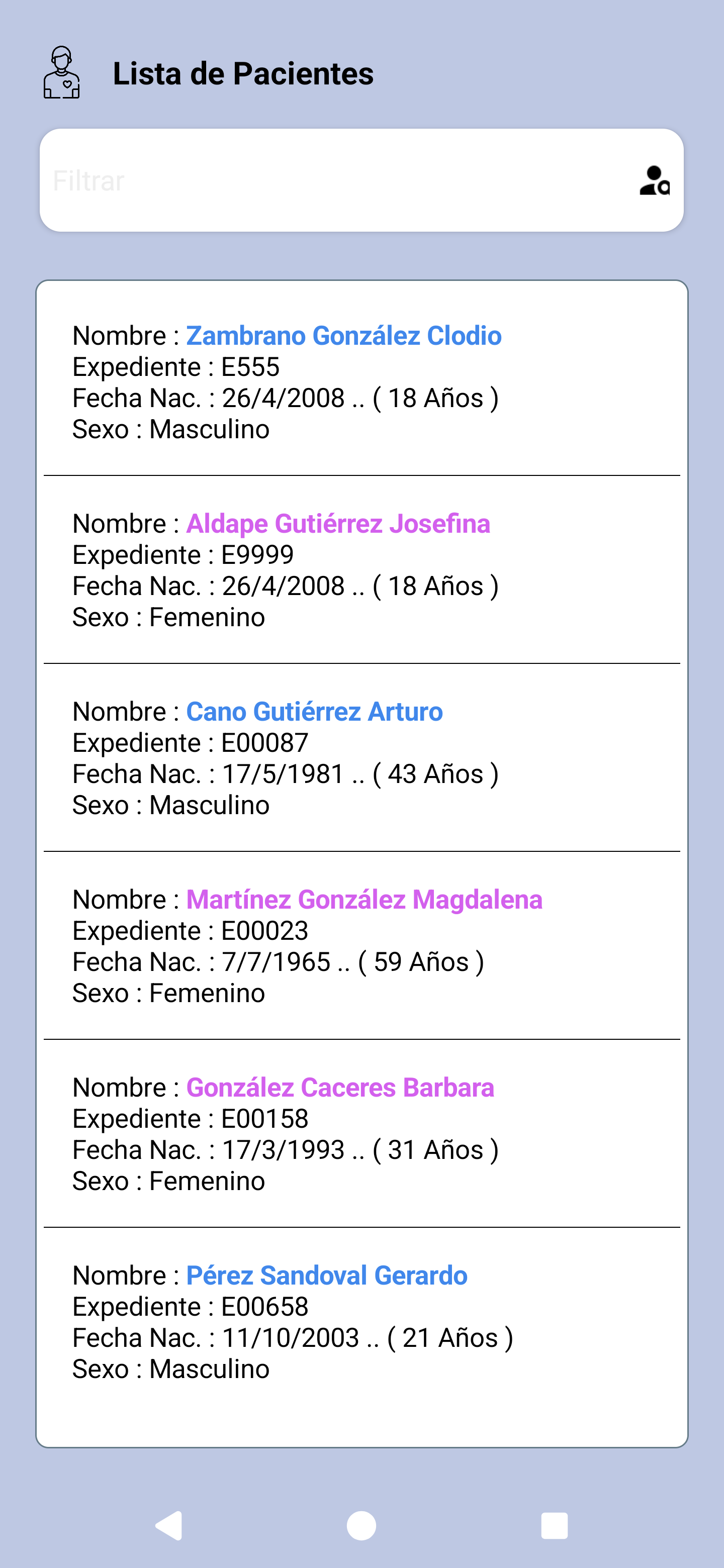
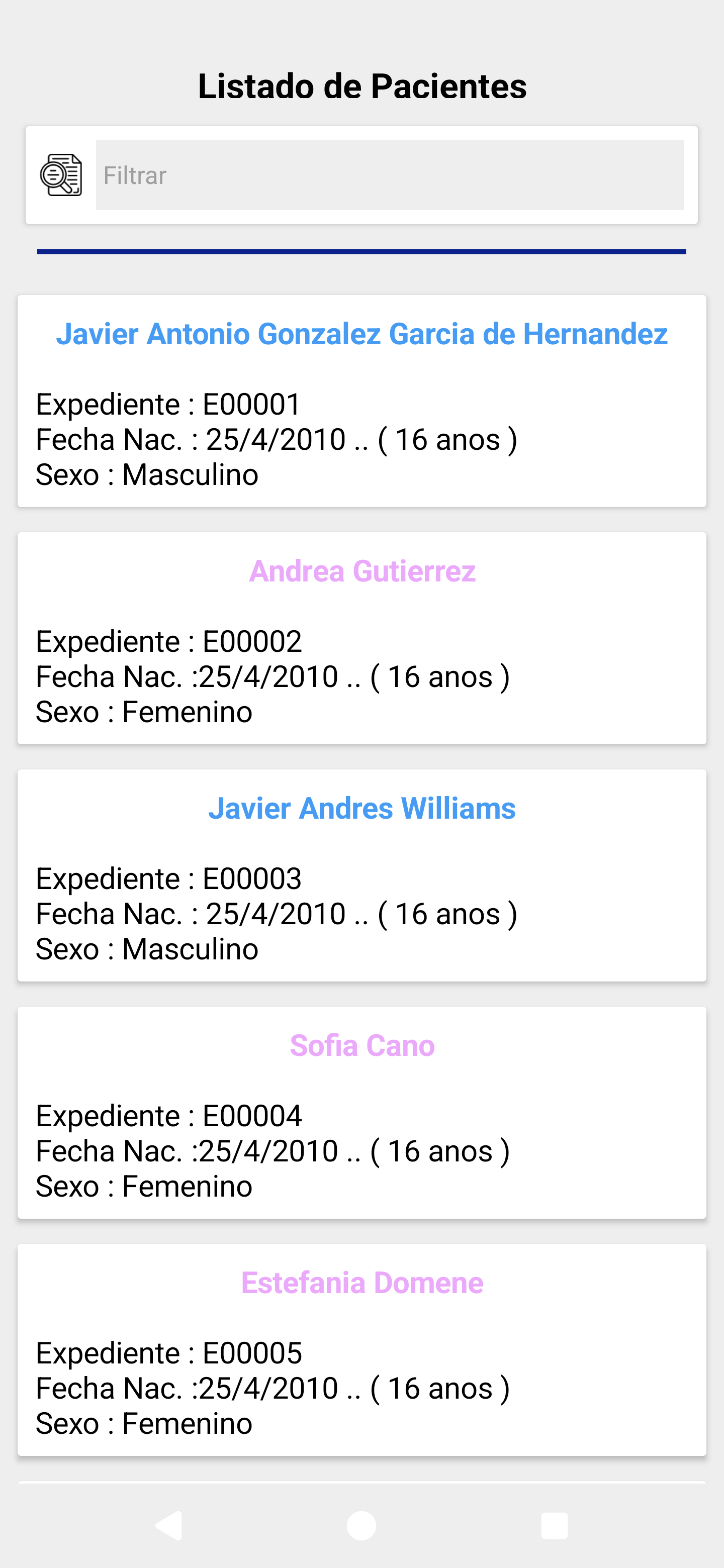
In the question “text_box.on_text_changed” does not work for me, my question was why text_box.on_text_changed wasn’t working for me. It all stemmed from wanting to improve a screen in a finished application. This application is for doctors, and that screen displays a doctor’s patient list. This list is stored in a Firebase database, and I display it using a ListView with lists, and everything works as shown in the following screenshot:
The initial intention, as I mentioned, was to improve that list, and I thought of using a dynamic CardView. I didn’t know how to use it correctly, which is why I created that example. I even included the AIA file for you to see, and it uses lists.
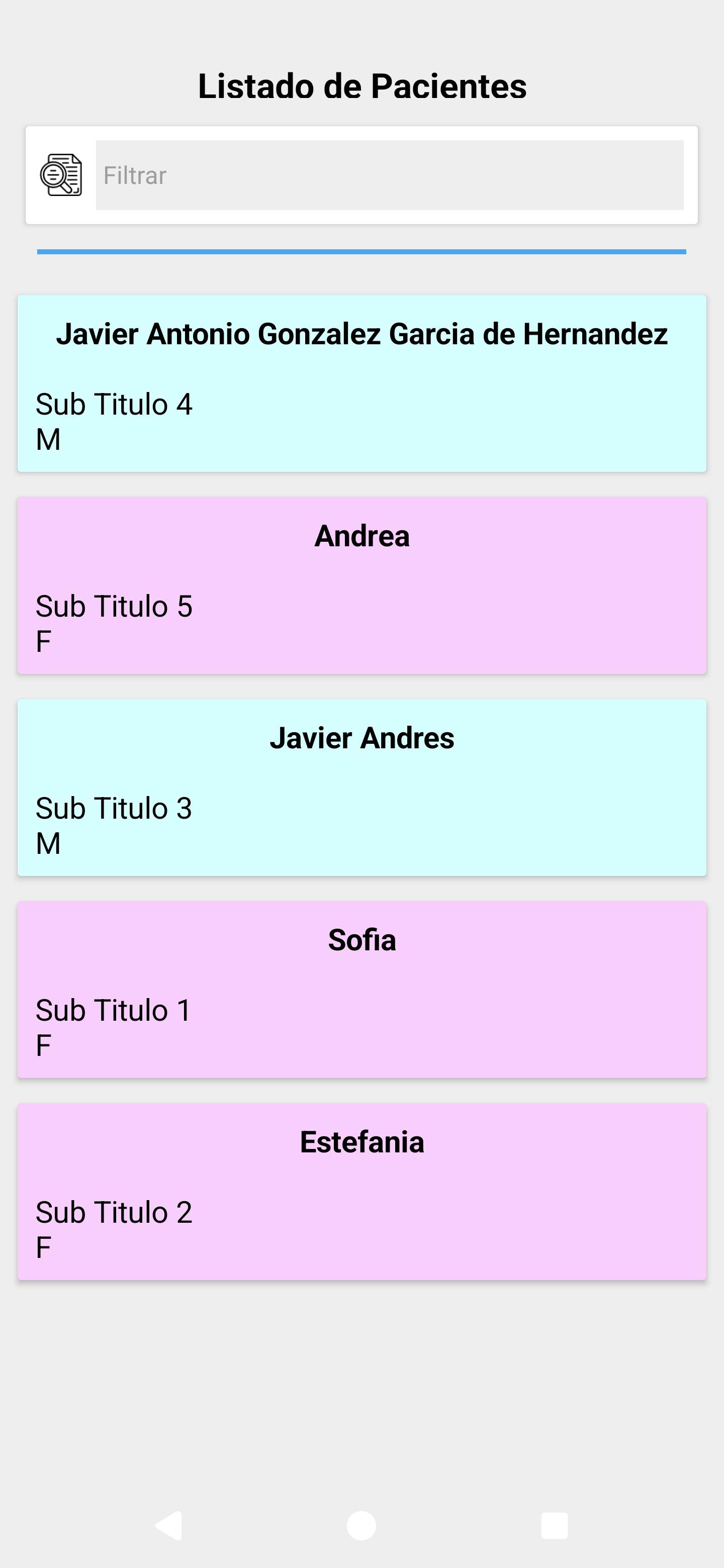
I made the application simplified to avoid overcomplicating my question, and the following screen resulted:
The “text_box.on_text_changed” method wasn’t working for me , and RaYzZz suggested an alternative using dictionaries, which I found interesting and solved my problem at that point.
I started improving it using my Firebase database and implementing the dictionaries. The only thing missing was how to increase my dictionary size, and I tried, but I couldn’t solve it, hence this new question.
I want to thank those who have helped me now and whenever I ask. I’m not an expert, and I ask the question hoping that anyone, expert or not, can answer.
Yes, the app you suggested works perfectly. Now I’m trying to start with a blank dictionary and add the data from my Firebase database, but I haven’t been able to.
It won’t let me insert a new element.
It would be helpful to show what you’ve tried to do.
In any case, for both receiving and inserting data, I recommend using the Web component.
It’s a bit more cumbersome than the native Firebase component, but it allows you to write to the database correctly.
A great guide was made by Tim, and you can find it here
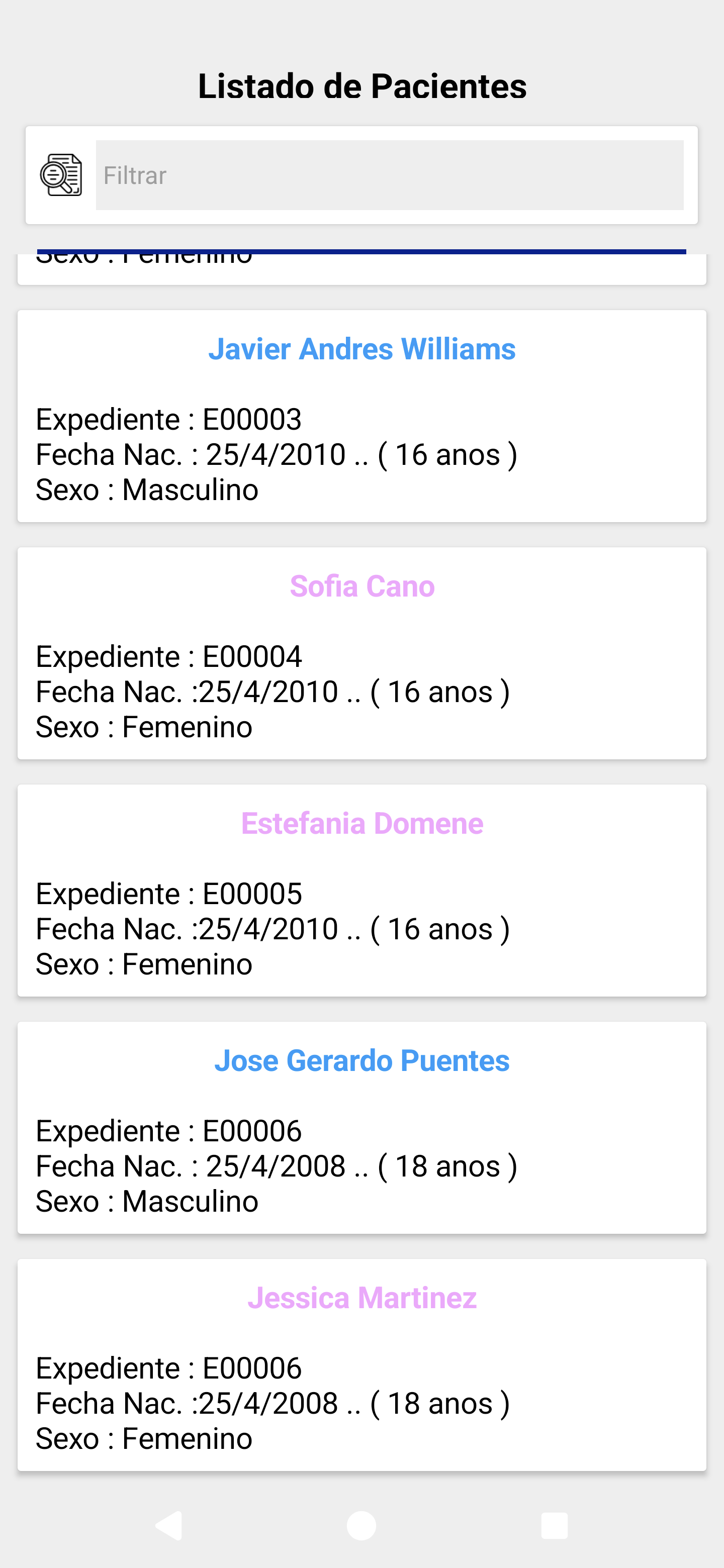
As you can see, there are the initial 5 records plus two that were incremented during screen initialization, and these are the ones the application displays.
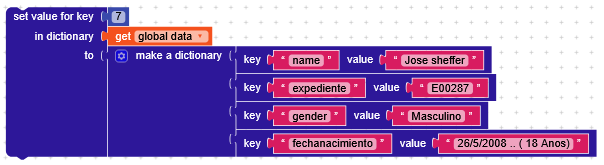
I’m calling Firebase, and it reads 3 records because I already analyzed the counter I have in firebasedatabase1.gotvalue, and it reaches 10. In theory, it should add 3 records to the dictionary, but it doesn’t.
I initialize the counter to 7 and it should include 8, 9 and 10, I leave them fixed to simplify the example, obviously I would take the data from FIREBASE when this works.
I hope you can help me by analyzing my blocks. Thanks.
JAGG
I recommend switching to the structure I showed here, expediente is perfect as a unique key for the dictionary elements.
It would be better to avoid having hard-coded data in the app, so I suggest reading the data on first launch and then saving it locally for offline use (if necessary).
Looking at your blocks, I believe your database structure is something like this, correct?
By doing it this way, when the app is opened, it downloads the data from the database.
I also thought it would be useful to include the addPaciente function to add patients to the database.
The data insertion with addPaciente assumes that the request will always succeed, but that is not very accurate.
It would be better to introduce a pendingValue variable so that if the request fails, the data is not added to the data variable and can be retried.
Alternatively, you could connect the database in real time.
Make sure to follow the Tim’s guide I showed you in the previous message, it’s really valuable .
Hello my friend.
After trying to get the Firebase components to work without success, I opted for your suggestion of the web component. Everything works perfectly and quickly.
Thanks and regards.


 No, it’s not for this type.

 Tim
Tim

 .
.