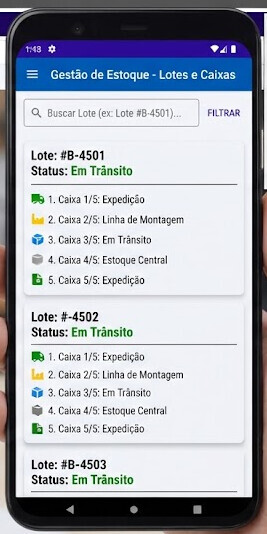
How do I create a dynamic list like this?
Hi dear,
As I mentioned in the other topic this question comes from, my suggestion is to recreate this layout in an empty screen, then export the screen (.ais) and import it here DynamicComponents Schema Generator for AI2 - ysfchn (thanks to yusufcihan).
If the screen isn’t rendered correctly, you can adjust it manually, remove the “Allow re-using with index key” flag, and then copy the template to your clipboard.
On Kodular, you have two extensions you can use RecyclerList or DynamicComponents.
I strongly recommend using RecyclerList, since it’s really efficient for this kind of list.
There are many guides about this in the community, I can recommend this one, which is really well made
Thanks to YusufCihan’s website, there’s no need to use TemplateCreator (Python).
I need to step away from the PC for a little while.
When I get back, I wanted to help another user in a different topic. Maybe in the example I was planning to create, I could make a template similar to the one you need, so I can help both of you with a single project
Hi dear, as you can see in this topic I created a schema practically identical to what you were trying to do.
As I said in the other topic 
Hi friend,
Are these examples the same?
I’m saving data to TinyDB, but I’m still unsure about how to handle the data being saved there. I understood the concept you used; I’m going to study it a bit more and then get back to you with questions, okay?
Hi dear,
Not exactly, the topic I mentioned had a slightly different request, but since it was using RecyclerList anyway, I took the opportunity to create the layout you needed
Since it’s quicker for me to remove the unnecessary blocks rather than explain what everything does, give me 5 minutes and I’ll clean up the project.
Edit:
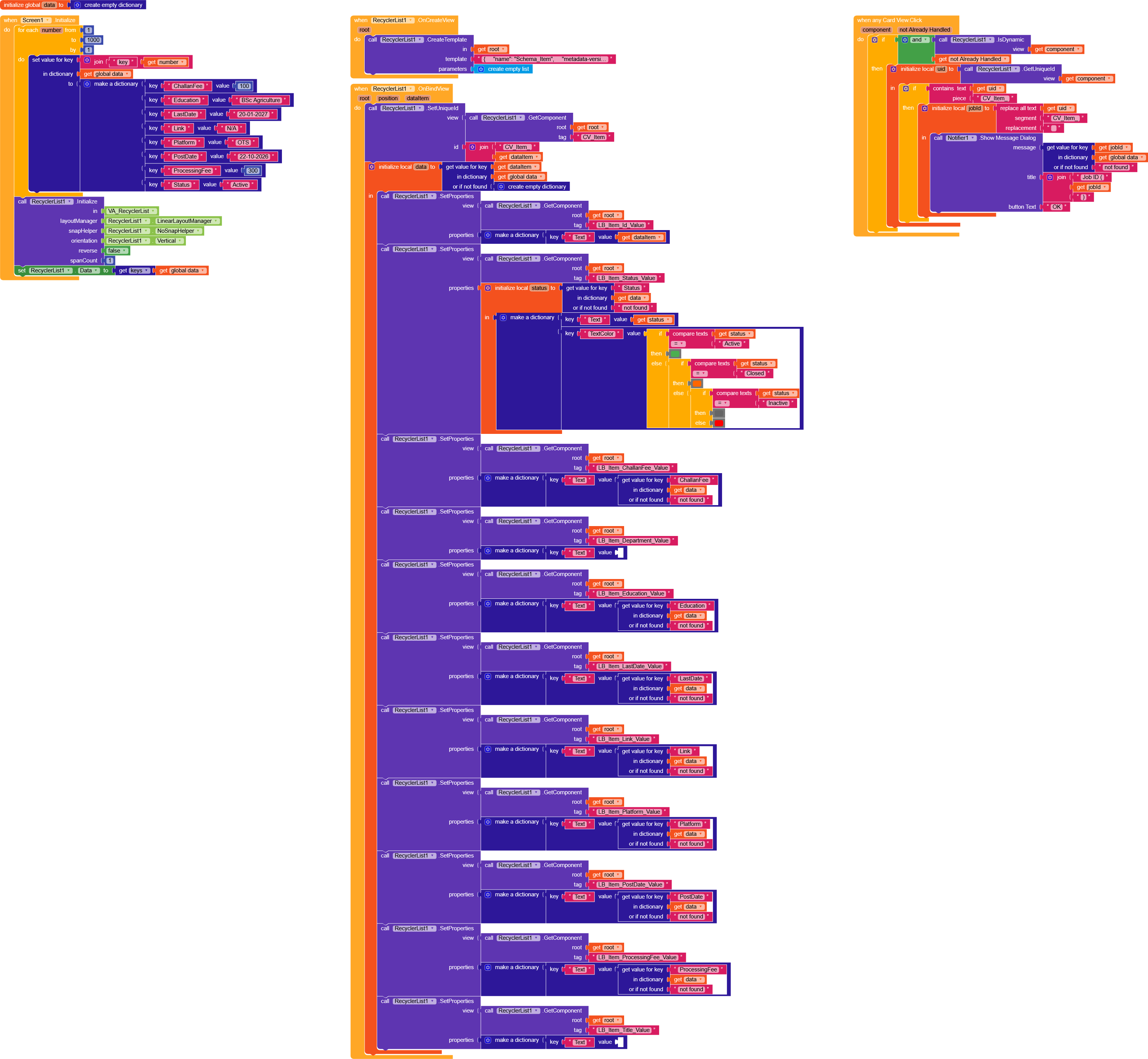
RLSchema.aia (133.6 KB)
Better?
-
In Screen.Initialize we create a dictionary with 1000 items using the structure you see.
-
we initialize RL
And we setRL.Datawith the dictionary keys (I prefer passing the keys and then retrieving the data in.OnBind, some prefer passing the data directly so it’s up to you) -
In
.OnCreatewe create the schema retrieved from the site I mentioned earlier.
In the screen “Schema_Item” you can customize it however you want >> export ais >> schema site >> schema in JSON. -
In
.OnBindyou need to set all the component properties.
In my case, I set a uniqueId for the CV so I can recognize it later on.Click, and for the other components I set Text using the data from thedatadictionary