Hi everyone,
I’m working on a screen in Kodular that has a Custom Title Bar at the top. Below the title bar, the screen contains four Vertical Arrangements, each with their own components (images, checkboxes, buttons, etc.).
I want to add an additional Vertical Arrangement that:
Is initially hidden (Visible = False).
When a user presses a specific button, this new Vertical Arrangement should appear above all existing Vertical Arrangements, like an overlay or popup.
It should not be nested inside any existing arrangement or image, but rather be independent on the screen.
I’ve tried adding a new Vertical Arrangement, but it always gets added inside one of the existing arrangements or images, so it does not overlay or appear above the others.
How can I properly add this new Vertical Arrangement so it shows above everything else on the screen, considering there is a Custom Title Bar at the top?
Thank you so much for your help!
Hi Noor! I hope you’re doing well,
Isn’t it enough to hide all the layouts and show another one, like with virtual screens?
Why are you specifically looking for an overlay? Are you trying to achieve a transparency effect?
Anyway, for a real overlay, try checking this guide, it might help you.
is based on overlays to create notifications, snackbars, and much more but you can easily adapt it to what you’re trying to do.
Hi, thank you for your detailed reply!
What I want to achieve is to show a popup window (overlay) that appears as a layer above the main screen content.
The custom title bar should remain visible and unchanged below the popup.
The rest of the app’s content should remain visible, except for the part that the popup covers (which is naturally hidden by the overlay).
The popup window will be a “Rate the App” dialog that appears only when the user clicks the “Rate the App” button.
Is the method you shared (using a full-screen Vertical Scroll Arrangement with nested Vertical Arrangements) suitable for this use case?
Or do I need a different design approach?
Thanks a lot for your help!
Sure, you will always have the two arrangements, Layout and Dialog, inside Main.
In Layout you will put all your vertical arrangements (leaving the TitleBar out), and in Dialog_Main you will keep only VA_Dialog_MessageDialog, customizing it with the RatingBar.
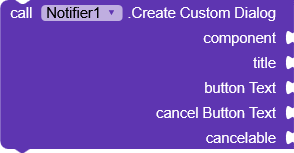
Or you can also use the native Notifier with a CustomDialog, placing your layout inside it.
Ok, I will give it a try, and if I encounter any problems, I would appreciate your help.
Thank you very much!
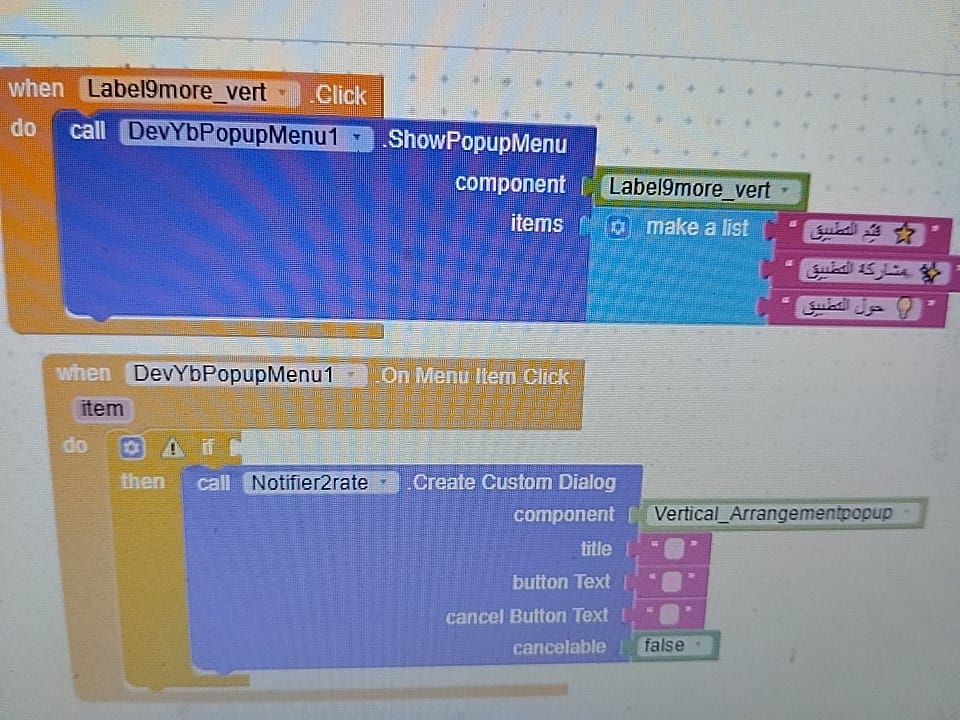
These are the blocks for when the user clicks the three dots, showing “Rate the App,” “Share the App,” and “About the App.”
Now, in the event handler for clicking the DevYbPopupMenu extension, I want to perform actions when the user clicks on “Rate the App,” “Share the App,” or “About the App.”
But I’m not sure which block I should use for that, as I’ve tried several options and haven’t succeeded.
Hi Noor,
in OnMenuItemClick the variable item will return the exact text you clicked (one of the three items in the list), so you will simply need to create some conditions.
If item = (the text of the first item in the list)
do something
else if item = (the text of the second item in the list)
do something
else if item = (the text of the third item in the list)
do something
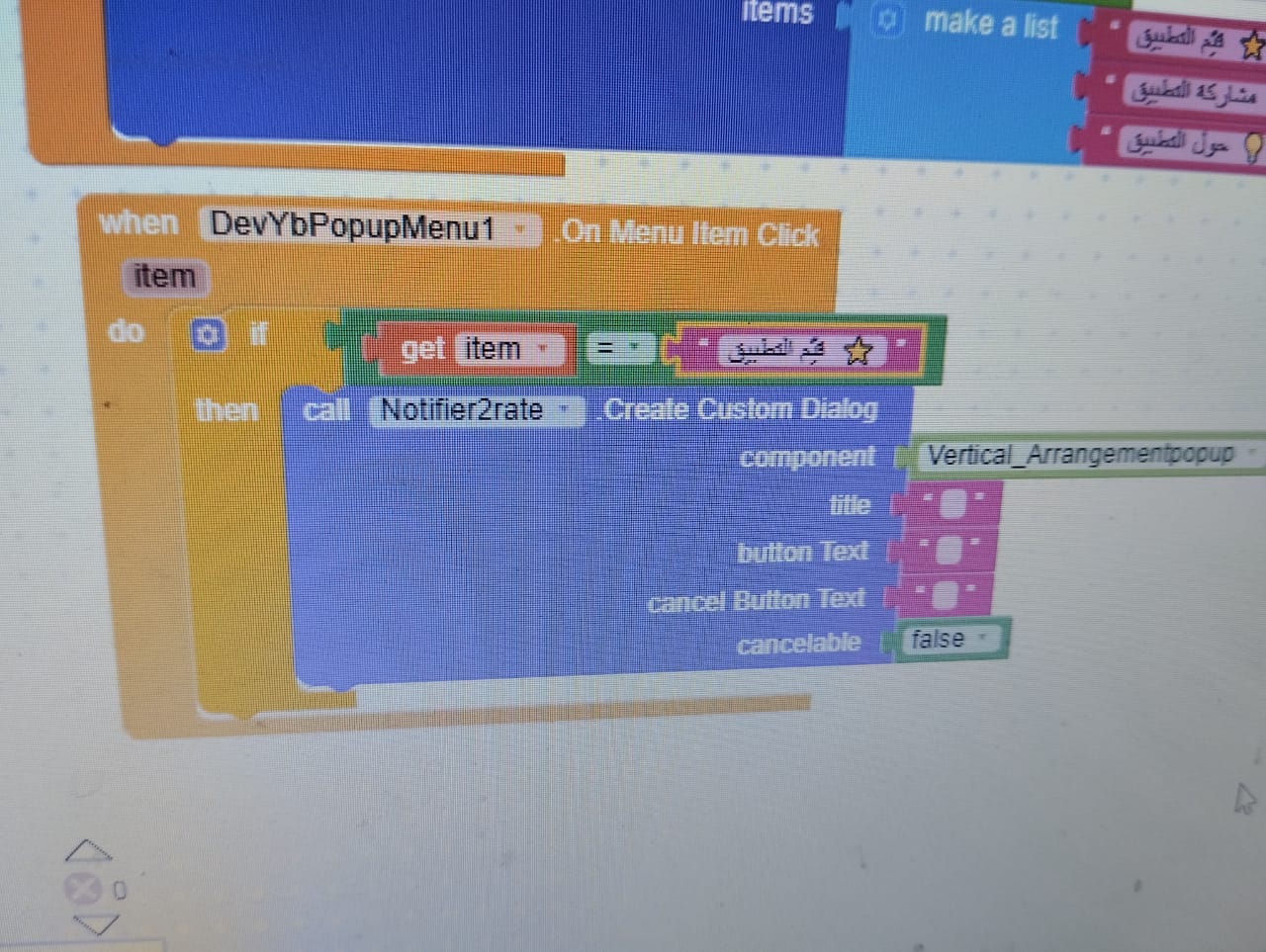
Use CreateCustomDialog in Screen.Initialize
then use ShowCustomDialog to show

Are the blocks like this correct, or is there any mistake? Because when I click on “Rate the App,” nothing happens.
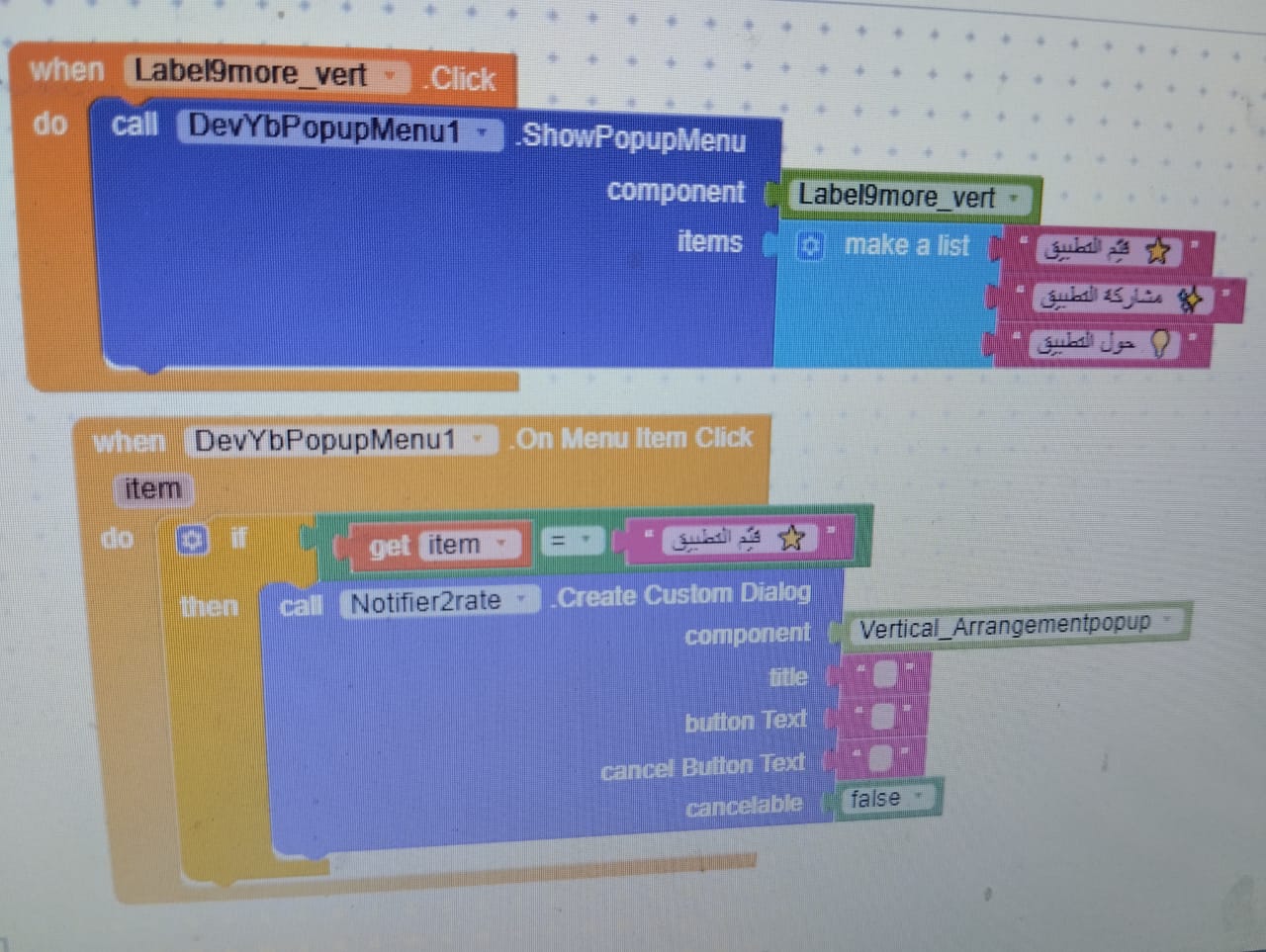
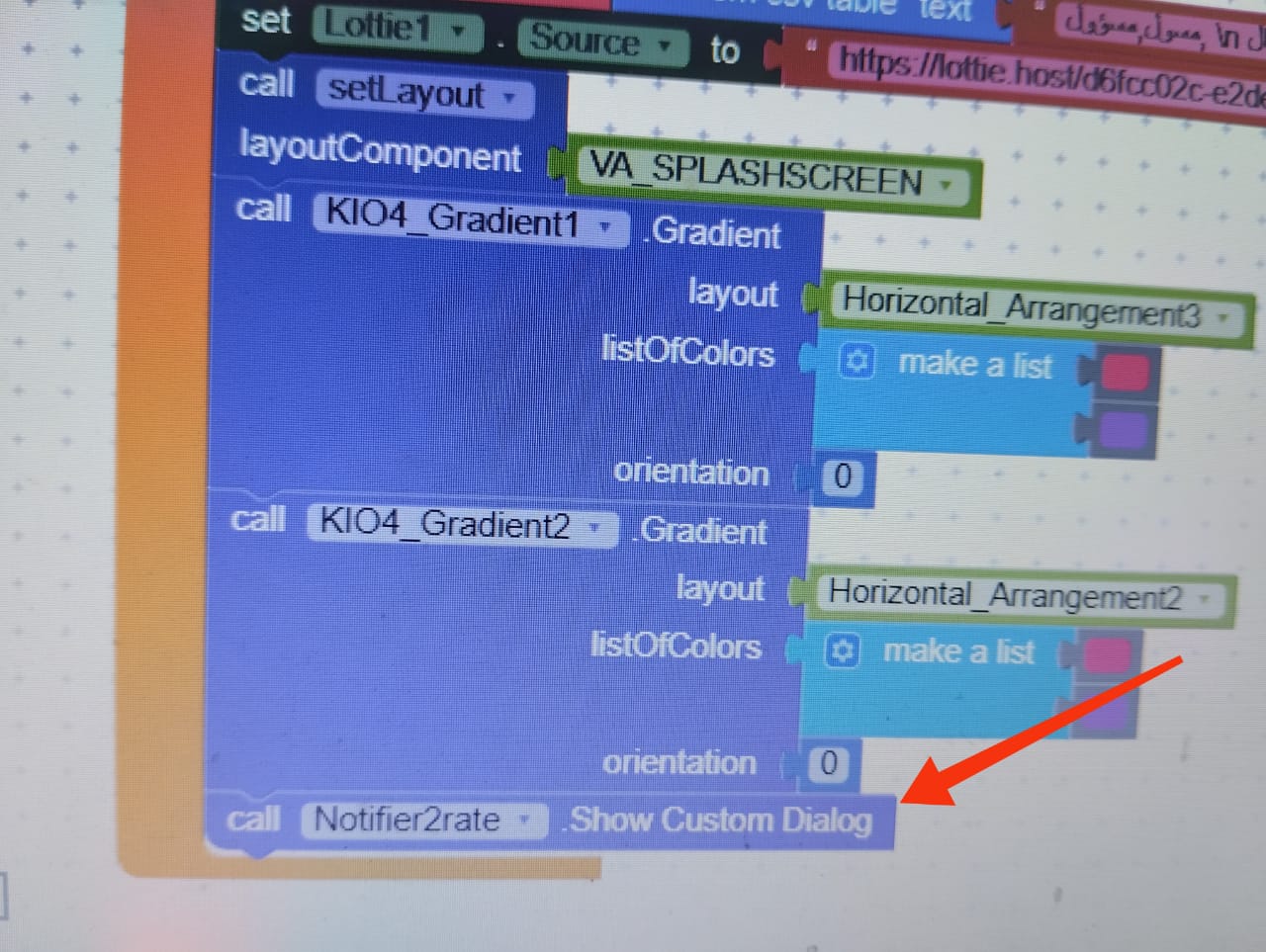
ShowCustomDialog in OnMenuItemClick
When I display an image inside the Notifier, it appears very compressed and the Notifier size is small.
So, can I put a Vertical Arrangement inside the main screen components with a fully transparent background, place the rating image inside it, and make it visible only when the user clicks the Rate button? Would that work?
This is a simplified version of the guide,

RatingBarNoor.aia (10.9 KB)
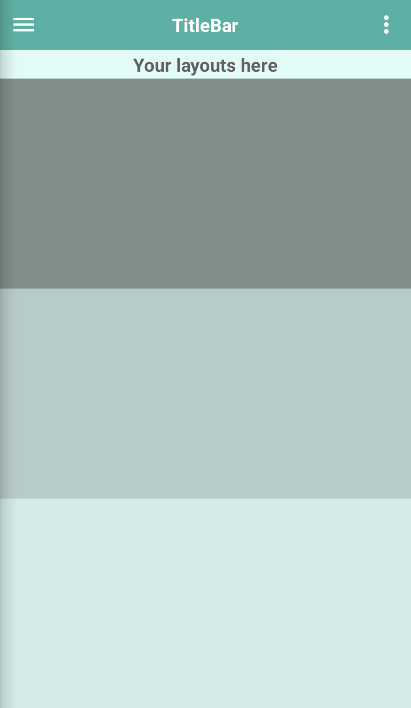
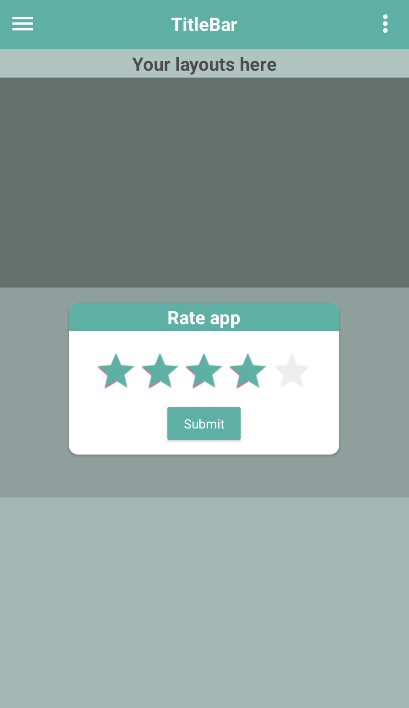
and the title bar remains clickable.
Is this what you’re trying to do?
Thank you.
Yes, this is exactly what I am trying to do, but I want to add an image as a blank template and place my rating texts on top of it, like a dialog layout.
How can I properly implement this?
I tried using a VerticalArrangement instead of a CardView, set the image as its background, and placed all the texts and the RatingBar on top of it. However, in the comment input section, when I start typing a comment, the other components move upward and become misaligned with the image.
What is the correct solution for this?
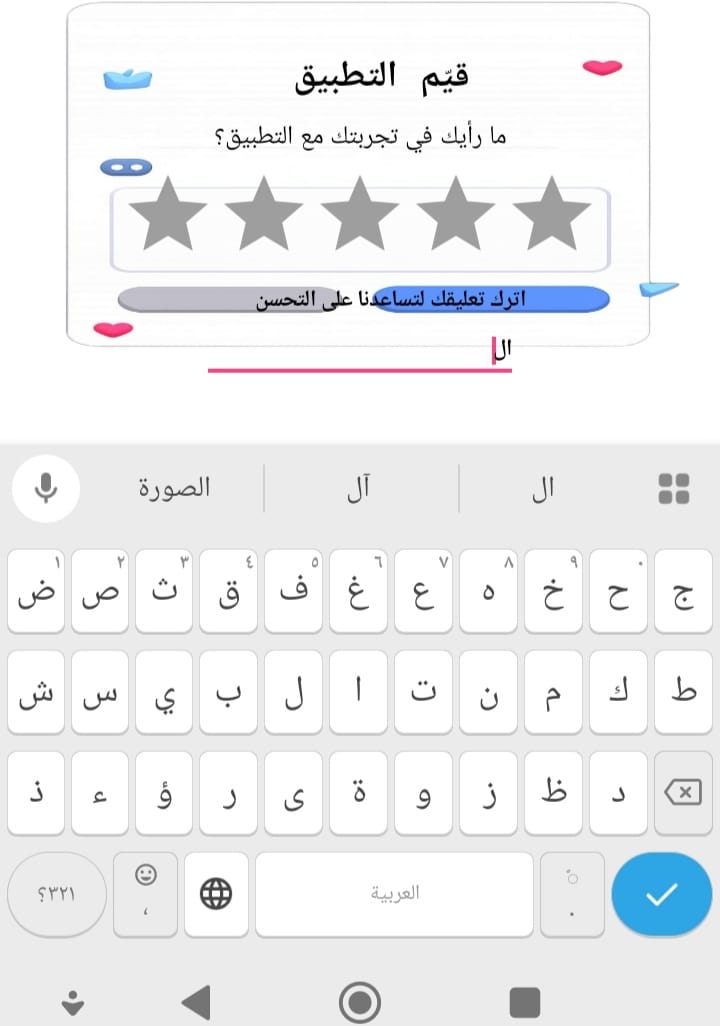

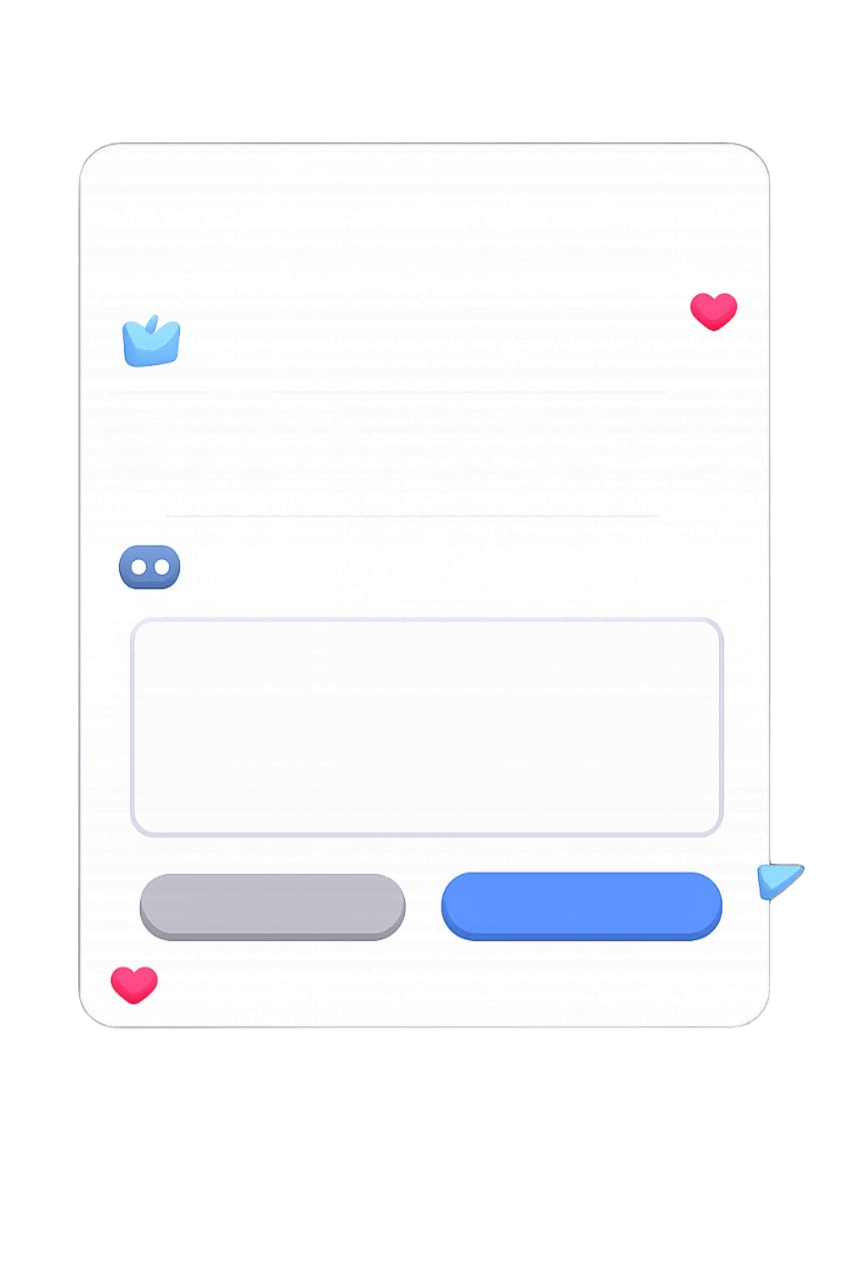
I recommend against using an image as a background  ,
,
I tried to recreate it for you myself, it’s not identical but it’s similar
(if you want to recreate the effect with the two slightly offset images we’ll need to use a decoration component, let me know if needed)
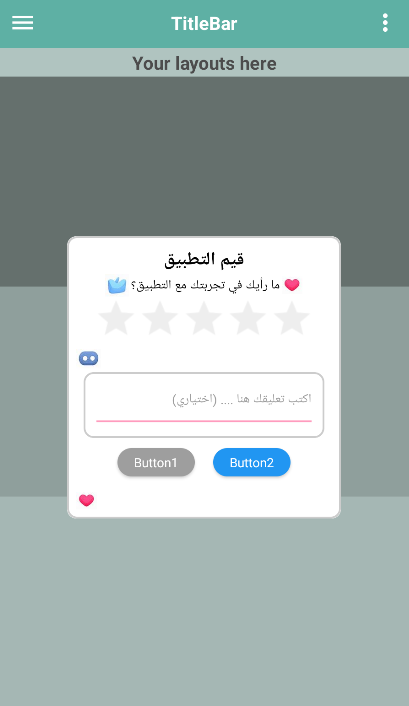
RatingBarNoor_rev2.aia (16.1 KB)
Thank you so much!
You’re really talented, and your method is excellent.
I truly appreciate your continuous help — it always makes things easier and smarter for me.
Thanks again for your support!
Thank you so much Noor, you’re really too kind,
it’s always a pleasure to help you!
Until next time
This topic was automatically closed 30 days after the last reply. New replies are no longer allowed.